Google Classroom vs. JollyDeck

Overview
ProductRatingMost Used ByProduct SummaryStarting Price
Google Classroom
Score 8.3 out of 10
N/A
N/A
$0
per month
JollyDeck
Score 0.0 out of 10
Mid-Size Companies (51-1,000 employees)
JollyDeck is an e-learning platform that empowers L&D teams to create and run modern e-learning faster. JollyDeck features two core environments - JollyDeck Create and JollyDeck LMS. JollyDeck Create is an AI-powered authoring suite designed for rapid creation of professional e-learning. The AI Copilot helps users to generate e-learning designs, write engaging content, and build interactive assessments. The built-in…
$26
per month per seat
Pricing
Google ClassroomJollyDeck
Editions & Modules
Education Fundamentals
$0
per license/per month
Google Workspace for Education Standard
$3
per student/per year
Teaching and Learning Upgrade
$4
per license/per month
Google Workspace for Education Plus
$5
per student/per year
JollyDeck Create: Pro
$26
per month per seat
JollyDeck Create: Enterprise
$39
per month per seat
JollyDeck Create + LMS: Starter
$190
per month per installation
JollyDeck Create + LMS: Growth
$340
per month per installation
JollyDeck Create + LMS: Business
$550
per month per installation
Offerings
Pricing Offerings
Google ClassroomJollyDeck
Free Trial
YesYes
Free/Freemium Version
NoNo
Premium Consulting/Integration Services
NoYes
Entry-level Setup FeeNo setup feeNo setup fee
Additional DetailsEducation Fundamentals Version - 30-day free trial for qualifying institutions.
More Pricing Information
Community Pulse
Google ClassroomJollyDeck
Features
Google ClassroomJollyDeck
Learning Management
Comparison of Learning Management features of Product A and Product B
Google Classroom
7.9
56 Ratings
4% below category average
JollyDeck
-
Ratings
Course authoring8.248 Ratings00 Ratings
Course catalog or library8.937 Ratings00 Ratings
Player/Portal9.536 Ratings00 Ratings
Learning content5.139 Ratings00 Ratings
Mobile friendly5.954 Ratings00 Ratings
Progress tracking & certifications8.042 Ratings00 Ratings
Assignments8.255 Ratings00 Ratings
Compliance management8.232 Ratings00 Ratings
Learning administration7.943 Ratings00 Ratings
Learning reporting & analytics8.939 Ratings00 Ratings
Social learning7.949 Ratings00 Ratings
Gamification6.57 Ratings00 Ratings
Single Sign On (SSO) Enabled Learning9.010 Ratings00 Ratings
Best Alternatives
Google ClassroomJollyDeck
Small Businesses
iSpring Learn
iSpring Learn
Score 9.5 out of 10
iSpring Learn
iSpring Learn
Score 9.5 out of 10
Medium-sized Companies
Schoology Learning
Schoology Learning
Score 9.7 out of 10
Schoology Learning
Schoology Learning
Score 9.7 out of 10
Enterprises
Schoology Learning
Schoology Learning
Score 9.7 out of 10
Schoology Learning
Schoology Learning
Score 9.7 out of 10
All AlternativesView all alternativesView all alternatives
User Ratings
Google ClassroomJollyDeck
Likelihood to Recommend
8.2
(76 ratings)
-
(0 ratings)
Likelihood to Renew
10.0
(4 ratings)
-
(0 ratings)
Usability
8.2
(7 ratings)
-
(0 ratings)
Availability
9.0
(1 ratings)
-
(0 ratings)
Performance
9.0
(1 ratings)
-
(0 ratings)
Support Rating
1.9
(14 ratings)
-
(0 ratings)
Implementation Rating
2.0
(2 ratings)
-
(0 ratings)
Product Scalability
10.0
(1 ratings)
-
(0 ratings)
User Testimonials
Google ClassroomJollyDeck
Likelihood to Recommend
Google
Google Classroom allows teachers to post for daily lessons and assignments. It also allows teachers to be able to communicate with students easily outside of class. Students are able to stay connected and know where to find all information and resources easily in a streamlined manner for all of their classes.
Read full review
JollyDeck Ltd
No answers on this topic
Pros
Google
  • Student-teacher communication - I love using Classroom for this because my students can always go back and check what was on Classroom by looking through the stream. This way they don't have to go dig through emails to find what they're looking for.
  • Posting to multiple classes - I can post the same announcement or assignment to multiple classes at once without having to repeat the process or send separate emails.
  • Streamlining grading - when students turn work in on Classroom, it all goes to one place and then when I'm grading I can open their documents directly from Classroom or my Drive folder. This way, I'm not looking through emails and Google Doc shared files for their assignment.
Read full review
JollyDeck Ltd
No answers on this topic
Cons
Google
  • The content management of the Classroom is not that good. The sub-section for notes, syllabus, or discussion is missing.
  • It doesn't have parental control feature.
  • It converts the excel output into a normal file. All the formulas and pivots got changed into plain text.
Read full review
JollyDeck Ltd
No answers on this topic
Likelihood to Renew
Google
Testing is particularly important in online learning, and Google Classroom falls far short of other learning management systems in this regard. Security is also a concern: while account control is reasonable for the account used with Google Classroom, the person controlling a particular account is often able to, for example, forward or download proprietary materials.
Read full review
JollyDeck Ltd
No answers on this topic
Usability
Google
Simple design and seamless integration with Google tools and drive, but missing some key features. However, since it is limited in overall functions and ability to truly personalize / customize, it is quite user friendly and easy to set up and get going, other than sending out the code to your course or dropping students in via their gmail account. Users of Google Forms and sites will find the layout similar in design.
Read full review
JollyDeck Ltd
No answers on this topic
Reliability and Availability
Google
We have had very little trouble in accessing Google Classroom. Our issues, if any, have risen from our server and not the Google servers.
Read full review
JollyDeck Ltd
No answers on this topic
Support Rating
Google
Since this platform is provided by Google, the technical support is better than any others, and we are not required to bother about the space constraints for adding the contents. If we have a good uninterrupted internet facility we can access Google Classroom without any delay or lag. They have app support in both Android and iPhone.
Read full review
JollyDeck Ltd
No answers on this topic
Implementation Rating
Google
It was relatively easy to implement due to the simplicity of the platform. Even our more technology challenged teachers found it easy to get started with Google Classroom.
Read full review
JollyDeck Ltd
No answers on this topic
Alternatives Considered
Google
I haven't tested or evaluated another digital classroom website or application. I feel like Google Classroom is convenient for many reasons such as compatibility to Google docs, slides, etc. I also love the ability to link to YouTube and other sites. I don't know if there would be a site that is easier to maneuver.
Read full review
JollyDeck Ltd
No answers on this topic
Scalability
Google
It is very easy to push out this program across our buildings. Teachers are able to use it without much trouble.
Read full review
JollyDeck Ltd
No answers on this topic
Return on Investment
Google
  • Students are able to continue learning in a remote environment
  • Parents have a single, consistent organization structure to make it easy to track assignments and progress for multiple children
  • Much better solution than the quickly assembled Zoom-and-gloom of the previous spring when school abruptly went remote with no planning
Read full review
JollyDeck Ltd
No answers on this topic
ScreenShots

JollyDeck Screenshots

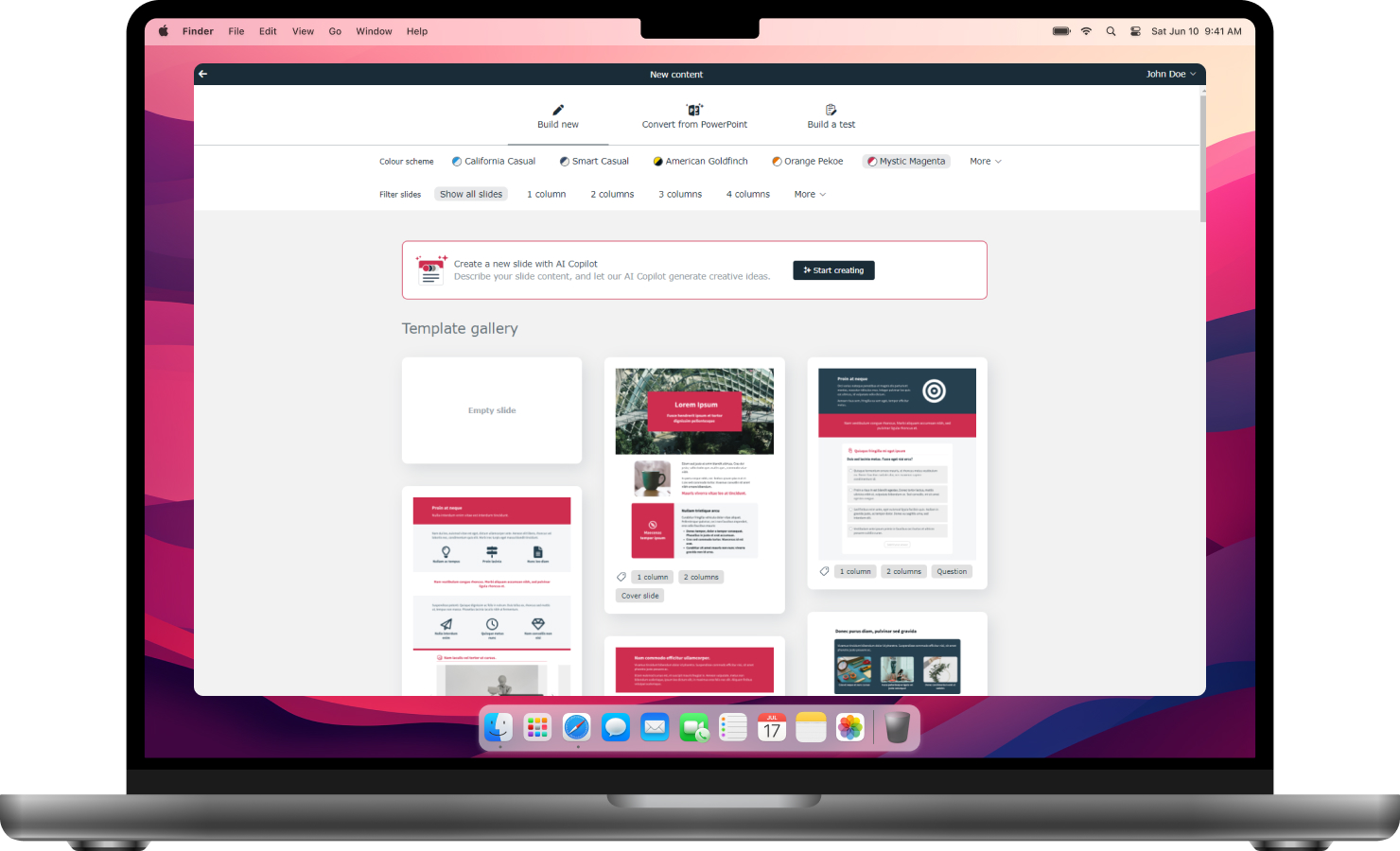
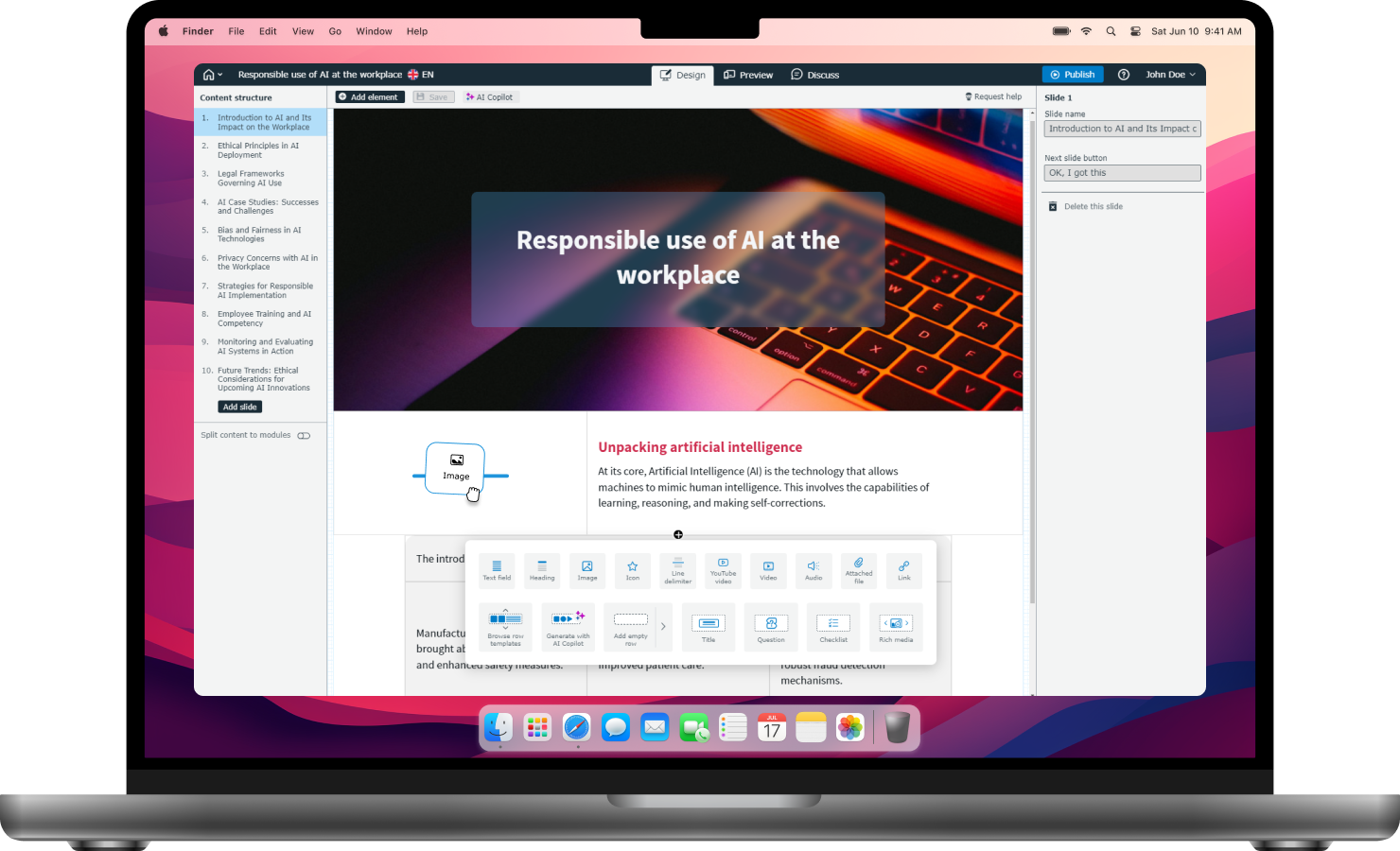
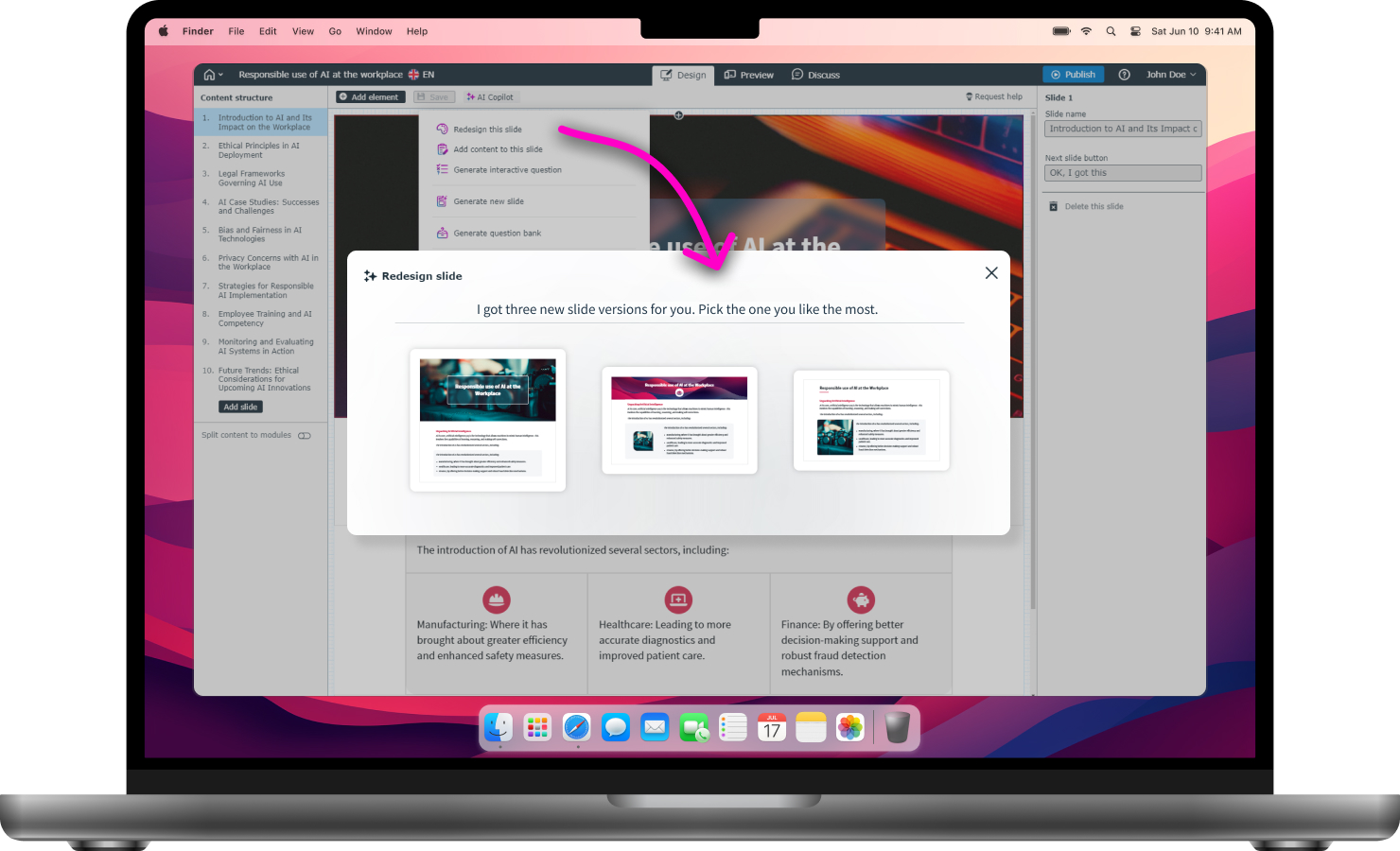
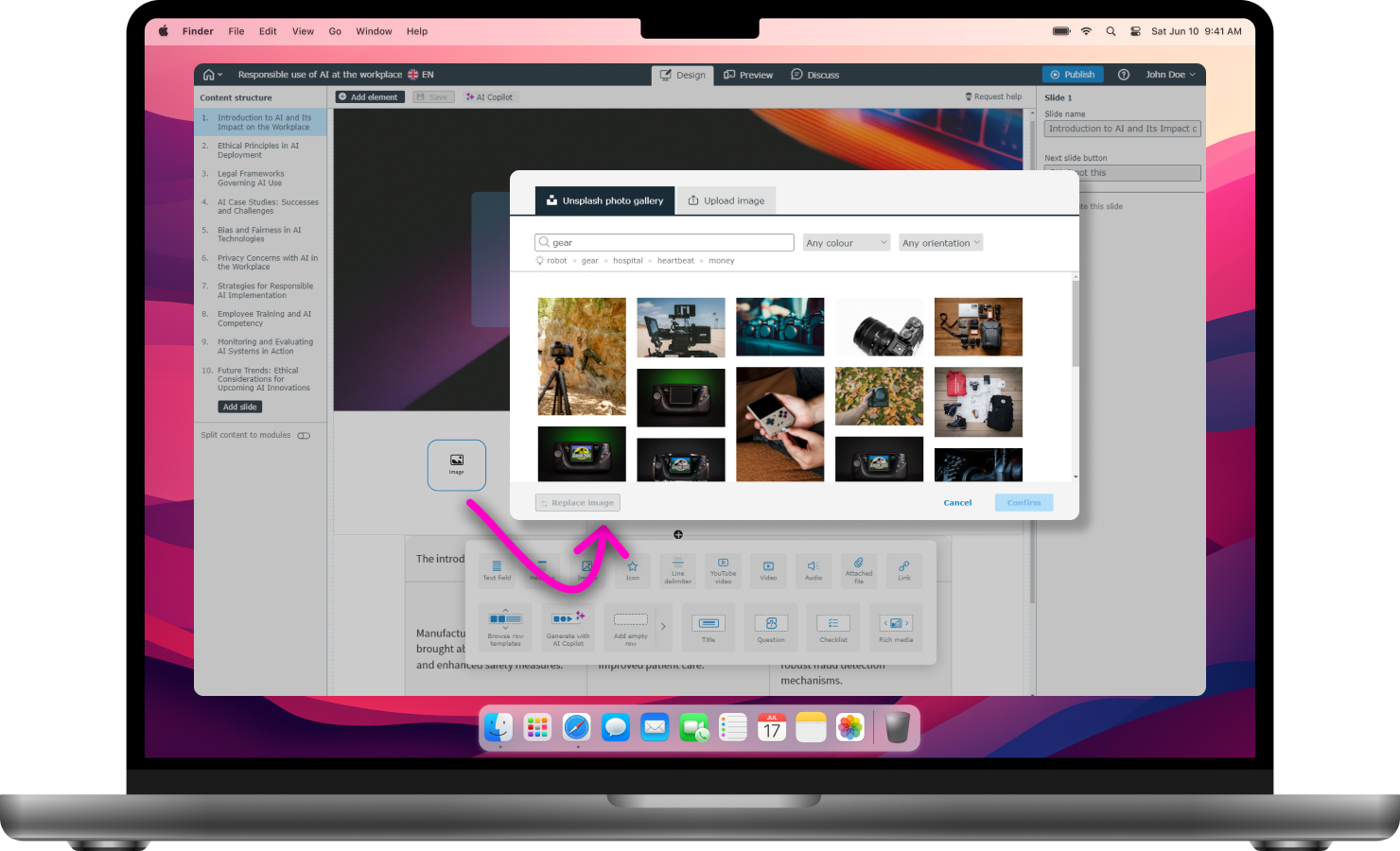
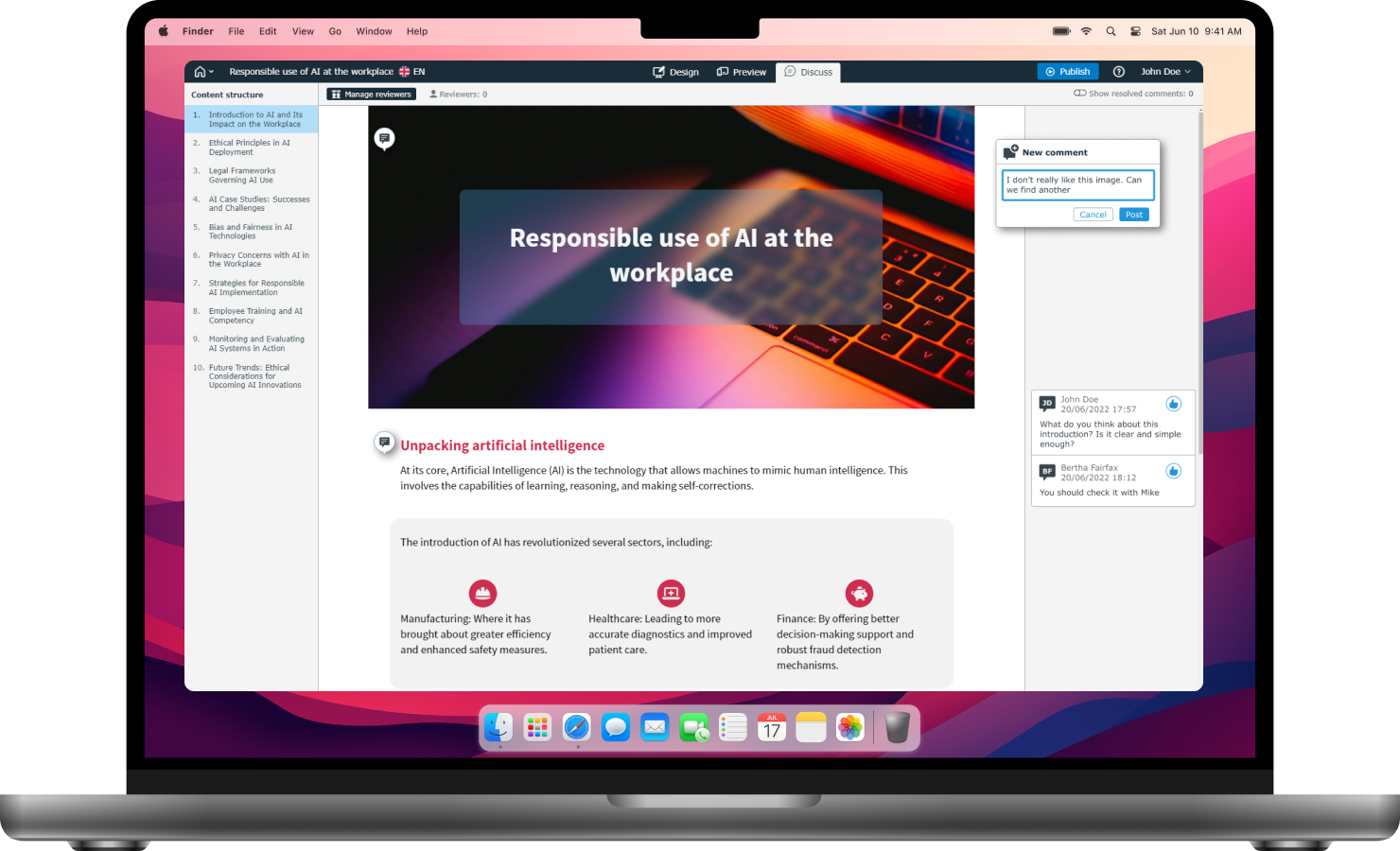
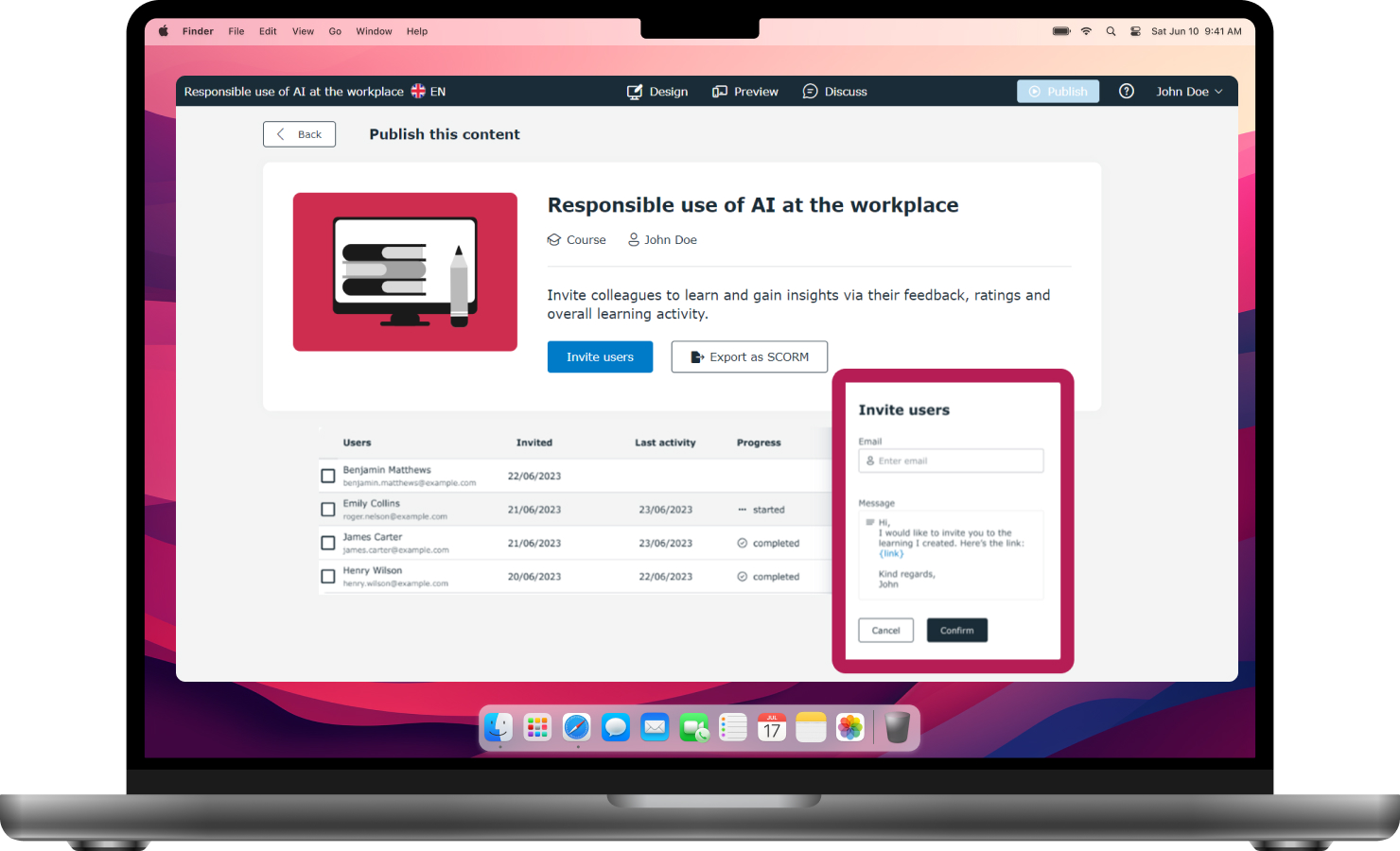
Screenshot of the JollyDeck Create authoring suite, which is powered by AI for the rapid creation of modern e-learning.Screenshot of the online editor used to create engaging learning content. with drag and drop elements to drop into learning material.Screenshot of The AI Copilot that serves as a digital partner in content creation, helping to generate e-learning designs, write compelling content, and build interactive elements and tests.Screenshot of some of the free stock images and icons directly from JollyDeck Create. Users can crop, resize, and edit images within the editor.Screenshot of where JollyDeck Create allows users to discuss ideas, collaborate on content, collect feedback, seek approvals, and track changes to learning materials.Screenshot of content exported as SCORM, so it can be shared with smaller groups directly from the Editor, or published in JollyDeck LMS to provide access to meaningful learning data with real-time analytics and reporting.