Google Backup and Sync (discontinued) vs. pCloud

Overview
ProductRatingMost Used ByProduct SummaryStarting Price
Google Backup and Sync (discontinued)
Score 7.9 out of 10
N/A
Google backup and sync was used to copy files from their computer to Google Drive's cloud services. Google Backup and sync includes file versioning and collaboration tools. Google Backup and Sync functionality is being replaced by the Drive for Desktop client, a feature of Google Drive. Users of Backup and Sync are encouraged to migrate.N/A
pCloud
Score 9.5 out of 10
N/A
pCloud is a cloud- based digital asset management platform that provides access to all digital content including images,video, audio, documents, and more, anytime, anywhere, on any device. Users can keep important files safe and centralized in one place, and share with team members, clients, etc. across the globe with controlled access and permissions to the digital library. The vendor says that the product has a user-friendly interface that clearly shows where everything is located and…
$9.99
per month per user (1 TB storage per user, 3+ users)
Pricing
Google Backup and Sync (discontinued)pCloud
Editions & Modules
No answers on this topic
pCloud Business
$9.99
per month per user (1 TB storage per user, 3+ users)
Business Pro
$19.98
per month per user (2 TB storage per user, 3+ users)
Offerings
Pricing Offerings
Google Backup and Sync (discontinued)pCloud
Free Trial
NoNo
Free/Freemium Version
NoYes
Premium Consulting/Integration Services
NoNo
Entry-level Setup FeeNo setup feeOptional
Additional DetailsDiscount available for annual pricing.
More Pricing Information
Community Pulse
Google Backup and Sync (discontinued)pCloud
Features
Google Backup and Sync (discontinued)pCloud
Reporting & Analytics
Comparison of Reporting & Analytics features of Product A and Product B
Google Backup and Sync (discontinued)
-
Ratings
pCloud
7.2
Ratings
1% above category average
Dashboards00 Ratings10.00 Ratings
Standard reports00 Ratings6.00 Ratings
Custom reports00 Ratings5.00 Ratings
Data exportability00 Ratings5.00 Ratings
Content analytics00 Ratings10.00 Ratings
DAM Features
Comparison of DAM Features features of Product A and Product B
Google Backup and Sync (discontinued)
-
Ratings
pCloud
9.4
Ratings
12% above category average
Uploading assets00 Ratings10.00 Ratings
Downloading assets00 Ratings9.60 Ratings
Categories00 Ratings9.10 Ratings
Asset storage00 Ratings10.00 Ratings
Asset sharing00 Ratings10.00 Ratings
Asset search00 Ratings9.00 Ratings
Embed codes00 Ratings9.90 Ratings
Metadata00 Ratings8.00 Ratings
Collections00 Ratings9.00 Ratings
User access00 Ratings9.90 Ratings
Related asset discovery00 Ratings9.00 Ratings
Best Alternatives
Google Backup and Sync (discontinued)pCloud
Small Businesses
SugarSync
SugarSync
Score 5.8 out of 10
CoSchedule Marketing Suite
Score 10.0 out of 10
Medium-sized Companies
Egnyte
Egnyte
Score 9.7 out of 10
CoSchedule Marketing Suite
Score 10.0 out of 10
Enterprises
iManage Work
iManage Work
Score 8.2 out of 10
MediaValet
MediaValet
Score 9.1 out of 10
All AlternativesView all alternativesView all alternatives
User Ratings
Google Backup and Sync (discontinued)pCloud
Likelihood to Recommend
9.6
(0 ratings)
9.7
(0 ratings)
Usability
9.0
(0 ratings)
10.0
(0 ratings)
Support Rating
8.2
(0 ratings)
-
(0 ratings)
User Testimonials
Google Backup and Sync (discontinued)pCloud
Likelihood to Recommend
If we have alot of branches office cross the world in many country and you work mostly with office file, Microsoft Word, Excel, PowerPoint, I recommend using Google Drive is best, because most of ISP has local Google cache that improve the speed upload or download file and sharing quicker to everyone.
Read full review
Our normal team meeting was taking place, and we were transferring our data to pCloud. pCloud had supplied us with a platform from which we could download our critical data whenever we needed it. We also need to provide our project status report, and for this, we upload our PowerPoint presentation to the cloud, which has proven to be useful anytime we have needed it. It may be used in a variety of ways, including storing, sharing, and backing up essential files in a folder on your computer.
Read full review
Pros
  • Cloud storage
  • Fast updating
  • Works across devices
  • Easy to collaborate
Read full review
  • pCloud helps us to store data very well and it is accessible from anywhere. It makes it easy for anyone to use it and secure the data. It is easy to upload data and access it while having a meeting with our client.
  • pCloud easily stores files from another platform as well like Google Drive or Dropbox. It easily exchanges information like images, videos, and documents. This feature is amazing as it gives access to files from other storage.
  • It had one feature known as pCloud Crypto which gives high-end security to the data when stored. It is highly secure and encrypted. It uses blockchain technology which requires a key to use called Crypto Pass to unlock your data. Really like it.
Read full review
Cons
  • It is a bit slow.
  • It could have multiple backups based on date.
Read full review
  • pCloud provides a lot of wonderful features, however we've seen a few stutters when using the service
  • Every time we try to download a file, it fails to complete the process
  • The newly uploaded files are not being correctly synced automatically
Read full review
Usability
It requires little to no user intervention to get it working properly
Read full review
It is very easy to use, fast loading and the product team keeps adding updates. Like now I can listen to all my audiobooks from a playlist in pCloud. I am ask for files or send files easier than ever before. I also have access to all my files whereever I am.
Read full review
Support Rating
Google support is usually pretty good, never had an issue that required direct communication or support from Google.
Read full review
No answers on this topic
Alternatives Considered
Since the [Google Backup and Sync] works with google/gmail accounts, and most people have a google account already it made it an easy solution to setup and link with most users. The other solutions would have required setting up new accounts for most employees to get them started, so it saved us that hassle.
Read full review
pCloud has a virtual drive which Google Drive does not offer. Sharing links using a custom page is much more professional than Google Drive. I feel pCloud is more value for money than paying for the upgraded Google Drive plan. If pCloud has its own built-in app editor/viewers like Google Docs/Sheets etc that would be even better!
Read full review
Return on Investment
  • It save a lot's of time.
  • Saving a lot's of hassle.
  • User friendly environment.
Read full review
  • pCloud had worked very well for us. It had given the best service and features to us whenever we needed our data. It was there safe and secure.
  • The Synchronization issue is there with pCloud Data Storage. It needs to be updated by the developers if possible.
  • pCloud has helped us with the improvement of our business requirements, as it makes our work easier and fast enough to deliver the project details on time to clients.
Read full review
ScreenShots

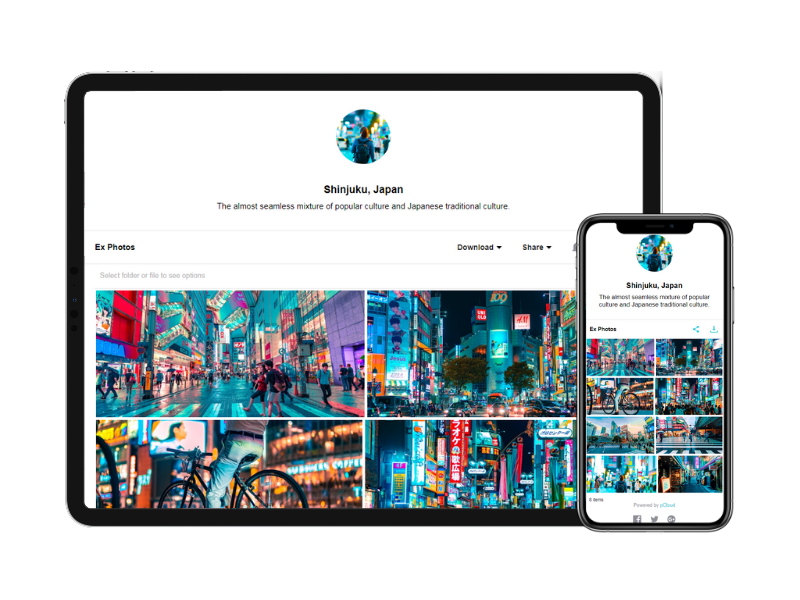
pCloud Screenshots

Screenshot of Screenshot of Screenshot of