Google Analytics is perhaps the best-known web analytics product and, as a free product, it has massive adoption. Although it lacks some enterprise-level features compared to its competitors in the space, the launch of the paid Google Analytics Premium edition seems likely to close the gap.
$0
per month
Woopra
Score3 out of 10
Enterprise companies (1,001+ employees)
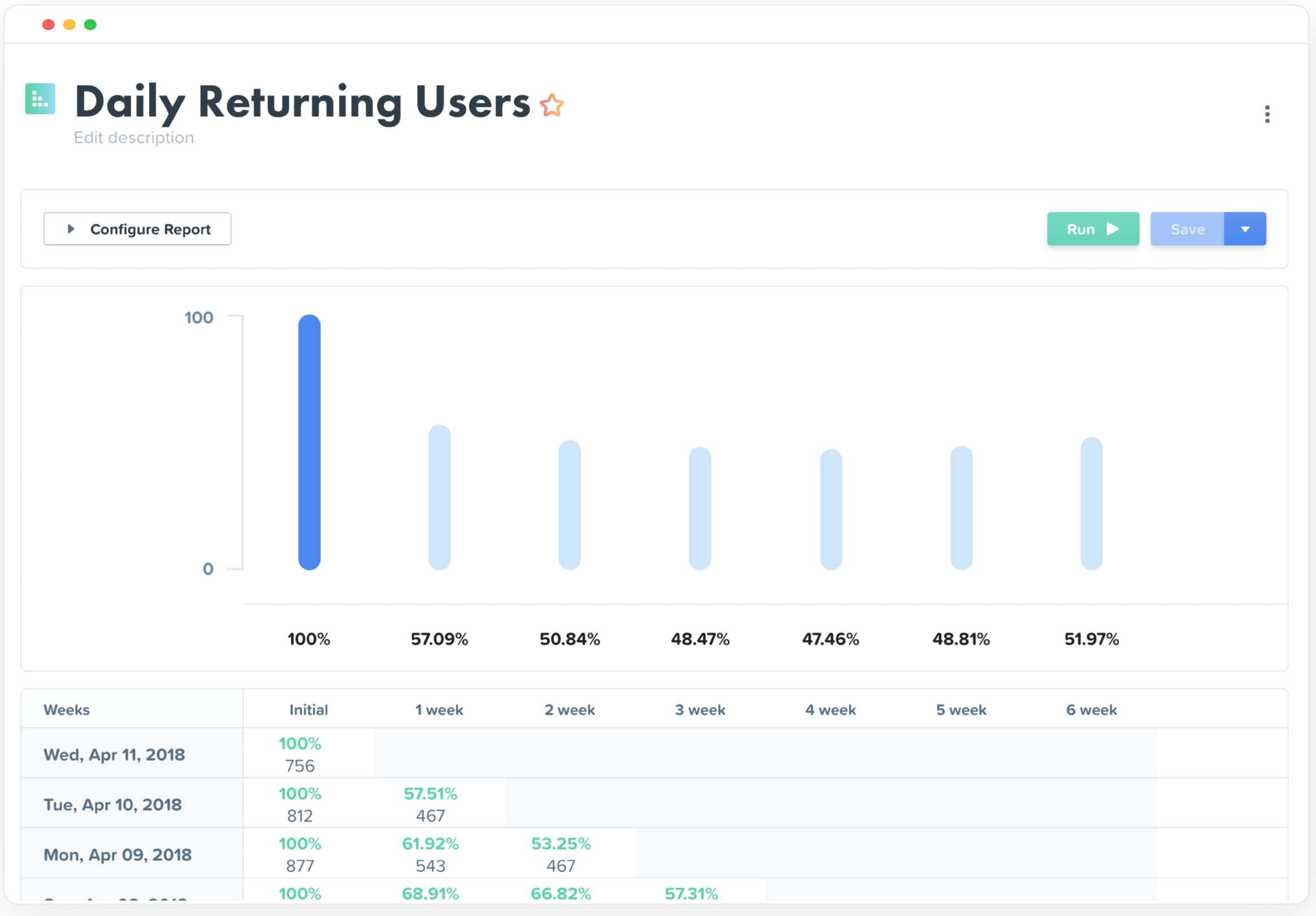
Woopra provides real-time customer analytics. It begins by tracking users across digital touch points (website, mobile app, help desk, marketing automation, etc.) and building a comprehensive behavioral profile for each user. These Customer Profiles are Woopra's building blocks, which are used to generate custom analytics reports, funnel analytics, retention analytics, and more.
$80
per month
Pricing
Google Analytics
Woopra
Editions & Modules
Google Analytics 360
150,000
per year
Google Analytics
Free
Pro
$999.00
per month
Offerings
Pricing Offerings
Google Analytics
Woopra
Free Trial
No
Yes
Free/Freemium Version
Yes
Yes
Premium Consulting/Integration Services
No
Yes
Entry-level Setup Fee
No setup fee
Optional
Additional Details
—
—
More Pricing Information
Community Pulse
Google Analytics
Woopra
Considered Both Products
Google
Verified User
Chose Google Analytics
Honestly, I don't think any other options really stack up at all but these have a few great features... Matomo - planned integrations with Google Ads, Bing Ads, and Facebook Ads. Woopra - real-time, on-the-fly things like sending a message to a sales Slack channel right when a …
A de minimis incentive was given to thank the reviewer for their time. The incentive was not used to bias or drive a particular response, nor was the incentive contingent on a positive endorsement. More Info
Digital Marketing Strategist, Founder in Professional Services at California SEO Professionals (Marketing and Advertising, 1-10 employees)
Chose Google Analytics
It's free, nothing beats that! It is easier to use than most other platforms I have used. You can create customized reports on the fly and they are high quality too. Despite the fact that there are so many other other analytics management platforms, Google Analytics remains a …
A de minimis incentive was given to thank the reviewer for their time. The incentive was not used to bias or drive a particular response, nor was the incentive contingent on a positive endorsement. More Info
Owner - Web Designer & Developer in Marketing at Brian Alonzo - Web Design & Development (Design, 1-10 employees)
Chose Woopra
Woopra is much easier to setup and use than Google Analytics. I've spent hours trying to create custom reports in Google Analytics. Woopra does not take this much time to get solid reporting for our site. If you need something that tracks marketing efforts then Google Analytics…
A de minimis incentive was given to thank the reviewer for their time. The incentive was not used to bias or drive a particular response, nor was the incentive contingent on a positive endorsement. More Info
A de minimis incentive was given to thank the reviewer for their time. The incentive was not used to bias or drive a particular response, nor was the incentive contingent on a positive endorsement. More Info
A de minimis incentive was given to thank the reviewer for their time. The incentive was not used to bias or drive a particular response, nor was the incentive contingent on a positive endorsement. More Info
Verified User
Chose Woopra
Woopra has comprehensive reporting tools, though I'm not too familiar with other tools.
A de minimis incentive was given to thank the reviewer for their time. The incentive was not used to bias or drive a particular response, nor was the incentive contingent on a positive endorsement. More Info
Verified User
Chose Woopra
Mixpanel looks too mobile oriented. Very limited in some scenarios. Google analytics seems too B2C products oriented. More on aggregated data, retention, funnel and conversion. Woopra allows a better follow of particular users when needed.
A de minimis incentive was given to thank the reviewer for their time. The incentive was not used to bias or drive a particular response, nor was the incentive contingent on a positive endorsement. More Info
Verified User
Chose Woopra
Easier to use. Loved the tracking functionality allowing to see individual user paths and 'labels' attached to a customer. you can assign customers to a specific bucket, which you can't do in GA.
A de minimis incentive was given to thank the reviewer for their time. The incentive was not used to bias or drive a particular response, nor was the incentive contingent on a positive endorsement. More Info
Verified User
Chose Woopra
I do not know how to compare these to other such tools, as I only use analytics tools that do not collect PII for security purposes. I would not call this an analytics tool though, but rather a product quality measurement tool—it allows you to easily see high level data and …
A de minimis incentive was given to thank the reviewer for their time. The incentive was not used to bias or drive a particular response, nor was the incentive contingent on a positive endorsement. More Info
Founder & President in Corporate at NextShark (Publishing, 1-10 employees)
Chose Woopra
Google Analytics is another product we use, but we've found their product pretty hard to use and follow. Woopra is the product that solves this problem and makes analytics easy to understand.
Co-Founder in Information Technology at Ecomarket.com (Internet, 1-10 employees)
Chose Woopra
Google Analytics, Mixpanel. Woopra blows both of these out the water, the UI and level of easy segmentation is a big factor in this but also they have some nice real time features that these other tools simply do not have that add a lot of value.
Google Analytics is particularly well suited for tracking and analyzing customer behavior on a grocery e-commerce platform. It provides a wealth of information about customer behavior, including what products are most popular, what pages are visited the most, and where customers are coming from. This information can help the platform optimize its website for better customer engagement and conversion rates. However, Google Analytics may not be the best tool for more advanced, granular analysis of customer behavior, such as tracking individual customer journeys or understanding customer motivations. In these cases, it may be more appropriate to use additional tools or solutions that provide deeper insights into customer behavior.
My rating of Woopra is the absolute best possible. I would recommend them to anyone looking for an analytics website that prefers a visual interface and a beautiful design. I have not encountered any problems using their app -- ZERO! Their integration with other marketing software, such as MailChimp, helps our company zero in on our marketing campaigns and gives us the information we need to make better choices. I LOVE Woopra and think they are the best out there! I have used other websites and there is no comparison!
A de minimis incentive was given to thank the reviewer for their time. The incentive was not used to bias or drive a particular response, nor was the incentive contingent on a positive endorsement. More Info
A de minimis incentive was given to thank the reviewer for their time. The incentive was not used to bias or drive a particular response, nor was the incentive contingent on a positive endorsement. More Info
Woopra tracks *individual users and customer accounts*. It cannot be understated how important this is. Google Analytics and other low cost solutions only sample users and provide aggregate data. For enterprise sales, this is critical. Likewise, for product managers trying to segment product usage by types of accounts, this is incredibly useful.
Woopra updates user analytics in real time. This is critical in a sales context as you want to be able to follow up quickly on opportunities. Likewise, it is useful for customer success as they can see usage in real time for an individual they are supporting.
Woopra has the most turnkey integrations of any web analytics solution on the market. By far the most useful are Marketo, SalesForce, and Slack, but there are several more we didn't tap into. While any solution worth its salt has an API, Woopra's integrations usually require a login and/or API key, and you are good to go. Here is the current list: https://www.woopra.com/appconnect/.
Woopra enables B2B product managers to track product and feature usage by revenue, not just clicks. Again, in a B2B context, this is critical, as there are high-value users and low-value users. Knowing the difference is critical.
Woopra's implementation is super simple. We were able to set it up with a couple of hours of one frontend developer and some help from our product intern.
A de minimis incentive was given to thank the reviewer for their time. The incentive was not used to bias or drive a particular response, nor was the incentive contingent on a positive endorsement. More Info
A de minimis incentive was given to thank the reviewer for their time. The incentive was not used to bias or drive a particular response, nor was the incentive contingent on a positive endorsement. More Info
We will continue to use Google Analytics for several reasons. It is free, which is a huge selling point. It houses all of our ecommerce stores' data, and though it can't account for refunds or fraud orders, gives us and our clients directional, real time information on individual and group store performance.
A de minimis incentive was given to thank the reviewer for their time. The incentive was not used to bias or drive a particular response, nor was the incentive contingent on a positive endorsement. More Info
We just really like the tool. There are lots of us using it internally... from Product, to marketing, to customer service, to optimization team, to traffic acquisition, to Executives. Really helps us answer questions about how well things are going, and what is not going well.
Google Analytics provides a wealth of data, down to minute levels. That is it's greatest detriment: find the right information when you need it can be a cumbersome task. You are able to create shortcuts, however, so it can mitigate some of this problem. Google is continually refining Analytics, so I do not doubt there will be improvements
The UI and reports are great overall. Creating reports just requires a few too many screens and clicks. Also dashboard tiles can't be resized. Both of these are easy items that are being addressed
We all know Google is at top when it comes to availability. We have never faced any such instances where I can suggest otherwise. All you need is a Google account, a device and internet connection to use this super powerful tool for reporting and visualising your site data, traffic, events, etc. that too in real time.
This has been a catalyst for improving our site's traffic handling capabilities. We were able to identify exit% from our sites through it and we used recommendations to handle and implement the same in our sites. We have been increasing the usage of Google Analytics in our sites and never had any performance related issues if we used Analytics
The Google reps respond very quickly. However, sometimes they can overly call you to set up an apportionment. I'm very proficient and sometimes when I talk to reps, they give beginner tutorials and insights that are a waste of time. I wish Google would understand my level of expertise and assign me to a rep (long-term) that doesn't have to walk me through the basics.
A de minimis incentive was given to thank the reviewer for their time. The incentive was not used to bias or drive a particular response, nor was the incentive contingent on a positive endorsement. More Info
love the product and training they provide for businesses of all sizes. The following list of links will help you get started with Google Analytics from setup to understanding what data is being presented by Google Analytics.
I think my biggest take away from the Google Analytics implementation was that there needs to be a clear understanding of what you want to achieve and how you want to achieve it before you start. Originally the analytics were added to track visitors, but as we became more savvy with the product, we began adding more and more functionality, and defining guidelines as we went along. While not detrimental to our success, this lack of an overarching goal resulted in some minor setbacks in implementation and the collection of some messy data that is unusable.
Compared to other products, the support was a small effort. We only had part time contributions from a product management intern and front end developer.
I have not used Adobe Analytics as much, but I know they offer something called customer journey analytics, which we are evaluating now. I have used Semrush, and I find them much better than Google Analytics. I feel a fairly nontechnical person could learn Semrush in about a month. They also offer features like competitive analysis (on content, keywords, traffic, etc.), which is very useful. If you have to choose one among Semrush and Google Analytics, I would say go for Semrush.
A de minimis incentive was given to thank the reviewer for their time. The incentive was not used to bias or drive a particular response, nor was the incentive contingent on a positive endorsement. More Info
Woopra is much easier to setup and use than Google Analytics. I've spent hours trying to create custom reports in Google Analytics. Woopra does not take this much time to get solid reporting for our site. If you need something that tracks marketing efforts then Google Analytics will likely be a better fit.
A de minimis incentive was given to thank the reviewer for their time. The incentive was not used to bias or drive a particular response, nor was the incentive contingent on a positive endorsement. More Info
Google Analytics is currently handling the reporting and tracking of near about 80 sites in our project. And I am not talking about the sites from different projects. They may have way more accounts than that. Never ever felt a performance issue from Google's end while generating or customising reports or tracking custom events or creating custom dimensions
A de minimis incentive was given to thank the reviewer for their time. The incentive was not used to bias or drive a particular response, nor was the incentive contingent on a positive endorsement. More Info
Really helped us begin to segment our users based on their engagement and retention.
Helped increase retention by about 1.5% after about 5 months of implementation (don't shoot the messenger if your team can't implement that quickly).
I felt like it had great potential to create a pipeline between sales and the CSM, but I had trouble getting the sales team to implement it properly as they had their noses deep in calls and emails (they struggle entering notes in SalesForces as well, so it's more a company specific problem).
A de minimis incentive was given to thank the reviewer for their time. The incentive was not used to bias or drive a particular response, nor was the incentive contingent on a positive endorsement. More Info