GoldMine CRM was is a Customer Relationship Management (CRM) solutions for small businesses boasting at its peak over 1 millions users across verticals, a CRM solution for businesses running Windows, available for the Cloud, Mobile and on premise. The product was acquired by Ivanti, and currently is no longer available as a standalone application.
$65
per month per user
Kustomer
Score8.7 out of 10
N/A
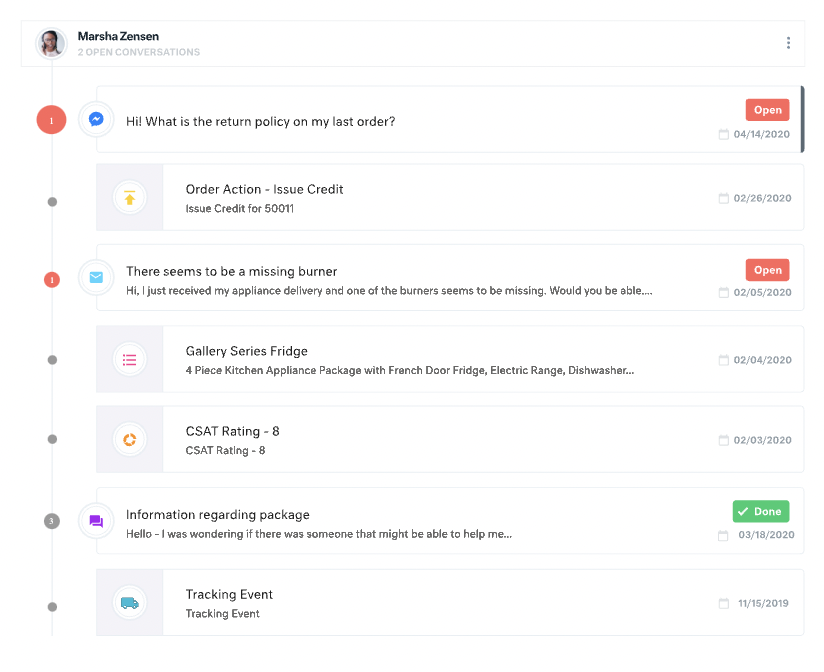
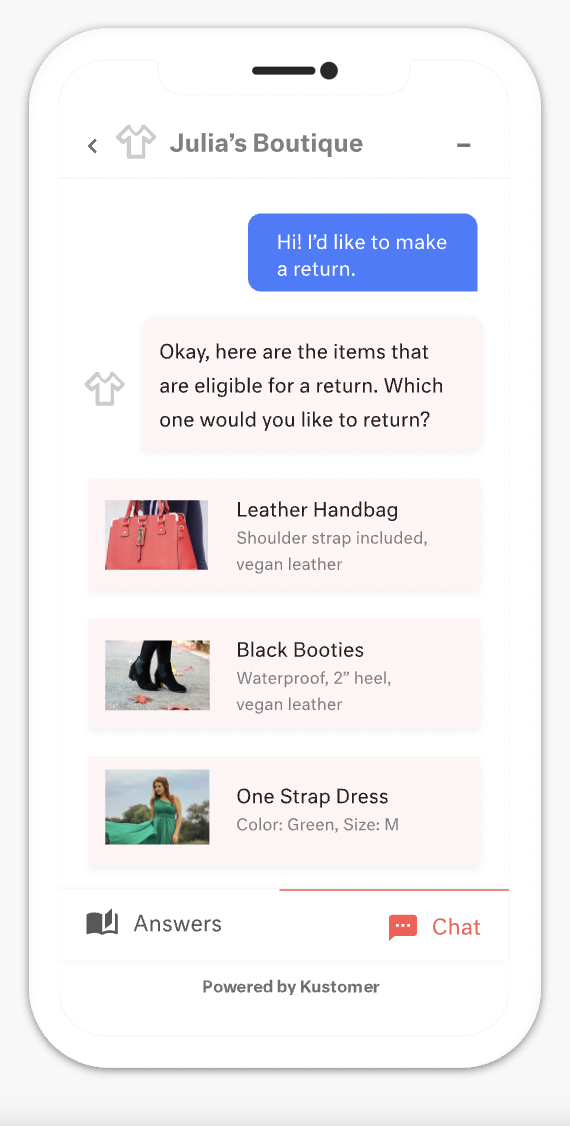
Kustomer is a customer service CRM platform built for managing high support volume by optimizing experiences throughout the customer service journey. Kustomer was acquired by Facebook in late 2020, but spun out in 2023 and re-launched as an independent entity, Kustomer, LLC.
$89
per month per user
Pricing
GoldMine CRM (discontinued)
Kustomer
Editions & Modules
Cloud Based
$65
per month per user
On-Premise - multi-user
$1,992
one-time fee 3 shared users (includes 1 year of support)
Enterprise
$89
per month, per user
Ultimate
$139
per month, per user
Offerings
Pricing Offerings
GoldMine CRM (discontinued)
Kustomer
Free Trial
No
No
Free/Freemium Version
No
No
Premium Consulting/Integration Services
No
No
Entry-level Setup Fee
No setup fee
No setup fee
Additional Details
—
All plans require an annual subscription and 8 users minimum.
I believe GoldMine is well suited to keep track of customer contact automatically, so your customers needs are met. I also like keeping track of my emails and customer contact notes, this way I always know what they need quickly. I like to keep reminders on certain customer request or pricing for certain items. We use GoldMine in unison with Traverse for placing orders . I would love GoldMine more if they had the abilities to place orders through the app , rather than using an additional tool.
I would say the greatest strength of Kustomer is its flexibility. In the hands of a skilled admin, it can be adapted to tons and tons of different use cases. I've been able to make custom displays for different groups of agents, produce complex cross sections of users, draw interesting data relationships combining marketing contacts and customer-initiated contacts. For example, there's really no other data source in our company which could tell you which users received a specific promo code and checked out with it, received their delivery within 14 days and then can related that to the number of times they contacted us about using our product. At the intersection of communication, marketing, data, and relationship-management, Kustomer shines at the center. I would say it falls short when you are trying to coordinate multiple "side conversations" with multiple sources to resolve an issue. This is a tough task for any type of platform, but if you're maintaining 3 different email chains with a 3PL partner, the customer, and a separate internal conversation, it would be confusing anyway!
A de minimis incentive was given to thank the reviewer for their time. The incentive was not used to bias or drive a particular response, nor was the incentive contingent on a positive endorsement. More Info
All customer data (past orders, communication with customer service, rewards account data) is in one place. This helps agents avoid confusion and reduces the number of tabs they need to open.
The Knowledge Base (or K Base) is very helpful. Any time we roll out a new policy or have a limited-time promotion, we can add all the relevant information and worksheets there for the convenience of the agents. That way they can stay in a chat while looking up the answer to a question.
We can seamlessly move from chat into email if the customer leaves or the queue times are too long. All the interactions will stay on the customer profile page, so they are kept up to date.
A de minimis incentive was given to thank the reviewer for their time. The incentive was not used to bias or drive a particular response, nor was the incentive contingent on a positive endorsement. More Info
Of course, there are always areas that could be improved, in my view the Report generation tool, hasn't really changed in the last 10 years at least, whilst other CRM products have more powerful and easy to use and customise Reporting tools, although there are plenty of Reports to choose from
The Database schema has stood the test of time but is quite restrictive in certain areas and what you can do with it
Integration with other system unless you are a developer is not easy as there are only one or two areas to show/bring in information
For our team, the feature that defaults all notes to begin in "done" status is difficult. Throughout each day we need to have notes open and assigned back and forth to different teams, and we have to remember to manually "open" each note. There is too much room for human error with this setting, and it is easy for important notes to be missed if a user forgets to open the note.
Similarly, it can be hard to remember to assign emails/notes to a particular team in addition to a user. We almost exclusively work out of team inboxes, and if someone on Care writes an email to a customer, the email will automatically be "done" when it is created, and it will be assigned to the user who wrote it, but not also to the user's team. There are instances where an email needs to be snoozed for several days/hours with further action needed, and unless the user remembers to assign the email to their team it may "awake" from the snooze and not be visible to anyone except the user who created it. Similarly to my first comment, this leaves a lot of room for human error and is not very intuitive.
Personally, I do not love that all tickets/emails/notes are jumbled together in the same inbox. While this gives visibility to everything on the "to do" list at the same time, it can be visually overwhelming. We have created unique folders for certain types of projects or categories of work, but have experienced tech glitches or just the awkwardness of another step to manually read the note, determine what type of category it is, and then manually assign it to another folder. Would love to have things auto-sort and take out this manual lift.
I love the idea of the autopilot setting, but we have not been able to use this for our work because it sorts items based on time, and not based on priority. In our line of work, we may have an urgent situation arise that needs attention before an email that was sent in 60 minutes ago. The autopilot feature would push the email to my associates sooner than it would the urgent situation from 5 minutes ago. Due to this, we manually monitor inboxes and assign work to ourselves and others.
A de minimis incentive was given to thank the reviewer for their time. The incentive was not used to bias or drive a particular response, nor was the incentive contingent on a positive endorsement. More Info
If there were a product that would mean less on-site support/maintenance with comparable or not much more cost, I would seriously consider switching. Furthermore, going to a more mobile, paper-less application process would tip the scales in the favor of a competitor. I'd also like something that integrates web forms so that data entry is more stream-lined as is response time
A de minimis incentive was given to thank the reviewer for their time. The incentive was not used to bias or drive a particular response, nor was the incentive contingent on a positive endorsement. More Info
Personally, perhaps I should give it a higher rating, but I do genuinely think it was very easy to pick up and run with, but I did have a full training session and of course was keen on using it. In my previous marketing role many years ago, I 'd tried to create an MS Access database and this has taken ages, so being introduced to the power of GoldMine really impressed. People have comments on it, but my opinion is its still fast and a great workhorse
There is a learning curve, but it is more than worth it, especially to have a dedicated resource pointed at Kustomer and any other software it interacts with. The basic implementation is useful, and powerful - certainly a MASSIVE upgrade over taking care of your customers in an email inbox or shuffling between multiple windows and applications! It is also set up really well to grow and reconfigure with your business. I'm a big fan.
A de minimis incentive was given to thank the reviewer for their time. The incentive was not used to bias or drive a particular response, nor was the incentive contingent on a positive endorsement. More Info
For me, its always been there, no worries here about downtime or the internet being down or switched off. Having it on a laptop as well with Goldsync means I'm always able to updated my notes and then synchronise. This to me is one of the benefits of purchased on-premise software, it cant simply be turned off!.
A de minimis incentive was given to thank the reviewer for their time. The incentive was not used to bias or drive a particular response, nor was the incentive contingent on a positive endorsement. More Info
Pretty good, Yes, there are occasions when i may think there should be an easier way to do things, but over the years, I've always found a way to get the information out that i want, sometimes just needing a bit of help from the technical team. Day to day,. it works for me very well.
A de minimis incentive was given to thank the reviewer for their time. The incentive was not used to bias or drive a particular response, nor was the incentive contingent on a positive endorsement. More Info
Their customer support is spot on! We never feel like we're being made to wait, and when we email, they respond and offer assistance very quickly. It's the same response I'd expect from an in-house IT team down the corridor. Some support teams you know you're talking to the first line support chap who probably doesn't know how to resolve your issue, and you have to wait until they give up and pass it, but GM support people seem very knowledgable
A de minimis incentive was given to thank the reviewer for their time. The incentive was not used to bias or drive a particular response, nor was the incentive contingent on a positive endorsement. More Info
I did not reach out to Kustomer support when we had an issue. Still, whenever we provide feedback to our manager regarding what can improve based on our experience using Kustomer, our manager always comments that Kustomer support always replies with some positive feedback based on our suggestions.
A de minimis incentive was given to thank the reviewer for their time. The incentive was not used to bias or drive a particular response, nor was the incentive contingent on a positive endorsement. More Info
I was originally trained by the UK distributor and then subsequently trained my self and had access to GoldMine consultants. In the long run, this saved me a lot of time really since I knew the product on an advanced/administrator basis and able to perform day to day tasks. Some things, still needed the consultants. The trick was with the training, I knew when I was out of my depth
A de minimis incentive was given to thank the reviewer for their time. The incentive was not used to bias or drive a particular response, nor was the incentive contingent on a positive endorsement. More Info
A de minimis incentive was given to thank the reviewer for their time. The incentive was not used to bias or drive a particular response, nor was the incentive contingent on a positive endorsement. More Info
As I said earlier, to me now with all this experience, it is ensuring that you focus on two things:- 1/ Ensure core customisations only are required until you get users started and embedded in using the system. 2/ Ensuring users get some good level of dedicated training time, internal or external, but I feel this is best done in a group rather than at your own speed. Afterall, no one really customises their MS Word or MS Excel each time, they just ignore the bits they don't need or ask if they do need them
A de minimis incentive was given to thank the reviewer for their time. The incentive was not used to bias or drive a particular response, nor was the incentive contingent on a positive endorsement. More Info
GoldMine is a better overall product based on scalability, ease of use and cost effectiveness. All of the customization in GoldMine was beyond the other applications we tested and considered. Overall we believe we made the right choice based on how quickly we saw results. Our sales staff has used this tool extensively to become more agile.
A de minimis incentive was given to thank the reviewer for their time. The incentive was not used to bias or drive a particular response, nor was the incentive contingent on a positive endorsement. More Info
Apps like Intercom, Zendesk, and Gorgios all treat customer inquiries as tickets, just tracking that one issue or interaction with a customer. Kustomer treats each customer as an individual, which allows us to provide top-notch customer service. Customers love that we're able to be more conversational and informal, while still solving their issues quickly. It also helps us build relationships with customers and increases repeat orders.
A de minimis incentive was given to thank the reviewer for their time. The incentive was not used to bias or drive a particular response, nor was the incentive contingent on a positive endorsement. More Info
GoldMine, when maintained well has always been pretty reliable and in over 10 years, I don't think we've ever lost a day or more than an hour or so when we cant use it. Occasional a 'blip' will happen and you will have to log out, the only thing to bear in mind, which I'm not good at is ensuring you keep the mailbox to less than 2000 mails in your inbound box, I hover around 1800 and need to streamline this to get rid of my junk or notifications from LinkedIn groups for example when i mean to read, but never get round to it
A de minimis incentive was given to thank the reviewer for their time. The incentive was not used to bias or drive a particular response, nor was the incentive contingent on a positive endorsement. More Info
Our company prides itself on its responsiveness to customer requests. As a consequence of that, we need to be able to follow up consistently on issues until they are solved and goldmine helps us do that.
Because of its ease of use and wealth of information, it allows us to react to customer queries quickly and with a familiarity that instills confidence in our customers.
The lag on the other hand, since we have kind of choked it with too much information, slows us down. I understand we're using it for more than it was designed for, but as businesses grow and customer demands increase we need our technology to improve at the same rate.
A de minimis incentive was given to thank the reviewer for their time. The incentive was not used to bias or drive a particular response, nor was the incentive contingent on a positive endorsement. More Info
We’re getting so much positive feedback — which is not something you traditionally associate with a customer care team — because we’re making it effortless for customers to deliver both positive and negative feedback, and we can now resolve the bad feedback really really quickly.
Primarily from our increased efficiency with Kustomer, we’ve seen a significant reduction of $3 to $4 for every cost per contact.
A de minimis incentive was given to thank the reviewer for their time. The incentive was not used to bias or drive a particular response, nor was the incentive contingent on a positive endorsement. More Info