
GoGuardian Teacher vs. Lightspeed Filter
| Product | Rating | Most Used By | Product Summary | Starting Price |
|---|---|---|---|---|
 GoGuardian Teacher | Score8 out of 10 | N/A | GoGuardian, headquartered in Los Angeles, offers GoGuardian Teacher, a classroom management and digital learning environment application featuring activity timeline, screen viewer, and other features. | N/A |
 Lightspeed Filter | Score9.6 out of 10 | N/A | Lightspeed Filter (formerly Relay), from Lightspeed Systems in Austin, offers insights to help understand and maximize the use of 1:1 classroom devices, keep users safe and increase the educational return on technology investments. Lightspeed Systems aims to help users make decisions to enhance technology use, report up administrators, present to your board, reassure concerned parents, empower teachers, and direct students on appropriate use. According to the vendor, Lightspeed Filter powers… | N/A |
| GoGuardian Teacher | Lightspeed Filter | |||||||||||||||
|---|---|---|---|---|---|---|---|---|---|---|---|---|---|---|---|---|
| Editions & Modules | No answers on this topic | No answers on this topic | ||||||||||||||
| Offerings |
| |||||||||||||||
| Entry-level Setup Fee | No setup fee | No setup fee | ||||||||||||||
| Additional Details | — | Priced per student device. Quote available upon request. | ||||||||||||||
| More Pricing Information | ||||||||||||||||
| GoGuardian Teacher | Lightspeed Filter | |
|---|---|---|
| Considered Both Products | No answer on this topic | No answer on this topic |
| Key User Insights | ||
| Would buy again | ||
100% Would buy again 5 Answers | 80% Would buy again 4 Answers | |
| Delivers good value for the price | ||
No answers on this topic | 80% Delivers good value for the price 4 Answers | |
| Happy with the feature set | ||
100% Happy with the feature set 5 Answers | 80% Happy with the feature set 4 Answers | |
| Lived up to sales and marketing promises | ||
No answers on this topic | 80% Lived up to sales and marketing promises 4 Answers | |
| Implementation went as expected | ||
No answers on this topic | No answers on this topic | |
| GoGuardian Teacher | Lightspeed Filter | |||||||||||||||||||||||||
|---|---|---|---|---|---|---|---|---|---|---|---|---|---|---|---|---|---|---|---|---|---|---|---|---|---|---|
| Student and Faculty Administration |
| |||||||||||||||||||||||||
| GoGuardian Teacher | Lightspeed Filter | |
|---|---|---|
| Small Businesses | No answers on this topic | No answers on this topic |
| Medium-sized Companies |  Schoolmint Hero Score9.7 out of 10 | No answers on this topic |
| Enterprises | Schoolmint Hero Score9.7 out of 10 | No answers on this topic |
| All Alternatives | View all alternatives | View all alternatives |
| GoGuardian Teacher | Lightspeed Filter | |
|---|---|---|
| Likelihood to Recommend | 8.0 | 9.0 |
| Likelihood to Renew | 10.0 | - |
| Usability | - | 1.0 |
| Support Rating | 9.7 | - |
| GoGuardian Teacher | Lightspeed Filter | |
|---|---|---|
| Likelihood to Recommend |
|
|
| Pros |
|
|
| Cons |
|
|
| Likelihood to Renew |
| No answers on this topic |
| Usability | No answers on this topic |
|
| Support Rating |
| No answers on this topic |
| Alternatives Considered |
|
|
| Return on Investment |
|
|
| ScreenShots | Lightspeed Filter Screenshots    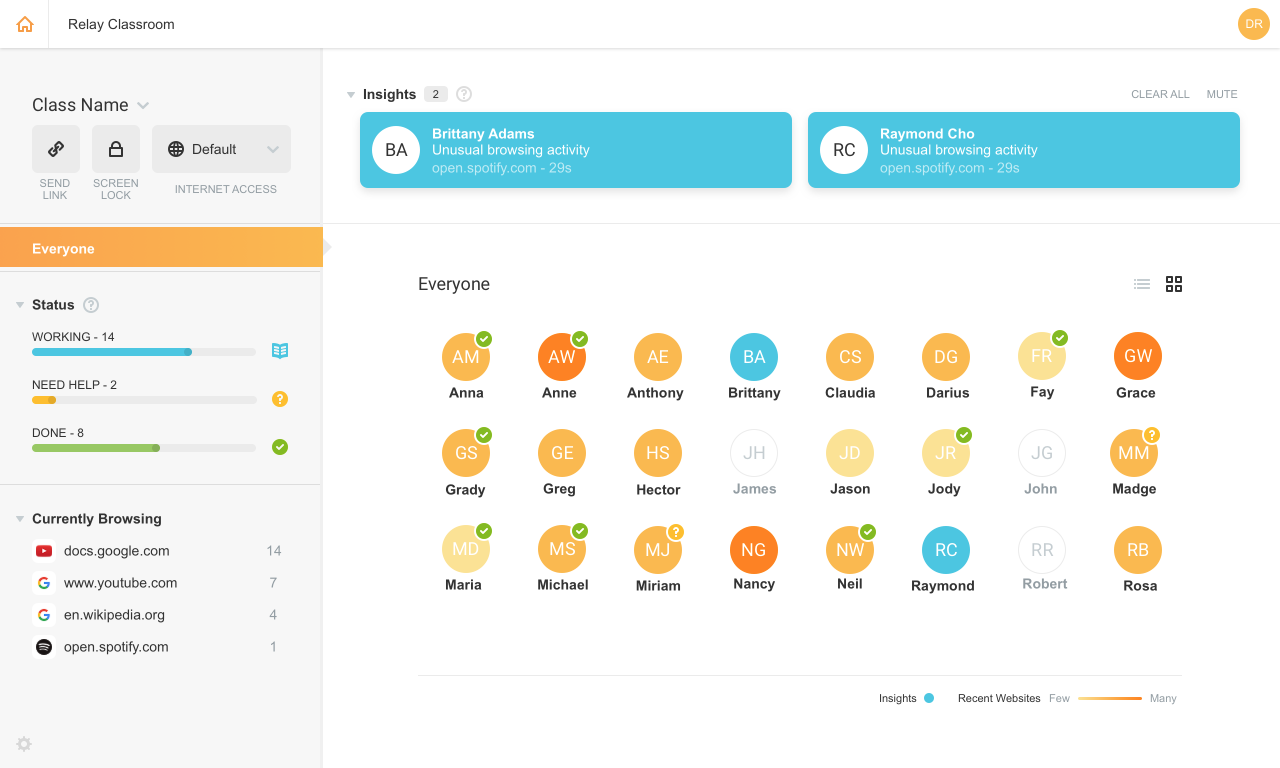  |




