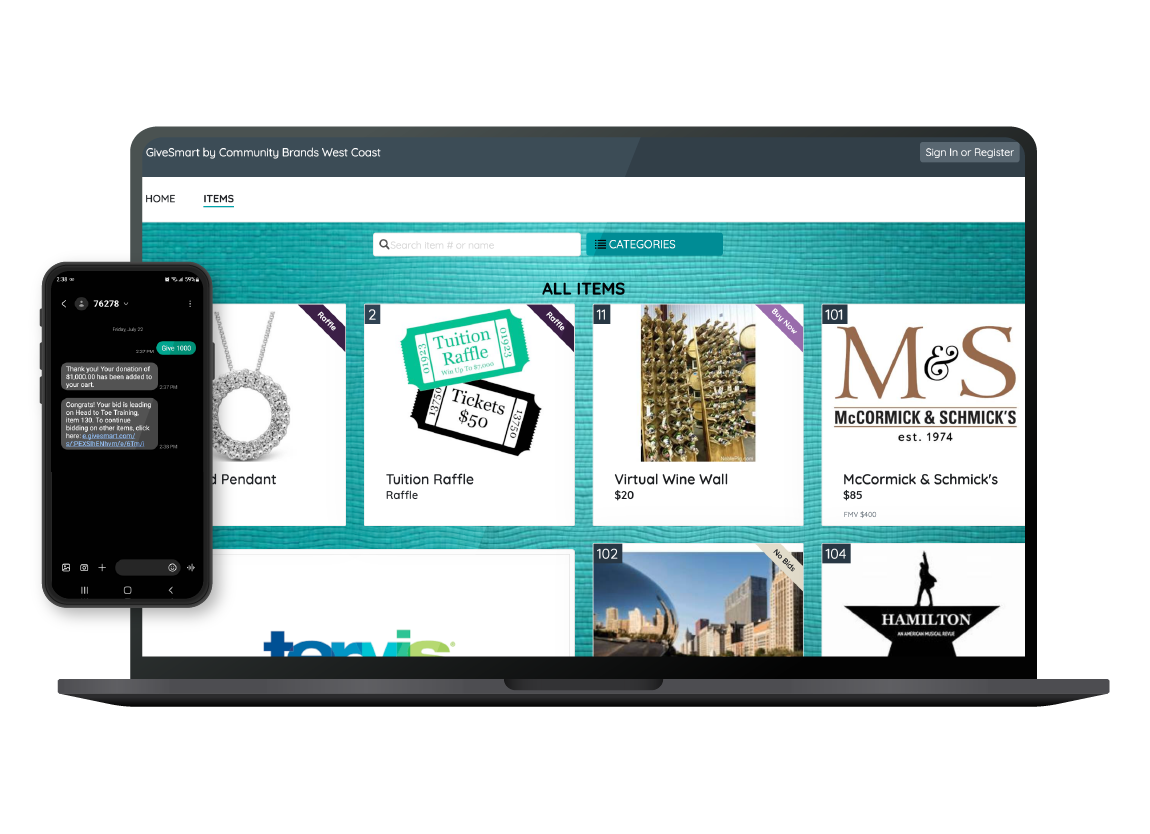
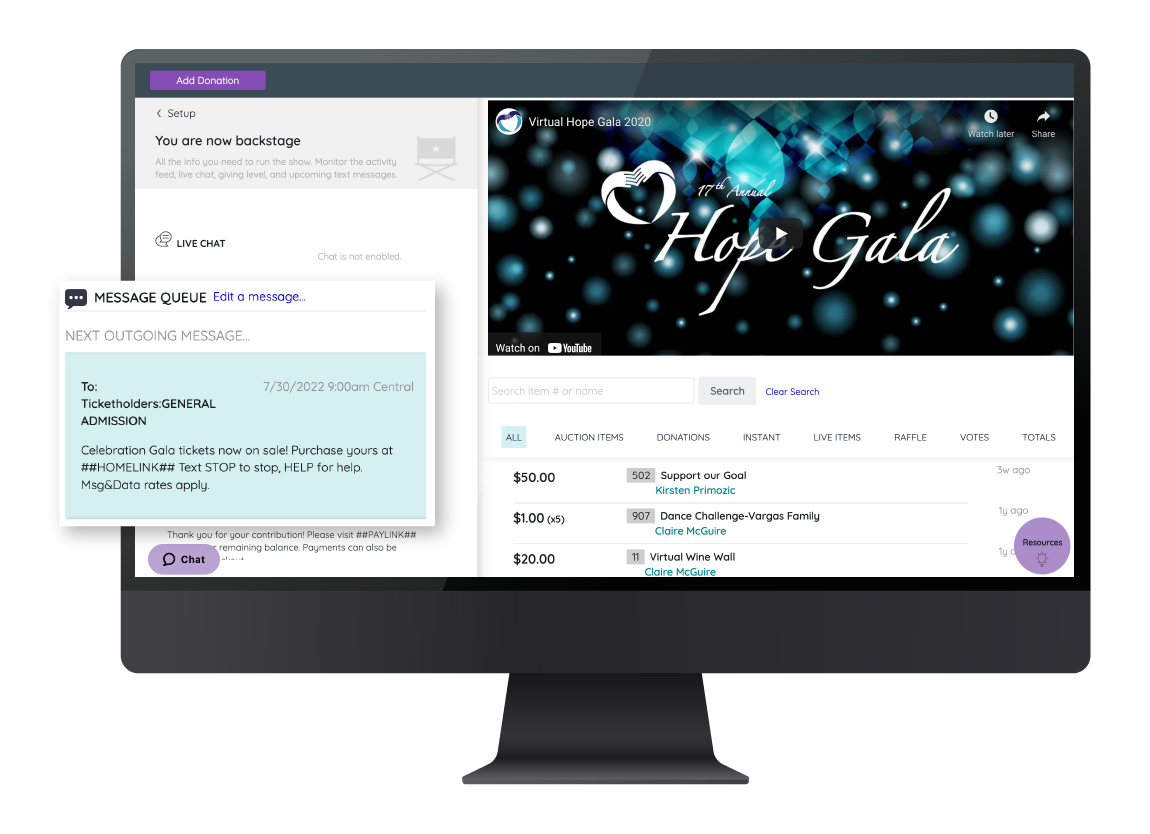
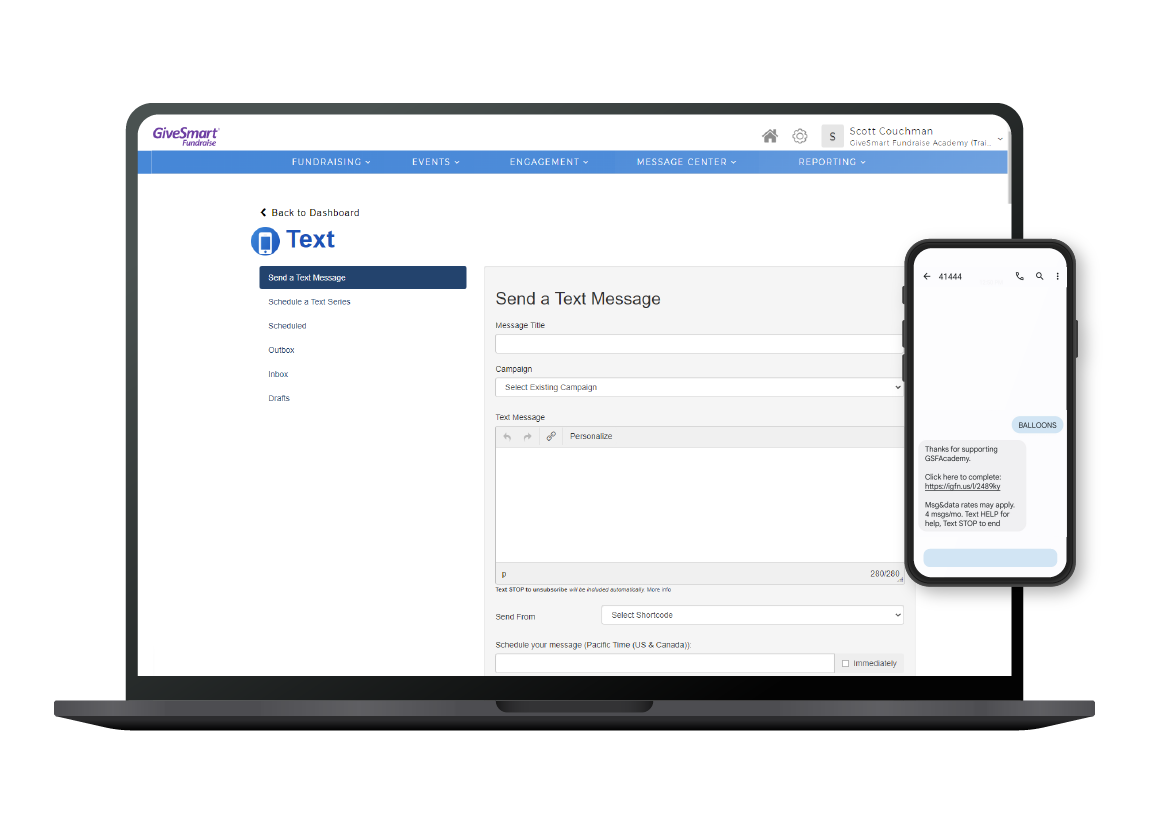
GiveSmart, a Community Brands company, offers a full-service event management platform supporting event website, event registration, attendee tracking, donor management and data insights, and full customer service for entities wishing to raise funds via an auction or charity event. The platform also integrates technology from Community Brands brand Gesture to provide a comprehensive suite of services.
GiveSmart replaces the former 501 Auctions, a platform to support charity auctions, mobile…
N/A
Neon CRM
Score9 out of 10
Small Businesses (1-50 employees)
Neon CRM is a constituent management platform designed for nonprofits and membership associations. Its relationship-focused system offers a comprehensive view of supporters and members, to enable more engagement and revenue. It can be used to manage fundraising campaigns, events, communications, and it offers reporting tools to give stronger insights into the user's organization. It automates processes like email marketing, workflows, volunteer management, and payment processing so that users…
$99
per month
Pricing
GiveSmart
Neon CRM
Editions & Modules
No answers on this topic
Essentials
$99
per month
Impact
$199
per month
Empower
$399
per month
Offerings
Pricing Offerings
GiveSmart
Neon CRM
Free Trial
No
No
Free/Freemium Version
No
No
Premium Consulting/Integration Services
No
Yes
Entry-level Setup Fee
Optional
Optional
Additional Details
—
All plans include unlimited system users, unlimited records, unlimited online forms, and unlimited ticket support. Essentials is a streamlined version of Neon CRM designed for smaller nonprofits. Premium support options are included with Empower. All pricing is based on the organization's revenue.
GiveSmart changed the game for us in registration and bidding for our annual fundraising gala. We had tried several different software options and GiveSmart is far and away the best. It's AWESOME for our silent auction in particular, easy to upload items and helpful minimum bid and bid increment suggestions.
A de minimis incentive was given to thank the reviewer for their time. The incentive was not used to bias or drive a particular response, nor was the incentive contingent on a positive endorsement. More Info
If you are looking for a quick and easy database option, which integrates breezily with email clients like MailChimp and Constant Contact, and has built-in credit/debit card processing capabilities, NeonCRM is a very good option. An affordable alternative to Salesforce or Raiser's Edge, it does lack some of their "bells and whistles" but gets the job done. On the one hand, Neon features a shallow learning curve and solid user interface, and is web based and mobile friendly. On the other hand, Neon might not be totally appropriate for large or national level organizations because some of the reporting seems less "robust" than pricier alternatives...
A de minimis incentive was given to thank the reviewer for their time. The incentive was not used to bias or drive a particular response, nor was the incentive contingent on a positive endorsement. More Info
GiveSmart is a very easy-to-use platform that provides robust instruction on use but is so user-friendly that the instructions are mostly not necessary. I find it easy to update, change, and create all aspects of our page. For example, I first used GiveSmart without any instruction from a manager. She instructed me to look around and see what was going on. I was able to navigate the site effectively, and only found a few pieces for which I needed more instruction.
GiveSmart offers a well-made item section. Our gala has a silent auction made up of more than 170 items, and GiveSmart makes it easy to upload those items in bulk or add them individually. It offers every field I would want to have for an item and provides a comprehensive and adjustable front-facing-view for donors that is easy to manipulate.
GiveSmart's main page creator is easy to navigate and create the site you want. They provide helpful details like sizing for images and the ability to create buttons and links and different sections as our needs dictate. It's easy to adjust the colors and design to reflect our branding.
A de minimis incentive was given to thank the reviewer for their time. The incentive was not used to bias or drive a particular response, nor was the incentive contingent on a positive endorsement. More Info
NeonCRM allows you to build events, take registrations, and customize those events. Customizations include different ticketing options, add-ons, promotions, etc.
NeonCRM does a good job helping you track donors' activities/engagements.
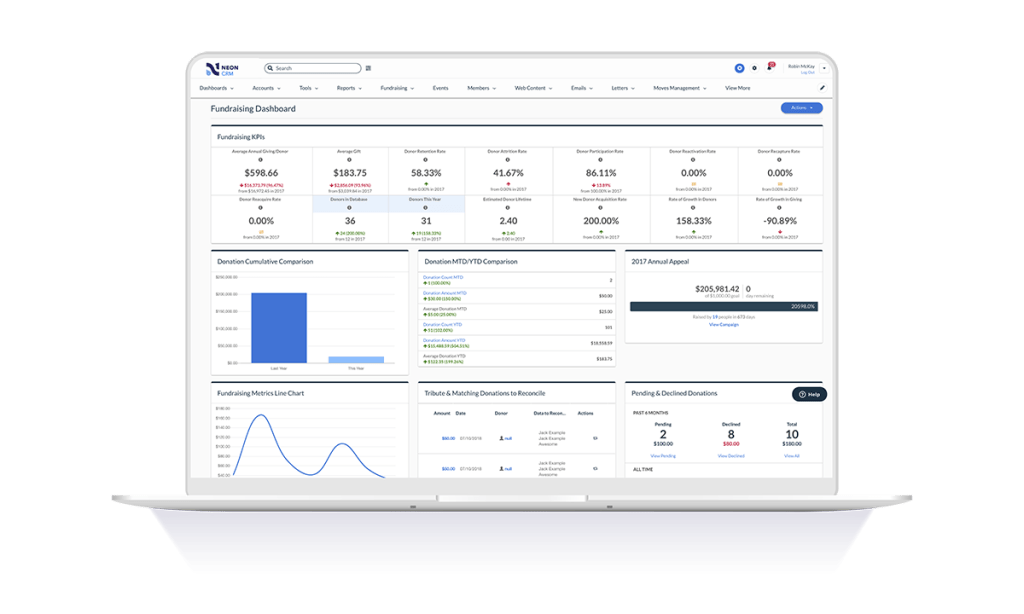
It also provides a variety of reporting mechanisms - from dashboard snapshots to graphical reports - that allow you to review programs at a glance or in-depth.
A de minimis incentive was given to thank the reviewer for their time. The incentive was not used to bias or drive a particular response, nor was the incentive contingent on a positive endorsement. More Info
Lack of customization options when building each page. The website winds up not looking all that professional.
The reporting functionality is not very helpful at all. This is a main area of improvement we've asked for.
Better customization of emails and texts through GiveSmart. Right now, they are limited, and you can't make them look very nice.
The process of logging back into your account as a ticket purchaser or donor is very confusing. Most guests don't even know they can log in to access their tickets, make another donation, etc.
A de minimis incentive was given to thank the reviewer for their time. The incentive was not used to bias or drive a particular response, nor was the incentive contingent on a positive endorsement. TR verified that a representative sample of customers was invited. More Info
Learning the ropes is largely accomplished by reading manuals and watching videos. I don't learn that way. I'd much prefer to be shown. I guess I'm old school.
They can be stingy with the customer support. We bought the big package and I still wind up going back to my salesperson to help me cut through any red tape to get what I need.
A de minimis incentive was given to thank the reviewer for their time. The incentive was not used to bias or drive a particular response, nor was the incentive contingent on a positive endorsement. More Info
For us, we have a very dissatisfying donor database solution right now, but we have built the hacks we need in order to manually integrate data we pull out of GiveSmart with the system. None of us are trying to reinvent that particular wheel, so for now, until the organization decides to upgrade the useless database we've been saddled with, we are satisfied to maintain our GiveSmart subscription. Might this change if we acquire a more sophisticated donor solution? Maybe. But we will also be looking for options that will integrate smoothly with GiveSmart. What we like about GiveSmart, we really like. GiveSmart is great at what it does really well, namely event management. Yes, they need to address the inflexibility issues that make customization and some report features particularly frustrating, but for our organization the benefits are outweighing the drawbacks at this time. Their customer service is top-notch, and they have done an admirable job of creating an extensive Help section and responsive Support department that can assist with how-to's for various tasks within the system
A de minimis incentive was given to thank the reviewer for their time. The incentive was not used to bias or drive a particular response, nor was the incentive contingent on a positive endorsement. More Info
Neon CRM was difficult and frustrating to use without IT experience, and way to costly for the a small to mid-sized nonprofit. We believe that we lost donors due to the inaccurate report system in Neon CRM
For the most part, GiveSmart serves our organization's needs for creating fundraising forms. It is especially useful for our peer-to-peer fundraising and event planning and registration efforts. The dashboard is relatively intuitive, and there have been improvements in creating forms and managing campaigns since shifting from Mobile Cause to GiveSmart Fundraise.
A de minimis incentive was given to thank the reviewer for their time. The incentive was not used to bias or drive a particular response, nor was the incentive contingent on a positive endorsement. More Info
The Neon CRM system is confusing (we had to watch video tutorials and html code to understand many of the features, many of which we did not need). Around 2022, Neon started to go downhill. Bells and whistles were added that were of no benefit (to our nonprofit) and the system became even harder to use
We never experienced any issues with outages, the system being down, etc. It's extremely reliable. That's very important when you're dealing with financial and personal information! We want to make it easy for people to give, and it's great that we've never had to worry about service issues making that more challenging/
A de minimis incentive was given to thank the reviewer for their time. The incentive was not used to bias or drive a particular response, nor was the incentive contingent on a positive endorsement. More Info
We haven't had any issue regarding performance or reliability with GiveSmart. We don't integrate it with any other software so that issue isn't relevant. The pages load quickly and reports are completed almost as soon as you hit the "run" button. Overall, the system works as designed and is pretty quick when people use it.
A de minimis incentive was given to thank the reviewer for their time. The incentive was not used to bias or drive a particular response, nor was the incentive contingent on a positive endorsement. More Info
We contacted support for clarification on distributions and reporting, and we continued to get escalated. However, we never had our questions answered or resolved, which was a bummer. Other members have contacted support for other reasons and received the help they needed.
A de minimis incentive was given to thank the reviewer for their time. The incentive was not used to bias or drive a particular response, nor was the incentive contingent on a positive endorsement. More Info
As stated before, they push you to read the manual or watch the video when what I want is a human being to walk/talk me through it. Like I said, maybe I am old school but that's how I learn. It's been a challenge.
A de minimis incentive was given to thank the reviewer for their time. The incentive was not used to bias or drive a particular response, nor was the incentive contingent on a positive endorsement. More Info
GiveSmart provides great training videos on their system. Not everything is covered with their videos but their support staff are very friendly and knowledgeable. I would have given them a ten but not everything is covered in their videos and sometimes you have to find the right word to search for in able to find the right training video.
A de minimis incentive was given to thank the reviewer for their time. The incentive was not used to bias or drive a particular response, nor was the incentive contingent on a positive endorsement. More Info
We just made the change using the band-aid approach. In other words, we just went for it and taught the users how to do it at our first event and went from there. 90-95% of people haven't used a mobile bidding software so most everyone was on the same stage of knowledge so implementing it was easy as people didn't have to re-learn anything.
A de minimis incentive was given to thank the reviewer for their time. The incentive was not used to bias or drive a particular response, nor was the incentive contingent on a positive endorsement. More Info
I have been a guest at other non-profit events that utilized similar software, and I feel that the GiveSmart platform seems more user-friendly. I cannot speak to the efficiency on the administrative side because I have solely used GiveSmart, but I don't find GiveSmart lacking in any particular areas for our needs.
A de minimis incentive was given to thank the reviewer for their time. The incentive was not used to bias or drive a particular response, nor was the incentive contingent on a positive endorsement. More Info
It works. It's easy to customize for nonprofit and industry-specific categories. It does what it does well, and integrates with platforms that specialize in those areas rather than trying to be everything to all users.
A de minimis incentive was given to thank the reviewer for their time. The incentive was not used to bias or drive a particular response, nor was the incentive contingent on a positive endorsement. More Info
We are a small, independent, private, nonprofit school. GiveSmart is very flexible and works extremely well for us. But I could also see it being equally efficient for larger school systems, large or small nonprofit organizations, etc. I never feel like the product is too "big" for us to use.
A de minimis incentive was given to thank the reviewer for their time. The incentive was not used to bias or drive a particular response, nor was the incentive contingent on a positive endorsement. More Info
We have not used the database to its full extent, so I do not have specific examples as we have not used the donor insights very much
I appreciate that the events information is now transferring to the donor database so those contributions and people are being included in the master database.
Certainly much more efficient for a one-staff person organization as all of the information is in one place!
A de minimis incentive was given to thank the reviewer for their time. The incentive was not used to bias or drive a particular response, nor was the incentive contingent on a positive endorsement. More Info
A de minimis incentive was given to thank the reviewer for their time. The incentive was not used to bias or drive a particular response, nor was the incentive contingent on a positive endorsement. More Info