TrustRadius: an HG Insights company

Save this comparison

Save this comparison

Add Product

Recommended Comparisons

    Overview
    ProductRatingMost Used ByProduct SummaryStarting Price

    Getscreen.me

    Score9.7 out of 10
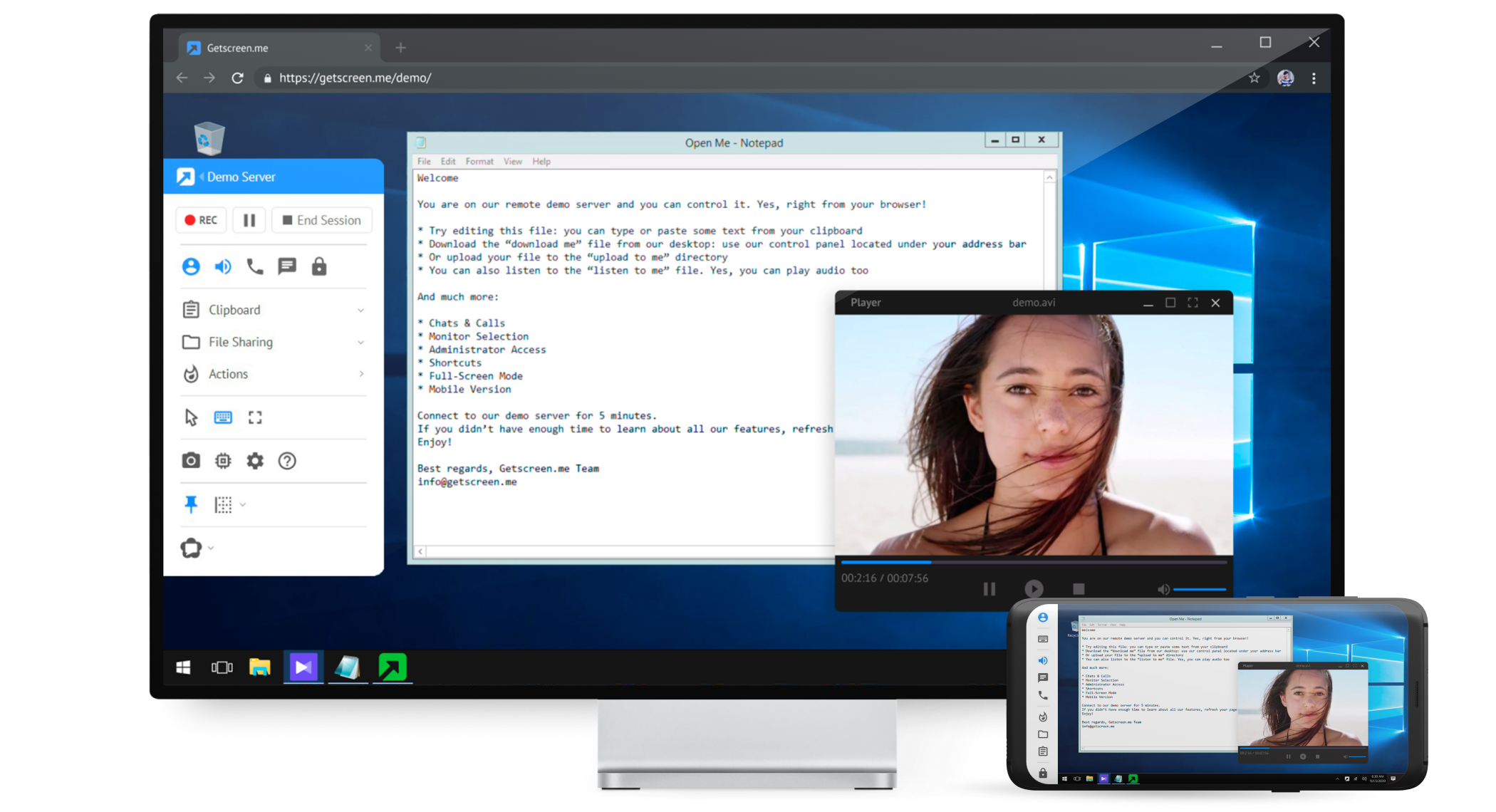
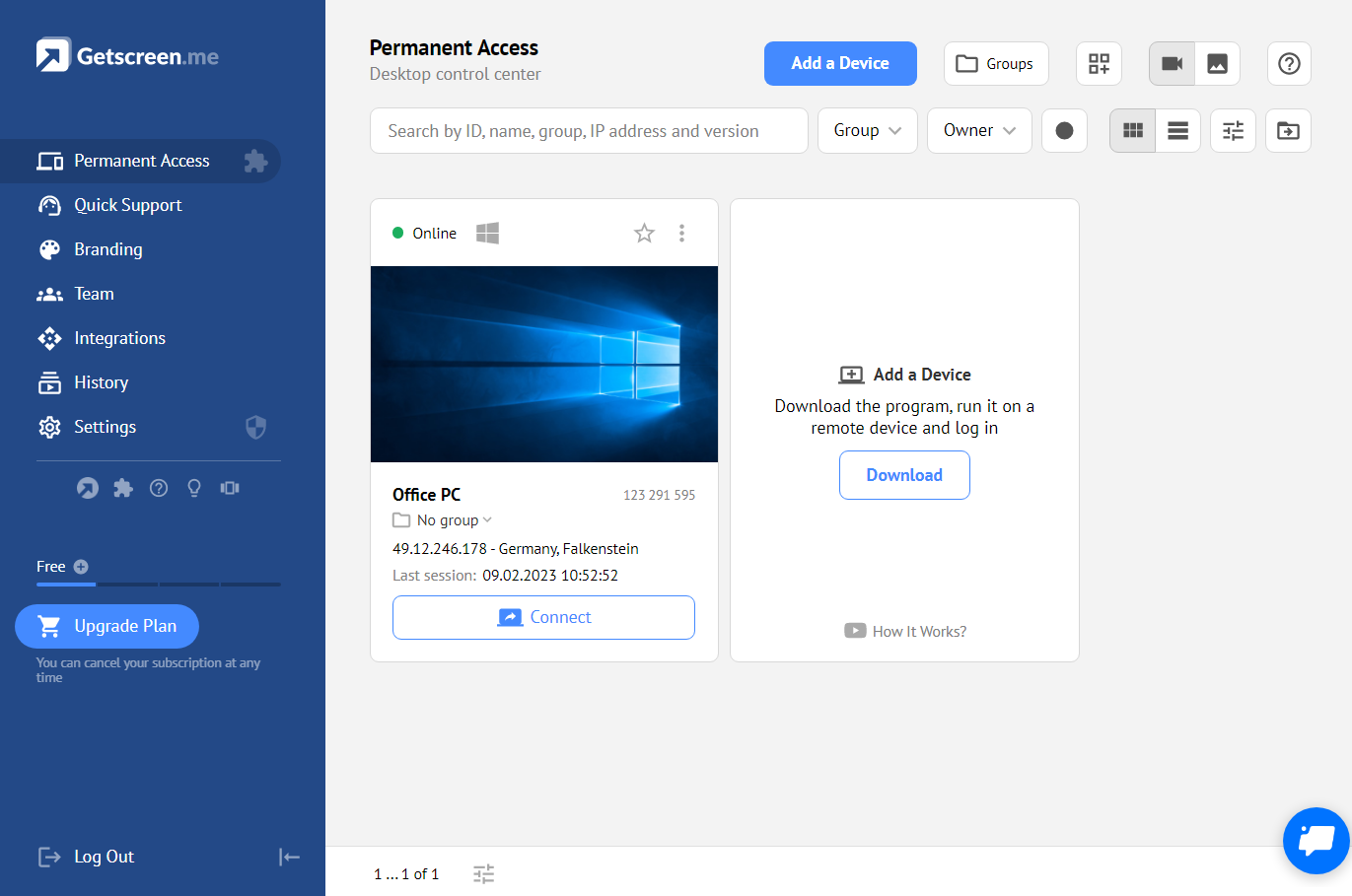
    N/AGetscreen.me is a cloud-based software for administration, technical support and remote work. Service provides remote desktop access from a browser, without any installation. It has permanent access and boasts quick support and instantaneous connection, with computers in the user's personal cabinet. The service works over the HTTPS protocol, which includes AES encryption.

    $0

    per user

    RemoteView

    Score10 out of 10
    Enterprise companies (1,001+ employees)
    RemoteView provides a way to remotely access and control remote PCs and mobile devices, from anywhere in the world. RemoteView is a service that lets users remotely access computers and mobile devices through an internet connection, regardless of time and place. The user can control computers and mobile devices by installing the agent on remote computers, Android devices, and servers. Group device and users Mass device control Record…

    $3.99

    per month device

    Pricing
    Getscreen.meRemoteView
    Editions & Modules
    Free
    $0
    Standard
    $5
    per month per user, per device
    Advanced
    $8
    per month per user, per device
    Enterprise
    $10
    per month per user, per device
    RemoteView Standard
    $3.99
    per month device
    RemoteView Enterprise
    $6.50
    per month per device
    RemoteView Server
    From $20000+
    one-time fee per installation
    Offerings
    Pricing Offerings
    Getscreen.meRemoteView
    Free Trial
    YesYes
    Free/Freemium Version
    YesNo
    Premium Consulting/Integration Services
    YesYes
    Entry-level Setup FeeNo setup feeNo setup fee
    Additional Details16% discount with an annual subscription** RemoteView Server pricing is calculated as [one-time server software fee] + [one-time per device license fee] + [optional yearly maintenance] ** SaaS plan's device can be Windows / Mac PC or Android / iOS mobile devices.
    More Pricing Information
    Community Pulse
    Getscreen.meRemoteView
    Considered Both Products
    Getscreen.me
    No answer on this topic
    Rsupport
    No answer on this topic
    Key User Insights
    Would buy again
    100%
    Would buy again
    21 Answers
    No answers on this topic
    Delivers good value for the price
    100%
    Delivers good value for the price
    21 Answers
    No answers on this topic
    Happy with the feature set
    100%
    Happy with the feature set
    21 Answers
    No answers on this topic
    Lived up to sales and marketing promises
    90%
    Lived up to sales and marketing promises
    19 Answers
    No answers on this topic
    Implementation went as expected
    100%
    Implementation went as expected
    21 Answers
    No answers on this topic
    Features
    Getscreen.meRemoteView
    Remote Administration
    Comparison of Remote Administration features of Getscreen.me and RemoteView
    Feature
    Getscreen.me
    9.2
    21 Ratings
    13% above category average
    RemoteView
    9.8
    1 Ratings
    19% above category average
    Screen sharing9.921 Ratings10.01 Ratings
    File transfer9.919 Ratings10.01 Ratings
    Instant message10.016 Ratings10.01 Ratings
    Access to sleeping/powered-off computers8.016 Ratings00 Ratings
    Over-the-Internet remote session9.920 Ratings10.01 Ratings
    Initiate remote control from mobile6.415 Ratings10.01 Ratings
    Centralized management dashboard10.018 Ratings00 Ratings
    Session record10.016 Ratings10.01 Ratings
    Multi-platform remote control9.116 Ratings10.01 Ratings
    Remote management of servers & workstations00 Ratings10.01 Ratings
    Annotations00 Ratings9.01 Ratings
    Monitoring and Alerts00 Ratings9.01 Ratings
    Best Alternatives
    Getscreen.meRemoteView
    Small Businesses
    N-able Take Control
    Score8.6 out of 10
    N-able Take Control
    Score8.6 out of 10
    Medium-sized Companies
    Remote Desktop Manager
    Score9 out of 10
    Remote Desktop Manager
    Score9 out of 10
    Enterprises
    BeyondTrust Privileged Remote Access
    Score8.9 out of 10
    BeyondTrust Privileged Remote Access
    Score8.9 out of 10
    All AlternativesView all alternativesView all alternatives
    User Ratings
    Getscreen.meRemoteView
    Likelihood to Recommend
    9.1
    (21 ratings)
    10.0
    (1 ratings)
    Likelihood to Renew
    9.9
    (2 ratings)
    -
    (0 ratings)
    Usability
    10.0
    (3 ratings)
    -
    (0 ratings)
    Support Rating
    10.0
    (1 ratings)
    -
    (0 ratings)
    Implementation Rating
    10.0
    (1 ratings)
    -
    (0 ratings)
    User Testimonials
    Getscreen.meRemoteView
    Likelihood to Recommend
    Getscreen.me
    As long as there is internet connectivity, Getscreen.me is useful for connecting to your desktop or a server in order to work remotely. An example would be a dedicated machine for rendering video. We use Getscreen.me to log in and start the render. Connecting to a client desktop to provide on system support. There is the ability to log and record activity when the application is used, this would be helpful for monitoring activity of a remote desktop tech support team. Reporting is basic but provides enough information to track interactions.
    Incentivized
    Read full review
    Rsupport
    RemoteView is a technical customer success expert's dream. It allows us to remotely view, gain access, and control/modify a device that we do not have physical access to. On customer calls, we are able to log into the customers' Google admin console and help correct some issues on the client side, which leads to higher customer satisfaction when working with our company. RemoteView removes the necessity to be on-site with the user and their device and greatly increases our output.
    Incentivized
    Read full review
    Pros
    Getscreen.me
    • easy connection to new clients - both one time use and permanent
    • keep computers organized
    • support remote users from any device - even a cell phone with ease
    • multiple users with different subsets of computers
    • file sharing
    • block remote keyboard and mouse / monitor if needed
    • connection log
    • custom branding and personalized quick connection link
    Incentivized
    Read full review
    Rsupport
    • Smoother control/access
    • Ability to control smartphones, tablets, laptops, desktops
    • Works with multiple browser options (Chrome, Firefox, Edge, Safari)
    Incentivized
    Read full review
    Cons
    Getscreen.me
    • Speed - the Getscreen.me solution is an all round winner - however I find that there is a slight lag when controlling a remote PC mouse - compared to the competitors products. If this can be improved on - the GETSCREEN.ME get a 10 out of 10 from us!
    Incentivized
    Read full review
    Rsupport
    • Latency is much better than previous versions of RemoteView, but could always use some improvements
    Incentivized
    Read full review
    Likelihood to Renew
    Getscreen.me
    Value for money - Getscreen.me stands above the rest!
    Incentivized
    Read full review
    Rsupport
    No answers on this topic
    Usability
    Getscreen.me
    For what we need it to do, it just works. And I'm sure that we're not even using it to the full extent of what it's capable and designed to do. If we had the need, Getscreen.me has many more features that we could implement. If the need arises in the future, it's great knowing that we already have a tool to utilize.
    Incentivized
    Read full review
    Rsupport
    No answers on this topic
    Support Rating
    Getscreen.me
    When I did reach out at the early days of using Getscreen.me I got a pretty prompt response, and all of my questions were answered. Since then, I have never needed to contact support. This is a GOOD thing!
    Incentivized
    Read full review
    Rsupport
    No answers on this topic
    Implementation Rating
    Getscreen.me
    Easy, fast and worked every time to date!
    Incentivized
    Read full review
    Rsupport
    No answers on this topic
    Alternatives Considered
    Getscreen.me
    In my experience, Getscreen.me stacks up very well against other remote desktop software like TeamViewer and AnyDesk. One of the things I appreciate most about Getscreen.me is its competitive pricing. Compared to other remote control services like TeamViewer or AnyDesk, I find that Getscreen.me offers fantastic value for money.In terms of functionality, Getscreen.me has all the features I need, including cross-platform access, file transfer, and remote control. I also find the quick access function to be incredibly useful, as it allows me to connect to a remote computer in just two clicks.
    Read full review
    Rsupport
    TeamViewer had issues in the past with latency, and for that reason, we switched over to RemoteView. It seems quite clear now that RemoteView has the strongest feature set in this space, and has greatly corrected the latency issues. I am not sure if TeamViewer is still used today, but we are very happy with the feature set that RemoteView offers our company. We are able to improve our ROI based on the features we get from this software.
    Incentivized
    Read full review
    Return on Investment
    Getscreen.me
    • Cheap cost - I got it on Appsumo with no monthly fee.
    • The freedom to solve issues for transport companies given the high amount of data and control.
    • It works 100% of the time. There's never been any downtime from experience.
    Read full review
    Rsupport
    • Allows us to support our customers/users who are not physically on-site
    • Increases our ability to support customers, regardless of where they are
    • Customer satisfaction is greatly improved due to quality of support delivered
    Incentivized
    Read full review
    ScreenShots

    Getscreen.me Screenshots

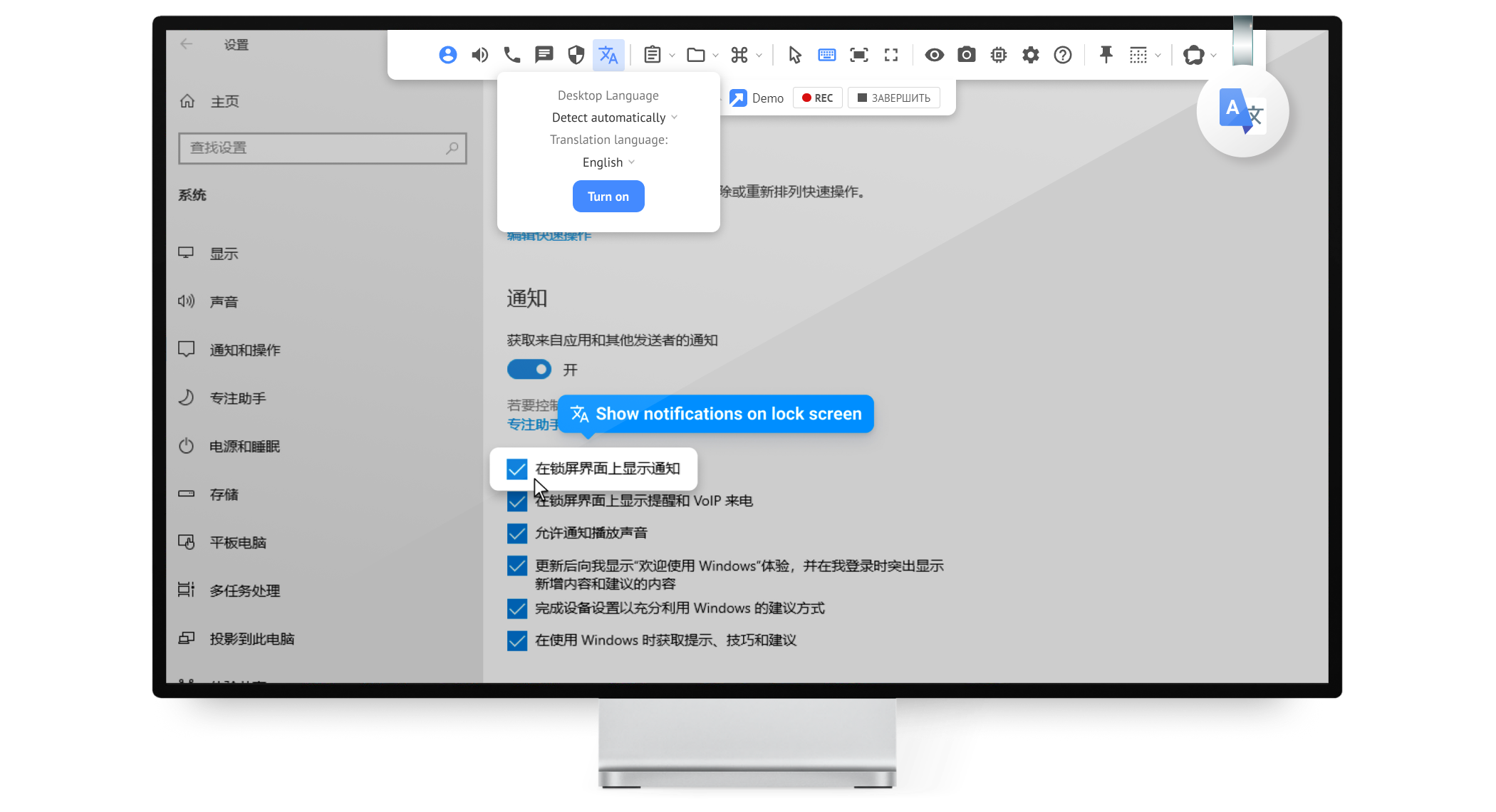
    Product screenshotProduct screenshotProduct screenshotProduct screenshotProduct screenshotProduct screenshot

    RemoteView Screenshots

    Screenshot of Smart work from anywhere.Screenshot of Support from a browser.Screenshot of 3 types of deployment.Screenshot of Plenty of advanced features.Screenshot of Control from or to a mobile device.Screenshot of Applicable to various fields.