GetAccept vs. Zoho Sign

Overview
ProductRatingMost Used ByProduct SummaryStarting Price
GetAccept
Score 6.9 out of 10
N/A
GetAccept is a software platform designed for sales professionals which facilitates deal design, orchestration and closure. Sales management and marketing teams are able to create automated deal workflows on behalf of sales representatives; combining video, live chat, collateral, canned emails and reminder messaging to nurture prospects through pre-nominated sales stages. Sales representatives are then able to further personalize these templates prior to use by adding personal anecdotes…N/A
Zoho Sign
Score 9.3 out of 10
Small Businesses (1-50 employees)
Zoho Sign is a digital signing service that lets you execute contracts quickly without the hassles of transporting paper documents while ensuring security and legality. It works completely on cloud and integrates readily with your everyday apps. According to the vendor, Zoho Sign is perfect for anyone who needs to sign business documents but widely used for HR, legal, finance, HR, and sales functions. Documents that can be signed include:…
$0
per user
Pricing
GetAcceptZoho Sign
Editions & Modules
No answers on this topic
Free
$0.00
per user
Standard
$10.00
per user/ month
Professional
$15.00
per user/ month
Offerings
Pricing Offerings
GetAcceptZoho Sign
Free Trial
NoNo
Free/Freemium Version
NoYes
Premium Consulting/Integration Services
NoNo
Entry-level Setup FeeNo setup fee$10 per user
Additional Details
More Pricing Information
Community Pulse
GetAcceptZoho Sign
Best Alternatives
GetAcceptZoho Sign
Small Businesses
Foxit eSign
Foxit eSign
Score 9.8 out of 10
Foxit eSign
Foxit eSign
Score 9.8 out of 10
Medium-sized Companies
MSB Docs
MSB Docs
Score 9.4 out of 10
MSB Docs
MSB Docs
Score 9.4 out of 10
Enterprises
DocuSign
DocuSign
Score 8.3 out of 10
DocuSign
DocuSign
Score 8.3 out of 10
All AlternativesView all alternativesView all alternatives
User Ratings
GetAcceptZoho Sign
Likelihood to Recommend
8.4
(0 ratings)
9.0
(0 ratings)
Usability
8.7
(0 ratings)
-
(0 ratings)
Support Rating
7.1
(0 ratings)
-
(0 ratings)
User Testimonials
GetAcceptZoho Sign
Likelihood to Recommend
GetAccept has shown great progress in the digital electronic signature market, we have had almost no problems since adopting it, although at some point we thought about stopping using the GetAccept server. It is very practical for both the client and the advisor using it. It has a very intuitive interface and the management is amazing.
Read full review
If your business needs an electronic signing software, then I recommend Zoho Sign because it has all the great features. It ensures fast and secure document signing and, most importantly, it is legally binding.
Read full review
Pros
  • The ability to forward agreements along with a video of me describing the agreements. It makes it more personalized and it's always well received by the recipient.
  • You can track in real time when a document has been viewed and for how long.
  • You can always reference the history of each client agreement. Easy access.
Read full review
  • Shared organizational templates encourage corporate uniformity and standards.
  • Centralized retention of the executed agreements.
  • Orchestrated signing workflow with internal and external users.
Read full review
Cons
  • In some cases could be angry that software ask you for feedback many times, for example, when you are filling out a contract
  • something that happen occasionally is a little bit complicate find some documents in my screen, I mean if you could improve the way how the recent files appear on the screen could be great. not always happen but it is not good.
  • I would love to have templates that allow me create files in a easy way.
Read full review
  • It integrates from sign to the CRM (in that order) poorly. To have the doc associated with the contact it can ONLY come from the CRM.
Read full review
Usability
I think it's a good product.
Read full review
The UI is easy and using Zoho Sign is easy too.
Read full review
Support Rating
The Customer Support team was responsive. I typically submitted questions while I was using the app and via the web. The FAQ support base was alright. I cannot recall a time when I used that as opposed to connecting with a rep. I believe all communication was via email. Dalius was great at soliciting feedback. I particularly valued him offering support for best practices as it related to more strategic ways to use GetAccept.
Read full review
No answers on this topic
Alternatives Considered
Ease of use is very user-friendly in order to work on any task. It has the maximum features as compared to its competitors which are a quite useful and enhanced program that enables in order to do the CRM easy. Also, it provides particular support to the problems which we faced and resolve them asap.
Read full review
Price is important but it has all the same features as some of the main brand names on the market which makes this package ideal for small businesses and larger ones looking at costs. The advantage we find is that we can edit forms with drop-down boxes and preset answers for the forms. Each entry field can be customized by data type and length or allow the client to enter their own answers.
Read full review
Return on Investment
  • It has incredibly increased the efficiency of students' work thanks to the possibility to work remotely with mobile devices.
  • GetAccepts has made it possible to create very realistic sales simulations, even if it is not educational software. It is therefore very flexible in its uses.
  • The possibility of tracking each page that is viewed helps evaluate what the Client is thinking.
Read full review
  • Allowed us to appear more more professional by sending out a fillable document instead of emailing a PDF.
  • Saved us time by sending automated reminders to recipients reminding them to sign the document.
Read full review
ScreenShots

Zoho Sign Screenshots

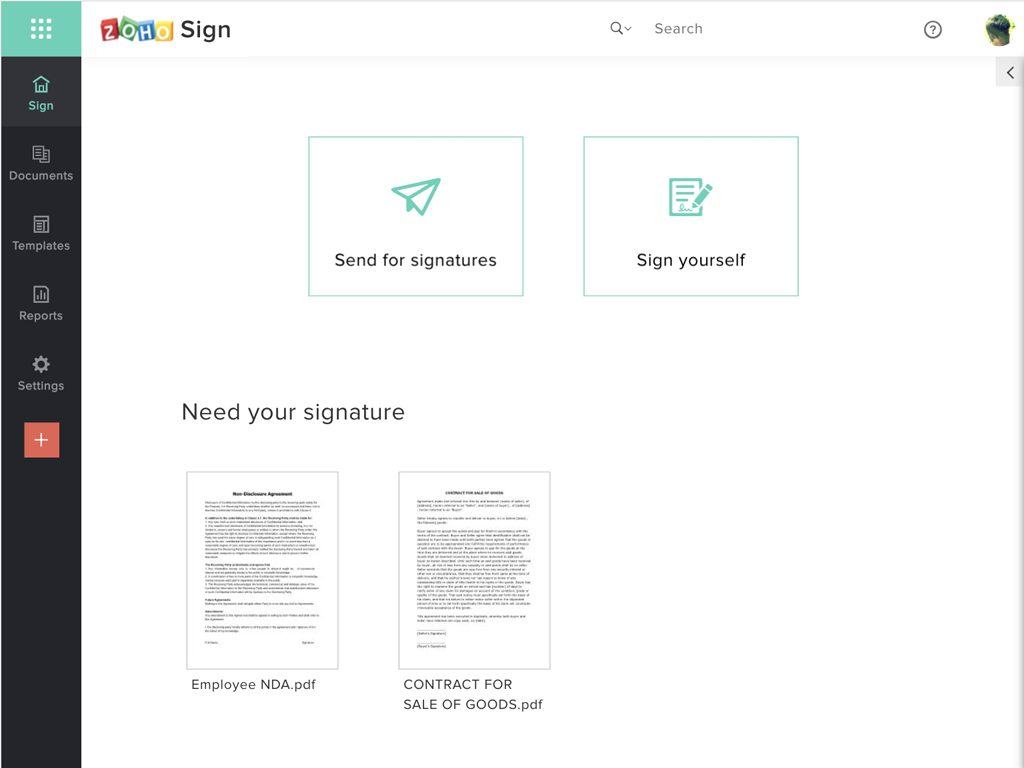
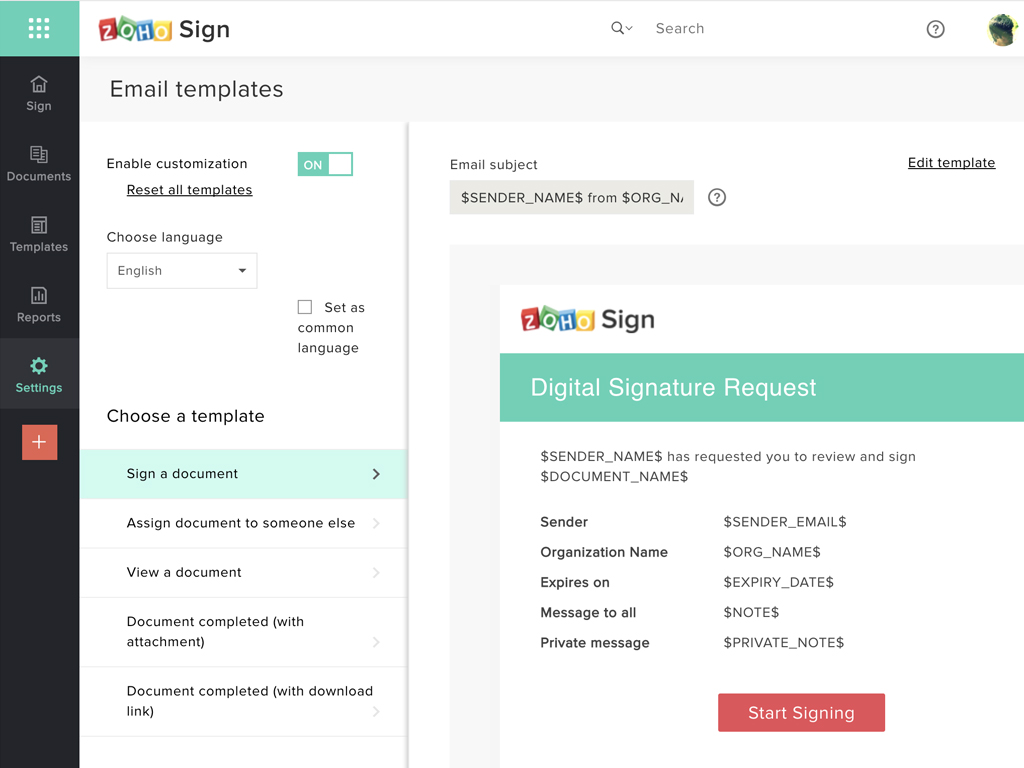
Screenshot of Zoho Sign DashboardScreenshot of Sending documents for signatures using templatesScreenshot of All document sent using Zoho SignScreenshot of Rebranding email templates sent from Zoho Sign