Gemoo Recorder vs. Zight

Overview
ProductRatingMost Used ByProduct SummaryStarting Price
Gemoo Recorder
Score 0.0 out of 10
N/A
Gemoo Recorder is a screen recorder to record screen, webcam, and microphone. It allows users to store and organize videos in Gemoo to make complex messages clear, and share videos in one click to spread ideas and get feedback instantly.N/A
Zight
Score 9.8 out of 10
Small Businesses (1-50 employees)
Zight (formerly CloudApp) is a solution with a community of over 4M users, offering visual asynchronous communication, eliminating the need to use different applications for screenshots, GIFs, screen recordings, and web recordings.
$0
Pricing
Gemoo RecorderZight
Editions & Modules
No answers on this topic
Free
$0
Team
$8.00
per month per user
Pro
$9.95
per month per user
Enterprise
Contact Sales
Offerings
Pricing Offerings
Gemoo RecorderZight
Free Trial
NoYes
Free/Freemium Version
YesYes
Premium Consulting/Integration Services
NoNo
Entry-level Setup FeeNo setup feeNo setup fee
Additional Details
More Pricing Information
Community Pulse
Gemoo RecorderZight
User Ratings
Gemoo RecorderZight
Likelihood to Recommend
-
(0 ratings)
6.9
(0 ratings)
Likelihood to Renew
-
(0 ratings)
9.1
(0 ratings)
Usability
-
(0 ratings)
8.2
(0 ratings)
Support Rating
-
(0 ratings)
9.1
(0 ratings)
Implementation Rating
-
(0 ratings)
8.2
(0 ratings)
User Testimonials
Gemoo RecorderZight
Likelihood to Recommend
No answers on this topic
In terms of client meetings or any presentations we need some ice-breaker and informational contents to be displayed that can be short animation videos or edited screenshots or links to directly upload and who will give all the minor details of the product which is to be explained so CloudApp is the best app to get the content displayed like in any site we liked some informational content or animation we can easily get that animation in the form of video and add to our presentation slides to look more innovative and also the editing part to portray the details is so good.
Read full review
Pros
No answers on this topic
  • Ability to capture media: screenshots, GIFs and video (including webcam if you'd like)
  • Automatically hosting the images, so these can be previewed by others (this saves *so* much space!)
  • A generous freemium account which gives you a taste of what's possible
  • Cool UI -- CloudApp is really pleasant to use, especially on iOS
  • Great marketing!
  • Great integrations with tools like Slack which automatically preview the screenshots!
Read full review
Cons
No answers on this topic
  • The one thing I can think of is making it easier to save images, videos, and GIFs to your desktop. This requires a few extra steps and it's typically easiest for me to pull an image directly from my desktop into an email or knowledge base article.
Read full review
Likelihood to Renew
No answers on this topic
In all honesty I don't even have time to look for an alternative to CloudApp at this point in our business. CloudApp works for what we had planned to use it for and unless a competing service that offers the same quality and ease-of-use along with video screen capture comes out I will renew indefinitely.
Read full review
Usability
No answers on this topic
I would give cloud app a 10 out of 10 if the video screen capture portion of the tool worked flawlessly and the addition of few suggestions like full-page screen grab and the quicker ability to download screenshots or screen videos to my hard drive. I don't mean to repeat a feature request here being that features would heavily improve usability in my particular usage situation.
Read full review
Support Rating
No answers on this topic
I would give cloud app a 9/10 score on overall support mostly because I have had very little need of any support at all being that the tool was designed almost to use itself. In my opinion this level of forethought is equal to customer support. As of yet I've only had one real problem with cloud app which was the loss of a 20 minute video screen capture. Unfortunately I have not had the time to contact support about this loss. The only other minor issues that I confronted was within the initial set up which I was able to resolve via their website's support pages.
Read full review
Implementation Rating
No answers on this topic
I was extremely satisfied with how quick and easy the implementation of Cloudapp was on my MacIntosh using MacOS Sierra was, along with how amazingly fast I was able to be up and going with the tool. most often with sass tools we are lucky if we can use 50% of the features without having to have consultations and a ton of back-and-forth email on how to use other features of the product. Cloud app has made it extremely user-friendly with almost no need for customer support. To My business, that equals time savings which as most business owners know, can be far more valuable than a few dollars saved.
Read full review
Alternatives Considered
No answers on this topic
The closest product to CloudApp that I've used has been Photoshop. Though, they're both very different. Photoshop has better editing qualities and abilities. Whereas, I appreciate the nimbleness, efficiency and flexibility that CloudApp has to offer. CloudApp also allows screenshots, which I find the most helpful part of the tool.
Read full review
Return on Investment
No answers on this topic
  • The amount that I paid for it, I feel that it's paid for itself over and over and over multiple times, if for one reason, and that's time saved. If I have one app that does it all, quickly, and efficiently, that's my positive ROI.
Read full review
ScreenShots

Gemoo Recorder Screenshots

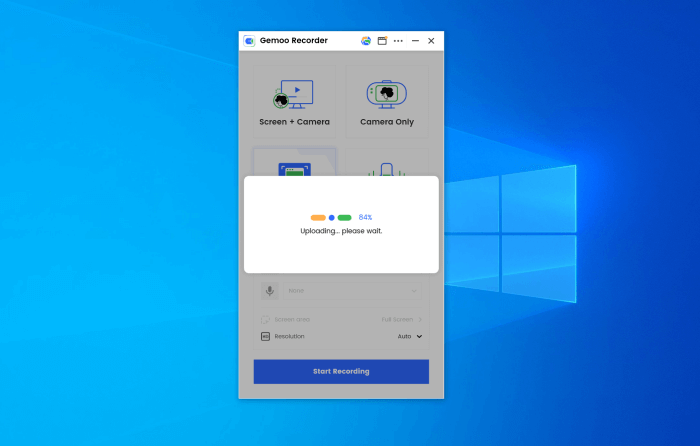
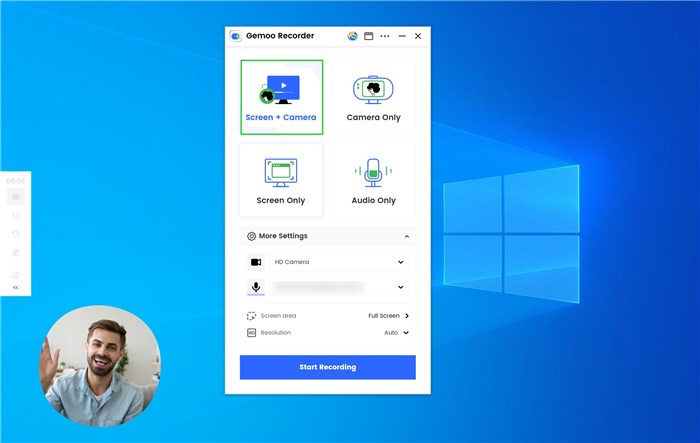
Screenshot of Upload videos to the cloudScreenshot of Record screen and camera

Zight Screenshots

Screenshot of screen capture with annotationsScreenshot of screen recordings and video editingScreenshot of GIFsScreenshot of webcam recordingScreenshot of collections to organize content