Gather Town vs. Zoho Meeting

Overview
ProductRatingMost Used ByProduct SummaryStarting Price
Gather
Score 9.2 out of 10
N/A
Gather is a web-based video call platform, building virtual spaces for people to live and interact more effectively online. They combine video-calling with a 2D map, letting you walk around and talk to the other people right next to you. Their creation tools allow you to make custom, interactive spaces.N/A
Zoho Meeting
Score 9.2 out of 10
N/A
Zoho Meeting is a web-based online meeting solution.
$3
per month
Pricing
Gather TownZoho Meeting
Editions & Modules
No answers on this topic
MEETING - 10
$3
per month
MEETING - 50
$9
per month
MEETING-100
$12
per month
MEETING - 250
$18
per month
Webinar -25
$19
per month
Webinar - 50
$29
per month
Webinar - 100
$39
per month
Webinar - 250
$79
per month
Webinar - 500
$125
per month
Webinar - 1000
$200
per month
Offerings
Pricing Offerings
GatherZoho Meeting
Free Trial
YesYes
Free/Freemium Version
YesYes
Premium Consulting/Integration Services
NoNo
Entry-level Setup FeeNo setup feeNo setup fee
Additional DetailsYou can also get the toll-free add-on at $20/month and additional storage space for 200 sessions recording at $20/month for your organization.
More Pricing Information
Community Pulse
Gather TownZoho Meeting
Features
Gather TownZoho Meeting
Performance & Compatibility of Online Events Software
Comparison of Performance & Compatibility of Online Events Software features of Product A and Product B
Gather Town
8.3
Ratings
4% above category average
Zoho Meeting
8.5
Ratings
7% above category average
High quality audio9.00 Ratings8.80 Ratings
High quality video9.00 Ratings00 Ratings
Low bandwidth requirements7.00 Ratings8.00 Ratings
Mobile support8.00 Ratings8.80 Ratings
Screen Sharing
Comparison of Screen Sharing features of Product A and Product B
Gather Town
7.0
Ratings
12% below category average
Zoho Meeting
8.9
Ratings
12% above category average
Desktop sharing8.00 Ratings8.90 Ratings
Whiteboards6.00 Ratings00 Ratings
Online Meetings / Events
Comparison of Online Meetings / Events features of Product A and Product B
Gather Town
7.2
Ratings
14% below category average
Zoho Meeting
8.9
Ratings
7% above category average
Calendar integration7.00 Ratings9.00 Ratings
Meeting initiation10.00 Ratings8.70 Ratings
Integrates with social media6.00 Ratings00 Ratings
Record meetings / events8.00 Ratings9.00 Ratings
Slideshows5.00 Ratings00 Ratings
Online Events Collaboration
Comparison of Online Events Collaboration features of Product A and Product B
Gather Town
8.0
Ratings
2% below category average
Zoho Meeting
8.5
Ratings
4% above category average
Live chat8.00 Ratings8.50 Ratings
Audience polling8.00 Ratings8.50 Ratings
Q&A8.00 Ratings8.50 Ratings
Online Events Security
Comparison of Online Events Security features of Product A and Product B
Gather Town
6.3
Ratings
25% below category average
Zoho Meeting
8.6
Ratings
6% above category average
User authentication7.00 Ratings8.60 Ratings
Participant roles & permissions6.00 Ratings8.60 Ratings
Confidential attendee list6.00 Ratings8.70 Ratings
VoIP system collaboration
Comparison of VoIP system collaboration features of Product A and Product B
Gather Town
9.0
Ratings
13% above category average
Zoho Meeting
-
Ratings
Video conferencing8.00 Ratings00 Ratings
Audio conferencing8.00 Ratings00 Ratings
Video screen sharing10.00 Ratings00 Ratings
Instant messaging10.00 Ratings00 Ratings
User Ratings
Gather TownZoho Meeting
Likelihood to Recommend
9.0
(0 ratings)
8.9
(0 ratings)
Usability
-
(0 ratings)
8.5
(0 ratings)
Support Rating
-
(0 ratings)
8.5
(0 ratings)
User Testimonials
Gather TownZoho Meeting
Likelihood to Recommend
i personally use the web page so it's 100% more comfortable because i don't need to have so much applications open, plus i can rapidly silence the page if i need.I can share screen, documents, have a video call very easily with any people if i want because if the space is free i can only share a URL and that person can access to the world in Gather Town
Read full review
I would definitely like to say that for a team lead who sends pie charts, surveys and questions to the teams, this software would be his best choice as the analytics of this all data by Zoho Meeting is one of the best in the market. The only downside of Zoho Meeting is its webinar pricing which could be a bit tough to pay for NGO's or less earning companies.
Read full review
Pros
  • alert for messages
  • Being able to have several spaces for communication for free
  • constant updates
Read full review
  • Very very simple to use
  • Audio quality is very much clear
  • We have the recording facility with this tool, so we can record the meeting or webinar for the future purpose
  • We get the upcoming meeting and past meeting in the home page so we have less chance to miss any meeting.
  • we can share the screen and can give the control to others as well.
Read full review
Cons
  • The chat history sometimes erase itself
  • sometimes the application become laggy randomly
  • the output lag when one member start to sharing the screen
  • The integration with google calendar doesn't detect all the meets even when refresh it or re-link the service
Read full review
  • One of the negative aspects of this service is that there is no user or meeting management when you are in one videoconference.
  • Another negative aspect of Zoho Meeting is that the chat and messaging option does not exist in the middle of a webinar or video conference.
Read full review
Usability
No answers on this topic
Zoho Meeting is very easy to use and very effective collaborating tool. If I say about the usability, this application is highly usable because oaf it's cost effective nature, user friendly interface, empathetic customer services and amazing application features. Most importantly, it ensures data security for the company. Overall, the usability of the application is trustworthy.
Read full review
Support Rating
No answers on this topic
Zoho Meeting is fantastic in terms of proper after sale service as well as delivering the expectations of the clients. We, as a business, successfully achieved the engaging organisation status through this platform. Our employees are also happy with the supports from Zoho. We appreciate the efforts of Zoho and recommend to others.
Read full review
Alternatives Considered
- Free tier option
- Although all meet applications share the same functionalities, I can use gather quickly and easily. Only from a browser tab and anyone with that link can access my space.
- If security is required, you can count on blocking spaces so that unauthorized people do not enter.
- There is a conversation history and any documents can be sent in that chat
Read full review
Zoom focuses on video webinars, meetings, chat options, integration, and high-definition video conferencing, whereas Microsoft Teams focuses on Microsoft integrations that include real-time video chat. Both Google Meet and Zoho Meeting offer various features, including HD video conferencing, scheduling, recording, app sharing, and HD videoconferencing in private meeting rooms. In addition to the unique characteristics of Zoho's UI, embedding meeting links, and so forth, these are excellent features that help the end-user tremendously.
Read full review
Return on Investment
  • Considerable money savings since it has a free tier option
  • When required, a space for more than 100 people is contracted and we can canceled immediately.
  • social events have been carried out virtually thanks to this tool
Read full review
  • Zoho Meeting helped us save money because of their low cost packages.
  • Unfortunately because of their bad video quality we had to look for other options.
  • Some clients were not familiar with Zoho Meeting because of the less popularity so we had to use other meeting applications to organize meetings
Read full review
ScreenShots

Zoho Meeting Screenshots

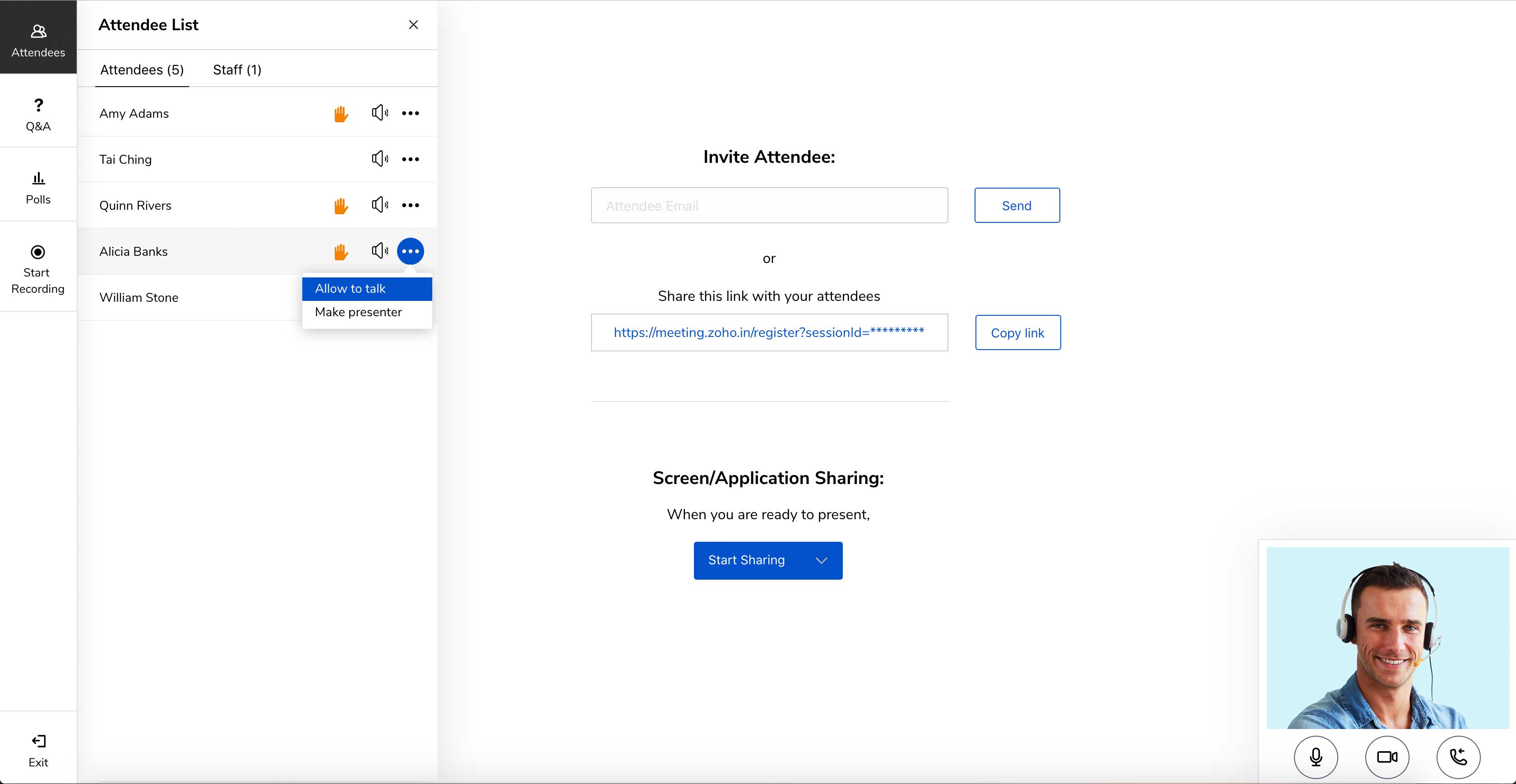
Screenshot of Meet across devices using Zoho MeetingScreenshot of Host moderator controlled meetings with Zoho MeetingScreenshot of Organize engaging webinars with Zoho MeetingScreenshot of Engage attendees during the webinarScreenshot of Meeting participant's viewing presenter's screen