
DBeaver vs. Galaxy
DBeaver vs. Galaxy
| Product | Rating | Most Used By | Product Summary | Starting Price |
|---|---|---|---|---|
 DBeaver | N/A | DBeaver offers comprehensive data management tools designed to help teams explore, process, and administrate SQL, NoSQL, and cloud data sources. DBeaver is available commercially as DBeaver PRO and for free as DBeaver Community. | $11 per month per user | |
 Galaxy | Small Businesses (1-50 employees) | Galaxy is presented as Cursor for software engineers and data practitioners, and as a modern SQL editor with features like an AI copilot, sharing and collaboration, as well as access control and security. Galaxy’s base product is a fast SQL editor with reworked parameterization, auto-complete, and table metadata to make data discovery and analysis more reliable and convenient for developers. Galaxy’s AI copilot is context-aware - meaning… | N/A |
| DBeaver | Galaxy | |||||||||||||||
|---|---|---|---|---|---|---|---|---|---|---|---|---|---|---|---|---|
| Editions & Modules |
| No answers on this topic | ||||||||||||||
| Offerings |
| |||||||||||||||
| Entry-level Setup Fee | No setup fee | No setup fee | ||||||||||||||
| Additional Details | Discounts are available for multi-user licenses. | — | ||||||||||||||
| More Pricing Information | ||||||||||||||||
| DBeaver | Galaxy |
|---|
| DBeaver | Galaxy | ||||||||||||||||||
|---|---|---|---|---|---|---|---|---|---|---|---|---|---|---|---|---|---|---|---|
| Database Development |
| ||||||||||||||||||
| Database Administration |
|
| DBeaver | Galaxy | |
|---|---|---|
| Small Businesses |  Sequel Pro Score 9.0 out of 10 | DBeaver Score 9.2 out of 10 |
| Medium-sized Companies |  Toad Database Developer Tools Score 8.0 out of 10 | DBeaver Score 9.2 out of 10 |
| Enterprises | Toad Database Developer Tools Score 8.0 out of 10 | DBeaver Score 9.2 out of 10 |
| All Alternatives | View all alternatives | View all alternatives |
| DBeaver | Galaxy | |
|---|---|---|
| Likelihood to Recommend | 9.3 (0 ratings) | - (0 ratings) |
| Support Rating | 6.0 (0 ratings) | - (0 ratings) |
| DBeaver | Galaxy | |
|---|---|---|
| Likelihood to Recommend | 
 Aaron Smith Senior Software Developer |  No answers on this topic |
| Pros |
 Gustavo Du Mortier Database Designer | No answers on this topic |
| Cons |
| No answers on this topic |
| Support Rating |
| No answers on this topic |
| Alternatives Considered |
 Jeremy Pierce, MBA Data Warehouse Engineer | No answers on this topic |
| Return on Investment |
| No answers on this topic |
| ScreenShots | Galaxy Screenshots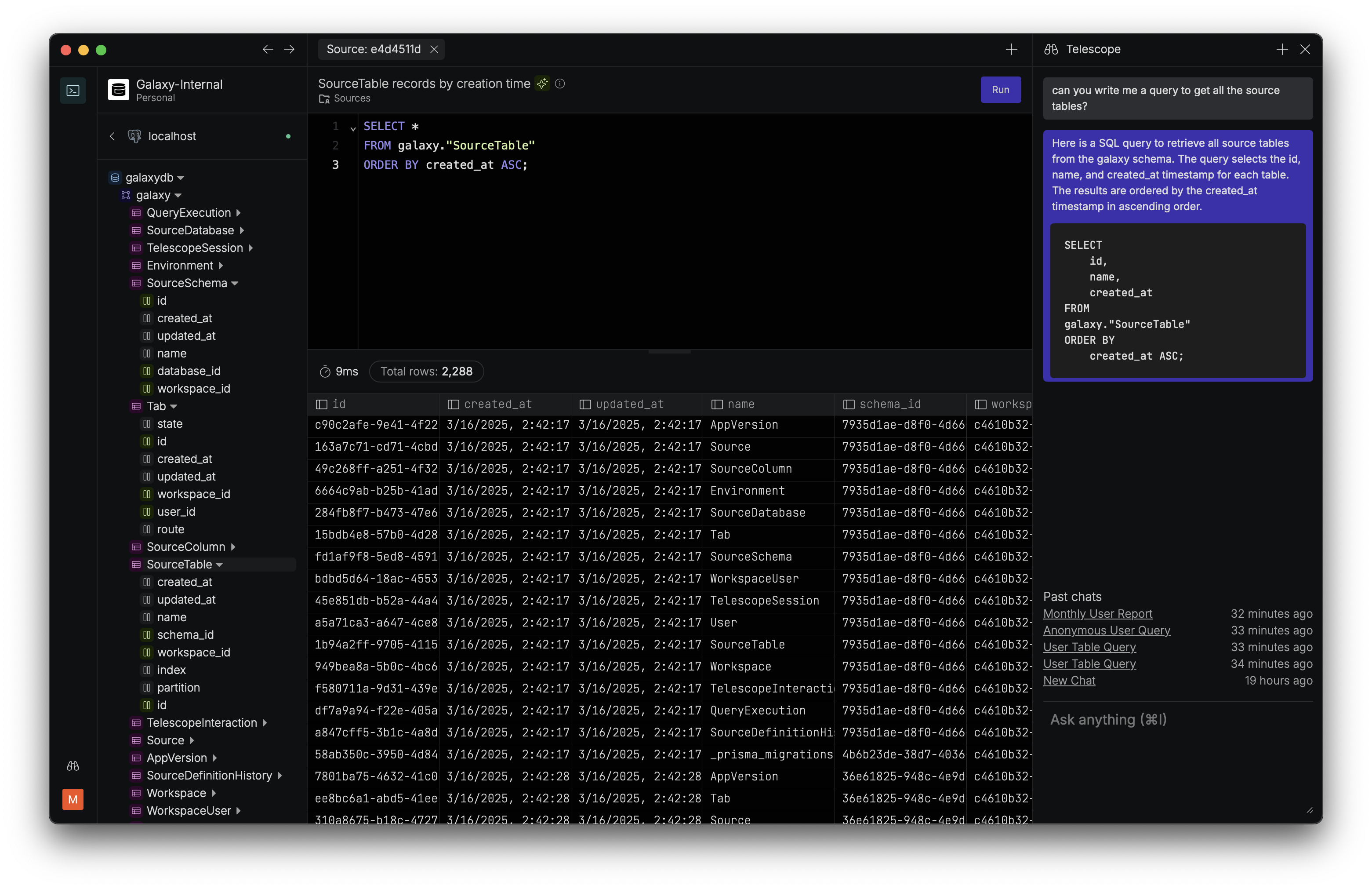 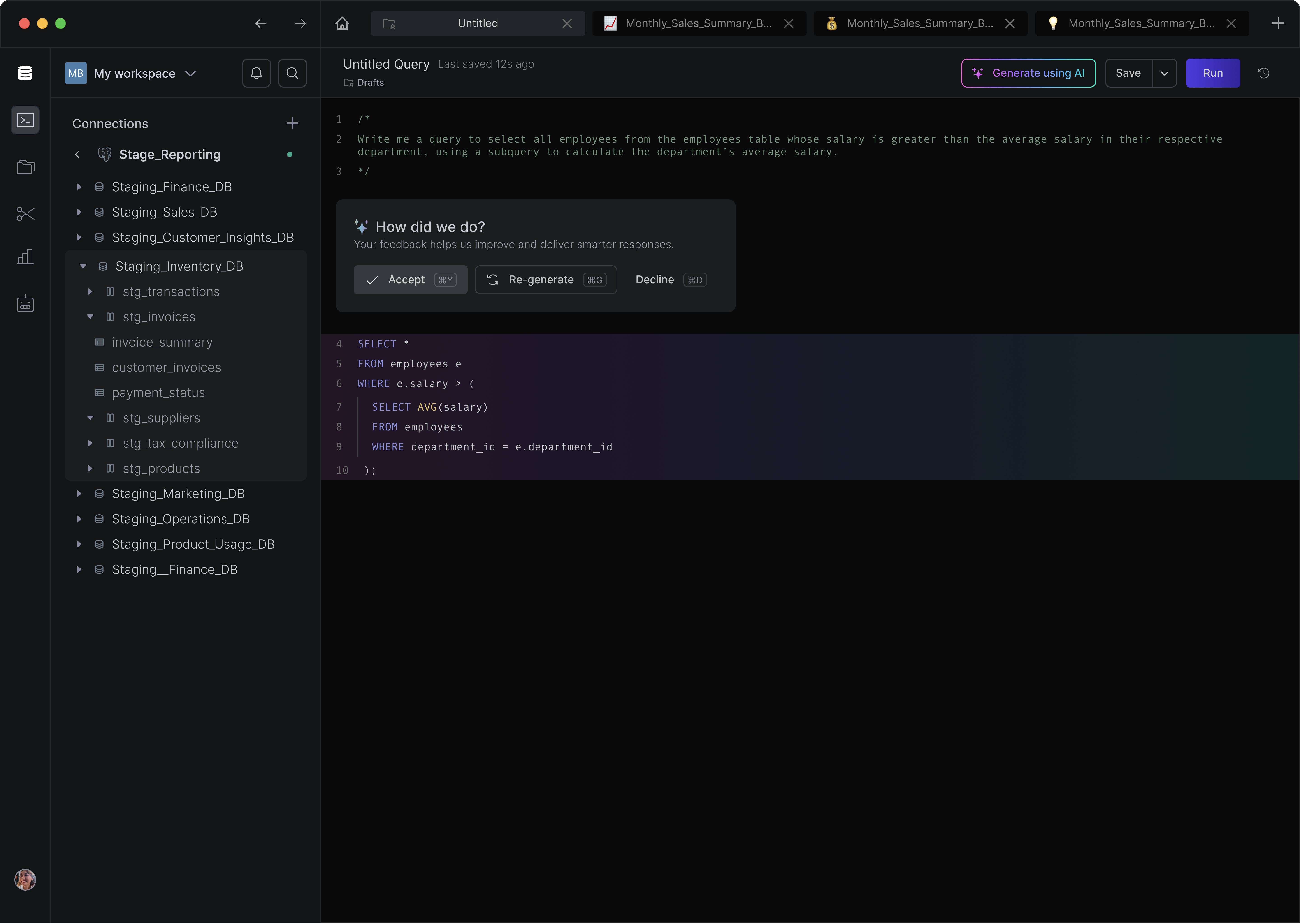 |