Gainsight PX vs. VisualSP

Overview
ProductRatingMost Used ByProduct SummaryStarting Price
Gainsight PX
Score 7.9 out of 10
N/A
For SaaS products, Gainsight's product experience software enables companies to track every step of their user's journey and fully understand how they're interacting with a product over time.
$0
100 or less MAUs (Monthly Active Users)
VisualSP
Score 9.0 out of 10
N/A
With the right guidance at the right place and the right time, VisualSP helps corporate employees at their moment of need with contextual knowledge and resources. VisualSP aims to make training relevant for the members of a digital workplace with products that can be overlayed on any enterprise web application including Dynamics, Salesforce, Microsoft 365, SharePoint, Teams, ServiceNow, Workday, SuccessFactors, and other Enterprise Web Applications - so the user can access guidance and support…
$5,478
per year
Pricing
Gainsight PXVisualSP
Editions & Modules
Starter (Free)
$0
100 or less MAUs (Monthly Active Users)
Starter
Starting at $400/M
500+ MAUs (Monthly Active Users)
Growth
Custom
Per MAUs (Monthly Active Users) and more
Standard
$5,478
per year
Enterprise
$6,875
per year
Platinum
$15,345
per year
Offerings
Pricing Offerings
Gainsight PXVisualSP
Free Trial
YesYes
Free/Freemium Version
YesYes
Premium Consulting/Integration Services
NoNo
Entry-level Setup FeeNo setup feeNo setup fee
Additional DetailsBased on the number of users and included features, VisualSP offers 4 package tiers: Platinum, Enterprise, Standard, and Premium. Straightforward, transparent pricing that can be scaled depending upon your needs, so whether you have 10 users or 100,000, VisualSP can provide a quote based on your needs. There are also certain add-on components that are priced based on the additional features you choose. Additionally, for really large organizations (user population of more than 100,000 users), the price gets as low as $0.05/user/month. Pricing scales down as your user count scales up.
More Pricing Information
Community Pulse
Gainsight PXVisualSP
Best Alternatives
Gainsight PXVisualSP
Small Businesses
Fullstory
Fullstory
Score 9.1 out of 10
ChurnZero
ChurnZero
Score 9.6 out of 10
Medium-sized Companies
Whatfix
Whatfix
Score 8.2 out of 10
ChurnZero
ChurnZero
Score 9.6 out of 10
Enterprises
Whatfix
Whatfix
Score 8.2 out of 10
Nexthink
Nexthink
Score 7.0 out of 10
All AlternativesView all alternativesView all alternatives
User Ratings
Gainsight PXVisualSP
Likelihood to Recommend
8.0
(0 ratings)
-
(0 ratings)
Likelihood to Renew
8.2
(0 ratings)
-
(0 ratings)
Usability
8.0
(0 ratings)
-
(0 ratings)
Support Rating
7.3
(0 ratings)
-
(0 ratings)
Ease of integration
7.7
(0 ratings)
-
(0 ratings)
User Testimonials
Gainsight PXVisualSP
Likelihood to Recommend
It’s a robust tool that allows you to easily map and track key features and actions within your products. It also allows for in app communications to help guide the user through the path you want them to follow. The ability to connect with Gainsight CS also allows you to leverage that data to drive actions for the account team, incorporate it in health scoring, and use it to trigger digital programs. You do need a well thought out strategy for management of the platform, the data and how you will use it.
Read full review
No answers on this topic
Pros
  • Mapping your product is easier with PX than with Google Analytics (mapping your product makes usage data appear as hits on mapped URLs, buttons, etc)
  • PX is good at showing simple messaging popups to customers.
  • PX Badge functionality—a persistent hover- and click-enabled popup launcher, positioned on select pages and attached to select elements—works well as a self-serve resource for users. It can be unobtrusive yet right there when needed.
  • PX modal content is fully editable HTML with plenty of flexibility.
  • Audience filters are really powerful. You can target users by many built-in and dev-configurable attributes, like device-type (which helped me work with mobile web users), browser, account, parts of the application visited/used in the last day, and many more.
Read full review
No answers on this topic
Cons
  • Generate reports based on predefined segments is not possible. This is essential for us for creating an onboarding workflow.
  • On-screen guides randomly lose their mapping and need re-calibration. This might be due to our application responsive technology.
  • Missing customization on certain engagements - Creating a delay is not possible for all types which is needed.
Read full review
No answers on this topic
Likelihood to Renew
I like the product, find it pretty easy to use. As we move forward, looking forward to using more of the functionality.
Read full review
No answers on this topic
Usability
It is a good product, but like with every product, there is room for improvement or even just things I, as a user, would prefer, such as the ability to click on a company and have it go to Salesforce instead of Insight. It can also be difficult to find certain reports.
Read full review
No answers on this topic
Support Rating
I have not had to contact support frequently but when I have I used the chat and my questions were answered immediately. I've also used their knowledge center, help documentation and training videos which are all very thorough. The support we've received from our Customer Success Manager has been helpful as well.
Read full review
No answers on this topic
Alternatives Considered
I have used and evaluated a few similar products to Gainsight PX, including Appcues, WalkMe, and Pendo. I found that Gainsight PX was the most comprehensive and user-friendly platform, offering features such as customizable onboarding flows, product usage tracking, and automated customer success workflows.
Read full review
No answers on this topic
Return on Investment
  • Customer Sentiment. Customers have been excited when we can show them data around usage and where we can improve.
  • Deciding to remove features. We have used PX to identify features that have little to no usage which allows us to get rid of unnecessary process and maintenance.
  • Identifying areas of improvement. We are able to find areas of our product that we need to focus on improving where previously we would have missed or had a tough time justifying spending time and resources.
Read full review
No answers on this topic
ScreenShots

Gainsight PX Screenshots

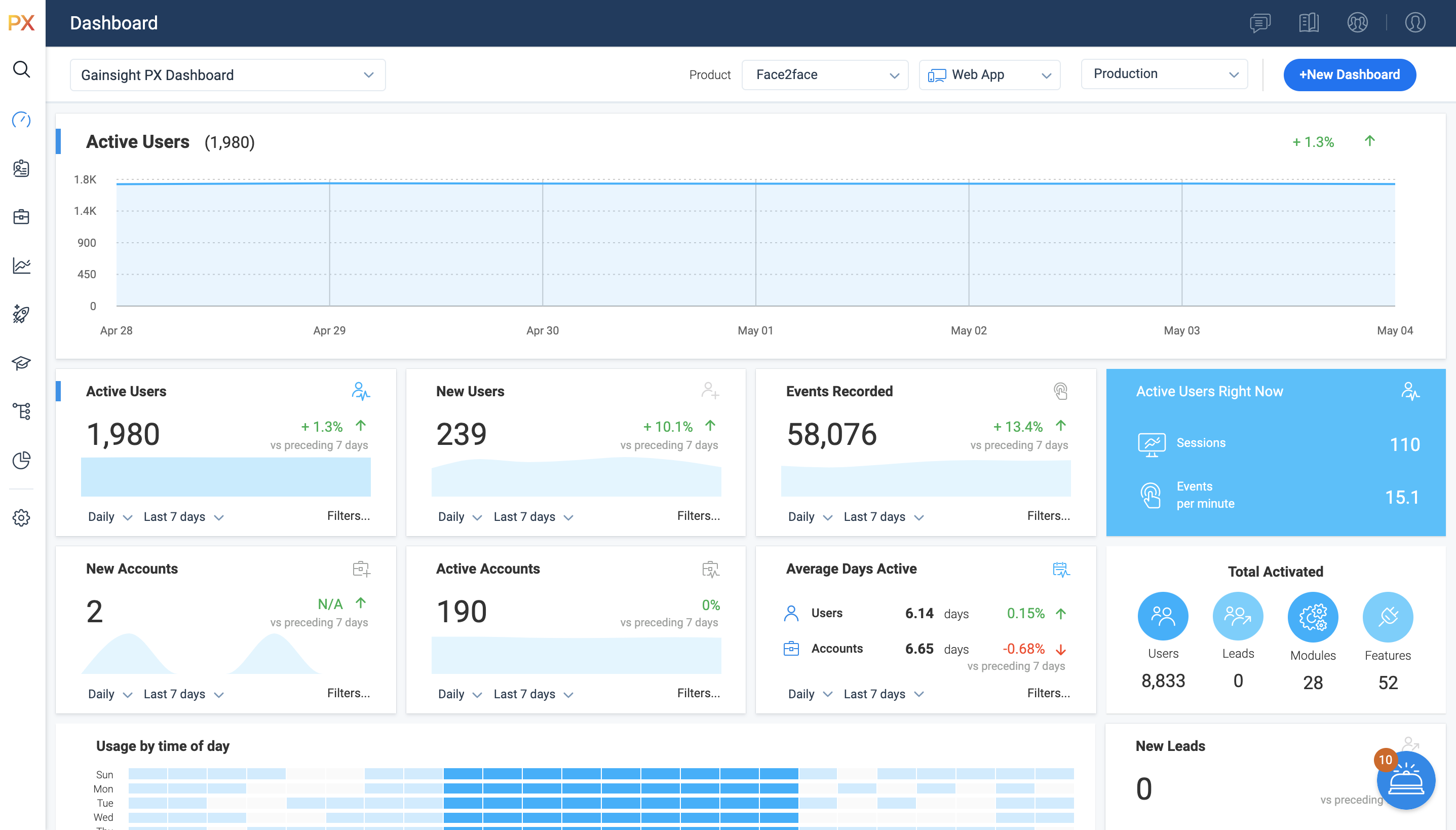
Screenshot of Access all of your key metrics in one place.Screenshot of PX Dashboards offer an interactive way of viewing data. By default, Gainsight provides you with the Gainsight PX Dashboard, but you can create separate Dashboards for each user, based on their requirements. 

For example, you can create a Dashboard, set it to private and grant access only to the top-level executives who are interested in viewing the performance of company KPIs. You can create a Dashboard for a Product Manager and include widgets which show key metrics for the product they own.Screenshot of Gainsight PX connects directly to your CRM and other customer data sources, letting you leverage custom events with no limits on what you can explore – all without using any query language.

Track specific events and compare any number of different cohorts and behaviors to learn more about a specific behavior or validate a specific hypothesis. You can use the group by functionality to aggregate results based on specific fields, and you can analyze custom event properties based on the property values. This may come handy when you want to measure the event properties such as video play counts or monetary values you're passing to Gainsight PX via custom events.Screenshot of Product Mapper® is an easy to use way of describing your product features with a simple "point, click and describe."   Each mapped feature can be viewed hierarchically within your Product Feature Tree®.   

Features can be organized in any way that makes sense for your particular application.  For example, you can organize by modules and features or you can nest sub-modules under modules and add features at any level.Screenshot of You can use existing templates while setting up Guide engagements. You can even save the newly created/modified template and use the saved template in the future in order to save time. Once you select the template, you can modify your template–no coding required, but it's there if you want it.Screenshot of Present targeted and timely in-app surveys so you can get more relevant feedback from the right people to better understand their needs and wants, and easily see the results in real-time.

VisualSP Screenshots

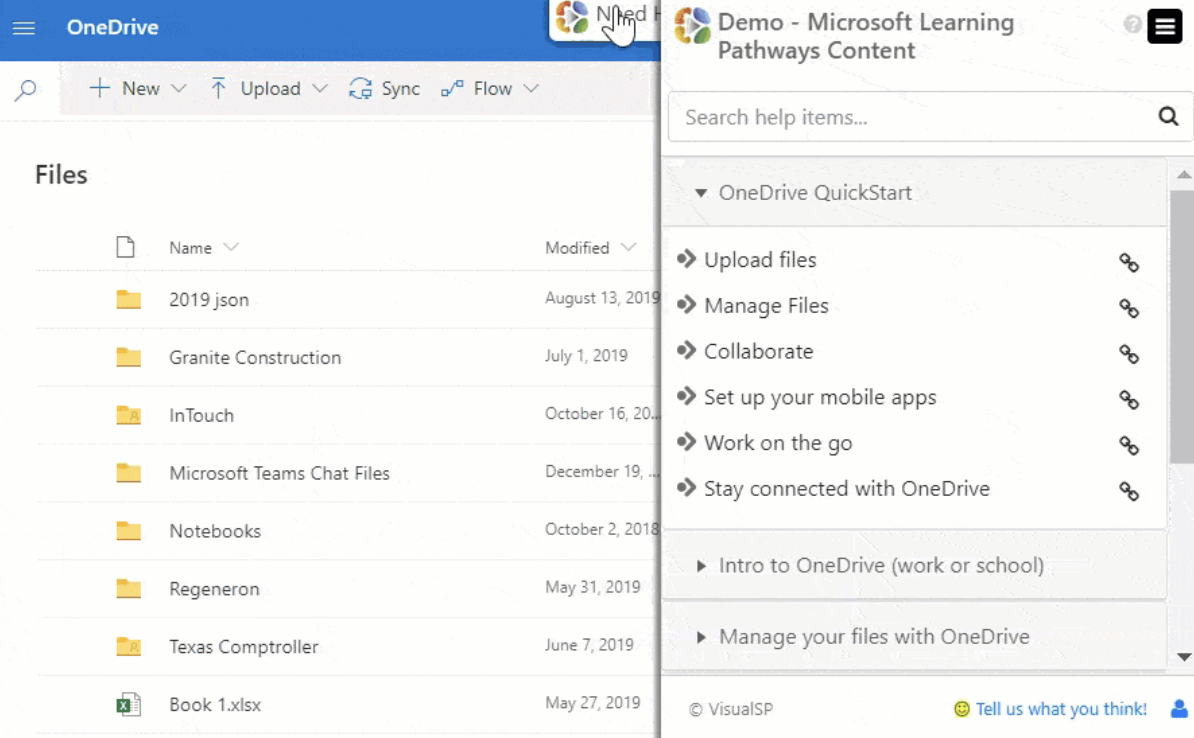
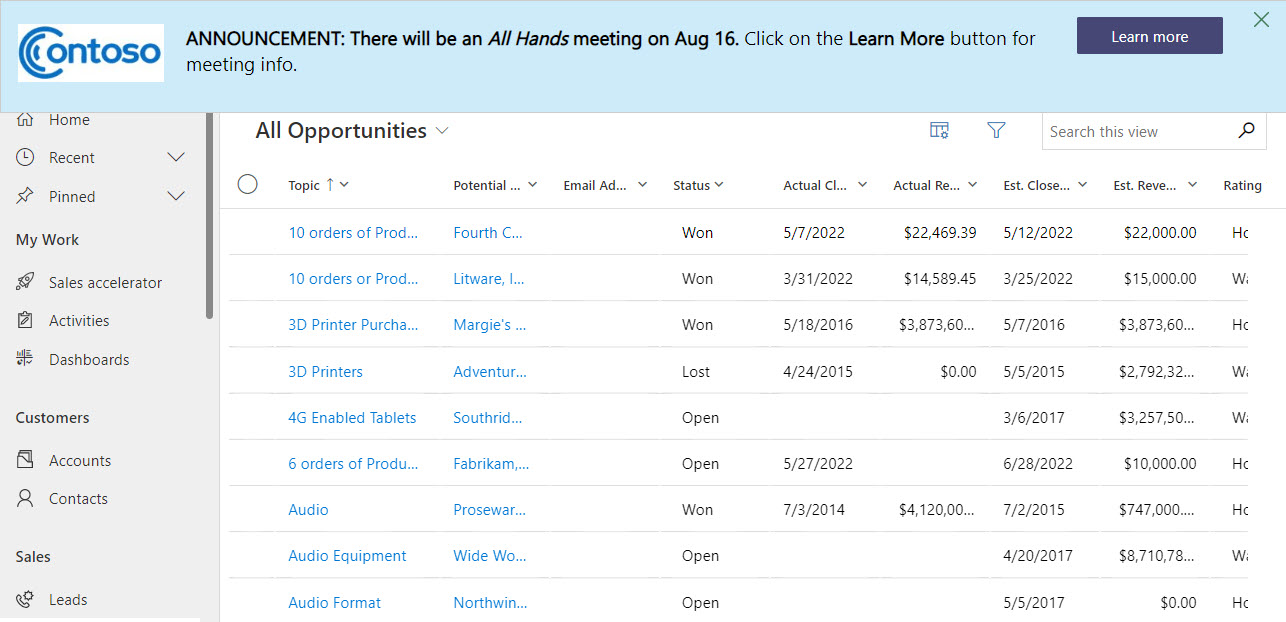
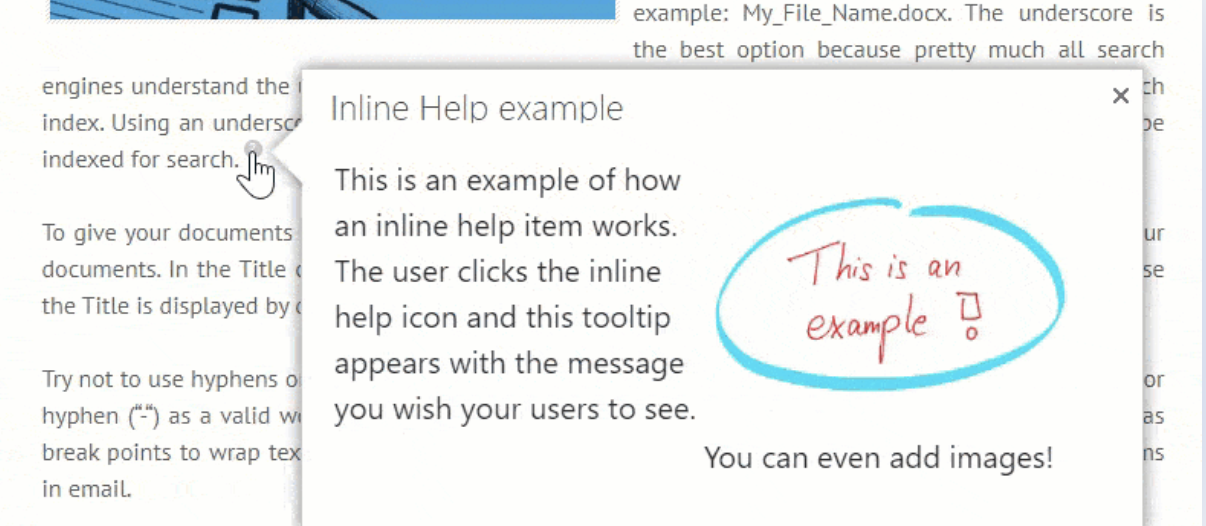
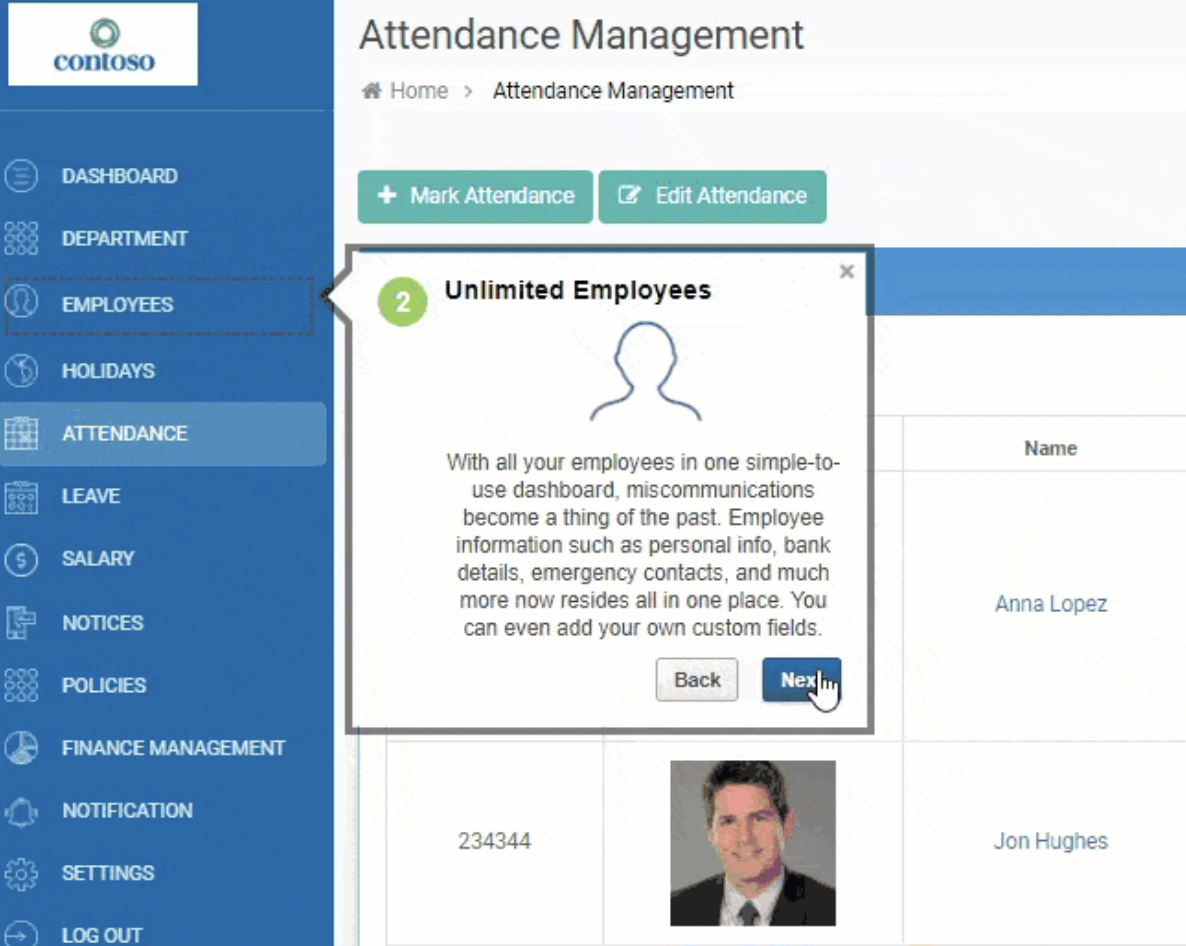
Screenshot of In Context Learning with VisualSPScreenshot of Announcement BannersScreenshot of In-line Help Pup upScreenshot of VisualSP for Enterprise AppScreenshot of Full Usage Analytics Report