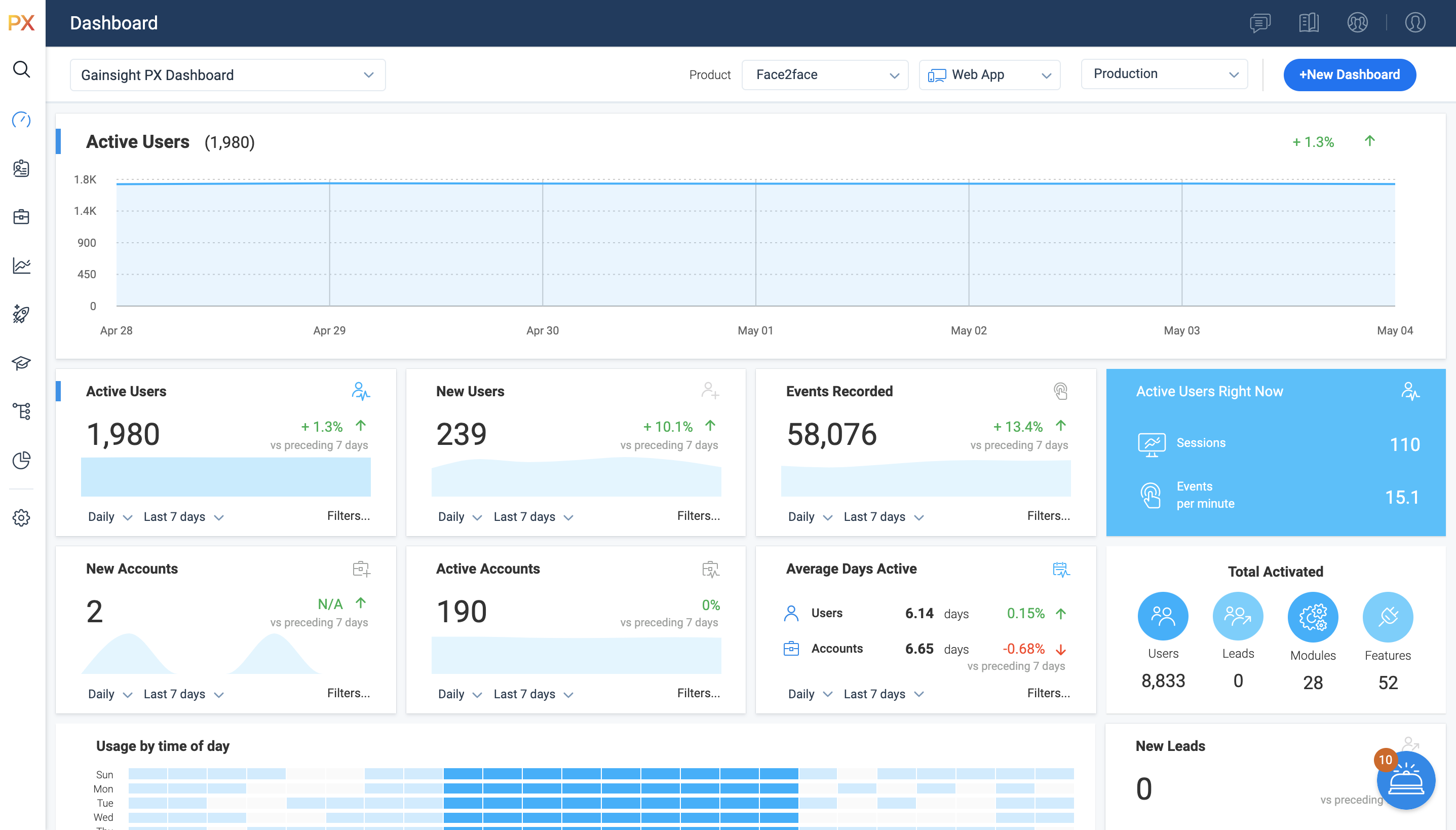
For SaaS products, Gainsight's product experience software enables companies to track every step of their user's journey and fully understand how they're interacting with a product over time.
$0
100 or less MAUs (Monthly Active Users)
Roadmunk
Score9 out of 10
N/A
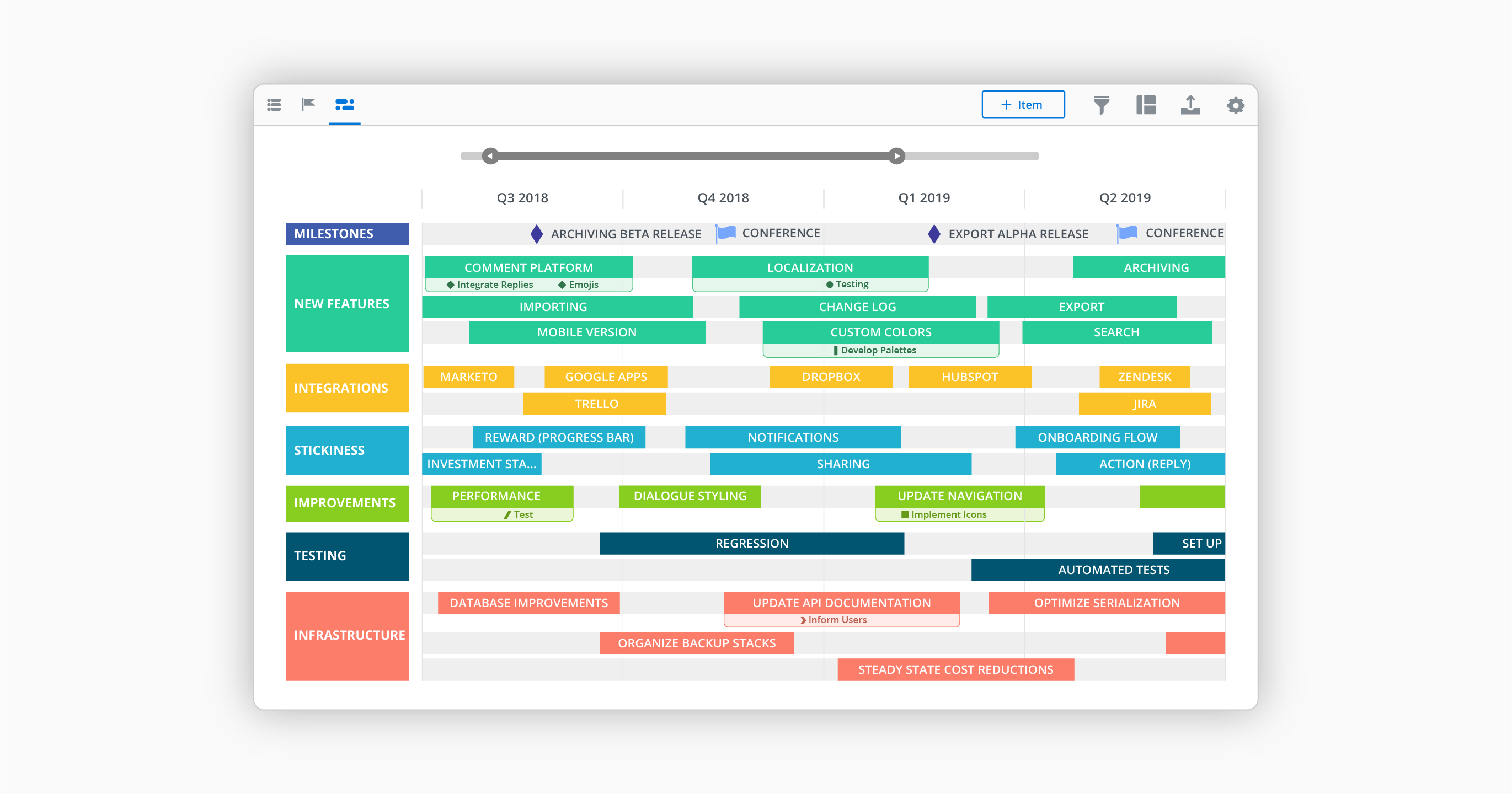
Roadmunk is a roadmap visualization platform that is designed to enable product managers and their teams to communicate the strategic roadmap throughout their organization. The vendor says product leaders can easily input milestones, roadmap data and create unlimited pivots in real time. The vendor says it has differentiated itself through intuitive user-centric design, seamless manipulation of roadmap views and enterprise data security. Since late 2021, Roadmunk is part of Tempo.
$19
per seat
Pricing
Gainsight PX
Roadmunk
Editions & Modules
Starter (Free)
$0
100 or less MAUs (Monthly Active Users)
Starter
Starting at $400/M
500+ MAUs (Monthly Active Users)
Growth
Custom
Per MAUs (Monthly Active Users) and more
Starter
$19
per seat
Business
$49
per seat
Professional
$99
per seat
Enterprise
Custom
per seat
Offerings
Pricing Offerings
Gainsight PX
Roadmunk
Free Trial
Yes
Yes
Free/Freemium Version
Yes
No
Premium Consulting/Integration Services
Yes
No
Entry-level Setup Fee
No setup fee
No setup fee
Additional Details
—
Ready to roadmap? All our plans start with a free 14-day trial.
It’s a robust tool that allows you to easily map and track key features and actions within your products. It also allows for in app communications to help guide the user through the path you want them to follow. The ability to connect with Gainsight CS also allows you to leverage that data to drive actions for the account team, incorporate it in health scoring, and use it to trigger digital programs. You do need a well thought out strategy for management of the platform, the data and how you will use it.
We replaced Trello with Roadmunk for our Roadmapping purposes. For the poor Product Manager and Product Team that is incessantly asked "where is the product roadmap" by Sales and Management, this is the tool for you! Easy, simple, and makes pretty pictures for those constituents. It is less useful for full Requirements documentation. "Ideas" is OK, but too hard to get submissions from non-Roadmunk users, and clunky integration back to the primary road mapping function. Needs an improved editing environment to fully express Reqs using this tool, but it's not that far off!
A de minimis incentive was given to thank the reviewer for their time. The incentive was not used to bias or drive a particular response, nor was the incentive contingent on a positive endorsement. More Info
Gainsight PX provides powerful segmentation capabilities to help marketers target the right customers with the right message. Through its segmentation capabilities, Gainsight PX enables marketers to create custom segments based on user behavior, demographics, and other criteria to ensure that the right message is delivered to the right customer.
Gainsight PX offers robust analytics capabilities to help marketers gain insights into customer behavior and engagement. Through its analytics capabilities, Gainsight PX enables marketers to track user engagement, identify customer trends, and gain insights into customer behavior.
Gainsight PX provides an intuitive user interface to help marketers quickly and easily create and manage campaigns. Through its user interface, Gainsight PX enables marketers to create and manage campaigns with ease, allowing them to quickly launch campaigns and track their progress.
A de minimis incentive was given to thank the reviewer for their time. The incentive was not used to bias or drive a particular response, nor was the incentive contingent on a positive endorsement. More Info
A de minimis incentive was given to thank the reviewer for their time. The incentive was not used to bias or drive a particular response, nor was the incentive contingent on a positive endorsement. More Info
Dashboards. There is no way to provide notes to others which would be very beneficial in consuming data across a team. Lacking functionality - no resizing, no organization options, run into bugs when using it frequently, overall hard to design a layout that is easy to follow.
No way to identify what features/elements are being used but aren't tagged. This would be a huge value add.
Retention Analyzer. Default view doesnt allow for filtering and includes test data. In our case this doesnt allow for a true comparison between two segments.
Segments. You can't use segments in areas you should be able to. I shouldnt have to recreate a segment as a saved filter.
A de minimis incentive was given to thank the reviewer for their time. The incentive was not used to bias or drive a particular response, nor was the incentive contingent on a positive endorsement. More Info
A de minimis incentive was given to thank the reviewer for their time. The incentive was not used to bias or drive a particular response, nor was the incentive contingent on a positive endorsement. More Info
A de minimis incentive was given to thank the reviewer for their time. The incentive was not used to bias or drive a particular response, nor was the incentive contingent on a positive endorsement. More Info
It is a good product, but like with every product, there is room for improvement or even just things I, as a user, would prefer, such as the ability to click on a company and have it go to Salesforce instead of Insight. It can also be difficult to find certain reports.
A de minimis incentive was given to thank the reviewer for their time. The incentive was not used to bias or drive a particular response, nor was the incentive contingent on a positive endorsement. More Info
Performance has improved meaningfully over the last 12 months or so, especially in our views that contain many roadmap items. Some challenges remain, however, particularly when changing the timeline and in scenarios of multiple users interacting with the roadmap simultaneously.
A de minimis incentive was given to thank the reviewer for their time. The incentive was not used to bias or drive a particular response, nor was the incentive contingent on a positive endorsement. More Info
I have not had to contact support frequently but when I have I used the chat and my questions were answered immediately. I've also used their knowledge center, help documentation and training videos which are all very thorough. The support we've received from our Customer Success Manager has been helpful as well.
A de minimis incentive was given to thank the reviewer for their time. The incentive was not used to bias or drive a particular response, nor was the incentive contingent on a positive endorsement. More Info
We never really had to go back to Roadmunk for support, but they do provide a wealth of informative updates that can be consumed at the individual user's own pace.
A de minimis incentive was given to thank the reviewer for their time. The incentive was not used to bias or drive a particular response, nor was the incentive contingent on a positive endorsement. More Info
Heap has a great value proposition and very nice user experience. But it lacks the clear funnel analysis that Gainsight PX provides. Plus Heap also does not have integration with a lot of CRMs and Customer data platforms. Also, Additionally if you go in the market to find Heap implementors or SI vendors, you won't find any.
A de minimis incentive was given to thank the reviewer for their time. The incentive was not used to bias or drive a particular response, nor was the incentive contingent on a positive endorsement. More Info
We've used Google Calendar, Microsoft Office products, Trello, and others. Roadmunk seems to combine the best of all of those, and then offers a little more.
A de minimis incentive was given to thank the reviewer for their time. The incentive was not used to bias or drive a particular response, nor was the incentive contingent on a positive endorsement. More Info
Allow us to integrate actual product usage with Salesforce.
Too much developer time went into it, especially when the premise was that this was mostly going to be handled by the Product team. This was mostly because the Gainsight PX event editor doesn't support more complex querying on events.
A de minimis incentive was given to thank the reviewer for their time. The incentive was not used to bias or drive a particular response, nor was the incentive contingent on a positive endorsement. More Info
Def saves us HOURS per quarter probably 50 man-hours per year re: automated visualizations vs. yoga poses trying to use Excel, JIRA, PowerPoint, Visio, etc.
A de minimis incentive was given to thank the reviewer for their time. The incentive was not used to bias or drive a particular response, nor was the incentive contingent on a positive endorsement. More Info