Fullstory’s behavioral data platform helps technology leaders make better, more informed decisions by injecting digital behavioral data into their analytics stack. The technology's behavioral data transforms digital visit into actionable insights.
N/A
Webtrends Analytics
Score 4.4 out of 10
N/A
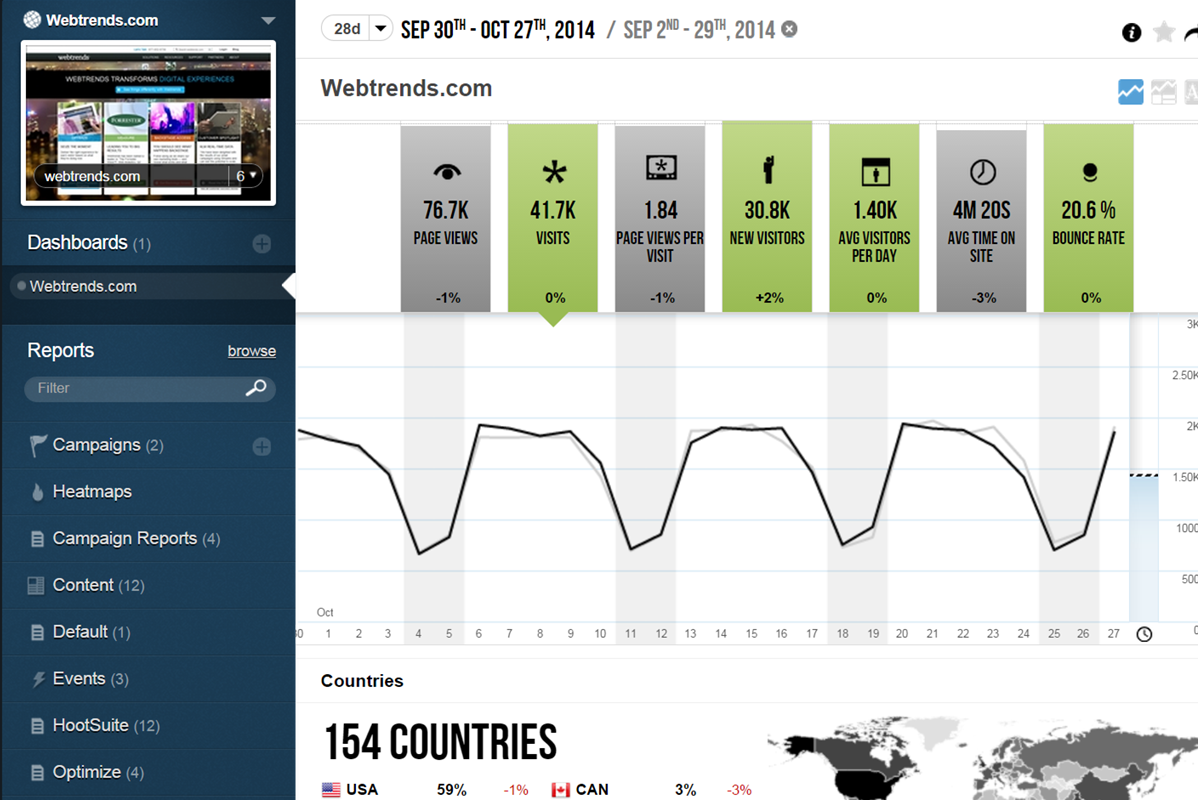
WebTrends provides an enterprise web analytics platform and, according to Forrester, has a strong focus on support for mobile and social channels and a very open platform. Webtrends competes directly with Adobe Site Catalyst, IBM Coremetrics. and comScore DigitalAnalytix.
N/A
Pricing
Fullstory
Webtrends Analytics
Editions & Modules
Business
Contact Sales
Enterprise
Contact Sales
No answers on this topic
Offerings
Pricing Offerings
Fullstory
Webtrends Analytics
Free Trial
Yes
No
Free/Freemium Version
Yes
No
Premium Consulting/Integration Services
No
No
Entry-level Setup Fee
Optional
No setup fee
Additional Details
—
—
More Pricing Information
Community Pulse
Fullstory
Webtrends Analytics
Features
Fullstory
Webtrends Analytics
Mobile Capabilities
Comparison of Mobile Capabilities features of Product A and Product B
Fullstory
6.2
Ratings
26% below category average
Webtrends Analytics
-
Ratings
Responsive Design for Web Access
7.90 Ratings
00 Ratings
Mobile Application
7.90 Ratings
00 Ratings
Dashboard / Report / Visualization Interactivity on Mobile
7.90 Ratings
00 Ratings
Mobile App Analytics
6.40 Ratings
00 Ratings
Results and Analysis
Comparison of Results and Analysis features of Product A and Product B
It was extremely useful in identifying places in our product where things weren't functioning, or where it looked like action was available to the end user but in reality, it was not and therefore caused lots of confusion. It doesn't help as much in other scenarios to see what catches a user's Eye or where they go if they leave our application as well as an actual in-person interview would help with eye-tracking software.
Scenarios 1. If you want to use web server log files as input to your web analytics, then Webtrends will provides a good product, with great ease of implementation. Don't even think about being cheap on hardware, and make sure Webtrends runs on real servers, not in a VM environment. 2. If you want to use Data Tagging, similar to Google Analytics or Site Catalyst, Webtrends has a powerful product, just be prepared to pay. 3. If you are new to Web Analytics, but it is the strategic direction, start with Webtrends on Premises. Questions to Ask 1. What are you trying to accomplish? 2. Can you place a dollar value on the benefit that you expect/need from Webtrends? 3.Can you live with Webtrends running SaaS?
Webtrends Analytics makes complex situations understandable to a non-technical audience. The vast capabilities and ways to slice data is both a great tool, but can also cause a user/users many hours of frustration.
Visual data display is clean, to the point, and not overly convoluted with unneeded variables and standard (defualt) settings. Everything the end user sees is customizeable.
Exports of raw data collections was easy and accurate. Once the parameters of data collection are finally set up and working, its easy to get what you want from the UI and is delievered in a variety of options.
Can be a little confusing to know the exact time something happened, in local time or customer time? That's helpful for engineering to look into log files.
When looking for a specific session, it would be nice if you have a easier list of sessions with a little more info to choose from
It would be nice to be able to save flagged sessions and annotations under my profile to reference later
Webtrends is not great at providing statistical data for analysis. You need to enable Log File Delivery or create an analysis export to perform this. This could theoretically be done with Streams.
Webtrends has difficulty identifying multi-visit users due to the inherent fragility of cookie-based tracking.
Webtrends Analytics does not provide Pathing capabilities for segments, only for the aggregate. However, this can be worked around with Scenario functionality selectively fired by a tag management system.
Segmentation by high-cardinality parameters tends to cause issues with table limits. Even after scrubbing and scrutinizing data, we commonly see up of 10K rows per dimension. Due to this, we use Webtrends Analytics to roll up data into larger segments and export all of our log data into our database for heavy duty number crunching.
The metrics are hard to understand at times and inaccurate to the point of being unusable. I stopped pulling them and solely rely on Adobe Analytics for them. So far, I've only used FS to watch sessions and determine behaviors
The obstacles to renewing are 1) finding people to manage it who know it well and 2) frustration because of the lack of on-the-fly analysis. Usually, renewal prices are reasonable and the cost of switching to something else when you have a somewhat complicated setup far outweigh the renewal costs, especially if your implementation is sound and your reports are humming along. A lot of renewal decisions are going to hinge on the new product that will start to roll out this month.
If I could give it a 0, I would. Not having an intuitive user interface made it impossible to convince non-analytic business users to use the tool on their own. Even as a seasoned analyst, frequent calls were needed to get what should be simple tasks done. Account managers don't understand the tool either, and have to refer you to technical support
The v9 admin interface and v10 reporting interface work as well as expected, but have a tendency to be pokey, especially for bulky reports and whenever you're connected to wifi. I much prefer using the REST API for all reporting for this reason, which simply dumps out the data and doesn't bother with the user interface.
Yes, that is correct. FullStory has a dedicated support team that is available to assist with any issues or questions. The team is known for being responsive, knowledgeable, and helpful, and they are committed to ensuring that users get the most out of the FullStory platform. They helped us a lot to implement it with our web app
The Webtrends Support Engineers are expert at what they do, and we get to speak to someone on the support team quickly. They provide great solutions when available, and when there is no solution, which can happen, they describe work-arounds.
The in-person training was comprehensive enough to get you started, but I strongly recommend having a more experienced person when beginning with the tool.
Webtrends provides several free webinars over the course of the year, many of which I would expect to pay for. The people providing the webinars seem to have a good feel for real-world application of the product.
I was not involved in the initial implementation, but I have found it easy to pick up and use without any guidance, so it's very user-friendly, intuitive, and not difficult to get a sense of use, though it may be more difficult to master (I am not a Fullstory master... yet!).
Careful planning and patience. Use a non-public test site to fine tune tags and reporting. Despite best laid plans, there will be surprises when you collect the data, run the analysis and begin generating reports using the tool. Perform a tag audit to ensure tags fire as desired.
Fullstory is really the best at session recording. They are adding new and more features to become more competitive with other web analytics tools (like Pendo, Heap, and GA). But we ultimately keep them because they make it so easy to actually see how people interact with your site. It is one thing to see a report that says customers fall off a page, it is another thing to actually be able to watch what they do as they fall off.
Webtrends has its work cut out for itself considering you have the behemoth Google Analytics and Google Analytics Premium having a strong offering and brand recognition for the price of free. After reviewing the paid service I'd suggest you start off with GA as a cheaper alternative that is just as robust, if not much more flexible in regards to the reporting and goal tracking needs for our company.
We reduced our payment error rate by 20% using FullStory.
Our product design team is able to get initial designs approved 95% of the time using FullStory data in order to explain to our stakeholders the reasoning behind decisions. We also do a before-and-after analysis, and we either net out the same with the new designs (just improved visuals) or improve the metric of whatever was designed. More often than not, we improve the metric.
We decreased the time to A/B testing insights by 50%.
We can usually visualize a production issue via FullStory within 10 minutes.
Webtrends has had a positive impact on site visitation because it allowed us to understand the sources by domain for site traffic and find out ways to increase visits from those domains.
Webtrends has also allowed us to understand areas of optimization on the site, which has had a positive impact on the overall user journey on the site, likely leading to longer site duration and engagement.