FreshBooks vs. SoftLedger

Overview
ProductRatingMost Used ByProduct SummaryStarting Price
FreshBooks
Score 8.6 out of 10
Small Businesses (1-50 employees)
FreshBooks is an accounting service for small businesses. The solution enables users to send and manage invoices, track billable time and collect online payments. The vendor’s value proposition this that their solution provides a straightforward service that simplifies the billing process.
$21
per month
SoftLedger
Score 0.0 out of 10
N/A
SoftLedger, the real-time cloud accounting platform enabling accountants and developers to easily manage multiple entities, integrate with other systems, and close their books faster.
$750
per month
Pricing
FreshBooksSoftLedger
Editions & Modules
Lite
$21
per month
Plus
$38
per month
Premium
$65
per month
Select
Custom Pricing
Standard
$750
per month
Offerings
Pricing Offerings
FreshBooksSoftLedger
Free Trial
YesNo
Free/Freemium Version
YesNo
Premium Consulting/Integration Services
NoNo
Entry-level Setup FeeNo setup feeRequired
Additional Details10% discount for annual pricing.
More Pricing Information
Community Pulse
FreshBooksSoftLedger
Features
FreshBooksSoftLedger
Customization
Comparison of Customization features of Product A and Product B
FreshBooks
9.1
Ratings
18% above category average
SoftLedger
-
Ratings
API for custom integration9.30 Ratings00 Ratings
Plug-ins9.00 Ratings00 Ratings
Security
Comparison of Security features of Product A and Product B
FreshBooks
10.0
Ratings
18% above category average
SoftLedger
-
Ratings
Single sign-on capability10.00 Ratings00 Ratings
Role-based user permissions10.00 Ratings00 Ratings
Reporting & Analytics
Comparison of Reporting & Analytics features of Product A and Product B
FreshBooks
7.5
Ratings
5% below category average
SoftLedger
-
Ratings
Dashboards9.00 Ratings00 Ratings
Standard reports8.80 Ratings00 Ratings
Custom reports4.80 Ratings00 Ratings
General Ledger and Configurable Accounting
Comparison of General Ledger and Configurable Accounting features of Product A and Product B
FreshBooks
7.5
Ratings
4% below category average
SoftLedger
-
Ratings
Accounts payable8.00 Ratings00 Ratings
Accounts receivable9.40 Ratings00 Ratings
Cash management7.00 Ratings00 Ratings
Bank reconciliation7.00 Ratings00 Ratings
Expense management6.60 Ratings00 Ratings
Time tracking7.60 Ratings00 Ratings
Multi-currency support7.00 Ratings00 Ratings
Regulations compliance6.00 Ratings00 Ratings
Self-service portal9.10 Ratings00 Ratings
Order Management
Comparison of Order Management features of Product A and Product B
FreshBooks
9.5
Ratings
21% above category average
SoftLedger
-
Ratings
Pricing8.80 Ratings00 Ratings
Order entry9.30 Ratings00 Ratings
Credit card processing9.70 Ratings00 Ratings
Cost of goods sold10.00 Ratings00 Ratings
User Ratings
FreshBooksSoftLedger
Likelihood to Recommend
9.4
(0 ratings)
-
(0 ratings)
Likelihood to Renew
7.6
(0 ratings)
-
(0 ratings)
Usability
9.6
(0 ratings)
-
(0 ratings)
Availability
10.0
(0 ratings)
-
(0 ratings)
Performance
8.0
(0 ratings)
-
(0 ratings)
Support Rating
6.0
(0 ratings)
-
(0 ratings)
Implementation Rating
10.0
(0 ratings)
-
(0 ratings)
User Testimonials
FreshBooksSoftLedger
Likelihood to Recommend
FreshBooks is the perfect tool for businesses who have hundreds of clients and customers whom they invoice regularly. It removes the need to manually send invoices to clients and customers, by streamlining inputted information to create an automated invoicing system which keeps clients and customers up to date with their bills. It is also a great tool for managing expenses, especially for companies with different teams working on varying projects, ensuring these teams do not exceed the budget ceiling.
Read full review
They provide more robust capabilities overall than QuickBooks (who we were previously using).
Read full review
Pros
  • FreshBooks is pretty intuitive to use. I did have some questions when I first started using the system, but it wasn't a long learning curve.
  • FreshBooks provides more capability than other billing applications such as PaySimple or BlinkSale. FreshBooks does provide an easy invoicing function. It's easy to create invoices that can be sent via email or snail mail to one or more individuals (for example, the decision-maker and the accounting dept). Clients can pay online or send a check and then I note that the payment has been received. If paid by credit card, the system automatically marks the invoice paid. Your business accounts such as bank accounts can be linked to FreshBooks. Then, the system can automatically draw in expenses and will create simple P&L reports, overdue invoices, client history, etc. If you don't have inventory and complex payroll, etc. FreshBooks provides just the right level of capability to make financial tracking simple.
  • FreshBooks integrates with a number of credit card companies. I use Stripe, which has fees similar to Paypal, but much more reliable processing. I can accept all credit cards, including American Express, for a reasonable fee.
Read full review
No answers on this topic
Cons
  • Pricing structure is very poor for us. $10/user per month when we have staff that comes and goes. And it's impossible to change a free contractor to a paid staff and vice-versa. This is my biggest complaint.
  • They only allow one admin owner user. Emails must come from that account. This is annoying, as other staff cannot log in with the same power.
  • The user interface is quite dated. I've made recommendations to improve it and all have been ignored. It's skinny and not fluid. Also, there is no way to link between invoices and clients.
Read full review
No answers on this topic
Likelihood to Renew
At the current needs of our business, FreshBooks suits us perfectly - it allows online access by our accountant to the system for GST purposes, easy input of expenses and tracking of Profit and Loss statements. FreshBooks customer service is great as well - very understanding and accommodating.
Read full review
No answers on this topic
Usability
It is well-built software with no significant drawbacks. It offers all the necessary futures expected from online software. However, it is not yet up there with Xero and QuickBooks regarding connections with other software and advanced reporting features. The developers work closely with accountants, and therefore, I expect further development of the software.
Read full review
Very intuitive....there was not much of a learning curve to catch on to the nuances of a new system
Read full review
Reliability and Availability
FreshBooks is easy to use and always works!
Read full review
No answers on this topic
Support Rating
I think the support level for FreshBooks is on par with a 6 because the folks behind this application do a fairly good job at providing support for their customer base. I still don't think they are at an elite level when it comes to supporting but are getting there although too slow in my opinion.
Read full review
No answers on this topic
Implementation Rating
I haven't changed my mind since my first evaluation. Freshbooks is still meeting my needs, easy to use, etc.
Read full review
No answers on this topic
Alternatives Considered
There is no fluff and feature overload with FreshBooks. I can get to what I need quickly and easily. I don't have to deal with unnecessary features and fields the system considers essential. The payment features are streamlined and have lots of flexibility when receiving payments. I love FreshBooks support, and it is 100 more customer-friendly and easier to work with than its primary competitors from my experience.
Read full review
No answers on this topic
Return on Investment
  • Since implementing FreshBrooks, 80% of invoices created are paid in less than 30 days from the time the invoice is sent via email to the client. Prior to FreshBooks, we were mailing or hand-delivering our invoices and payment on those invoices was in the 45-90 day range.
  • Time tracking is done directly in FreshBooks (or through a plugin that's connected directly to FreshBooks) and is very easy to use. With this feature we're much better able to track all business activities. This has helped us to quantify the time we're spending on non-billable business-related work in addition to our billable client hours. We've been able to adjust our pricing accordingly, as well as being more efficient with our non-billable activities.
  • When FreshBooks online payments is set-up in your account, payments made with this method are automatically sent to your bank account. We choose between FreshBooks payments and PayPal payments in order to manage how much money stays in the PayPal account for online expenses vs. how much is transferred directly to the bank account.
Read full review
No answers on this topic
ScreenShots

FreshBooks Screenshots

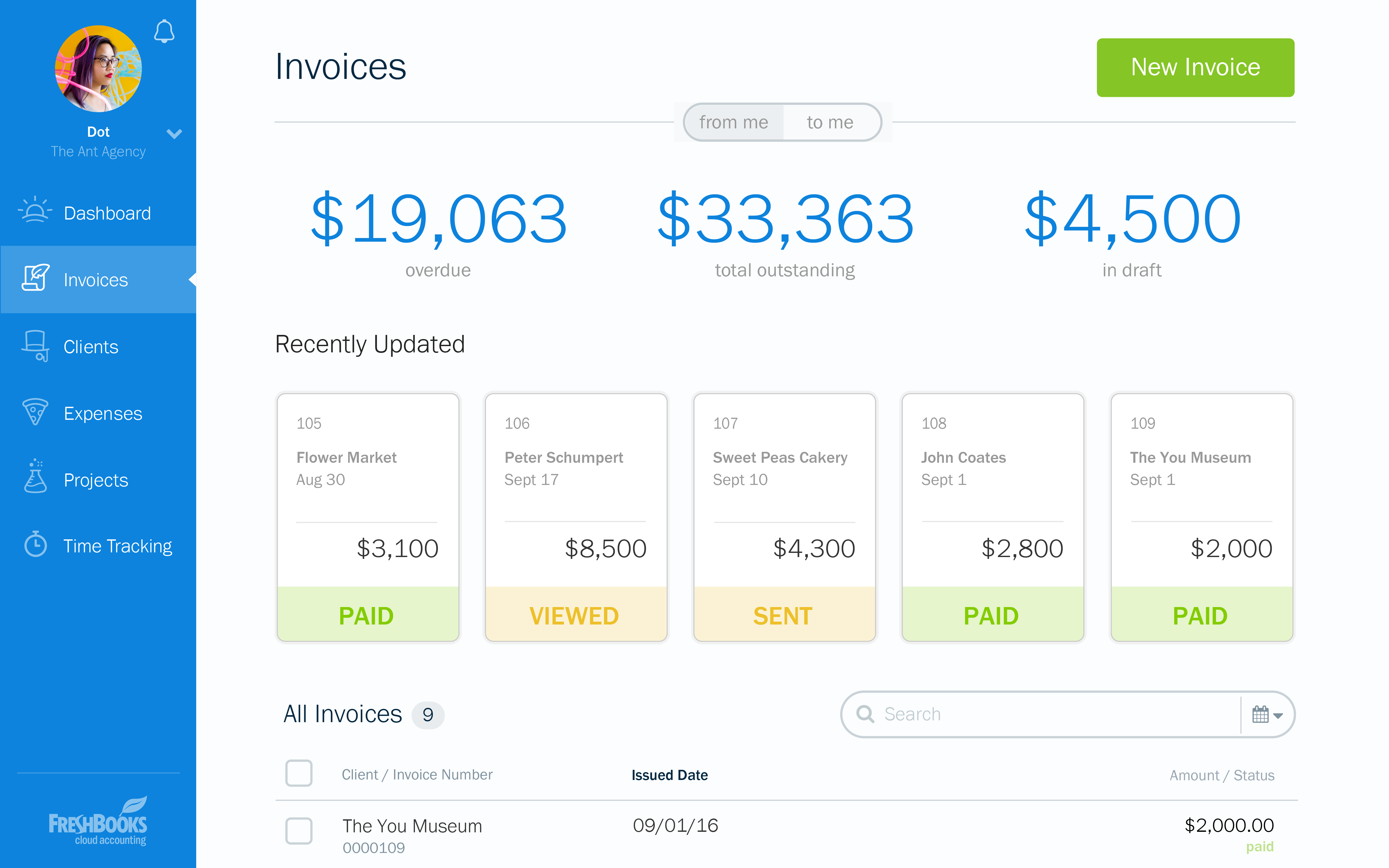
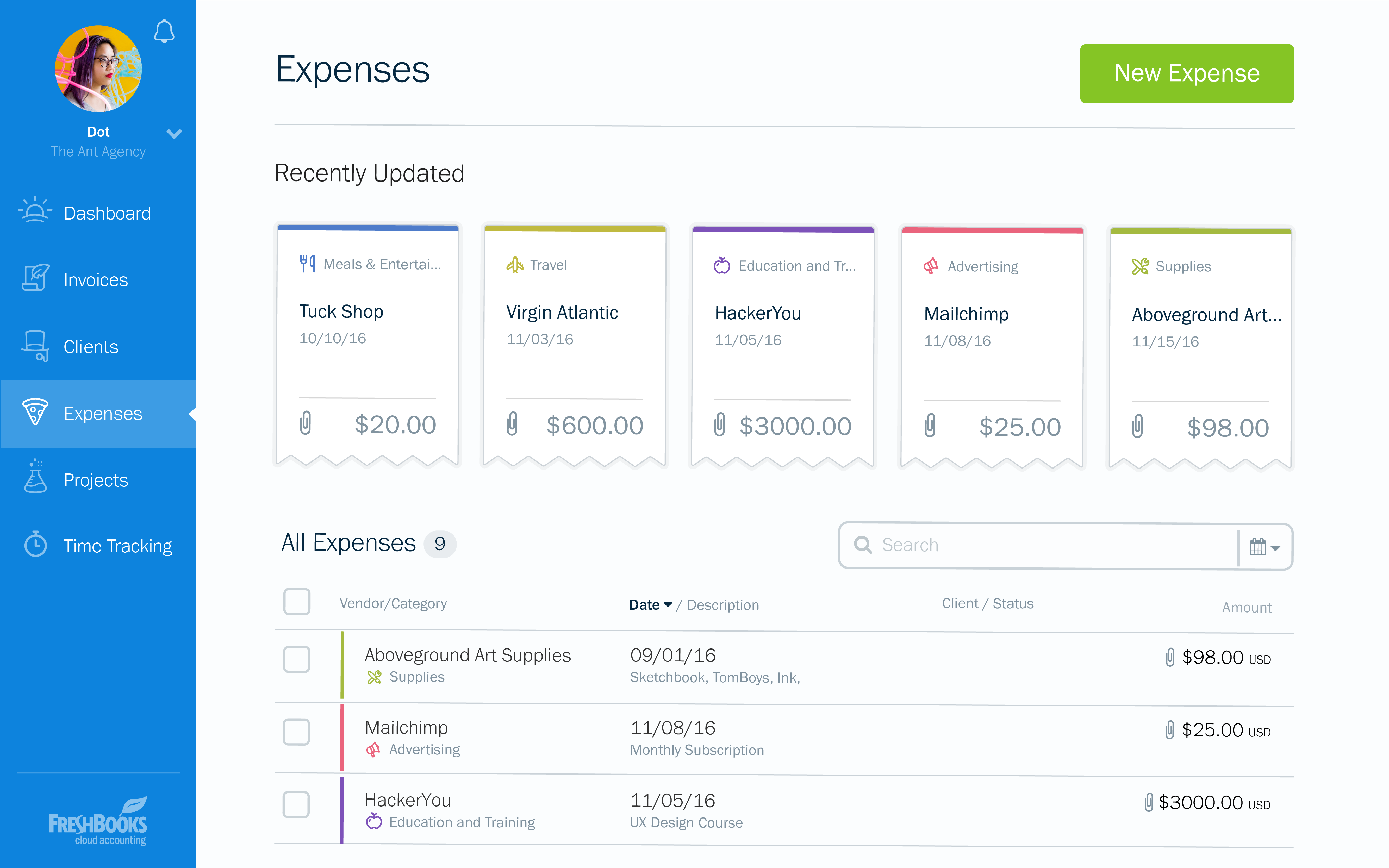
Screenshot of the dashboardScreenshot of an invoice overviewScreenshot of an example of a customizable invoiceScreenshot of an invoice appearing across devicesScreenshot of expensesScreenshot of time tracking

SoftLedger Screenshots

Screenshot of a comparison of SoftLedger with other accounting platformsScreenshot of the SoftLedger balance sheetScreenshot of the SoftLedger report editorScreenshot of the SoftLedger PDF template editorScreenshot of Forex revaluation in SoftLedgerScreenshot of productions in SoftLedger