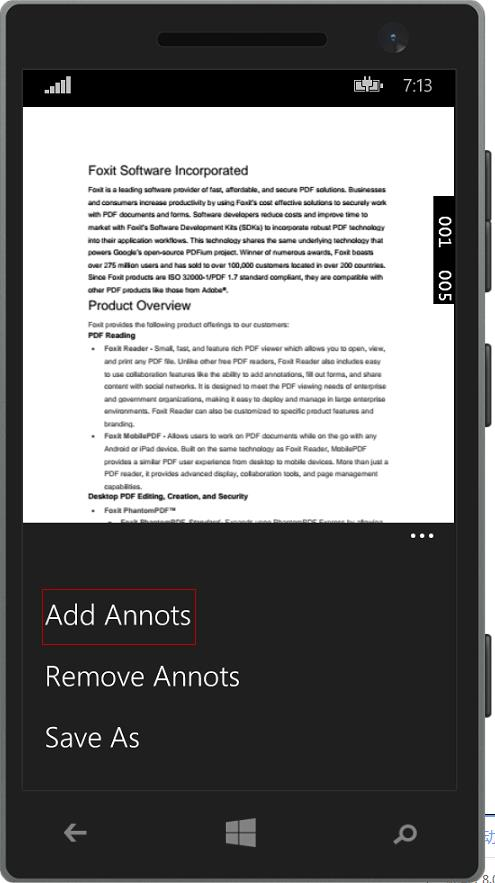
Foxit PDF SDK offers high performance pdf libraries to help developers build pdf technology. According to the vendor, key features include: Render PDFs: High performance PDF libraries to render PDF pages, page objects, annotations, and forms the way they were intended to be viewed: sharp, clear, accurate, and easy to read. Allows applications to view, zoom in, zoom out, and print PDF documents and forms. Reflow: PDF is a fixed-layout flat document format, it cannot…
$3,000
per platform/per year
Nitro Productivity Suite
Score 9.3 out of 10
N/A
Nitro Productivity Suite combines electronic signature and general PDF editing, from Nitro, Inc. It is built around capabilities such as getting approvals and esignatures in seconds and sharing and reviewing documents from anywhere.
The issue with the application not re-opening previously opened files is a major one for me, therefore I docked a point for that . When editing documents, it usually works well, but there are a few idiosyncrasies, such as the ability to add an extra line when changing a block of text or the inability to define page margins on the left and right. These peculiarities do not bother me, although they might be improved.
I run a professional services business from home. I need to edit documents quickly and easily and with minimal subscriptions to minimize overheads. I love that Nitro is a one-off payment to get a license to the software, and you can simply upgrade to the latest version if that's what you want, but you're not obligated to. I've been using the same version of Nitro for 7-8 years now. Despite the fact the upgraded versions have a lot of great, nice-to-have features, the version I'm on still does the job.
It is a very cool development kit to integration different PDF functions.
It is user-friendly and convenient to work with.
It has great functionality for text. For example: adding quick markup, highlighting the text, underlining, and doing strikethrough, and adding signatures is pretty easy.
It offers to do encryption and add passwords for security.
Great search capability that helps finding the text without hassle.
In the C# SDK, which is a wrapper of native C++ code. We need to be extra careful in coding and protecting the calls, because it can be very easy to crash the application in case of errors.
Our whole takeoff department uses the Foxit PDF SDK. To read plan files, produce pdf files, and take notes, we utilize it in conjunction with other tools. We may utilize the Foxit PDF SDK to read, edit, markup, print, and produce PDF files for internal use or to distribute to clients. Some of our users adore the software, but others choose to use alternative programs because they believe Foxit PDF SDK is too restrictive.
For the most part, the entire software is extremely easy to navigate and use. You won't need to follow tutorials or anything for the bulk of the core features, as it's all pretty seamlessly designed.
I rated this software very high on performance because it is really very quick on my Windows system. It can create any type of PDF files in seconds. It also gives good upload speed when I try to modify my documents for inserting digital signature space. It also gives very good encryption speed to secure my documents.
I would give it this rating because I personally have never had to contact support regarding Foxit PDF SDK or anything I am trying to do within the program. As I mentioned before, it is very user-friendly and easy to navigate. I think the program in itself lends support to the user because it is so user-friendly and has an easy to use interface.
Nitro checks all the boxes for what we need. It is fairly priced, it allows us to read and edit PDF documents, convert PDF to MS Word and convert MS Word to PDF. It allows us to combine multiple files and do all the post processing like adding page numbers and adding headers and footers
Foxit PDF was cheaper from a licensing perspective. It was easy on the budget and will not be getting more expensive for enterprise licenses. FoxIt also came with the same features when compared to Adobe and it was much easier to install in our environment. Being that it was lightweight we are able to install, remove and update the client very easily. Also, the support with Foxit was better suited for our needs than Adobe.
Every 1-2 years will do a check on current PDF options to include trialing the software. Have tried Foxit and several that seem to have failed in the marketplace. Over the last 4 years, I have always stuck with Nitro. Unfortunately, we still need to keep Adobe Acrobat (free version) installed to view a small percentage of some PDFs we receive.
No negative impact but only positive and fruitful I would say. It is a part of our daily work routine and enhances our products. Things are done quickly and delays are very less. Hence, it has added to the overall growth and development of our business.
Positive - Allows us to modify PDF documents from our clients to submit our proposals.
Positive - Allows us to convert PDF documents to MS Word to share with our consultants and others without a PDF editor who contributes to our proposals.
Negative - Need to upgrade to get the latest features/versions unlike something like MS/Office 365 where we just get updates automatically and free for the monthly fee. Maybe they will or need to move to a subscription solution versus a product price.