Fortra’s Automate vs. Hyland RPA

Overview
ProductRatingMost Used ByProduct SummaryStarting Price
Fortra’s Automate
Score 8.0 out of 10
N/A
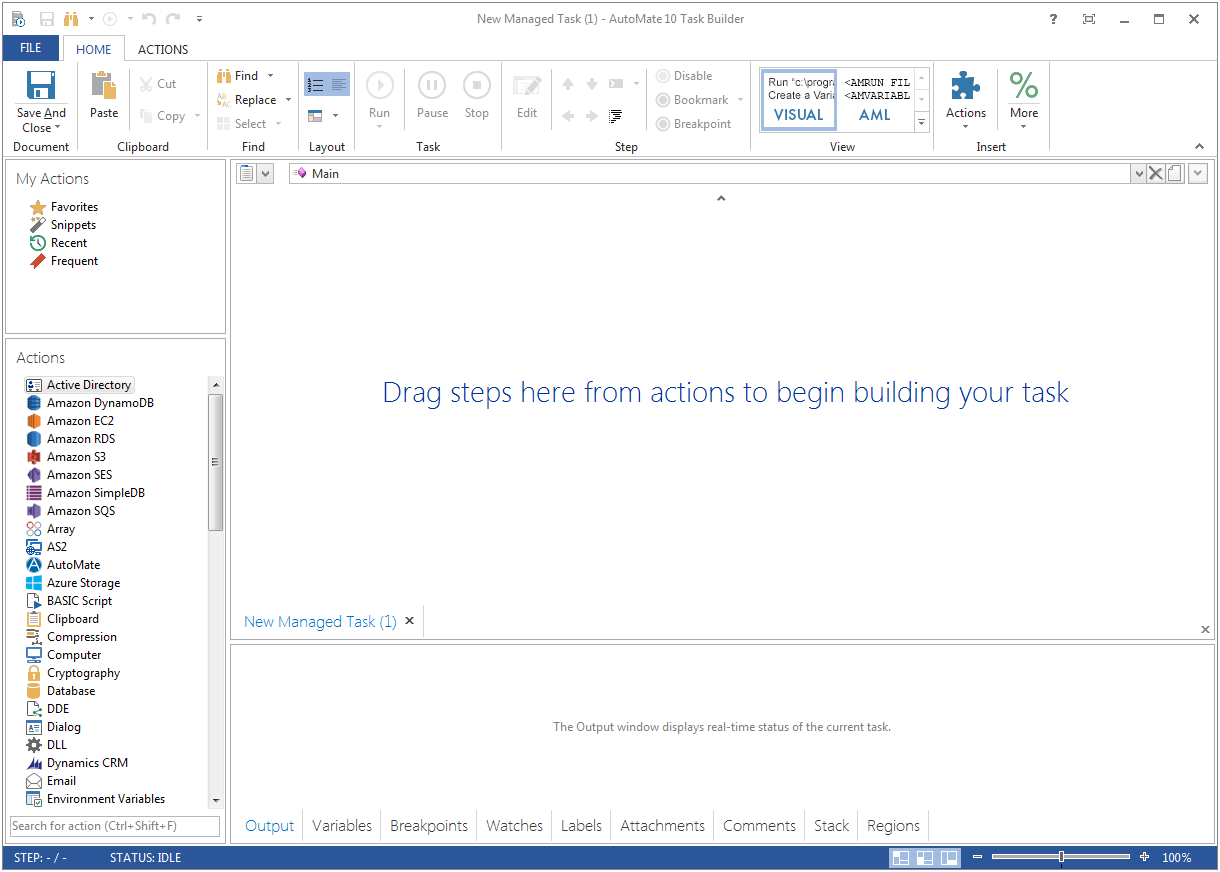
Fortra's Automate (formerly HelpSystems Automate) is a robotic process automation platform for desktop applications. According to the vendor, it offers the ability to automate almost any business process, and no technical expertise is required—IT and business users alike can understand the drag-and-drop interface.N/A
Hyland RPA
Score 8.4 out of 10
N/A
Hyland RPA is presented as a comprehensive RPA suite that enables organizations to reach the full potential of RPA technology — from process analysis to bot management. With Hyland RPA, organizations can automate inefficient and costly manual data-processing tasks without extensive system integration or custom coding, in order to reduce costs and improve efficiency, employee satisfaction, and information security and compliance.N/A
Pricing
Fortra’s AutomateHyland RPA
Editions & Modules
No answers on this topic
Offerings
Pricing Offerings
Fortra’s AutomateHyland RPA
Free Trial
YesYes
Free/Freemium Version
NoNo
Premium Consulting/Integration Services
NoNo
Entry-level Setup FeeOptionalNo setup fee
Additional Details
More Pricing Information
Community Pulse
Fortra’s AutomateHyland RPA
Best Alternatives
Fortra’s AutomateHyland RPA
Small Businesses
airSlate WorkFlow
airSlate WorkFlow
Score 7.5 out of 10
airSlate WorkFlow
airSlate WorkFlow
Score 7.5 out of 10
Medium-sized Companies
UiPath Automation Platform
Score 8.7 out of 10
UiPath Automation Platform
Score 8.7 out of 10
Enterprises
UiPath Automation Platform
Score 8.7 out of 10
UiPath Automation Platform
Score 8.7 out of 10
All AlternativesView all alternativesView all alternatives
User Ratings
Fortra’s AutomateHyland RPA
Likelihood to Recommend
10.0
(0 ratings)
8.4
(0 ratings)
Likelihood to Renew
-
(0 ratings)
9.1
(0 ratings)
Usability
10.0
(0 ratings)
9.0
(0 ratings)
Support Rating
10.0
(0 ratings)
7.4
(0 ratings)
User Testimonials
Fortra’s AutomateHyland RPA
Likelihood to Recommend
Anything where automation would be helpful, I'd recommend. If you're doing a task over and over again, Automate can likely work and do it for you. It helps to keep things running exactly the same so that when failures occur, they can easily be traced to their source.
Read full review
Hyland RPA is well suited for highly repetitive manual processes. It works really well with more modern web applications. It is more difficult to work with older client-server applications where fields, buttons, and links may be harder to identify, but with time and experience using the tools, most problems can be resolved.
Read full review
Pros
  • Wiki pages
  • Blogs
  • Articles
  • Triggers
  • Building crons
  • Automating daily tasks
Read full review
  • Configurability
  • Transparency
  • Ease of Implementation
Read full review
Cons
  • There should be more tools around system stability and recovery.
  • Better ways to manage resources to prevent OS crashes.
  • Automate backups internally without tasks.
  • System failure alerts if the machine crashes or reboots.
Read full review
  • Lack of dedicated support
  • Documentation
  • Training
Read full review
Likelihood to Renew
No answers on this topic
Our teams are now completely dependent on this solution and we've restructured our teams around the new processes we now have in place. It would be extremely difficult to be able to move forward without this product. We are more likely to buy more RPA bots than not renew at this point in time
Read full review
Usability
It's just very easy to use, extremely versatile, and very reliable. It's hard to find use cases where it won't work.
Read full review
Both RPA Analyst and RPA Designer are easy to learn and with experience almost any manual process can be automated. Once, the infrastructure is understood any organization should be able easily scale up it's automation efforts across multiple departments.
Read full review
Support Rating
Support is very helpful and responsive, although using the tool is very user-friendly, so I hardly use the service.
Read full review
Hyland has been very responsive to our support tickets. They have consistently responded within their SLA.
Read full review
Alternatives Considered
It has similar usage cases and functions. However, many tools are stuck behind paywalls and always try to upsell you to the next version. It's very upsetting. Even if it's cheaper, whenever I try to replicate the functionality, I get that annoying message, "not available in this version." As an IT professional who needs approval for every purchase, I can't keep asking for upgrades to existing tools.
Read full review
Hyland RPA [(formerly AM Ensemble)] is much easier to configure and is fully integrated with Hyland. We probably would have used Selenium to accomplish what we were looking for but that required development resources and we were going to have to build in the integrations with Hyland and OnBase manually. This was useable out of the box and saved on development time
Read full review
Return on Investment
  • Positive: Reliability on FTP jobs - really important on bank files.
  • Negative - annual support a little pricey - but not unusual for this level of software.
  • Positive: Does not require a dedicated administrator, especially after the jobs are created and tested. I perform other job duties and this rarely interferes with them.
  • Positive - Since it is easy to learn and use it makes it easy to have a back up administrator
Read full review
  • Reduced the need to hire additional staff
  • 90-100% coverage of contract settling
  • Reducing errors
Read full review
ScreenShots

Fortra’s Automate Screenshots

Screenshot of Screenshot of

Hyland RPA Screenshots

Screenshot of Hyland RPA Analyst, which enables users to analyze processes down to the click level and automatically documents process steps.Screenshot of the Hyland RPA Designer, that gives users with low code, drag and drop tools to create and modify automations.Screenshot of Hyland RPA Manager, used to manage the digital workforce through a real-time dashboard with controls for starting, stopping and prioritizing automations, adding tasks, and resolving exceptions.Screenshot of Hyland RPA Attended Automation AssistantScreenshot of Hyland RPA Attended Automation PiP