Formstack for Salesforce vs. SurveyLegend

Overview
ProductRatingMost Used ByProduct SummaryStarting Price
Formstack for Salesforce
Score 9.0 out of 10
N/A
Formstack for Salesforce helps users create dynamically prefilled forms, automating document generation and streamlining digital signature collection without leaving Salesforce. In this way, the solution helps companies ensure customers never fill the the same information twice, with no manual data entry and uploads required.N/A
SurveyLegend
Score 8.0 out of 10
N/A
SurveyLegend aims to help individuals and companies create mobile-friendly surveys. Users can create surveys on a computer or tablet device and customize the look of the survey. Data can be displayed with eye-catching and insightful graphics. SurveyLegend's advanced users can take advantage of unlimited features, company branding, white-label questionnaires, skip logic, branching, media-rich questions and more. Customers include L'Oréal, Universal, Harvard, Greenpeace, Airbnb,…
$0
per user
Pricing
Formstack for SalesforceSurveyLegend
Editions & Modules
No answers on this topic
Starter (for ever free)
$0
per user
Pro, monthly
$19
per user
Business, monthly
$39
per user
Legendary, monthly
$89
per user
Pro yearly, (save 25% with a yearly plan)
$170
per user
Business yearly, (save 25% with a yearly plan)
$300
per user
Legendary, yearly (save 25% with a yearly plan)
$780
per user
Offerings
Pricing Offerings
Formstack for SalesforceSurveyLegend
Free Trial
NoYes
Free/Freemium Version
NoYes
Premium Consulting/Integration Services
NoNo
Entry-level Setup FeeNo setup feeNo setup fee
Additional DetailsSurveyLegend gives a 25 % discount on the yearly plans for everyone. We believe in being and doing good, so we also offer special discounts for educators and non-profit organizations that can be found here: https://www.surveylegend.com/pricing-education/ and https://www.surveylegend.com/pricing-ngo/
More Pricing Information
Community Pulse
Formstack for SalesforceSurveyLegend
Features
Formstack for SalesforceSurveyLegend
Survey Format & Appearance
Comparison of Survey Format & Appearance features of Product A and Product B
Formstack for Salesforce
-
Ratings
SurveyLegend
8.2
Ratings
3% above category average
Survey templates00 Ratings8.50 Ratings
Themes00 Ratings9.00 Ratings
Custom logo/branding00 Ratings7.00 Ratings
Survey Content
Comparison of Survey Content features of Product A and Product B
Formstack for Salesforce
-
Ratings
SurveyLegend
7.8
Ratings
9% below category average
Changes to live survey00 Ratings8.50 Ratings
Question design help00 Ratings8.50 Ratings
Multiple question types00 Ratings6.50 Ratings
Survey Logic
Comparison of Survey Logic features of Product A and Product B
Formstack for Salesforce
-
Ratings
SurveyLegend
9.0
Ratings
9% above category average
Survey logic flexibility00 Ratings9.00 Ratings
Survey Reporting & Analytics
Comparison of Survey Reporting & Analytics features of Product A and Product B
Formstack for Salesforce
-
Ratings
SurveyLegend
7.6
Ratings
7% below category average
Response tracking00 Ratings7.80 Ratings
Data export00 Ratings7.20 Ratings
Standard reports00 Ratings8.50 Ratings
Analytics00 Ratings6.80 Ratings
Survey Administration & Security
Comparison of Survey Administration & Security features of Product A and Product B
Formstack for Salesforce
-
Ratings
SurveyLegend
9.0
Ratings
3% above category average
Access controls00 Ratings10.00 Ratings
Compliance00 Ratings8.00 Ratings
Survey Distribution
Comparison of Survey Distribution features of Product A and Product B
Formstack for Salesforce
-
Ratings
SurveyLegend
7.2
Ratings
13% below category average
Vendor-offered crowdsourcing00 Ratings6.70 Ratings
Respondent restrictions00 Ratings7.70 Ratings
Best Alternatives
Formstack for SalesforceSurveyLegend
Small Businesses
airSlate WorkFlow
airSlate WorkFlow
Score 7.5 out of 10
Square 9 Softworks
Square 9 Softworks
Score 9.5 out of 10
Medium-sized Companies
Foxit PDF Editor
Foxit PDF Editor
Score 8.6 out of 10
Qualaroo
Qualaroo
Score 6.1 out of 10
Enterprises
Conga Composer
Conga Composer
Score 9.6 out of 10
Verint Voice of the Customer
Score 10.0 out of 10
All AlternativesView all alternativesView all alternatives
User Ratings
Formstack for SalesforceSurveyLegend
Likelihood to Recommend
8.8
(0 ratings)
8.5
(0 ratings)
User Testimonials
Formstack for SalesforceSurveyLegend
Likelihood to Recommend
- Formstack for Salesforce excels in scenarios where organizations need to capture leads seamlessly. The platform's ability to create customized and branded lead generation forms, coupled with its direct integration with Salesforce, facilitates the smooth transfer of lead data into the CRM system. This is particularly beneficial for marketing teams running campaigns and events.- In scenarios where the primary goal is to collect basic contact information without the need for complex workflows or integrations, the comprehensive features of Formstack may be more than what is required. Simpler tools or solutions might be more appropriate for straightforward contact form needs.
Read full review
Definitely appropriate for us, with <1000 survey responses but some simple logic and routing that we wanted to build in. Nice very visual UI that lets you preview and makes it easy to test. I can't speak to how well it would work with very long, very complex surveys or more rigid work environments.
Read full review
Pros
  • Collecting customer data and keeping it clean and organized
  • I can send forms to the candidates so that they can easily review the documents
  • The forms are easily embedded in websites, allowing us to utilize formstack for our various seasonal programs.
Read full review
  • SurveyLegend allows users to customize their templates and survey.
  • Optimized many details and features and polls through analytics and data.
  • User-friendly and simple to use.
Read full review
Cons
  • mastering the more advanced features of Formstack, especially those related to complex form configurations and workflow automation, can be challenging.
  • we need a broader range of pre-built templates within Formstack
  • Improvements in the mobile app experience, such as a more intuitive design and additional features comparable to the web version, would enhance the usability of Formstack
Read full review
  • Improved correlation of the data between the analytics tool and the responses (i.e. it says 3 responses have been received, but only shows results for 2)
Read full review
Alternatives Considered
Formstack has a lot of work to do to get up to Jotform standards. Jotform has more payment integration options which is a HUGE selling factor for us as far as which program to choose. They also offer more discounts for non-profits which we work with often. Formstack has some pros but Jotform is more elaborate
Read full review
We decided to change from SurveyMonkey to SurveyLegend because it is more complete and allows us to have freedom when creating with the templates. Its complete tools allow us to improve texts and photos to make the questions more objective and receive answers. For users, it is possible to answer them from emails or mobile devices so that they get more comfortable and it is possible to improve the data of the analytics.
Read full review
Return on Investment
  • This can lead to time savings, allowing employees to focus on more strategic tasks rather than manual data handling.
  • By automating the transfer of data from forms to Salesforce, the platform contributes to improved data accuracy.
  • The automation and customization capabilities of Formstack can streamline various processes, from lead generation to internal approvals.
Read full review
  • It helps me evaluate the effectiveness of the program that I am running.
  • It enables me to see what I need to continue doing and what I need to eliminate.
Read full review
ScreenShots

SurveyLegend Screenshots

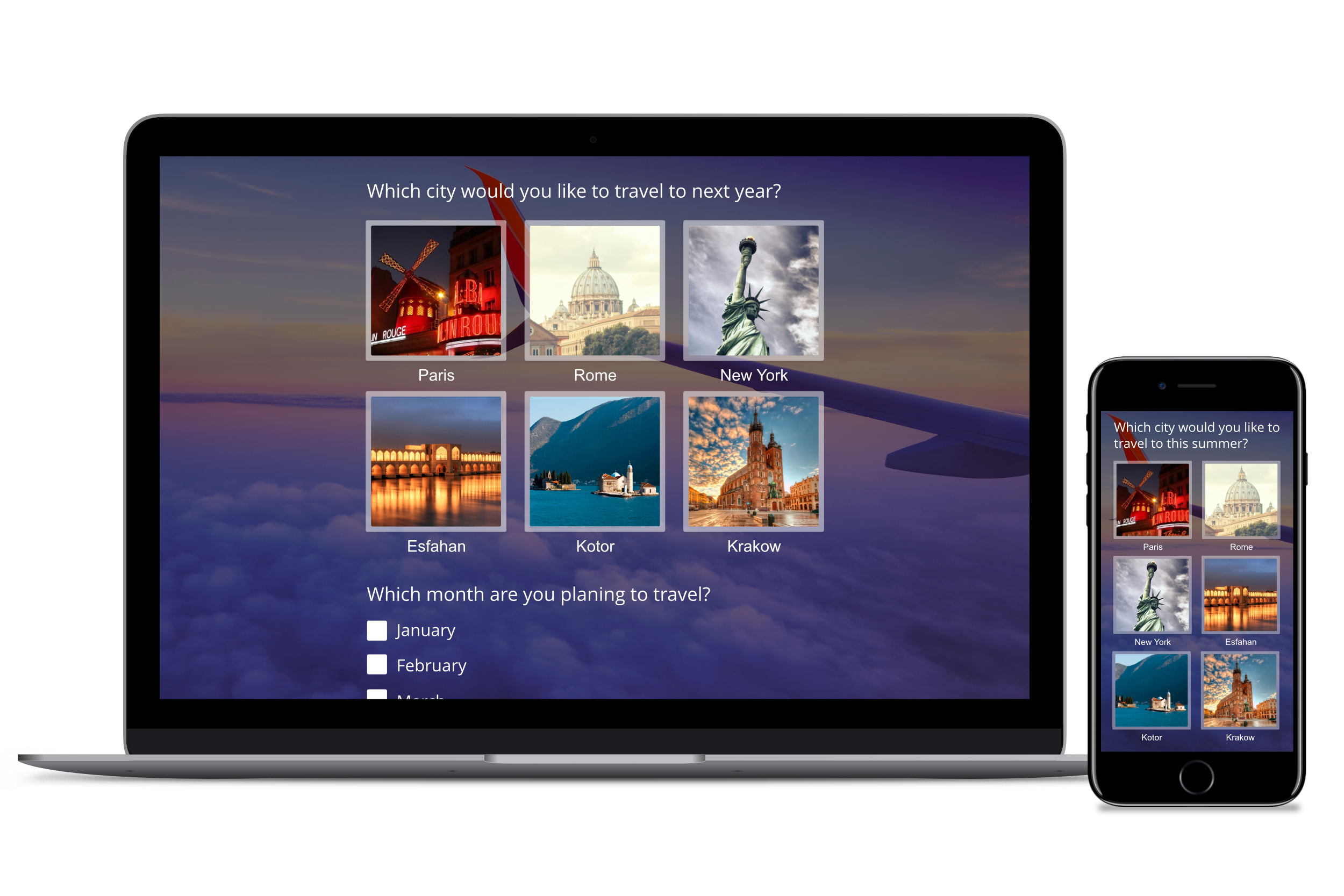
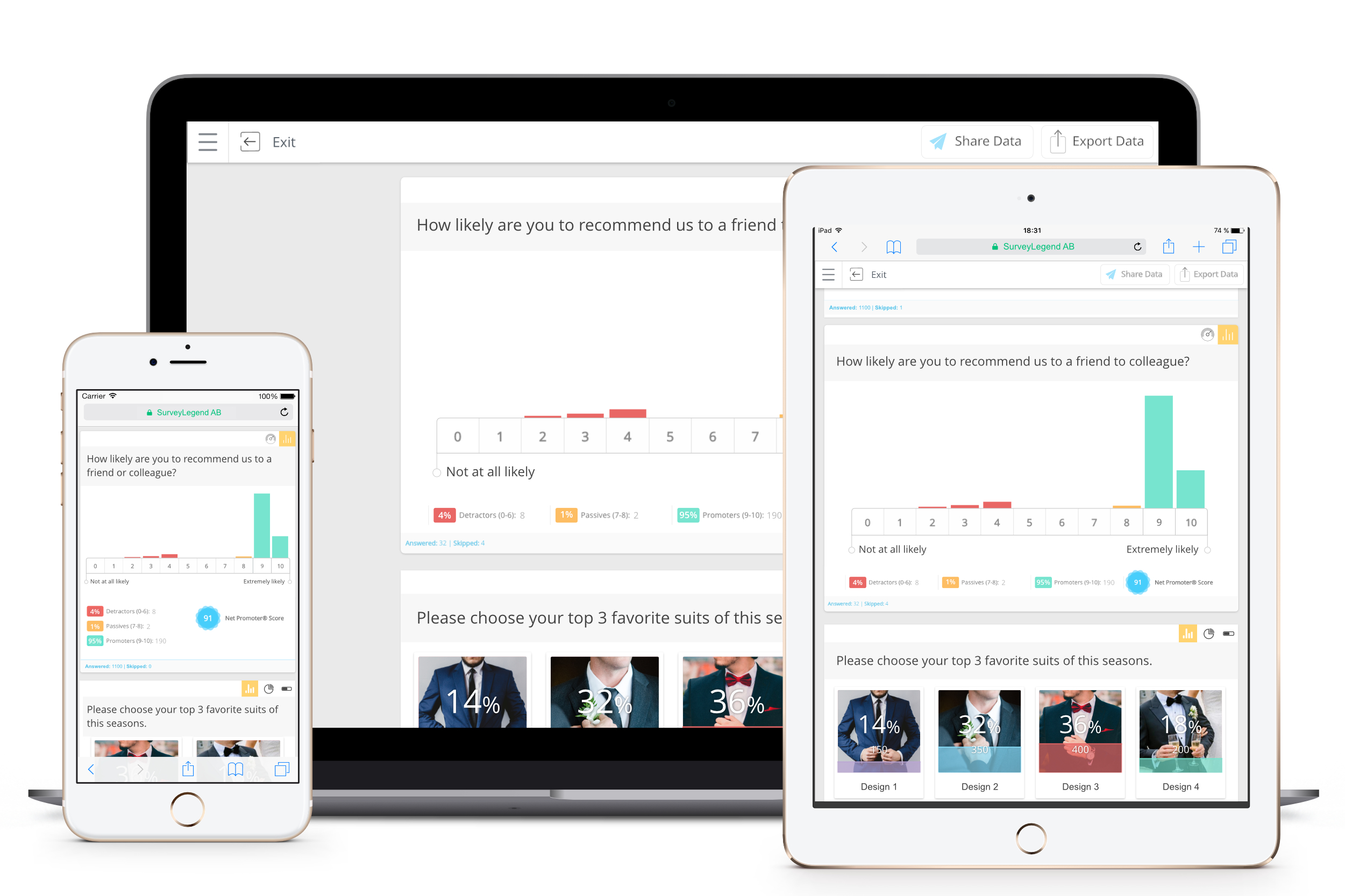
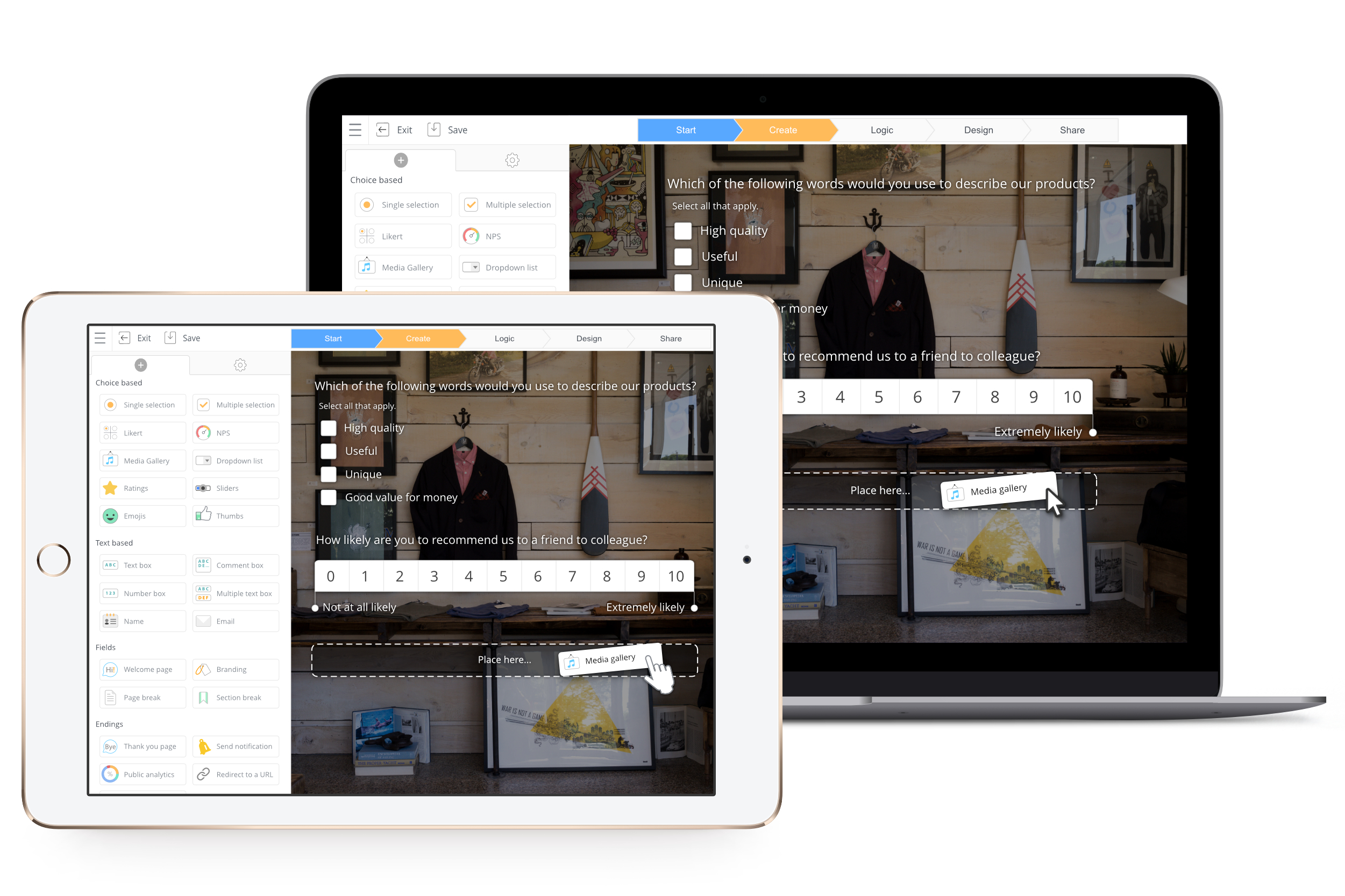
Screenshot of Brand your questionnaire, design the questionnaire, choose from 100+ themes upload your own and enjoy the changes being updated and shown in real-time.Screenshot of All surveys, forms and polls look great on what ever device they are presented on.Screenshot of You can create responsive questionnaires, using more than 20 different question types.You can create responsive questionnaires, using more than 20 different question types.Screenshot of In the create step you make the entire questionnaire. Click or drag and drop the question type you want and create the survey you need.Screenshot of All data collected can be viewed on our Live Analytics page. We present the feedback in beautiful charts that are easy to read and act on, no apps needed just a modern browser.Screenshot of Create on your tablet or computer no apps needed just a modern browser.