Float is a resource management software that helps users to keep projects profitable, workloads sustainable, and distributed teams in sync. It offers a live view of a team’s capacity, utilization rates, and skills so that users can assign the best person for the job and keep project work on track.
$6
per month per user
Jolt
Score9.7 out of 10
Small Businesses (1-50 employees)
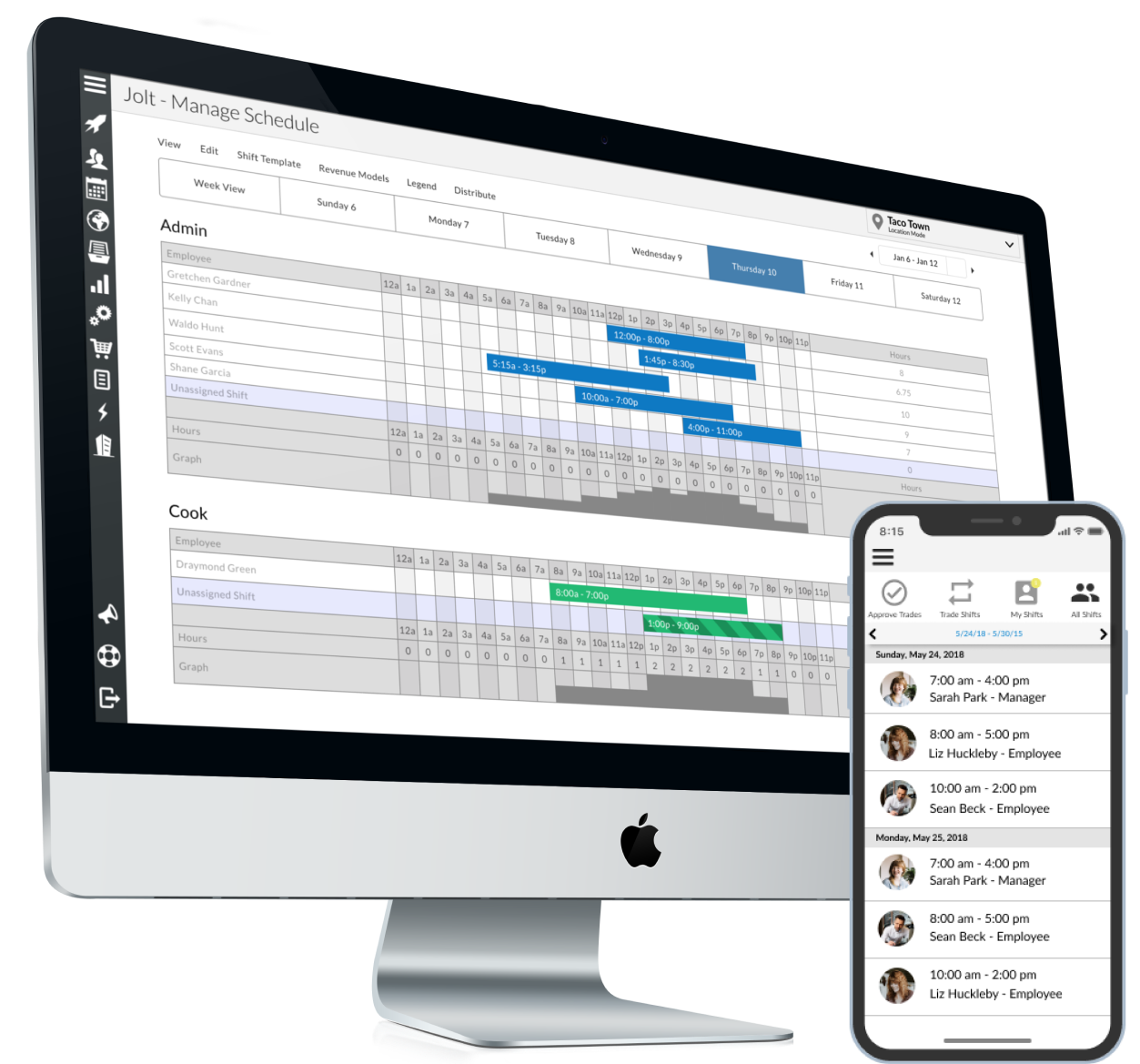
Jolt is a task and workforce management, with time & attendance, remote (selfie) login, scheduling, and simple tasking tools, from the company of the same name in Provo, Utah; useful for small teams that could leverage frequent communication.
I would definitely recommend everyone to use Float, It's easy and friendly to use. Performance-wise as well it is great. Really helps in streamline and scheduling resources and their utilization. Its reporting feature is great, Shows all projects for a particular resource or all resources for a particular project. It's a go-to tool for management.
A de minimis incentive was given to thank the reviewer for their time. The incentive was not used to bias or drive a particular response, nor was the incentive contingent on a positive endorsement. More Info
There is no better way for Cleaning & Maintenance Lists. The follow-up is automatic, it is user-friendly for leaders, and easy to update as needs change.
I am excited for the new updates coming out that will help our new hire training!
A de minimis incentive was given to thank the reviewer for their time. The incentive was not used to bias or drive a particular response, nor was the incentive contingent on a positive endorsement. More Info
Time management and tracking of daily employee productivity.
Allows for instructional data to be added to all our checklists, audits, etc to provide hands on training all the time!
Ease of use. It's a breeze to create new lists and use the lists already created
Mobility- my staff is on the go and being able to grab an iPad at the beginning of their shift and take it with them through the day completing tasks and allowing for more autonomy in our work force
Versatile. Can be use for simple list down to more complex guides and checklists with calculations and scoring.
A de minimis incentive was given to thank the reviewer for their time. The incentive was not used to bias or drive a particular response, nor was the incentive contingent on a positive endorsement. More Info
A de minimis incentive was given to thank the reviewer for their time. The incentive was not used to bias or drive a particular response, nor was the incentive contingent on a positive endorsement. More Info
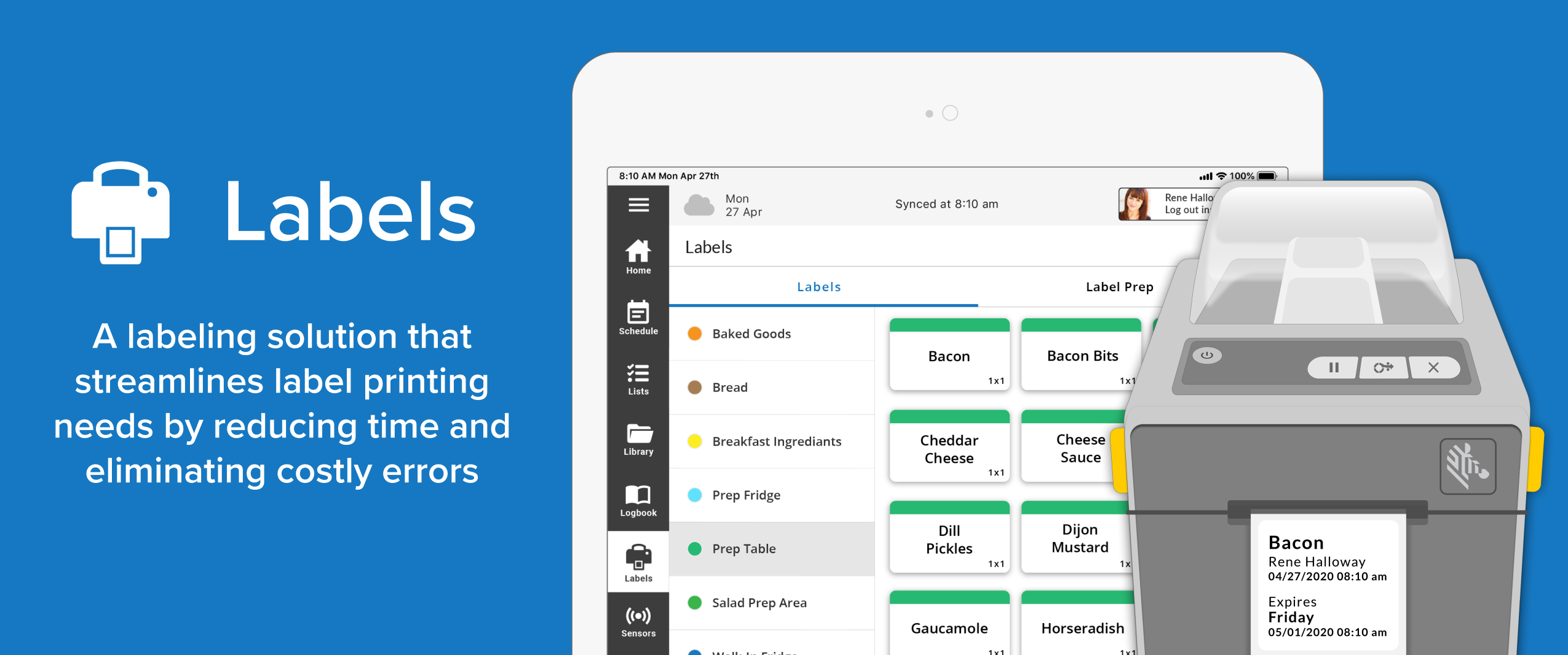
We would love to see a "favorites" icon that can be enabled for any label. We have dozens of labels specific to products/processes that are grouped within a multitude of categories. If one is not familiar with which category a label is stored, it requires the use of the search function in Jolt (which is definitely a nice feature and great time saver). However, we were able to create a category called "favorites" and duplicated our frequently used labels into this location for ease of access.
Jolt is very user friendly and offers a lot of solutions to my companies needs. If it offered a Payroll piece and a Point of Sale piece it would make it a complete system that would solve 99% of my companies needs.
Float is great for Project management and resource management. It is helping us work more effectively. It's a great planning tool. Smooth to understand and start working on. It has great integration with Slack, Google calendar. It has made Assigning and scheduling very easy for future projects with time management. Reporting is very easy and data extraction is too. It is also good in monitoring weekly/monthly and quarterly allocation of resources
A de minimis incentive was given to thank the reviewer for their time. The incentive was not used to bias or drive a particular response, nor was the incentive contingent on a positive endorsement. More Info
The system itself is very user friendly and every one of our team members is able to use it easily. The only difficulty that we have occasionally run into is a lack of connectivity between the Bluetooth printer and the iPAD. There are only two or three of us on staff that are well versed enough with the product to be able to fix it when there is this kind of issue.
Float helps in planning upcoming projects and helps in availability management for the resource to be able to assign. The creation of resources with roles helps in assigning and formulation a proper team for a project. It shows us the capacity and work hours of resources and helps us in leave management as well as scheduling time off. Teams utilization is been made very convenient by this tool.
A de minimis incentive was given to thank the reviewer for their time. The incentive was not used to bias or drive a particular response, nor was the incentive contingent on a positive endorsement. More Info
When I have had questions or needed technical support, I have received a very prompt response to my emails. The answers are concise and if there are instructions they are easy to follow and implement. All interactions I have had with the Jolt team have been a very positive experience.
Jolt provides a full house of solutions. I would have to go with at least two of the other companies to capture all the solutions I was looking for. Jolt gave me all of it. I also want to be clear that other companies promised solutions that they hadn't built out yet. Jolt is upfront and honest about things they are working on, but they won't sell them to you as a means to get you in, only to disappoint you. I have a lot of respect for that.
A de minimis incentive was given to thank the reviewer for their time. The incentive was not used to bias or drive a particular response, nor was the incentive contingent on a positive endorsement. More Info
Food safety processes have reduced significant amount of time managing.
Cleanliness- Saved some labor dollars here by implementing a more consistent process. Added some training videos on cleanliness to help give a clear message of the expectation.
Recipe Management- We have saved thousands on having the ability to upload live recipes and be global rather than having the paper copies of recipes laying around and possibly not being up to date.