Crashlytics is a mobile analytics tool which helps users find the exact line of code that their app crashed on, providing granular insight into mobile app performance and user experience. Crashlytics was acquired by Google in 2017 and is now offered as part of the Firebase product.
N/A
Piano Analytics
Score8 out of 10
Mid-Size Companies (51-1,000 employees)
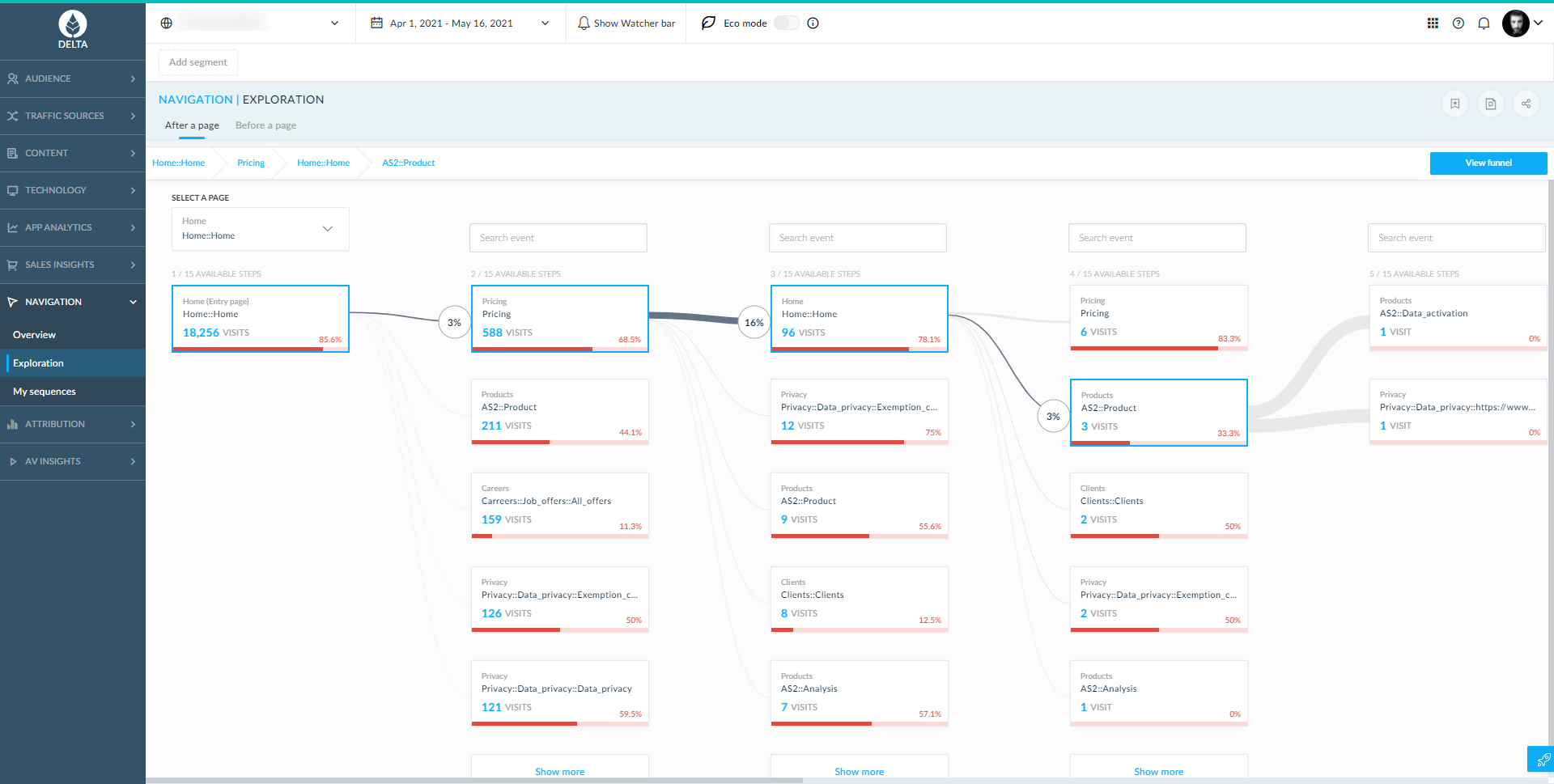
Piano Analytics, formerly AT Internet, provides digital analytics to help customers measure their audience, optimise their digital performance and create value. From data collection to exploration, activation, and the sharing of actionable insights, the Piano Analytics Suite is designed to provide reliable high-quality data to enhance decision-making company-wide. Adapted to e-commerce, media, finance/banking, and corporate websites & mobile apps, the vendor promises an easy-to-use solution…
Firebase Crashlytics is a no-brainer if you are already using any of the other Firebase suite of products, as its integration is very easy if you are already using these in your app. If you have cross-platform Android, iOS, and macOS apps, you should also consider Firebase Crashlytics to provide a unified across your platforms. If your app is only on Android or only on Apple, then you may be better off remaining with the default Apple Developer or Google Play Developer Console crash collection experiences.
A de minimis incentive was given to thank the reviewer for their time. The incentive was not used to bias or drive a particular response, nor was the incentive contingent on a positive endorsement. More Info
When it comes to web analytics AT Internet is well suited. We introduced AT Internet in 2017 after an evaluation project with other professional analytics solutions. Starting with our corporate website we quickly rolled it out to our customer experience platform, our webshops, and our corporate intranet based on SharePoint 2013. Especially the use in our intranet brought significant improvements over the standard analytics features SP 2013 is offering. The ATI tag systems with their flexibility allow us to include company-specific properties and thus making it possible for us to analyze our intranet usage on segments such as locations, branches, and so on.
A de minimis incentive was given to thank the reviewer for their time. The incentive was not used to bias or drive a particular response, nor was the incentive contingent on a positive endorsement. TR verified that a representative sample of customers was invited. More Info
A de minimis incentive was given to thank the reviewer for their time. The incentive was not used to bias or drive a particular response, nor was the incentive contingent on a positive endorsement. More Info
A de minimis incentive was given to thank the reviewer for their time. The incentive was not used to bias or drive a particular response, nor was the incentive contingent on a positive endorsement. TR verified that a representative sample of customers was invited. More Info
Integrations with outside vendors: there are many ways to integrate data from outside vendors, however you can't display this information in every application unless you create a custom field, which can sometimes be limiting.
Access rights: there are two places to assign access rights and each place has slightly different functionality. You can get really granular with what each person has access to, but it is easy to miss a check box and have to go back and correct it.
Visualizations across applications: there are some really cool visualizations in the oldest application they support that includes predictive traffic estimates, automatic multi-period variations, etc., that aren't available yet in the newer applications.
I gave this rating because I think that AT Internet is a good tool, user-friendly easy for onboarding and simple dashboards, however the majority of people use Google Analytics, especially media agency, it is easier for them to use Google Analytics.
A de minimis incentive was given to thank the reviewer for their time. The incentive was not used to bias or drive a particular response, nor was the incentive contingent on a positive endorsement. TR verified that a representative sample of customers was invited. More Info
It is very easy for non-developer staff to use the Firebase Console and gather information for the development team. Developers will find it straightforward to integrate Firebase Crashlytics into new or existing codebases using Google's in-depth developer documentation. I cannot think of an easier cross-platform solution to use, and because of that I wish it supported more platforms!
A de minimis incentive was given to thank the reviewer for their time. The incentive was not used to bias or drive a particular response, nor was the incentive contingent on a positive endorsement. More Info
Overall the experience is very good, it's quick, relaiable and does everything I would want. The only problems I have are matching the correct stats to what I want. It can be painful trying to find the right thing and the explanations are not always the clearest. That's the only issue i've found though.
A de minimis incentive was given to thank the reviewer for their time. The incentive was not used to bias or drive a particular response, nor was the incentive contingent on a positive endorsement. More Info
I don't have any exemple in mind where AT Internet interface hasn't been available, i have always been able to use AT Internet when i needed it. The only issues to notice is that it happens sometimes that real time or D-1 datas are partially delayed.
A de minimis incentive was given to thank the reviewer for their time. The incentive was not used to bias or drive a particular response, nor was the incentive contingent on a positive endorsement. TR verified that a representative sample of customers was invited. More Info
A de minimis incentive was given to thank the reviewer for their time. The incentive was not used to bias or drive a particular response, nor was the incentive contingent on a positive endorsement. TR verified that a representative sample of customers was invited. More Info
I have not used the Support Team thereby I am unable to review how their Support Teams works. However, in an instance where I had an issue, my concerned department contacted their support team and I was provided with the solution of the problem I was facing within a short span of time.
A de minimis incentive was given to thank the reviewer for their time. The incentive was not used to bias or drive a particular response, nor was the incentive contingent on a positive endorsement. TR verified that a representative sample of customers was invited. More Info
The in-person training unfortunately does not match to our expectations, was too much focus on digital basis and not on AT Internet functionnalties and how to use it. We paid for one day and only 15 minutes at the end was focused on our real needs in terms of media analytics.
A de minimis incentive was given to thank the reviewer for their time. The incentive was not used to bias or drive a particular response, nor was the incentive contingent on a positive endorsement. TR verified that a representative sample of customers was invited. More Info
A de minimis incentive was given to thank the reviewer for their time. The incentive was not used to bias or drive a particular response, nor was the incentive contingent on a positive endorsement. TR verified that a representative sample of customers was invited. More Info
A de minimis incentive was given to thank the reviewer for their time. The incentive was not used to bias or drive a particular response, nor was the incentive contingent on a positive endorsement. TR verified that a representative sample of customers was invited. More Info
Truly speaking, it is also a quite good tool for crash reports, but Firebase Crashlytics was better to use when you are using the Firebase Realtime database as your DB, so the integrations become much easier.
A de minimis incentive was given to thank the reviewer for their time. The incentive was not used to bias or drive a particular response, nor was the incentive contingent on a positive endorsement. More Info
AT Internet shows a deep understanding of our business objectives and provide us with ideas on how to solve them. They grant us enough time to try their tools and to be sure the tools are helpful. The data we've got in the Analyzer was manually checked and it was completely correct. Their roadmap was clean and aligned with our strategy
Regarding AT Internet possibilities, it could be adapted to small or large organizations, easy to set up. We can add sites in makets that we launch e-commerce.
A de minimis incentive was given to thank the reviewer for their time. The incentive was not used to bias or drive a particular response, nor was the incentive contingent on a positive endorsement. TR verified that a representative sample of customers was invited. More Info
A de minimis incentive was given to thank the reviewer for their time. The incentive was not used to bias or drive a particular response, nor was the incentive contingent on a positive endorsement. More Info
Unfortunately, I do not have precise results to give, but the statistics provided by AT Internet make it possible to carry out in-depth analyses and to make good decisions.
You just have to know how to find the information and interpret it.
A de minimis incentive was given to thank the reviewer for their time. The incentive was not used to bias or drive a particular response, nor was the incentive contingent on a positive endorsement. TR verified that a representative sample of customers was invited. More Info