
FileInvite vs. Nitro Productivity Suite
| Product | Rating | Most Used By | Product Summary | Starting Price |
|---|---|---|---|---|
 FileInvite | Score1.1 out of 10 | N/A | FileInvite automates the process of collecting information and documents from your clients. The vendor says the process is simple, and the interface is secure. All you have to do is create and send a FileInvite with the information you require. The client then uploads the files to a secure portal where you can approve or decline the information that has been submitted. FileInvite also allows you to set up reminders, templates and sync with your cloud storage like Google… | N/A |
 Nitro Productivity Suite | Score9.3 out of 10 | N/A | Nitro Productivity Suite combines electronic signature and general PDF editing, from Nitro, Inc. It is built around capabilities such as getting approvals and esignatures in seconds and sharing and reviewing documents from anywhere. | $9.99 per month per user |
| FileInvite | Nitro Productivity Suite | |||||||||||||||
|---|---|---|---|---|---|---|---|---|---|---|---|---|---|---|---|---|
| Editions & Modules | No answers on this topic |
| ||||||||||||||
| Offerings |
| |||||||||||||||
| Entry-level Setup Fee | No setup fee | No setup fee | ||||||||||||||
| Additional Details | — | — | ||||||||||||||
| More Pricing Information | ||||||||||||||||
| FileInvite | Nitro Productivity Suite | |
|---|---|---|
| Considered Both Products | No answer on this topic | No answer on this topic |
| Key User Insights | ||
| Would buy again | ||
40% Would buy again 2 Answers | 89% Would buy again 8 Answers | |
| Delivers good value for the price | ||
No answers on this topic | 100% Delivers good value for the price 9 Answers | |
| Happy with the feature set | ||
60% Happy with the feature set 3 Answers | 89% Happy with the feature set 8 Answers | |
| Lived up to sales and marketing promises | ||
No answers on this topic | 100% Lived up to sales and marketing promises 8 Answers | |
| Implementation went as expected | ||
No answers on this topic | 100% Implementation went as expected 9 Answers | |
| FileInvite | Nitro Productivity Suite | |
|---|---|---|
| Small Businesses |  M‑Files Score8.9 out of 10 |  Foxit eSign Score9.8 out of 10 |
| Medium-sized Companies |  Esker Score10 out of 10 |  MSB Docs Score9.4 out of 10 |
| Enterprises |  Tungsten Capture Score8 out of 10 |  Conga Sign Score7.8 out of 10 |
| All Alternatives | View all alternatives | View all alternatives |
| FileInvite | Nitro Productivity Suite | |
|---|---|---|
| Likelihood to Recommend | 1.0 | 9.3 |
| Likelihood to Renew | - | 10.0 |
| Usability | 7.0 | 9.0 |
| Performance | 10.0 | 8.0 |
| Support Rating | - | 9.2 |
| Ease of integration | 10.0 | 5.0 |
| FileInvite | Nitro Productivity Suite | |
|---|---|---|
| Likelihood to Recommend |
|
|
| Pros |
|
|
| Cons |
|
|
| Likelihood to Renew | No answers on this topic |
|
| Usability |
|
|
| Performance |
|
|
| Support Rating | No answers on this topic |
|
| Alternatives Considered |
|
|
| Return on Investment |
|
|
| ScreenShots | FileInvite Screenshots 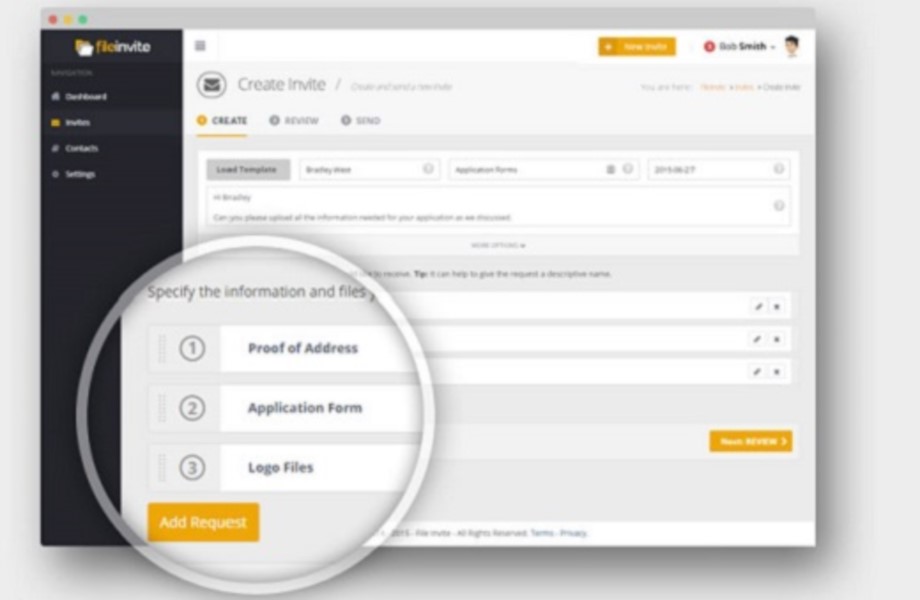  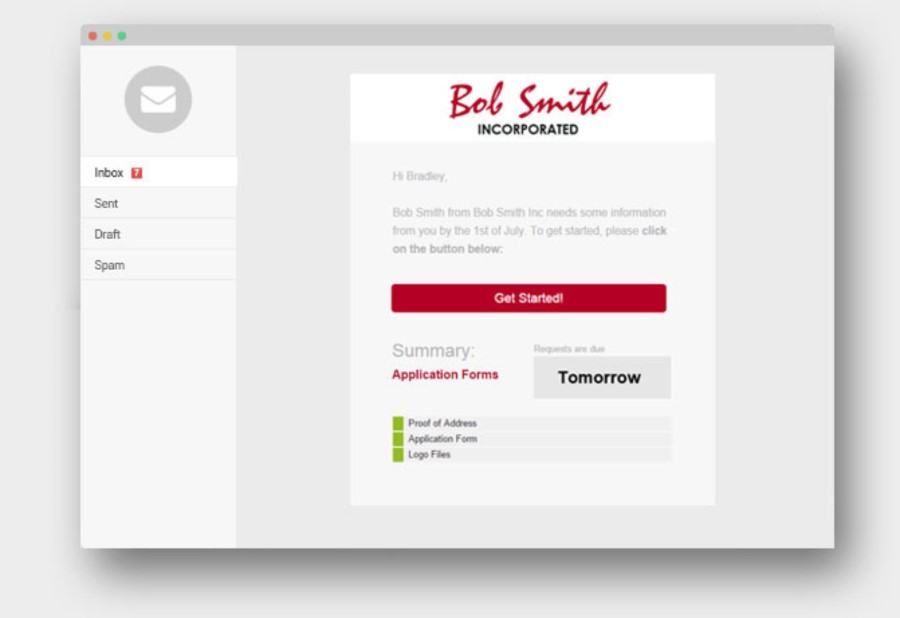   |



