TrustRadius: an HG Insights company

Save this comparison

Save this comparison

Add Product

Recommended Comparisons

    Overview
    ProductRatingMost Used ByProduct SummaryStarting Price

    Filecamp

    Score9 out of 10
    Mid-Size Companies (51-1,000 employees)
    Filecamp is a cloud-based Digital Asset Management (DAM) solution with unlimited users. According to the vendor, with Filecamp users can showcase and share files with clients or with other parts of the organization. Customers can have their own custom branding and password protection if required. Using different download presets, anyone can be allowed to quickly download the right resolution of images. Filecamp is designed to make it easy to organize and search thousands of rich media…

    $29

    per month

    KROCK

    Score10 out of 10
    N/AKROCK is designed to help users manage creative projects effectively and painlessly. Krock offers tools for creative teams to manageme the review and approval process: build project pipelines assigns teammates for different tasks within different projects create storyboards share different types of files add visual comments on any media files create a limitless number of…

    $0

    per team

    Pricing
    FilecampKROCK
    Editions & Modules
    Basic
    $29
    per month
    Advanced
    $59
    per month
    Professional
    $89
    per month
    Trial
    $0
    per team
    Plus
    $69
    per team
    Pro
    $99
    per team
    Solo
    9,99
    per user
    Enterprise
    Custom
    per team
    Offerings
    Pricing Offerings
    FilecampKROCK
    Free Trial
    YesYes
    Free/Freemium Version
    NoNo
    Premium Consulting/Integration Services
    NoNo
    Entry-level Setup FeeNo setup feeNo setup fee
    Additional DetailsThere are 3 plans to available to meet various needs and budget. All plans come with unlimited users and free bandwidth. Plans can be upgraded, downgraded, or storage can be added to an account at any time. There are no startup costs.Save 20% on any plans, when you choose annual billing
    More Pricing Information
    Best Alternatives
    FilecampKROCK
    Small Businesses
    Adobe Bridge
    Score9 out of 10
    No answers on this topic
    Medium-sized Companies
    MediaValet
    Score9.1 out of 10
    No answers on this topic
    Enterprises
    MediaValet
    Score9.1 out of 10
    No answers on this topic
    All AlternativesView all alternativesView all alternatives
    User Ratings
    FilecampKROCK
    Likelihood to Recommend
    8.2
    (2 ratings)
    10.0
    (1 ratings)
    Support Rating
    9.1
    (2 ratings)
    10.0
    (1 ratings)
    User Testimonials
    FilecampKROCK
    Likelihood to Recommend
    Filecamp
    Filecamp lets you share assets with your team or external stakeholders. I was the admin (in my previous position) for a Filecamp install for +300 users. The assets can be available to all or you can share them with granular permissions. You can store images, videos, documents and other types of files. There's nothing I actually dislike... perhaps I'd like better reporting tools. But it's no biggie.
    Read full review
    KROCK
    I would recommend KROCK to those in the creative industry who struggle with keeping client communication neat, missing deadlines, and spending too much time on project management rather than focusing on their result. KROCK is a good backend system for the creative process.
    Read full review
    Pros
    Filecamp
    • Very fast and helpful tech support.
    • Easy-to-use interface.
    • Advanced features.
    Read full review
    KROCK
    • Good usability--for clients, the team, and freelancers
    • The feedback feature is useful--it reduced client communication errors substantially
    • Provides transparency and insight into the work process for my clients
    • Ability to create different versions and present each of them to the clients
    • Relevant step sequence and project dashboard
    Read full review
    Cons
    Filecamp
    • We are missing an InDesign plugin.
    • Would be nice if you could give access to a folder but not to a subfolder or even a specific file within it. No other platform does this properly so this would really set Filecamp apart in my opinion.
    • Custom thumbnails too complicated to create.
    Read full review
    KROCK
    No answers on this topic
    Support Rating
    Filecamp
    Extremely fast and helpful support. Our problems get solved in a matter of minutes
    Read full review
    KROCK
    There is an online support chat available. And the KROCK team reached out to me for detailed feedback on the platform and suggestions for improvements, which is truly considerate of them. They are always very kind, positive, and easy to ask for help, which is a pleasure.
    Read full review
    Alternatives Considered
    Filecamp
    Unlimited users and ease of use! I like that Filecamp is our one-stop-shop for all our digital assets. It's so easy that we never have to explain our users or clients how it works. We're OS X users and everything seems really familiar which helps. Everyone who has interacted with it (team members, clients, and external press contacts) have been very happy with their experience.
    Read full review
    KROCK
    Easier to use for our clients, which is important, as many of our clients only use the application for a short time and don't care to invest too much time or energy to learn the features. It has a clean and reliable dashboard and overall user interface.
    Read full review
    Return on Investment
    Filecamp
    • Filecamp helped us manage our assets easily and cost-effectively.
    Read full review
    KROCK
    • Saves a lot of time in communication, documentation, and project management
    Read full review
    ScreenShots

    Filecamp Screenshots

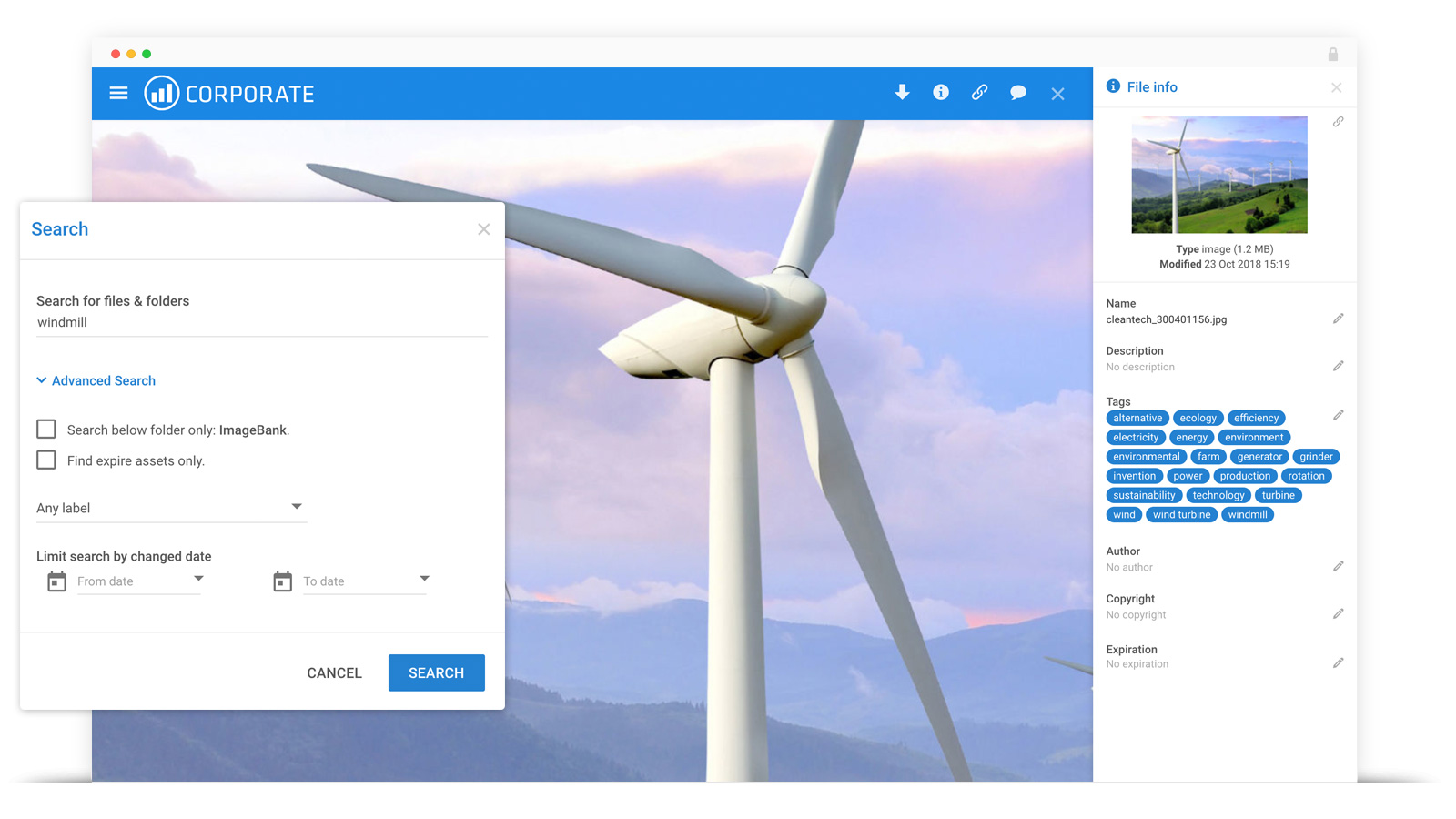
    Screenshot of Filecamp features and interactivityScreenshot of Search and TagsScreenshot of Custom brandingScreenshot of Online proofing

    KROCK Screenshots

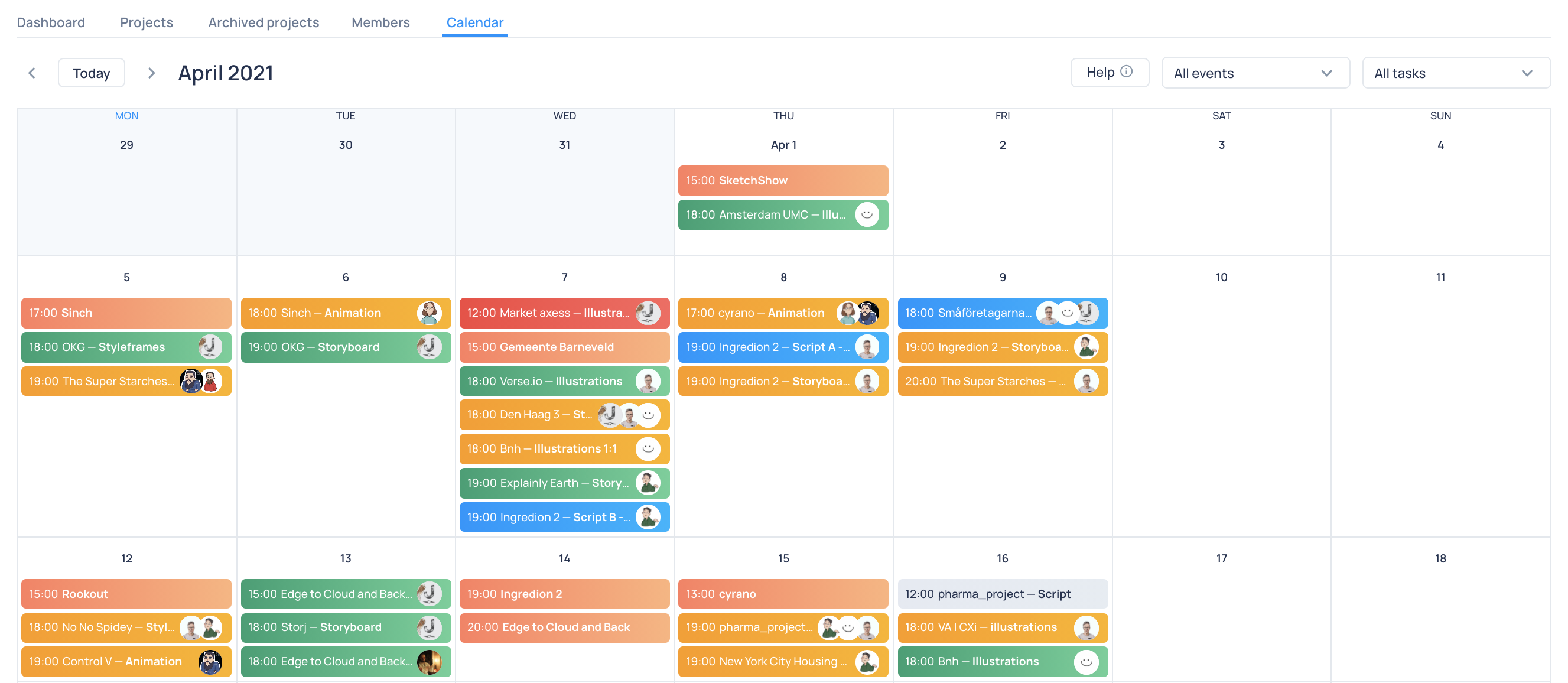
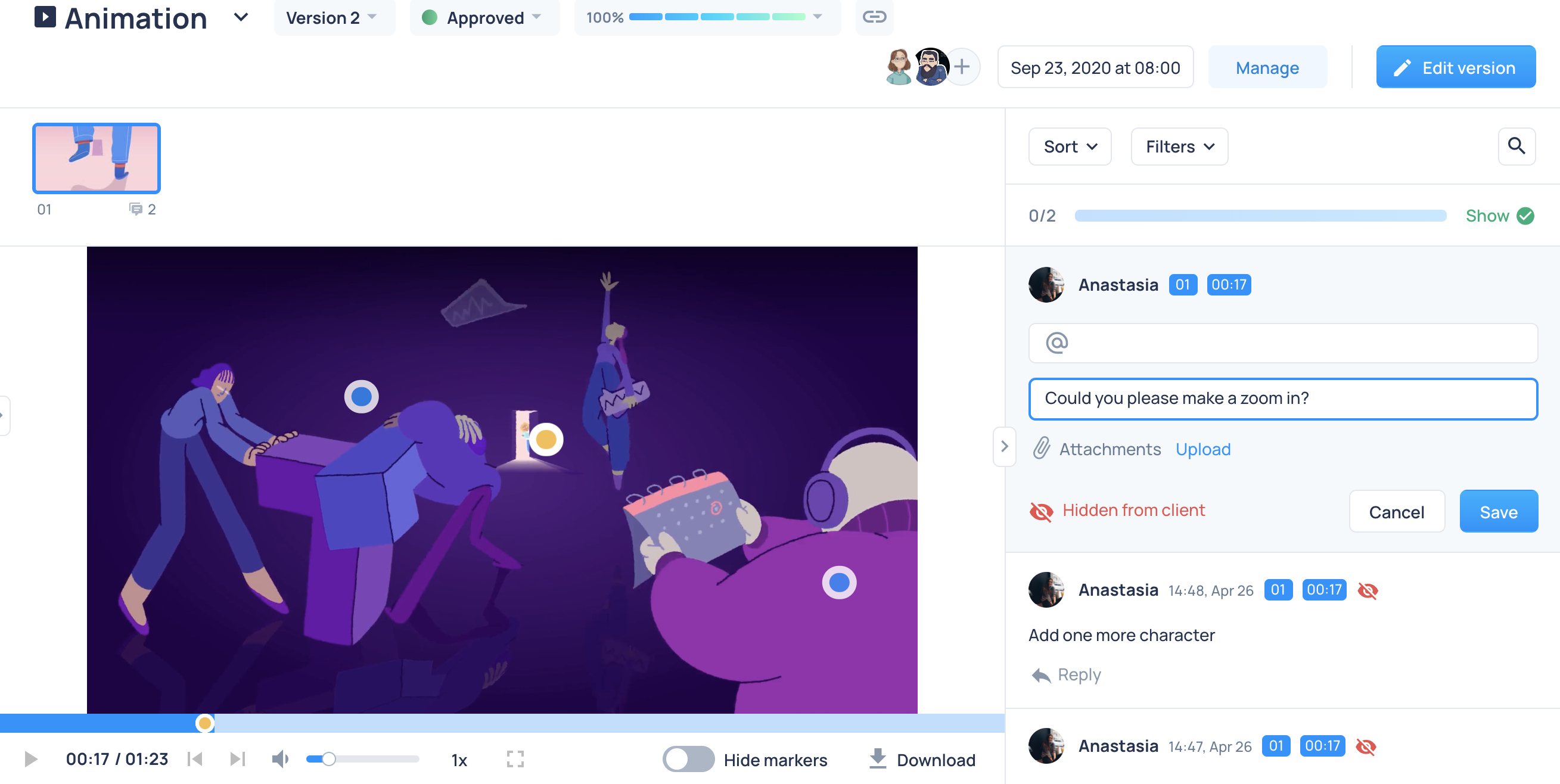
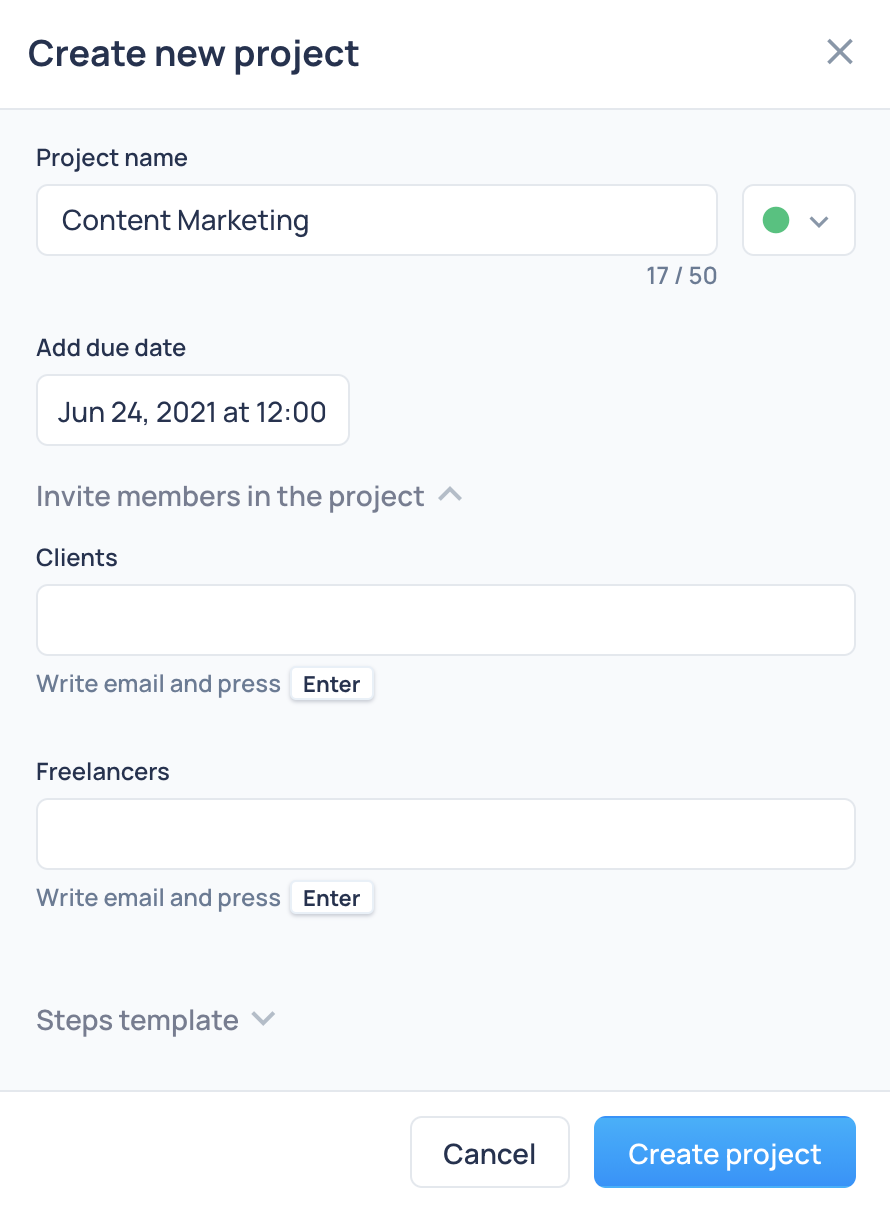
    Screenshot of Build a custom pipeline for every project you manage, using a visual board with all the steps, assignees, due dates, and deliverables.Screenshot of Visualize everything in one place: deadlines, team progress on every task, and client reviews.Screenshot of Keep up with all the workload and adjust your schedule. Work better, deliver faster.Screenshot of Tap on an image or video and share your comments with your team or client.Screenshot of Forget about an endless thread of emails and messages from your clients and team members.Screenshot of Create limitless workspaces for different teams and clients. Get invited to someone´s workspaces as a member or freelancer.