
Experlogix CPQ (with e-Con CPQ) vs. Salesforce Revenue Cloud
| Product | Rating | Most Used By | Product Summary | Starting Price |
|---|---|---|---|---|
 Experlogix CPQ | Score3 out of 10 | Mid-Size Companies (51-1,000 employees) | Experlogix CPQ (including capabilities of the former e-Con CPQ) helps businesses sell custom products and services. No matter how many options or variations, its guided selling tools, API integrations, calculator and rules engine produce proposals that meet customer needs; it is presented as a quote-to-order tool that synchronizes front and back-office data in real-time. Explerogix CPQ aims to help agents sell more faster. | N/A |
 Salesforce Revenue Cloud | Score8.8 out of 10 | Mid-Size Companies (51-1,000 employees) | Salesforce Revenue Cloud (formerly Salesforce CPQ or SteelBrick) is built and delivered on the Salesforce Platform and Salesforce1 Mobile App which enables users to create accurate sales quotes quickly and submit error-free orders on the fly from any device. | $30 Per User per Month |
| Experlogix CPQ | Salesforce Revenue Cloud | |||||||||||||||
|---|---|---|---|---|---|---|---|---|---|---|---|---|---|---|---|---|
| Editions & Modules | No answers on this topic |
| ||||||||||||||
| Offerings |
| |||||||||||||||
| Entry-level Setup Fee | Required | Optional | ||||||||||||||
| Additional Details | — | — | ||||||||||||||
| More Pricing Information | ||||||||||||||||
| Experlogix CPQ | Salesforce Revenue Cloud | |
|---|---|---|
| Considered Both Products | No answer on this topic | No answer on this topic |
| Key User Insights | ||
| Would buy again | ||
No answers on this topic | 100% Would buy again 21 Answers | |
| Delivers good value for the price | ||
No answers on this topic | 100% Delivers good value for the price 17 Answers | |
| Happy with the feature set | ||
No answers on this topic | 100% Happy with the feature set 21 Answers | |
| Lived up to sales and marketing promises | ||
No answers on this topic | 100% Lived up to sales and marketing promises 16 Answers | |
| Implementation went as expected | ||
No answers on this topic | 86% Implementation went as expected 12 Answers | |
| Experlogix CPQ | Salesforce Revenue Cloud | |||||||||||||||||||||||||||||||||||||
|---|---|---|---|---|---|---|---|---|---|---|---|---|---|---|---|---|---|---|---|---|---|---|---|---|---|---|---|---|---|---|---|---|---|---|---|---|---|---|
| CPQ |
| |||||||||||||||||||||||||||||||||||||
| Experlogix CPQ | Salesforce Revenue Cloud | |
|---|---|---|
| Small Businesses |  QuoteWerks Score9.4 out of 10 | QuoteWerks Score9.4 out of 10 |
| Medium-sized Companies | QuoteWerks Score9.4 out of 10 | QuoteWerks Score9.4 out of 10 |
| Enterprises | Salesforce Revenue Cloud Score8.8 out of 10 |  Conga CPQ Score8.5 out of 10 |
| All Alternatives | View all alternatives | View all alternatives |
| Experlogix CPQ | Salesforce Revenue Cloud | |
|---|---|---|
| Likelihood to Recommend | 7.7 | 8.0 |
| Likelihood to Renew | - | 9.1 |
| Usability | - | 8.6 |
| Availability | - | 9.1 |
| Performance | - | 8.2 |
| Support Rating | - | 7.9 |
| Product Scalability | - | 8.2 |
| Experlogix CPQ | Salesforce Revenue Cloud | |
|---|---|---|
| Likelihood to Recommend |
|
|
| Pros |
|
|
| Cons |
|
|
| Likelihood to Renew | No answers on this topic |
|
| Usability | No answers on this topic |
|
| Support Rating | No answers on this topic |
|
| Alternatives Considered |
|
|
| Return on Investment |
|
|
| ScreenShots | Experlogix CPQ Screenshots   | Salesforce Revenue Cloud Screenshots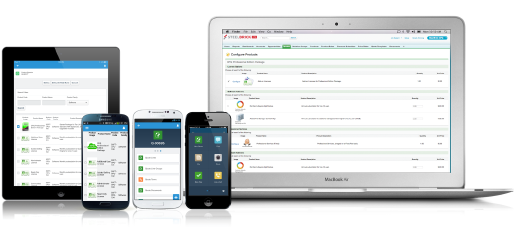 |




