eversign vs. Zoho Sign

Overview
ProductRatingMost Used ByProduct SummaryStarting Price
eversign
Score 9.0 out of 10
N/A
Viennese company Apilayer offers eversign, an electronic signature application featuring document security and storage with audit trail, templates, contact management, and integrations with other popular applications (e.g. Dropbox, Google Docs, etc.).
$9.99
per month
Zoho Sign
Score 9.3 out of 10
Small Businesses (1-50 employees)
Zoho Sign is a digital signing service that lets you execute contracts quickly without the hassles of transporting paper documents while ensuring security and legality. It works completely on cloud and integrates readily with your everyday apps. According to the vendor, Zoho Sign is perfect for anyone who needs to sign business documents but widely used for HR, legal, finance, HR, and sales functions. Documents that can be signed include:…
$0
per user
Pricing
eversignZoho Sign
Editions & Modules
Basic
$9.99
per month
Professional
$39.99
per month
Professional Plus
$79.99
per month
Free
Free
Enterprise
Contact sales team
Free
$0.00
per user
Standard
$10.00
per user/ month
Professional
$15.00
per user/ month
Offerings
Pricing Offerings
eversignZoho Sign
Free Trial
NoNo
Free/Freemium Version
YesYes
Premium Consulting/Integration Services
NoNo
Entry-level Setup FeeNo setup fee$10 per user
Additional Details
More Pricing Information
Community Pulse
eversignZoho Sign
Best Alternatives
eversignZoho Sign
Small Businesses
Foxit eSign
Foxit eSign
Score 9.8 out of 10
Foxit eSign
Foxit eSign
Score 9.8 out of 10
Medium-sized Companies
MSB Docs
MSB Docs
Score 9.4 out of 10
MSB Docs
MSB Docs
Score 9.4 out of 10
Enterprises
DocuSign
DocuSign
Score 8.3 out of 10
DocuSign
DocuSign
Score 8.3 out of 10
All AlternativesView all alternativesView all alternatives
User Ratings
eversignZoho Sign
Likelihood to Recommend
9.0
(0 ratings)
9.0
(0 ratings)
Likelihood to Renew
2.0
(0 ratings)
-
(0 ratings)
User Testimonials
eversignZoho Sign
Likelihood to Recommend
I have used a lot of other programs and I think this has by far been the best, not just for the program but for the customer service as well. They are very helpful.
Read full review
If your business needs an electronic signing software, then I recommend Zoho Sign because it has all the great features. It ensures fast and secure document signing and, most importantly, it is legally binding.
Read full review
Pros
  • Ease of use. Unlike Docusign, when you create text fields on your doc, it allows you to enter the text into the box directly, whereas I have to click on the field and enter the text on the right hand side panel in Docusign.
  • Speed. The documents load pretty quickly.
  • Notification. It informs you every time a signer has signed the doc.
Read full review
  • Shared organizational templates encourage corporate uniformity and standards.
  • Centralized retention of the executed agreements.
  • Orchestrated signing workflow with internal and external users.
Read full review
Cons
  • Google SSO signup could be nice
  • The login page UX could get better and users should not have the ability to create new instances
Read full review
  • It integrates from sign to the CRM (in that order) poorly. To have the doc associated with the contact it can ONLY come from the CRM.
Read full review
Likelihood to Renew
Not enough features
Read full review
No answers on this topic
Usability
No answers on this topic
The UI is easy and using Zoho Sign is easy too.
Read full review
Alternatives Considered
In terms of functionality and ease of use, DocuSign is the best option. However, it is also thousands of dollars more expensive for the same volume of documents per month than EverSign or SignRequest. Out of the more affordable options, EverSign has more functionality and better-suited for business needs.
Read full review
Price is important but it has all the same features as some of the main brand names on the market which makes this package ideal for small businesses and larger ones looking at costs. The advantage we find is that we can edit forms with drop-down boxes and preset answers for the forms. Each entry field can be customized by data type and length or allow the client to enter their own answers.
Read full review
Return on Investment
  • no need to travel to remote locations to sign documents.
  • no need to use expensive shipping to get the paper documents.
  • no need to worry if the signatures will be valid.
Read full review
  • Allowed us to appear more more professional by sending out a fillable document instead of emailing a PDF.
  • Saved us time by sending automated reminders to recipients reminding them to sign the document.
Read full review
ScreenShots

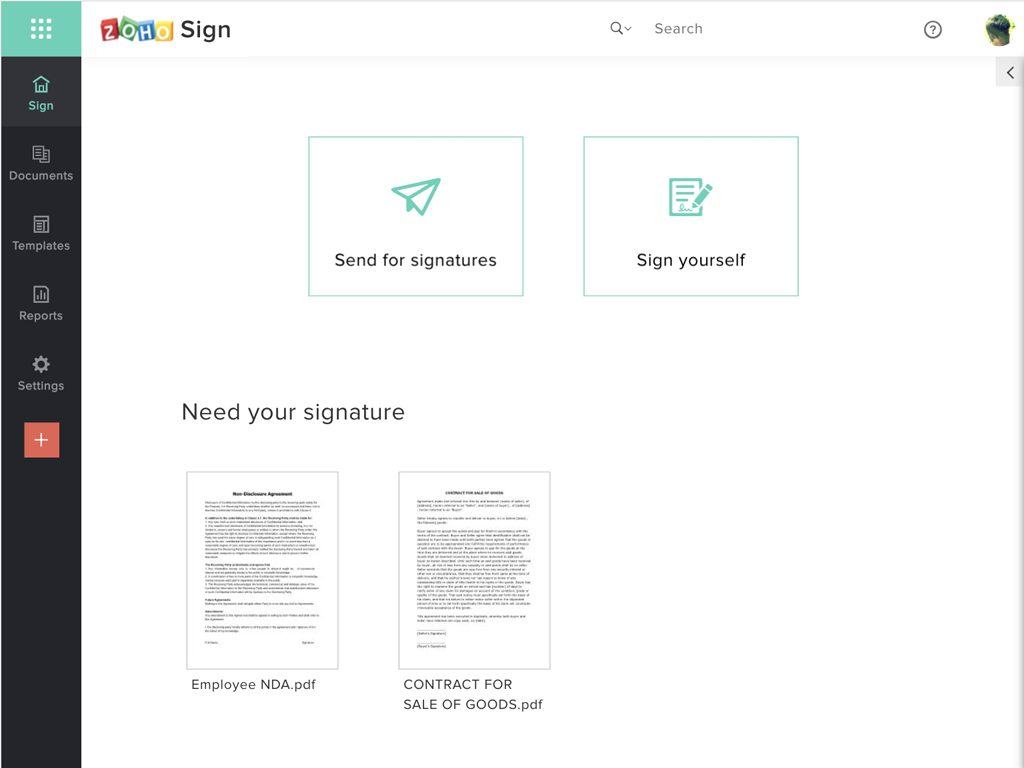
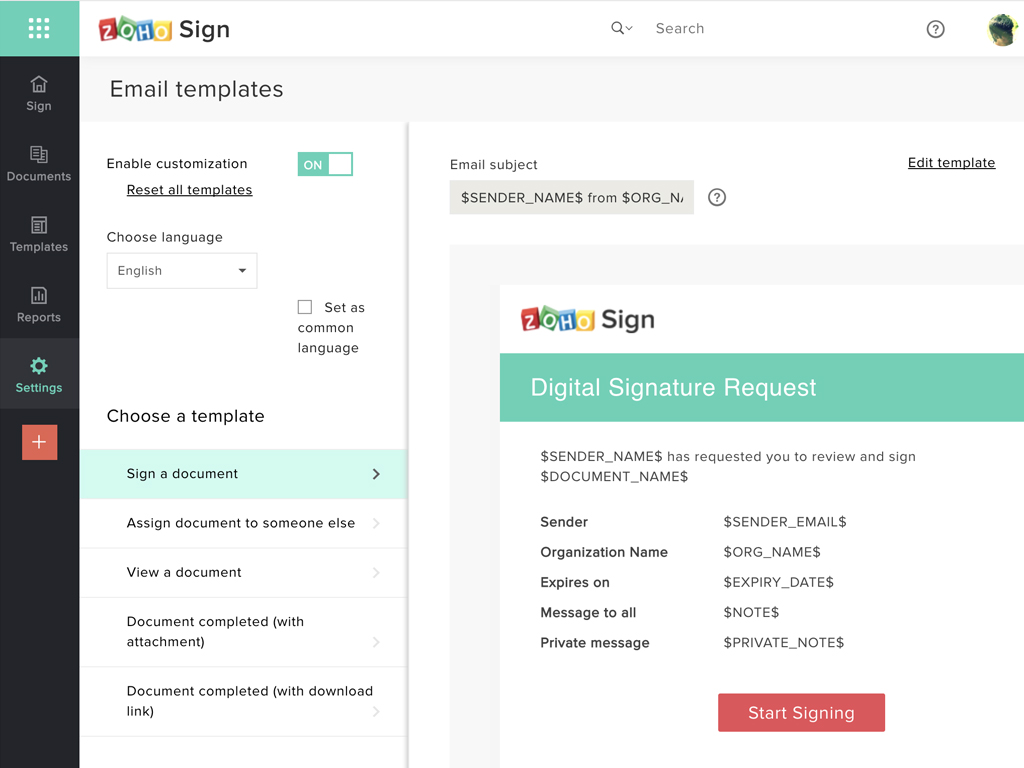
Zoho Sign Screenshots

Screenshot of Zoho Sign DashboardScreenshot of Sending documents for signatures using templatesScreenshot of All document sent using Zoho SignScreenshot of Rebranding email templates sent from Zoho Sign