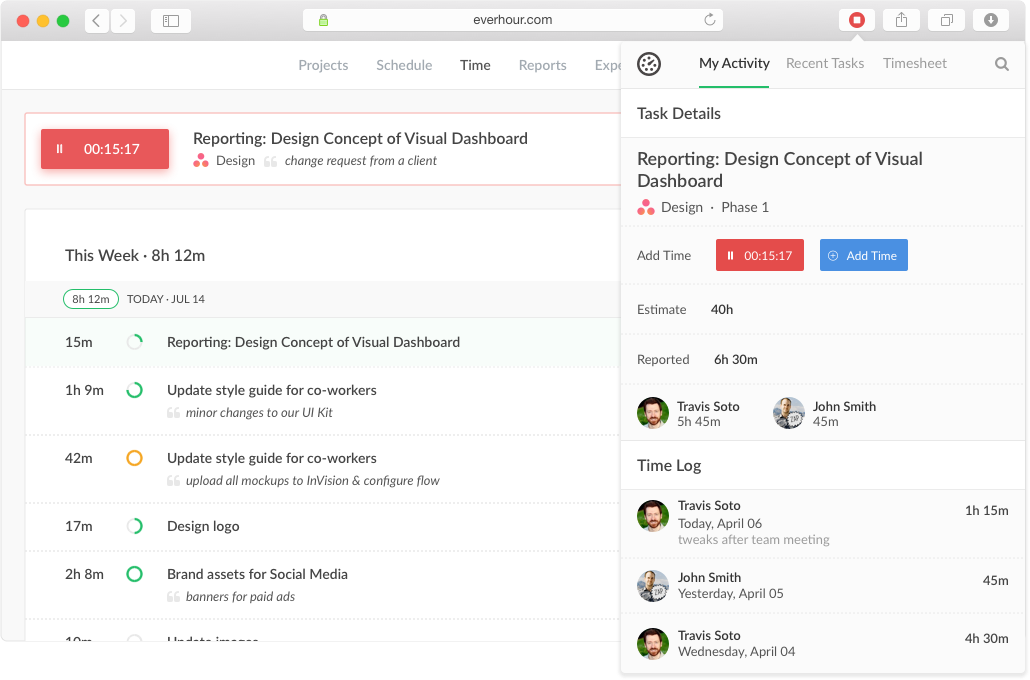
Everhour is a time tracker equipped with project & team management features. Everhour integrates with project management apps so users can track time on tasks right from its interface: Asana, Basecamp, Trello, Jira, ClickUp, Basecamp, Notion, Todoist, GitHub, GitLab, etc. Its time tracking features provide options for timekeeping and time management. It helps to facilitate a team's time tracking experience by adding reminders, auto stop timers, start and stop timers, and…
$0
Futuramo Time Tracker
Score 7.0 out of 10
N/A
Futuramo creates SaaS apps to provide a collaborative workspace for teams. Futuramo Time Tracker is an app used to track, analyze, and manage time, free for teams of up to 3 users, and $6 per license for each additional user.
Everhour is useful in every environment where you need the measure of time for certain tasks. In most cases, this could be project management but it could also include trips or travels, conferences, congresses, or several other things that you need to take control of the time used. Its less appropriate if you are going to measure things in weeks or days, it's better to measure smaller pieces of time like minutes of hours, so you could have a more useful metrics to work with.
Futuramo is best for when you're working alone on a project, or with a small team, given the glitches with the time tracker and the poor integration with Futuramo Tasks and Projects. Unless you're going to manually calculate the times spent on all tasks individually in order to know the total time spent on the project, I would not recommend using it on projects where you'd be billed per the time spent rather than a fixed amount.
It has a genius dashboard with all real-time traffic information of all team members. It is a very useful tool as well to track efficiency for both in-house and remote team members
It has well-done integration with Asana (and other task-managers) which allows you to track time on tasks without switching between apps or tools which it truly awesome
It has a scheduling tool which allows you to plan long term traffic of all your team members by using Asana projects and tasks so there is no need to copy and paste the same story points between different systems
It has flexible reporting system which allows you to build very custom project time tracking report based on your needs (any field or table type can be customized and you wish)
The biggest pro of Futurama Time tracker is that it comes bundled with other tools. These are "Projects, Tasks, Virtual Tickets, Time Tracker, and Icons." This means I can track the time spent on each task within a project.
Time Tracker is easy to use, all you need to do is go to time tracker, enter the task you want to track, choose what project and clients it's under, and then click the play/start icon.
For projects that involve collaborating with others (either external freelancers I'm managing, or my staff) I can track the time spent on each task by each user. So I know how long each person spent on their task and how it related to the estimated time. This way I know if the project will take longer or shorter than estimated.
An integration with the desktop version of Asana would be useful, as many of our employees use that version.
A reminder when a task has been running for a while would be useful too, as the user could have forgotten to turn off the timer
Multiple tasks running simultaneously would be useful, as many times we solve some problems while we are reunited or complete some tasks while other processes are running.
I'ver been using Futuramo for almost 2 years, primarily because they reached out to me to be one of the first users/testers. I've also shared some glitches that could be improved but the timer glitch is still there. When I start the timer to track a project, instead of the timer to start counting, it remains at 00:00 which is worrying because it makes me feel like it's not actually tracking what I'm working on. I was once 18 mins unto a task and when I checked the tracker it said 00:16 I was so worried I ended the task. Interestingly when I ended the task, it showed the correct time which was 18 minutes. I'm happy the timer was working but I'm also frustrated and in near-panic.
Like TopTracker, I wish there was a way to take screenshots of what I'm doing, that way I can be sure that the rest of the team is actually working on the timed tasks.
In the Time Tracker section of Futuramo, where the tasks timed are listed, I wish it was possible to actually click on any of the tasks there to see things like mouse clicks and keyboard taps. Similar to how Hubstaff and Upwork tracker tracks "productivity" (I'm not sure what this is called).
If you track a task not originally in Futuramo Task but created in Time Tracker, connected to a project or client, when you go to Futuramo Task, it won't be listed there. And when you to go Futuramo Projects, you still wouldn't see it there. I would like to go to Futuramo Project and see all the tasks there, both those timed and those yet to start.
Everhour's overall usability is definitely one of its key strengths. The UI is intuitive and clean, making time tracking feel less "technical" than other solutions we've tried. Our entire team, including less tech-savvy contractors, found it easy to use.
In the almost 2 1/2 years we have had to contact support 1 time and it really was for a feature request. Their support team responded quickly and told us that the feature was going to be added in the next few months. We have had no support issues ever. I have never had a time tracking solution that has had no issues until Everhour.
When evaluating other systems, we compared Everhour against Toggl Track and JIRA. Toggl Track offered robust reporting but felt too feature-heavy for our contractor management needs. It was also a bit more difficult to use. JIRA's time tracking, while powerful for development teams, was overly complex for us and had too much overhead.
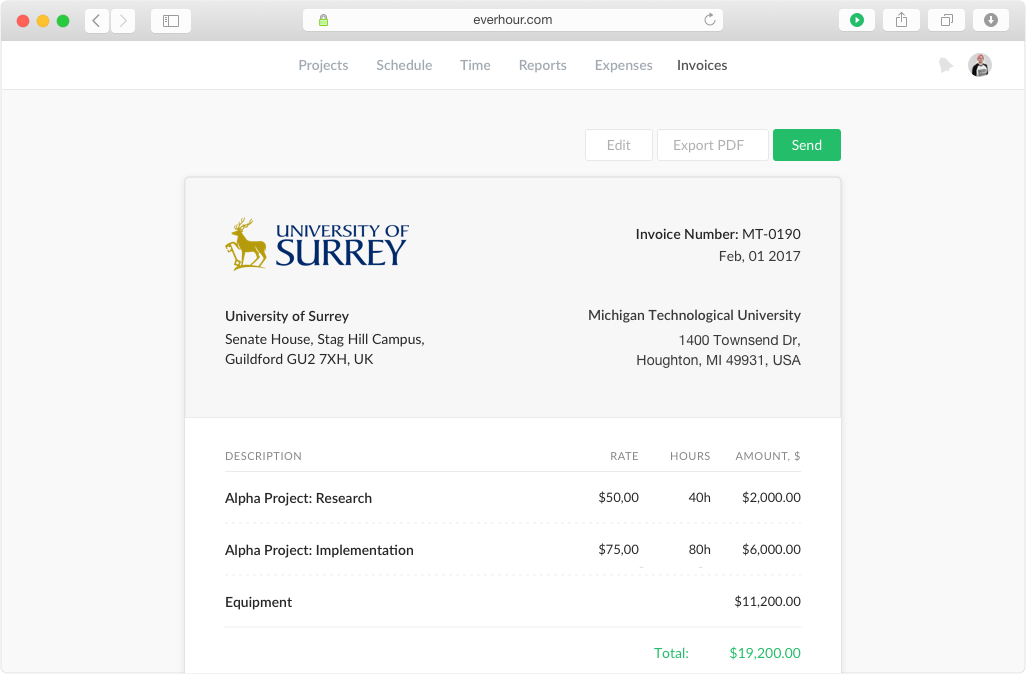
Simplifies end-of-month billing processes and reduces manual entry
Quicker team onboarding due to consistent time tracking structure between Asana & Everhour
Improved productivity due to Asana integration as tasks can be reassigned and tracked by multiple team members, regardless of who is assigned to the task (good for collaboration between team members)
Increased productivity: Futuramo Time Tracker makes it easy to know how long it'll actually take me to complete a task, and when put together, how long it'd take me to complete a project.
Track Billables: While calculating all the time spent on each task manually was exhausting, once that was done, I knew how long it took me and my team to complete a project and was able to bill my client for just that time.