esChecker vs. HCL AppScan

Overview
ProductRatingMost Used ByProduct SummaryStarting Price
esChecker
Score 0.0 out of 10
N/A
esChecker: a MAST by eShard esChecker combines years of penetration testing experience with a dynamic engine simulating attack techniques. No source code is needed, only the app binary (Android apk or iOS ipa). It takes 30 minutes to find out how an app reacts against many hacking techniques, so that the user can now reserve pentest budget to in-depth vulnerability analyses. What is a MAST? Mobile Application Security Testing solutions implement security…N/A
HCL AppScan
Score 5.1 out of 10
N/A
AppScan (formerly Rational AppScan) is an application security testing solution acquired by HCL Technologies from IBM in late 2018. Appscan supports both dynamic (DAST) and static (SAST) application security testing.N/A
Pricing
esCheckerHCL AppScan
Editions & Modules
No answers on this topic
Offerings
Pricing Offerings
esCheckerHCL AppScan
Free Trial
YesYes
Free/Freemium Version
NoNo
Premium Consulting/Integration Services
NoNo
Entry-level Setup FeeNo setup feeNo setup fee
Additional Details
More Pricing Information
Community Pulse
esCheckerHCL AppScan
Best Alternatives
esCheckerHCL AppScan
Small Businesses
GitLab
GitLab
Score 8.7 out of 10
GitLab
GitLab
Score 8.7 out of 10
Medium-sized Companies
Veracode
Veracode
Score 8.7 out of 10
Veracode
Veracode
Score 8.7 out of 10
Enterprises
Veracode
Veracode
Score 8.7 out of 10
Veracode
Veracode
Score 8.7 out of 10
All AlternativesView all alternativesView all alternatives
User Ratings
esCheckerHCL AppScan
Likelihood to Recommend
-
(0 ratings)
8.3
(0 ratings)
User Testimonials
esCheckerHCL AppScan
Likelihood to Recommend
No answers on this topic
I would say that HCL AppScan is very simple to understand and use since it uses a user-friendly interface and the terminologies that are used in the interface of the application is very clear. We can automate a scan with any third party like Jenkins. The fact, I don't like is the time takes to execute the application, it should be better.
Read full review
Pros
No answers on this topic
  • AppScan works well in finding application vulnerabilities such as SQL injection, cross-site scripting and all of the OWASP top 10.
  • Flexible reporting allows us to generate executive reports for application owners as well as separate technical reports for developers and system engineers.
  • Technical reports include remediation information and cross reference CVSS scores
  • Because it maintains data on all repeated assessments it helps us to do trending and metrics on compliance
Read full review
Cons
No answers on this topic
  • The functions you want, the points that are difficult to understand.
  • Issues presented in the vulnerability diagnostic report may not be fully explained and not well understood.
  • You may think it is very basic and natural, "diagnose screen after login" "diagnose according to input transition ⇒ confirmation ⇒ completion" but to do all this, you need regular expressions, and macros, there are many products that require you to write scripts.
Read full review
Alternatives Considered
No answers on this topic
When we used Veracode, it takes a-lot of time to run a source code analysis. It's user interface is also bit clumsy. So we switched to HCL AppScan. It enables enterprises to scan internal and external applications for vulnerabilities. It provides quick and easy access to the most updated security guidelines by scanning applications against the OWASP Top 10 vulnerabilities.
Read full review
Return on Investment
No answers on this topic
  • Reduced manual effort by 20-30%
  • Integrate 3-4 security solutions with other tools in the system
  • prevent sql injection attacks in our business
Read full review
ScreenShots

esChecker Screenshots

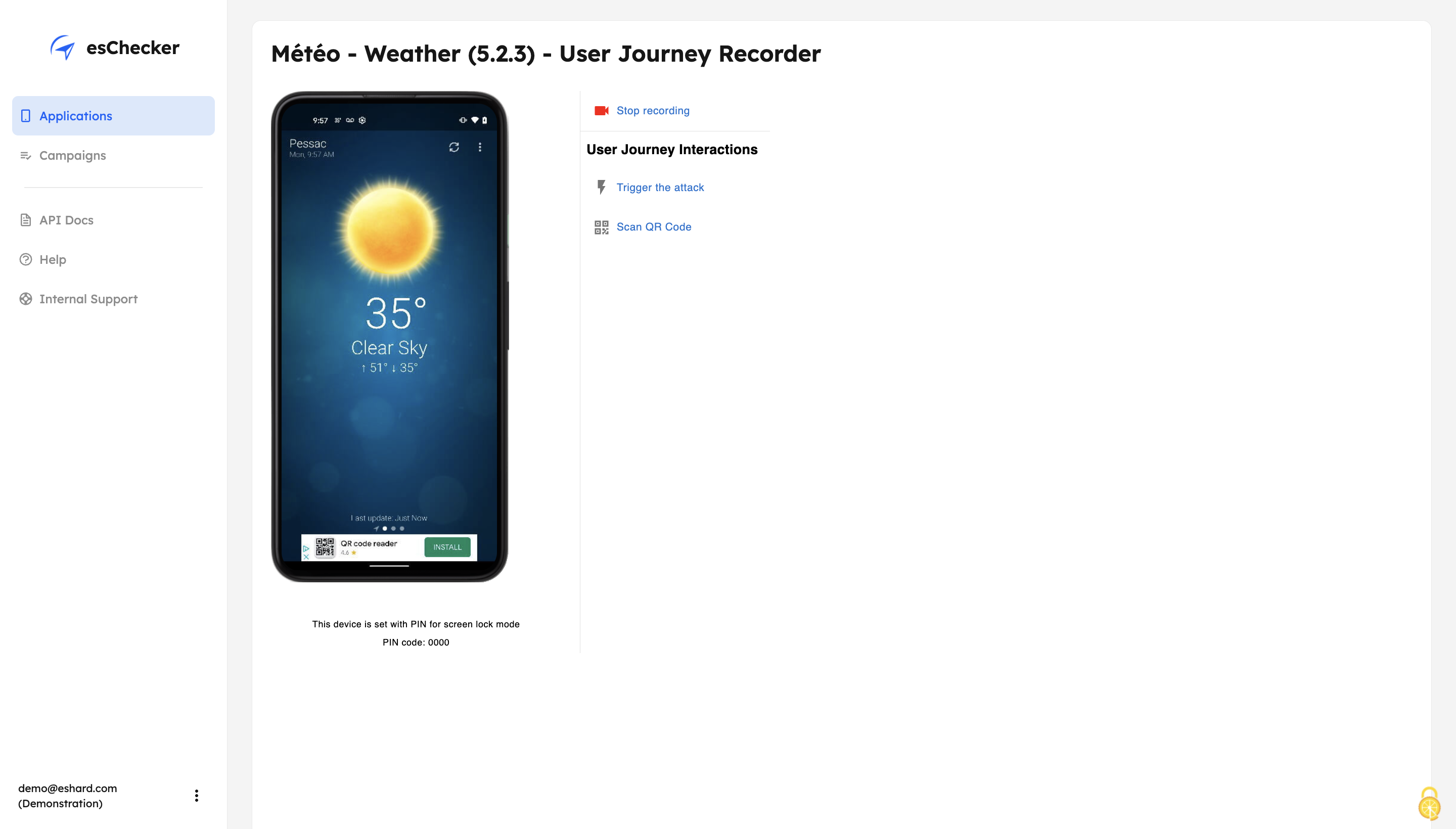
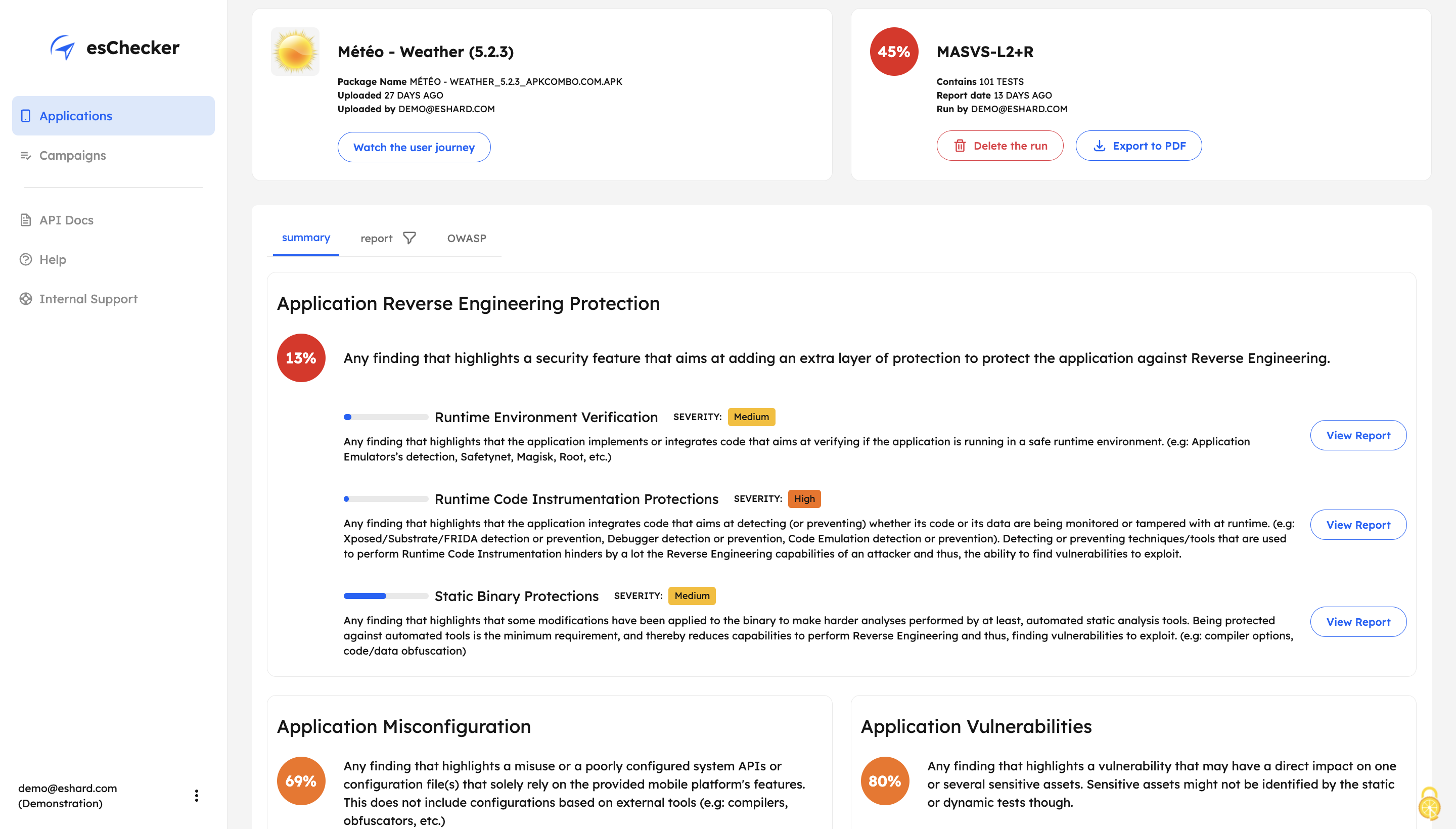
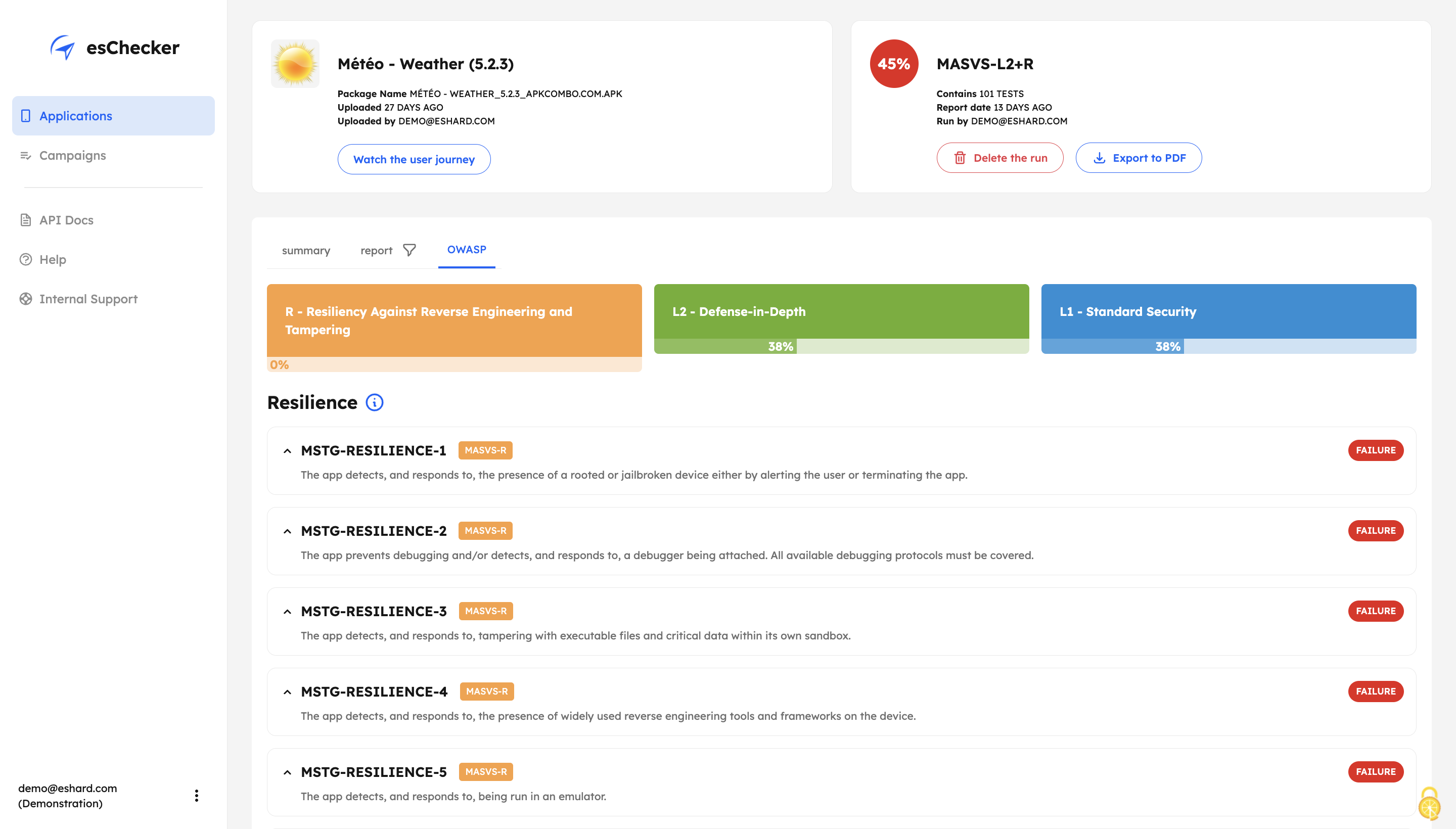
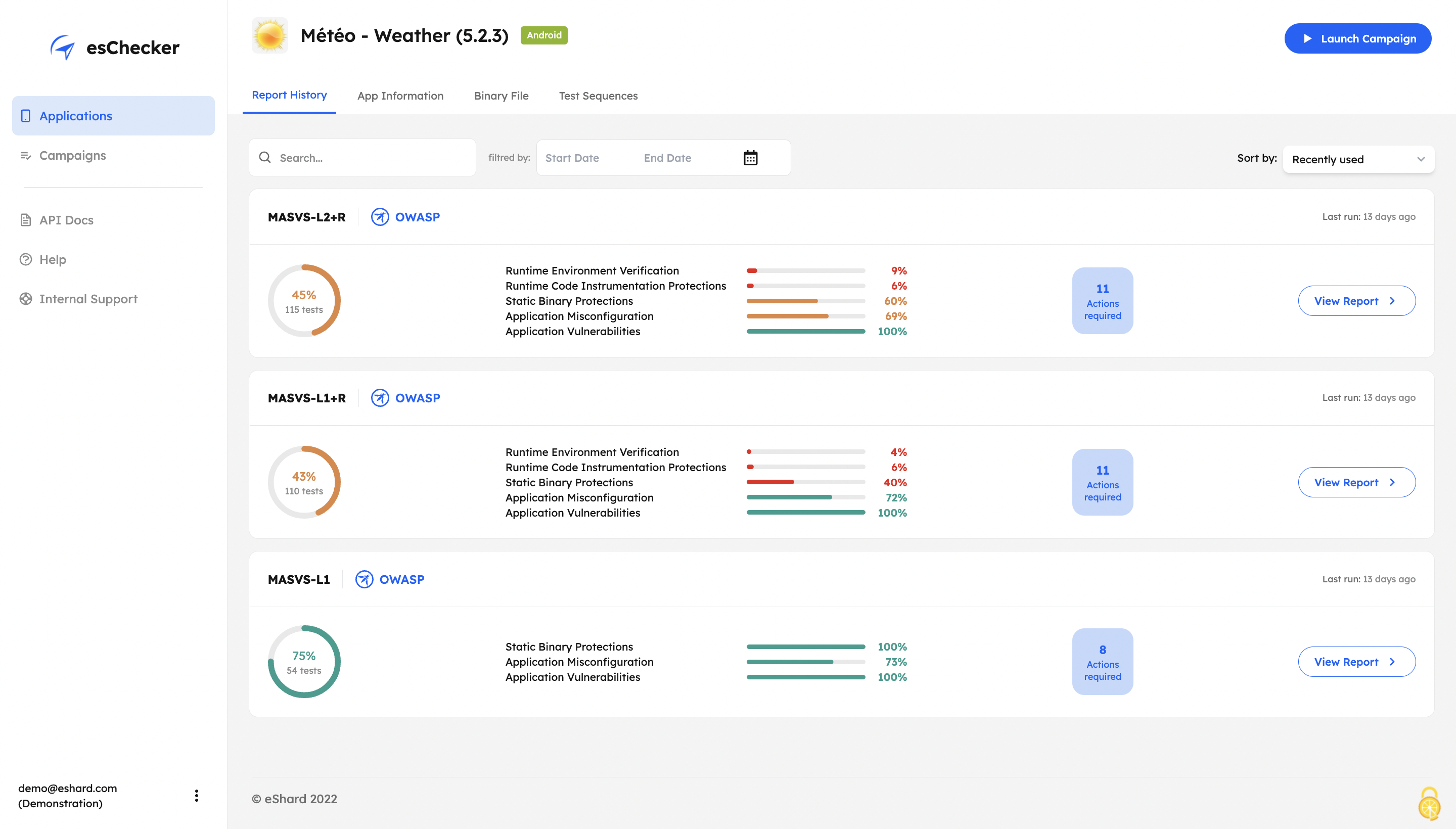
Screenshot of esChecker offers default preset campaigns, according to OWASP standards: MASVS L2+R, MASVS L2, MASVS L1+R and MASVS L1. Users can also choose to create custom campaign to match internal security policies.Screenshot of With its Record and Replay feature, esChecker allows users to browse deep in app screens to target critical user journeys. This ensures that the performed attacks are triggered on the right screens. After a testing session, users can play the video recording of a given test and see how the app reacted.Screenshot of After a full app test session, users are able to understand how strong an application is in: Application Reverse Engineering Protection, Application Misconfiguration and Application Vulnerabilities.Screenshot of The testing report guides the user through the OWASP MASVS to help understand where an application requires more work to be properly protected. This report can be used internally, or externally to show evidence of compliance.Screenshot of The app Defense Score can be used to and compare an app’ results. To help monitor the application’s security protections evolution, esChecker provides a centralized, and graphic overview of the test results.

HCL AppScan Screenshots

Screenshot of Cloud Security: AppScan will scan Docker containers and container images to ensure that third party components have not introduced vulnerabilities to an application. Software composition analysis (SCA) tools help organizations inventory third-party commercial and open source components used within their software to understand which components and versions are being used and to identify security vulnerabilities affecting those components.Screenshot of API Testing: This dangerous attack vector can be secured by identifying vulnerable third-party components, automating and integrating API testing and detecting issues in the IDE.Screenshot of Auto Issue Correlation: AppScan leverages three technologies (DAST, SAST, IAST) to enrich results, validate fixes and reduce the number remediation tasks by grouping issues together.Screenshot of 30+ Code Languages Supported: HCL AppScan offers an extensive list of supported code languages.