
Business LOG vs. Splunk Enterprise
| Product | Rating | Most Used By | Product Summary | Starting Price |
|---|---|---|---|---|
 Business LOG | N/A | Mid-Size Companies (51-1,000 employees) | Business Log is a log management for IT security and company compliance, adn is presented as a complete monitoring solution for enterprise systems. A Log Management suite allows the user to notice any unusual behavior that could turn out to be a warning sign. SYSTEM PROBLEMS ANALYSIS With a remote copy of the log files it is possible to analyze any problems encountered on a particular system, even if the system is not… | $4 per month per installation |
 Splunk Enterprise | Score8.5 out of 10 | N/A | Splunk is software for searching, monitoring, and analyzing machine-generated big data, via a web-style interface. It captures, indexes and correlates real-time data in a searchable repository from which it can generate graphs, reports, alerts, dashboards and visualizations. | N/A |
| Business LOG | Splunk Enterprise | |||||||||||||||
|---|---|---|---|---|---|---|---|---|---|---|---|---|---|---|---|---|
| Editions & Modules | No answers on this topic | No answers on this topic | ||||||||||||||
| Offerings |
| |||||||||||||||
| Entry-level Setup Fee | $220 one-time fee per installation | No setup fee | ||||||||||||||
| Additional Details | — | — | ||||||||||||||
| More Pricing Information | ||||||||||||||||
| Business LOG | Splunk Enterprise | |
|---|---|---|
| Considered Both Products | No answer on this topic | No answer on this topic |
| Key User Insights | ||
| Would buy again | ||
No answers on this topic | 93% Would buy again 25 Answers | |
| Delivers good value for the price | ||
No answers on this topic | 88% Delivers good value for the price 22 Answers | |
| Happy with the feature set | ||
No answers on this topic | 100% Happy with the feature set 27 Answers | |
| Lived up to sales and marketing promises | ||
No answers on this topic | 95% Lived up to sales and marketing promises 19 Answers | |
| Implementation went as expected | ||
No answers on this topic | 92% Implementation went as expected 22 Answers | |
| Business LOG | Splunk Enterprise | |||||||||||||||||||||||||||||||||||||||||||
|---|---|---|---|---|---|---|---|---|---|---|---|---|---|---|---|---|---|---|---|---|---|---|---|---|---|---|---|---|---|---|---|---|---|---|---|---|---|---|---|---|---|---|---|---|
| Security Information and Event Management (SIEM) |
| |||||||||||||||||||||||||||||||||||||||||||
| Business LOG | Splunk Enterprise | |
|---|---|---|
| Small Businesses |  SolarWinds Papertrail Score8.9 out of 10 | No answers on this topic |
| Medium-sized Companies | SolarWinds Kiwi Syslog Server Score7.5 out of 10 |  IBM Security QRadar SIEM Score9 out of 10 |
| Enterprises |  SolarWinds Loggly Score5.1 out of 10 |  SolarWinds Security Event Manager (SEM) Score8 out of 10 |
| All Alternatives | View all alternatives | View all alternatives |
| Business LOG | Splunk Enterprise | |
|---|---|---|
| Likelihood to Recommend | - | 7.8 |
| Likelihood to Renew | - | 10.0 |
| Usability | - | 8.2 |
| Availability | - | 10.0 |
| Support Rating | - | 8.4 |
| Online Training | - | 8.0 |
| Implementation Rating | - | 9.0 |
| Product Scalability | - | 9.1 |
| Business LOG | Splunk Enterprise | |
|---|---|---|
| Likelihood to Recommend | No answers on this topic |
|
| Pros | No answers on this topic |
|
| Cons | No answers on this topic |
|
| Likelihood to Renew | No answers on this topic |
|
| Usability | No answers on this topic |
|
| Reliability and Availability | No answers on this topic |
|
| Support Rating | No answers on this topic |
|
| Online Training | No answers on this topic |
|
| Implementation Rating | No answers on this topic |
|
| Alternatives Considered | No answers on this topic |
|
| Scalability | No answers on this topic |
|
| Return on Investment | No answers on this topic |
|
| ScreenShots | Business LOG Screenshots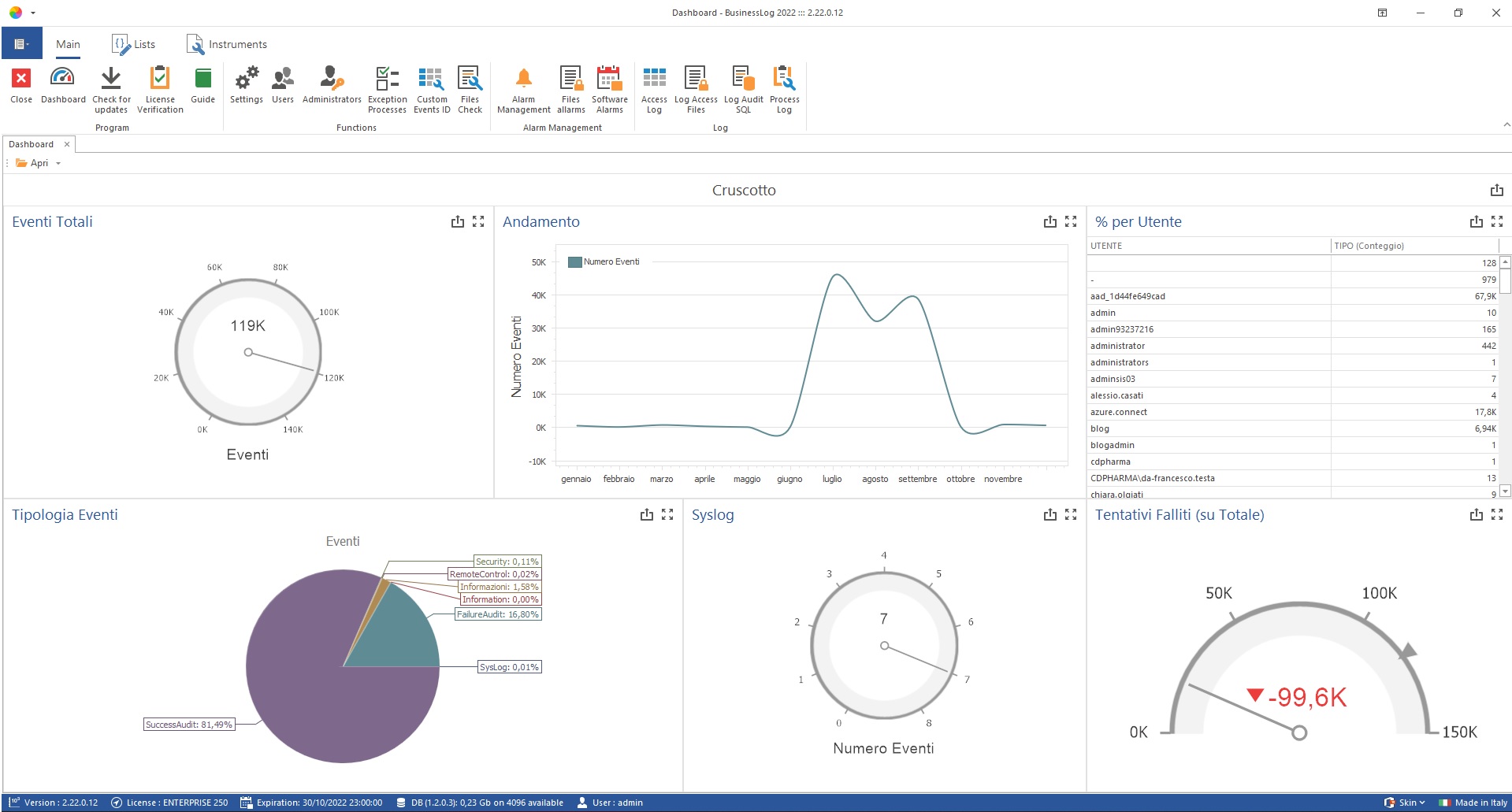 |


