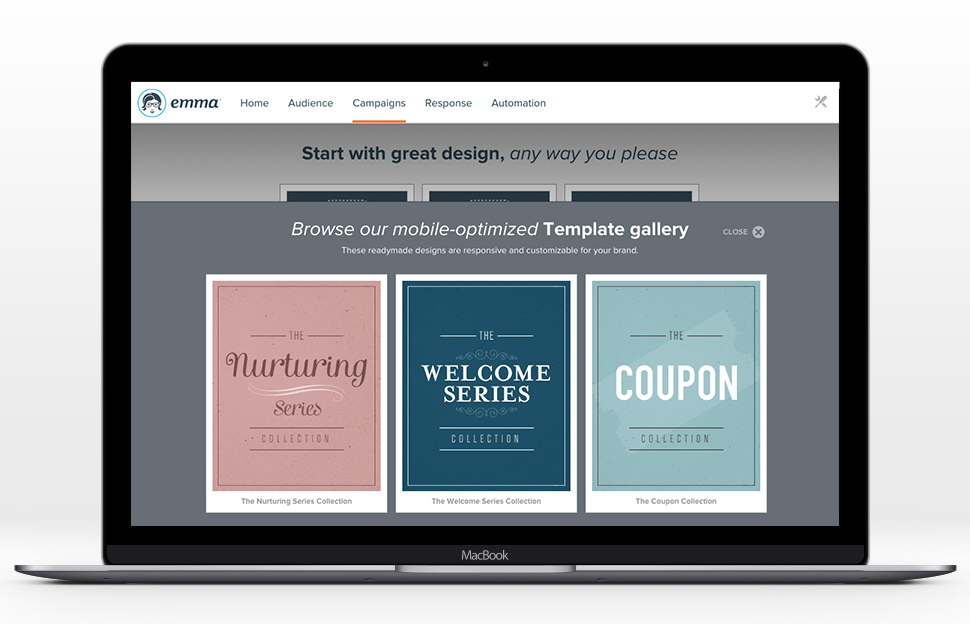
Emma by Marigold is an email marketing solution. Its key features include mobile-ready design templates, email automation, audience segmentation, and dynamic content. The software includes integration with third-party CRM solutions, ecommerce platforms, and social networks.
$500
per year per user
EasyMail7
Score5 out of 10
N/A
EasyMail7 from the Belarusian G-Lock Software founded in 2009 is used by more than 7,500 customers as in-house email marketing automation Platform for Windows to manage contacts, send emails and track results. It features the email marketing essentials of newsletter sending, campaign scheduling and management, and email personalization, along with bounce processing (and deletion of addresses that cause it), email throttling (to accommodate ISP limitations), preview for editing, interval…
$159
one-time fee
Pricing
Emma by Marigold
EasyMail7
Editions & Modules
Basic
$500
per year per user
Personal
$159
one-time fee
Business
$259
one-time fee
Enterprise
$1569
one-time fee
Offerings
Pricing Offerings
Emma by Marigold
EasyMail7
Free Trial
Yes
Yes
Free/Freemium Version
No
No
Premium Consulting/Integration Services
Yes
No
Entry-level Setup Fee
No setup fee
No setup fee
Additional Details
—
—
More Pricing Information
Features
Emma by Marigold
EasyMail7
Email & Online Marketing
Comparison of Email & Online Marketing features of Emma by Marigold and G-Lock EasyMail7
Feature
Emma by Marigold
9.1
31 Ratings
14% above category average
G-Lock EasyMail7
6.0
1 Ratings
28% below category average
WYSIWYG email editor
8.024 Ratings
6.01 Ratings
Dynamic content
9.025 Ratings
6.01 Ratings
Ability to test dynamic content
9.024 Ratings
5.01 Ratings
A/B testing
9.024 Ratings
00 Ratings
Mobile optimization
9.029 Ratings
00 Ratings
Email deliverability reporting
10.031 Ratings
6.01 Ratings
List management
10.031 Ratings
7.01 Ratings
Triggered drip sequences
9.021 Ratings
6.01 Ratings
Reporting & Analytics
Comparison of Reporting & Analytics features of Emma by Marigold and G-Lock EasyMail7
Using Emma for weekly templated email use with minimal changes is awesome. If you want you can create a master and make minor graphic edits quickly and easily from your smartphone. Any edit is possible as long as the artwork is on the online server. Only time I hit a bump in the road is when I was asked to change the style sheet and did not know that the pricing plan I was on did not include this feature. Client had to wait to send new format until Emma performed the requested changes.
It helps with managing email lists and reaching out to new potential customers. It's a decent marketing automation solution for creating and managing drip campaigns. It works, but the fact that it isn't cloud-based, makes it seem like it rarely, if ever, gets improvements to its interface when it could really use some. Its interface feels outdated, when a fresher, more modern design and format could be really useful. The upside to it not being a cloud-based service is you don't have to "rent" it and it's a one-time fee.
A de minimis incentive was given to thank the reviewer for their time. The incentive was not used to bias or drive a particular response, nor was the incentive contingent on a positive endorsement. More Info
Enterprise-level email marketing with multi-level account structure allowing for multiple users at different levels to send campaigns
Easy-to-use WYSIWYG email template editors to create dynamic emails with enhanced personalization through merge-fields
A large API index that connects to many different platforms and the ability to work with Emma support to create new connections to new platforms as needed
A de minimis incentive was given to thank the reviewer for their time. The incentive was not used to bias or drive a particular response, nor was the incentive contingent on a positive endorsement. More Info
A de minimis incentive was given to thank the reviewer for their time. The incentive was not used to bias or drive a particular response, nor was the incentive contingent on a positive endorsement. More Info
Their customer service leaves something to be desired. We ran into an issue with one of our campaigns, and we decided to reach out to support, but they didn't get back with us until 3 hours later! Time is money!!
We don't like that their photo editing capabilities are limited, you can only choose small, medium or large photos with no way to resize to exact dimensions. Makes emails a bit of a pain
The upgraded premium tools are buggy and leave something to be desired as well – it's a shame.
A de minimis incentive was given to thank the reviewer for their time. The incentive was not used to bias or drive a particular response, nor was the incentive contingent on a positive endorsement. More Info
A de minimis incentive was given to thank the reviewer for their time. The incentive was not used to bias or drive a particular response, nor was the incentive contingent on a positive endorsement. More Info
Emma has been a great tool for our marketing. It's easy to use and I've had no issues in the almost two years we've been with them. It's really been a great way for us to stay connected with customers that takes no time to setup and send
A de minimis incentive was given to thank the reviewer for their time. The incentive was not used to bias or drive a particular response, nor was the incentive contingent on a positive endorsement. More Info
While every WYSIWYG software will experience glitches, Emma handles them well. Keep in mind they rarely happen, but they do, it can be of annoyance. Regardless, Emma allows my organization to create seamless email campaigns using fresh data. Emma makes coming up with strategic decisions very easy. The list segmentation that Emma feature allows us to easily manage a large list without issues. Overall, Emma is extremely usable with nearly no learning curve!
A de minimis incentive was given to thank the reviewer for their time. The incentive was not used to bias or drive a particular response, nor was the incentive contingent on a positive endorsement. More Info
I hate that to get support I have to submit a question to a public forum and wait for a response. I just want the ability for a quick live chat to answer my simple help questions quickly or at the very least submit a ticket via email and get a status update.
A de minimis incentive was given to thank the reviewer for their time. The incentive was not used to bias or drive a particular response, nor was the incentive contingent on a positive endorsement. More Info
At the time we made the decision to move to Emma, my organization was using both MailChimp and Constant Contact. Emma's drag-and-drop template editor surpassed both, and even editing the pre-made template HTML in Emma was easier. List management was much smoother than the clunky Constant Contact and MailChimp lists we had. From a design perspective, we chose Emma for its ease of use in creating templates and modifying existing ones, as well as the ability to push out branded templates and brand assets through its master admin/subaccount capabilities. Emma's analytics and reporting were much less frustrating to navigate and understand, such that, rather than spending all of our time trying to make sense of the metrics from a campaign (which we were definitely doing), we were attracted to being able to report easily and then move on to determining how to make real improvements
A de minimis incentive was given to thank the reviewer for their time. The incentive was not used to bias or drive a particular response, nor was the incentive contingent on a positive endorsement. More Info
Stores using the platform have seen good deliverability stats. Open rates and click-through rates are high with the templates that Emma creates. We still face the challenge of getting more users on the platform.
User satisfaction is high for our users who are regularly using the platform.
A de minimis incentive was given to thank the reviewer for their time. The incentive was not used to bias or drive a particular response, nor was the incentive contingent on a positive endorsement. More Info
A de minimis incentive was given to thank the reviewer for their time. The incentive was not used to bias or drive a particular response, nor was the incentive contingent on a positive endorsement. More Info