EmailMeForm vs. Zoho Forms

Overview
ProductRatingMost Used ByProduct SummaryStarting Price
EmailMeForm
Score 8.0 out of 10
N/A
EmailMeForm is a survey and form building platform with capabilities such as payment integration and advanced reporting.N/A
Zoho Forms
Score 7.9 out of 10
N/A
Zoho Forms is an online form builder that lets users create mobile-ready online forms. Forms can be shared with select users via email, or via a public link. This solution includes a drag-and-drop form builder that is responsive on all mobile devices. Zoho Forms also offers native mobile applications for iOS and Android devices. According to the vendor, key benefits include: A web and mobile form builder. Drag and drop fields to add them to…
$0
per month
Pricing
EmailMeFormZoho Forms
Editions & Modules
No answers on this topic
Free
$0
per month
Basic
$10
per month
Standard
$25
per month
Professional
$50`
per month
Premium
$100
per month
Offerings
Pricing Offerings
EmailMeFormZoho Forms
Free Trial
NoYes
Free/Freemium Version
NoYes
Premium Consulting/Integration Services
NoNo
Entry-level Setup FeeNo setup fee$10 per month
Additional DetailsContact support@zohoforms.com to try out our paid plans.
More Pricing Information
Community Pulse
EmailMeFormZoho Forms
Features
EmailMeFormZoho Forms
Survey Content
Comparison of Survey Content features of Product A and Product B
EmailMeForm
-
Ratings
Zoho Forms
7.0
Ratings
19% below category average
Changes to live survey00 Ratings6.00 Ratings
Multiple question types00 Ratings8.00 Ratings
Survey Logic
Comparison of Survey Logic features of Product A and Product B
EmailMeForm
-
Ratings
Zoho Forms
7.0
Ratings
16% below category average
Survey logic flexibility00 Ratings7.00 Ratings
Survey Reporting & Analytics
Comparison of Survey Reporting & Analytics features of Product A and Product B
EmailMeForm
-
Ratings
Zoho Forms
6.9
Ratings
17% below category average
Response tracking00 Ratings7.00 Ratings
Data export00 Ratings9.40 Ratings
Standard reports00 Ratings7.50 Ratings
Custom reports00 Ratings4.00 Ratings
Analytics00 Ratings6.50 Ratings
Survey Administration & Security
Comparison of Survey Administration & Security features of Product A and Product B
EmailMeForm
-
Ratings
Zoho Forms
6.0
Ratings
37% below category average
Access controls00 Ratings6.00 Ratings
Survey Distribution
Comparison of Survey Distribution features of Product A and Product B
EmailMeForm
-
Ratings
Zoho Forms
7.0
Ratings
16% below category average
Respondent restrictions00 Ratings7.00 Ratings
User Ratings
EmailMeFormZoho Forms
Likelihood to Recommend
-
(0 ratings)
6.5
(0 ratings)
Usability
-
(0 ratings)
10.0
(0 ratings)
Support Rating
-
(0 ratings)
10.0
(0 ratings)
User Testimonials
EmailMeFormZoho Forms
Likelihood to Recommend
No answers on this topic
Zoho Forms is well suited for anyone wanting to track items from a specific event or feedback at the conclusion of an event. It is also well suited to track responses. Zoho Forms is less suited for the scenarios where official approval is required because the forms are meant for a single user, and not to be filled out by one person, and then forwarded to another to document the approval. It would also not be good to replace an excel or word document to submit to another department requesting a part number for a new product because again once the form is submitted there is not a way for the second party to 'Update' the existing form and add the part number assigned by the second party.
Read full review
Pros
No answers on this topic
  • Its feature of sending alerts in real time is my favorite feature. Whenever someone fills an inquiry form, I get alert immediately.
  • It has a mobile app also which makes this software usable at anytime and anywhere.
  • It's a cloud based application so users don't need so save anything on their system and they don't need to be dependent on their system. They can access their forms from any system.
Read full review
Cons
No answers on this topic
  • So far I have done well, I have had no problems.
  • In some cases, I would like to click on one of the registers and send an email.
  • A good idea would be an integration with Zoho Mail to create templates within the survey.
Read full review
Usability
No answers on this topic
It is very easy to use & straight forward for a tech or non-tech user. It is very easy to distribute the form & collect data to evaluate. Lots of features to make the form unique or to collect data in many ways (sliders, wheels, more than just typed data entry). Works great on desktop or mobile devices as well.
Read full review
Support Rating
No answers on this topic
So far we have not faced any issue while using the software but our customer journey has been breathtaking so far, which obviously i am expecting, should be the case of the support of Zoho Forms as well. However we have explored their support channels; you can easily find the contact us form in the profile slider and there are other resources available with a single click like Help Menu, What's New Menu, Blogs and Forums. However i could not find any live chat or support with the Free version.
Read full review
Alternatives Considered
No answers on this topic
Zoho Forms I found to be more affordable (free tiers works for many businesses). They offered solutions that fit the need & didn't limit features like some of the other services trying to upsell. Jotform offers a lot more add-on features or widgets and has an interesting platform, but it is much more costly for small businesses.
Read full review
Return on Investment
No answers on this topic
  • The biggest pain point we had was getting notified in time of form submission which Zoho Forms has solved and now we do not miss any form submission from a potential lead.
  • Our existing customers (50+) were using conventional methods to inform us about issues being faced which was a major hassle for us in providing good customer services. But thanks to Zoho Forms, we now document each issue properly, respond to it in a timely manner and get it resolved with the SLAs.
  • We have also used Zoho Forms to have our live chat channel integrated with Zoho Forms to be able to get a form submission from them instantly while chatting with our CSRs.
Read full review
ScreenShots

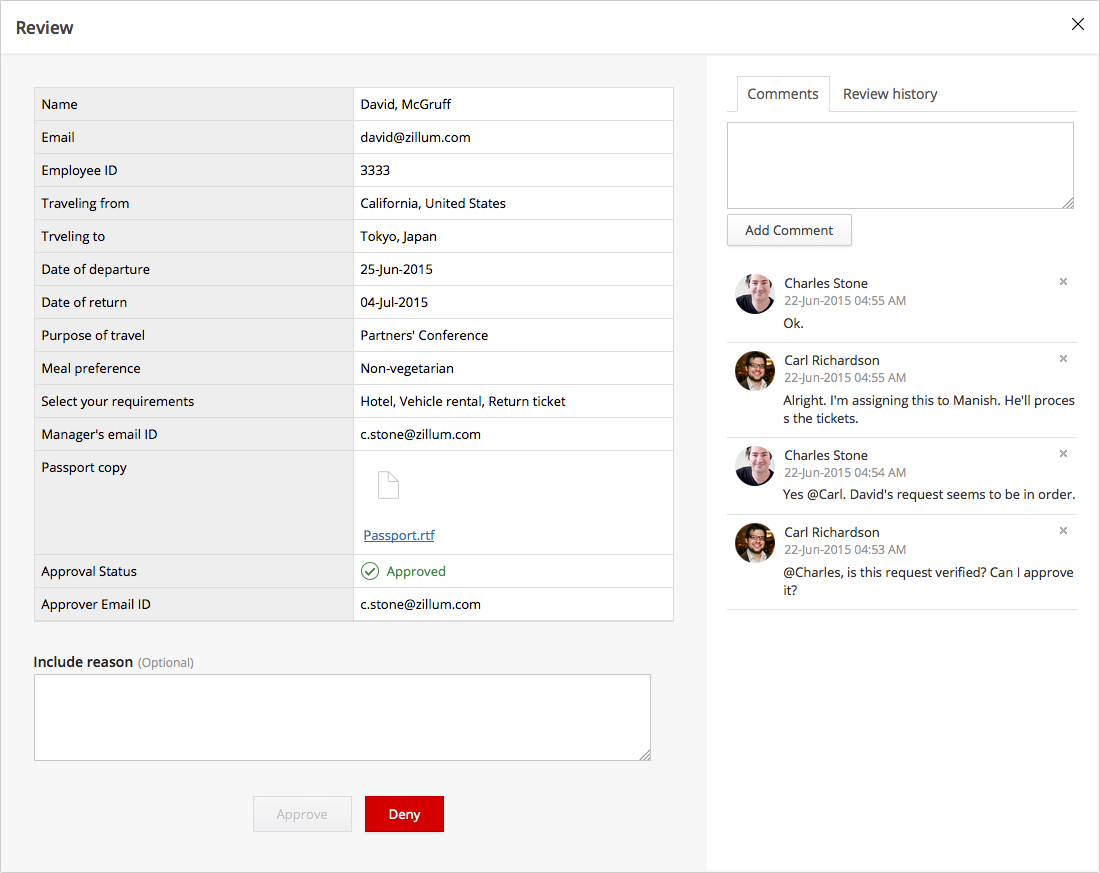
Zoho Forms Screenshots

Screenshot of Screenshot of Screenshot of Screenshot of Screenshot of Screenshot of