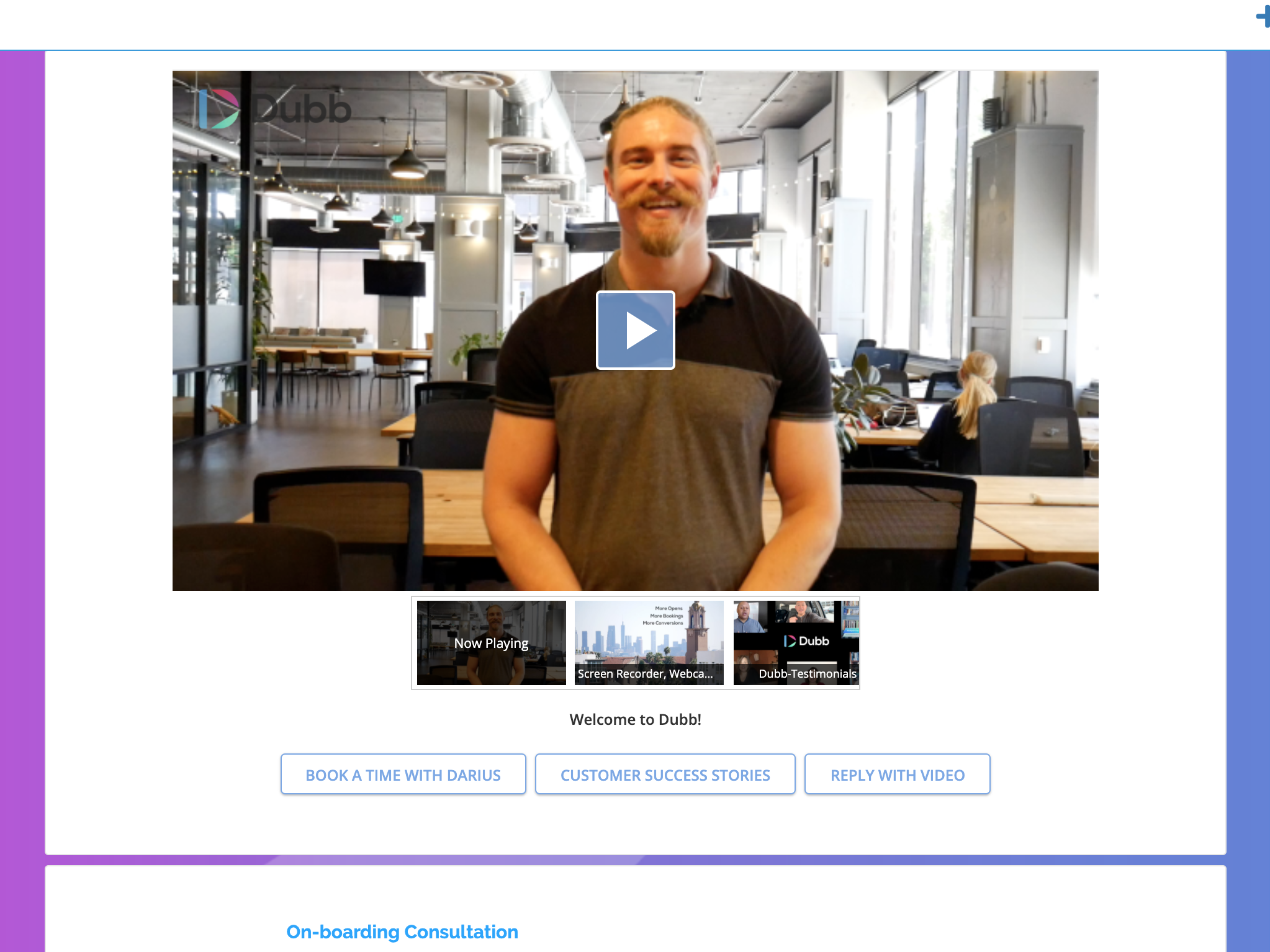
Dubb is a video communication platform that offers business users a platform to send personalized, trackable videos. Based in Los Angeles, the company was founded by technologists with specialties in marketing automation, artificial intelligence, and machine learning. The Dubb platform features a mobile app, Outlook Add-In, website, Slack app, and Chrome Extension (with integrations to LinkedIn, Gmail, and more). The company was built on the premise that everyone should have the ability to share…
$10
per user
Snagit
Score9.3 out of 10
N/A
Snagit is screen capture and recording software from TechSmith, that lets users capture the screen and camera, add additional context, and share images, GIFs, or videos across preferred platforms.
$39
per year per user
Pricing
Dubb - Video Communication Platform
Snagit
Editions & Modules
Support
$10/mo
per user
Sales/Marketing Pro
$40/mo
per user
Pro Plus
$100/mo
per user
No answers on this topic
Offerings
Pricing Offerings
Dubb - Video Communication Platform
Snagit
Free Trial
Yes
Yes
Free/Freemium Version
Yes
No
Premium Consulting/Integration Services
Yes
No
Entry-level Setup Fee
Optional
No setup fee
Additional Details
—
One-time license cost
One license per user - install on 2 machines, for work and home use
Compatible with Windows and MacOS
Optional Maintenance renewal - first year included
FREE Upgrade to the next version
Phone, chat and email support
Access to Snagit Certification with 20+ exclusive how-to videos
Enhanced Screencast integration to share content, plus the newest starter Assets for Snagit
Although it is an extremely diverse platform with many use cases, I have found it best suited to creating a message based on a specific marketing strategy and being able to reach people at scale. While it offers adequate CRM functionality in most cases, if you are needing a more robust CRM it might not have the functionality you need.
Let's say you are on a webinar or online meeting and want to take several screen shots of what is on the screen and save all of them. Rather than opening Windows snipping tool (or other free products) and needing to save each one as fast as you can, SnagIt saves all of them and you can go back and delete the ones you don't want. Capture the entire screen quickly or do a region for only a portion of the screen. Very handy. SnagIt also provides easy ways to add your edits to the screen shot in a professional way. Rather than trying to "hand draw" a circle around the item you want to bring attention to, you can use professional tools for circles and rectangles to highlight a specific area for someone to see right away when looking at this screen shot
A de minimis incentive was given to thank the reviewer for their time. The incentive was not used to bias or drive a particular response, nor was the incentive contingent on a positive endorsement. More Info
Very simple to use. When I'm considering a new tool, it has to make my day easier. Not add frustration to my day.
Includes personal branding in multiple places.
I really like the Presets. Before I realized presets were an option, I was spending an additional time adding CTAs. Now I have presets for each category. And I can add specific videos to each preset.
Being able to take screen captures quickly and with just a keystroke is a prime feature. I took several screenshots just yesterday to show folks, which saved me from taking the time to meet with [...] everyone.
Obviously recording and sharing video is Snagit's strength. It does this as well as any product I have used. It is not an editor but there are a lot of capture features that cover just about any situation.
One great feature that Snagit has is the ability to pull text from a capture. We don't use this a lot but when it is needed it is a huge time saver.
The settings and tools within Snagit are intuitive and easy to find.
A de minimis incentive was given to thank the reviewer for their time. The incentive was not used to bias or drive a particular response, nor was the incentive contingent on a positive endorsement. More Info
I don't see how we can easily change the order in which videos are displayed on a showcase. It seems to default to the order in which the videos were uploaded, from oldest to most recent. That being said, I have not brought this up to the Dubb team yet; usually if something makes sense and can be done, the Dubb team figures out how to make it happen.
A de minimis incentive was given to thank the reviewer for their time. The incentive was not used to bias or drive a particular response, nor was the incentive contingent on a positive endorsement. More Info
A de minimis incentive was given to thank the reviewer for their time. The incentive was not used to bias or drive a particular response, nor was the incentive contingent on a positive endorsement. More Info
It's our favorite tool. It continues to get better. It gives us the opportunity to make a passive income for an outstanding product. It makes marketing fun and much easier since talking is much easier and more enjoyable than writing is. Plus the open rate is through the roof. In a world that has become almost completely virtual, it allows us to give a personal, in-person touch.
I think that the tool is excellent for what it is being used for. I particuarly like the ability to capture content from the screen whilst using the scroll wheel on my mouse. It is very annoying when your try to capture something with grab and you can't scroll which leads to multiple images
A de minimis incentive was given to thank the reviewer for their time. The incentive was not used to bias or drive a particular response, nor was the incentive contingent on a positive endorsement. More Info
In 1987 I fell 3 stories and was in rehabilitation and surgeries for 2 years. I broke my arm and type with one finger on my right hand. I love that I can do so much with a video quickly than I can with typing. I still type plenty, however, if I can launch DUbb and record a video I will if I have a choice. Easy to use and makes a huge difference in my life. It's the one solution that has made the most impact on my life as far as my business is concerned
It's button centric for easy access to every feature. Everything allows undo! It works like any other standard Windows application. Everyone can be a professional without having to select every feature yourself by using the built in styles with just one click of a button in most cases. Every button is clearly labeled too.
A de minimis incentive was given to thank the reviewer for their time. The incentive was not used to bias or drive a particular response, nor was the incentive contingent on a positive endorsement. More Info
They have three webinars a week for onboarding and Q&A purposes! They have a very active Facebook group, they are very active on email sending quality content for the growth of your initiatives. Only for support, I would get started all over with them
I've actually never had to contact support as the tool is easy to use. One aspect is that they upgrade and send email notifications of the upgrades. They don't charge extra for upgrades and their enhancements fall in line with the way we use the tool. We haven't had to submit any upgrade requests as the tool already does what we need it to do.
A de minimis incentive was given to thank the reviewer for their time. The incentive was not used to bias or drive a particular response, nor was the incentive contingent on a positive endorsement. More Info
It's a simple next next finish install. The SnagIt Library in the user profile should probably be backed up to make sure they have access to their old screen captures. We frequently will go back to previous captures and add context bubbles etc. when software changes to show the "old" vs "new". Also, go to SnagIt's website and download the additional Stamp Sets for the user. These are terrific. I wish there was one download to get them all, but you have to download and install them one set at a time. It's worth it - especially for training how-to's.
A de minimis incentive was given to thank the reviewer for their time. The incentive was not used to bias or drive a particular response, nor was the incentive contingent on a positive endorsement. More Info
Dubb - Video Communication Platform's technology works. The other company's built-in video recording capability resulted in a very low-quality output (video), and Dubb - Video Communication Platform is built for business owners and marketers, which is a better fit for me, personally.
PhotoShop is of course a very powerful image editing tool. But, the learning curve is steep and all the tools and settings aren't necessary for our needs. Snagit is a streamlined solution for capturing videos, creating gifs, and editing images. (It also supports capturing screenshots, including scrolling/panoramic ones, but we use a different tool). Snagit's ability to capture images + videos and immediately open the editor to edit those images or videos makes the entire process faster, simpler, and easier. We've raised the possibility as a team of switching to PhotoShop, but for now I prefer using Snagit for our needs.
I've had challenges with screen recording. In my experience, the audio has cut out numerous times, which results in re-watching my video (which takes time) to see where the audio cuts out and then having to re-record (which takes more time too). I now use a different platform for screen recording because of this experience.
A de minimis incentive was given to thank the reviewer for their time. The incentive was not used to bias or drive a particular response, nor was the incentive contingent on a positive endorsement. More Info