Drupal is a free, open-source content management system written in PHP that competes primarily with Joomla and Plone. The standard release of Drupal, known as Drupal core, contains basic features such as account and menu management, RSS feeds, page layout customization, and system administration.
N/A
WebWave
Score 9.5 out of 10
N/A
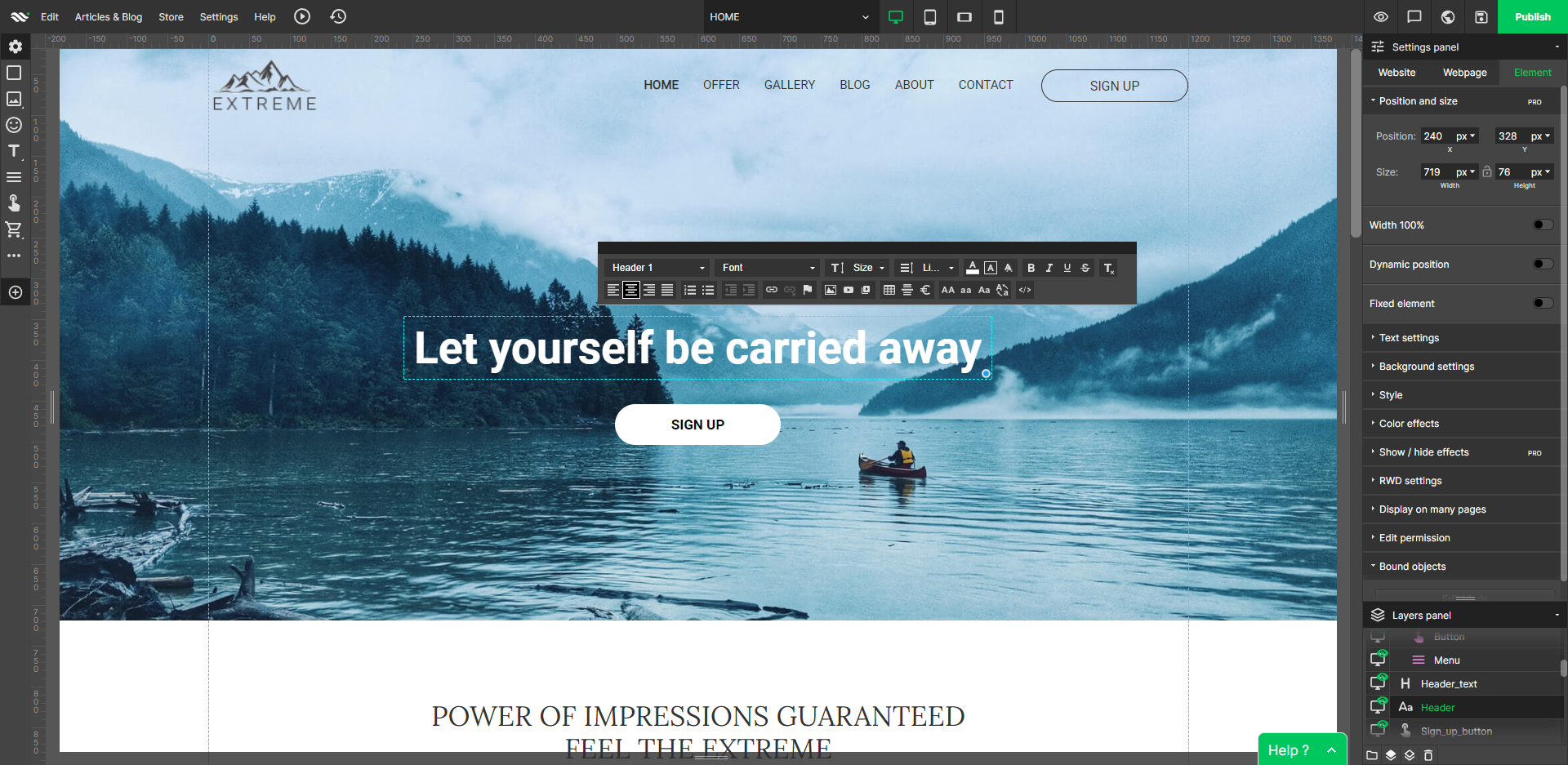
WebWave — an alternative for agencies and freelancers for creating custom websites for clients with the support of CMS. Using CMS with no sacrifices WebWave is a CMS platform that gives a designer precision up to 1 px in every single detail just like in more sophisticated graphic programs such as Photoshop while remaining a drag and drop software. This is to make creating websites much faster without loosing on details. Spend less time talking WebWave…
N/A
Pricing
Drupal
WebWave
Editions & Modules
No answers on this topic
No answers on this topic
Offerings
Pricing Offerings
Drupal
WebWave
Free Trial
No
Yes
Free/Freemium Version
No
Yes
Premium Consulting/Integration Services
No
No
Entry-level Setup Fee
No setup fee
$7 per month
Additional Details
—
—
More Pricing Information
Community Pulse
Drupal
WebWave
Features
Drupal
WebWave
Security
Comparison of Security features of Product A and Product B
Drupal
2.0
Ratings
120% below category average
WebWave
-
Ratings
Role-based user permissions
2.00 Ratings
00 Ratings
Platform & Infrastructure
Comparison of Platform & Infrastructure features of Product A and Product B
Drupal
7.7
Ratings
2% above category average
WebWave
-
Ratings
API
9.30 Ratings
00 Ratings
Internationalization / multi-language
6.00 Ratings
00 Ratings
Web Content Creation
Comparison of Web Content Creation features of Product A and Product B
Drupal
5.3
Ratings
37% below category average
WebWave
-
Ratings
WYSIWYG editor
1.00 Ratings
00 Ratings
Code quality / cleanliness
9.30 Ratings
00 Ratings
Admin section
3.00 Ratings
00 Ratings
Page templates
4.00 Ratings
00 Ratings
Library of website themes
3.00 Ratings
00 Ratings
Mobile optimization / responsive design
10.00 Ratings
00 Ratings
Publishing workflow
9.30 Ratings
00 Ratings
Form generator
3.00 Ratings
00 Ratings
Web Content Management
Comparison of Web Content Management features of Product A and Product B
We developed a corporate website using Drupal, which features a large number of static pages and several dynamic functions, including a contact us form, location finder, and job posting. We utilized Drupal with some customization to achieve the desired functionalities. We have also worked on e-commerce sites using Drupal, and there is a scope for improvements, specifically in cataloging.
The WYSIWYG web builder marketspace is saturated, but there are not many solutions out there that eschew table-based design in favor of letting creators build sites where anything goes wherever you want. You’ll likely want to skip this product if you need a plug-and-play solution where everything is automatically responsively. However, if you have an eye for design, love creative control, and like to sweat the details until you have made the perfect website, WebWave is a must buy.
Content Types... these are amazing. Whereas a more simplistic CMS like Wordpress will basically allow you to make posts and build pages, Drupal 8 gives you the ability to define different types of content that behave differently, and are served up differently in different areas of the website.
Extensibility... it scales, ohhhh does it scale. They've really figured out server-side caching, and it makes all the difference. Once a page has been cached, it's available instantly to all users worldwide; and when coupled with AWS, global redundancy and localization mean that no matter where you're accessing the site, it always loads fast and crisp.
Workflows... you have the ability to define very specific roles and/or user-based editorial workflows, allowing for as many touchpoints and reviews between content creation and publication as you'll require.
WebWave's site builder is the platform's truly innovative feature. I've never come across another service that deploys a layer-based approach in web design, as most of them usually deploy a grid-based system. This is an incredible alteration that ensures WebWave behaves much like a traditional graphic design tool, thereby resulting in an experience that is a lot more intuitive and instinctive. I believe this has the potential to radically change the way people approach no-code web design.
WebWave provides automatic, daily backups and a free SSL certificate for every website. This results in excellent security.
WebWave's support team is first-class! I had some teething-issues in the beginning, but the support team quickly got me back on track.
WebWave's community/forum is an excellent place to vote and request new features. This proves the development team is committed to making WebWave better by listening to their users.
Security and new release notifications are a hassle as they happen too often
Allowing them to write PHP modules is a big advantage, but sometimes integrating them is a small challenge due to the version the developer is working on.
Some scope for improvement in UX (colors are not very appealing). It is simple to use but design is a little dated. Especially in the builder section, I'd like to see modern design for buttons and maybe gradients also: as this is where visual motivation is also important
Some edits take effect only after pressing OK. That should be eliminated as it's an unnecessary addition. It's also kind of annoying to do that again and again, which can add up to a lot as we do so many small tweaks while building the website.
Few things (maybe glitches) in design. The rectangle below the footer was uneditable for me. I spent quite some time trying to figure it out so I'm convinced it's a glitch.
I really like Drupal, and besides the one major issue with not being able to update from version 6 to version 7 and I am happy to continuing using it. Hopefully as time goes on they will make it easier to upgrade or provide better tools for mid-level web designers like myself to build out new sites without the help of expensive 3rd party's.
It has a very steep learning curve. When starting with Drupal, the functionality and setup have to be learned, which is complex in comparison to tools like WordPress. Drupal is more powerful and can create a wider range of applications, but it definitely has a learning curve. I would recommend it to anyone who wants to make a dynamic web application bigger than the scale of a WordPress blog.
Drupal itself does not tend to have bugs that cause sporadic outages. When deployed on a well-configured LAMP stack, deployment and maintenance problems are minimal, and in general no exotic tuning or configuration is required. For highest uptime, putting a caching proxy like Varnish in front of Drupal (or a CDN that supports dynamic applications).
Drupal page loads can be slow, as a great many database calls may be required to generate a page. It is highly recommended to use caching systems, both built-in and external to lessen such database loads and improve performance. I haven't had any problems with behind-the-scenes integrations with external systems.
As noted earlier, the support of the community can be rather variable, with some modules attracting more attraction and action in their issue queues, but overall, the development community for Drupal is second to none. It probably the single greatest aspect of being involved in this open-source project.
1. The support person does not seem to understand the issues, and seems like they go off to talk to somebody and revert back every 5 to 10 minutes. It takes up a lot of time. 2. There is a lack of reading material to address simple issues like changing the website name in the dashboard, pasting a code, etc.
I was part of the team that conducted the training. Our training was fine, but we could have been better informed on Drupal before we started providing it. If we did not have answers to tough questions, we had more technical staff we could consult with. We did provide hands-on practice time for the learners, which I would always recommend. That is where the best learning occurred.
The on-line training was not as ideal as the face-to-face training. It was done remotely and only allowed for the trainers to present information to the learners and demonstrate the platform online. There was not a good way to allow for the learners to practice, ask questions and have them answered all in the same session.
Plan ahead as much you can. You really need to know how to build what you want with the modules available to you, or that you might need to code yourself, in order to make the best use of Drupal. I recommend you analyze the most technically difficult workflows and other aspects of your implementation, and try building some test versions of those first. Get feedback from stakeholders early and often, because you can easily find yourself in a situation where your implementation does 90% of what you want, but, due to something you didn't plan for, foresee, or know about, there's no feasible way to get past the last 10%
Drupal's capabilities outpace WordPress by miles. Drupal is more customizable, scales better for larger companies and has advanced content types. If you own a small business or work at a startup company, I would recommend WordPress but if your firm is trying to scale and you have more than 50 employees I would recommend Drupal.
Fast load times: WebWave's websites have fast load times, which is critical for ensuring a positive user experience and better SEO performance. Responsive design: WebWave's websites are optimized for mobile devices, ensuring that they look great and function well on any screen size. Wix simply just doesn't have that and I was really struggling with this issue. Cost-effective: WebWave's pricing plans are affordable and provide excellent value for money, making it a cost-effective option for small businesses and entrepreneurs.
Drupal is well known to be scalable, although it requires solid knowledge of MySQL best practices, caching mechanisms, and other server-level best practices. I have never personally dealt with an especially large site, so I can speak well to the issues associated with Drupal scaling.
Drupal helped us launch a creative, marketing- and product-focused website with custom coding integrations tailored to our goals.
Drupal allows us to rely on secure and consistently updated core code.
Drupal's code taxing on the server does start to get a bit heavy as you go along with customizations, so at some point, we decided to stop. We want to ensure our Google Page Score remains high, including paying close attention to page load speed.