Droplr vs. LaunchBrightly

Overview
ProductRatingMost Used ByProduct SummaryStarting Price
Droplr
Score 8.3 out of 10
N/A
Droplr is a tool for capturing and sharing screen images.N/A
LaunchBrightly
Score 0.0 out of 10
N/A
LaunchBrightly’s screenshot automation platform enables users to set up simple automation recipes to auto-generate the latest screenshots of a product and, automatically and continuously, update the screenshots in a help documentation as the product changes.
$275
per month per screenshot generated
Pricing
DroplrLaunchBrightly
Editions & Modules
No answers on this topic
Free
$0
100 screenshots generated
Pro
$275
per month 500 Screenshots generated
Business
$599
per month 2000 Screenshots generated
Offerings
Pricing Offerings
DroplrLaunchBrightly
Free Trial
NoYes
Free/Freemium Version
NoYes
Premium Consulting/Integration Services
NoNo
Entry-level Setup FeeNo setup feeOptional
Additional Details20% discount for annual pricing.
More Pricing Information
Community Pulse
DroplrLaunchBrightly
Best Alternatives
DroplrLaunchBrightly
Small Businesses
Sendspark
Sendspark
Score 10.0 out of 10
Sendspark
Sendspark
Score 10.0 out of 10
Medium-sized Companies
Snagit
Snagit
Score 9.3 out of 10
Snagit
Snagit
Score 9.3 out of 10
Enterprises
Snagit
Snagit
Score 9.3 out of 10
Snagit
Snagit
Score 9.3 out of 10
All AlternativesView all alternativesView all alternatives
User Ratings
DroplrLaunchBrightly
Likelihood to Recommend
8.0
(13 ratings)
-
(0 ratings)
Likelihood to Renew
9.0
(1 ratings)
-
(0 ratings)
Usability
10.0
(1 ratings)
-
(0 ratings)
Support Rating
2.1
(2 ratings)
-
(0 ratings)
User Testimonials
DroplrLaunchBrightly
Likelihood to Recommend
Droplr
Droplr is very useful in any kind of visual work, particularly if there are more people involved and they need to follow the creation process. It allows the team to be on the same page. It is also very useful when dealing with clients without design training since we can show visually what we intend to do. Teachers, instructors, and even technical support people can make good use of Droplr since it makes easier to share screencasts, to capture screens for tutorials and to solve clients' doubts.
Read full review
LaunchBrightly
No answers on this topic
Pros
Droplr
  • Simply moving files onto the menu bar icon is the fastest way to get files on their way.
  • The link to copy is automatically saved to your clipboard, so while I'm writing the email to send the file, I simply paste and I'm done.
  • Turns out, I check often if the file has been downloaded, as it allows me to followup and speed up the process if needed.
Read full review
LaunchBrightly
No answers on this topic
Cons
Droplr
  • Startup bug (Mac) - Even though I select Droplr not to start up with the computer, it still does. It's been months and they still haven't fixed this. It's very frustrating.
  • The Windows version doesn't allow me to select an area of my screen to record - one has to record the entire screen.
  • Though it may look like it in their settings, setting up SSL isn't as easy as clicking the button. I still don't quite understand how to do it.
Read full review
LaunchBrightly
No answers on this topic
Likelihood to Renew
Droplr
It solves a lot of everyday problems in our creative department and enhanced our workflow.
Read full review
LaunchBrightly
No answers on this topic
Usability
Droplr
Because I find it especially easy to work with, compared to alternatives.
Read full review
LaunchBrightly
No answers on this topic
Support Rating
Droplr
I've only had to reach out to Droplr support a couple of times and they've been quick to getting back to me.
Read full review
LaunchBrightly
No answers on this topic
Alternatives Considered
Droplr
Lightshot Screenshot provides the same screenshot functionality as Droplr, but with no cost. Lightshot Screenshot also allows you to edit a photo and can upload your photo either to the cloud or just paste it in an email/Slack/anything else to your client. There are very little go-betweens and a lot more flexibility.
Droplr was chosen by my company, not me. If I had chosen a screenshot software, in retrospect, I would have chosen Lightshot Screenshot. Droplr was fine. Lightshot Screenshot is killer, though.
Read full review
LaunchBrightly
No answers on this topic
Return on Investment
Droplr
  • I use Droplr every day and it's been a huge boost for productivity since I never need to think about how a screenshot will be shared. It's just built in and so easy.
  • I really wish Droplr had an Android app.
Read full review
LaunchBrightly
No answers on this topic
ScreenShots

LaunchBrightly Screenshots

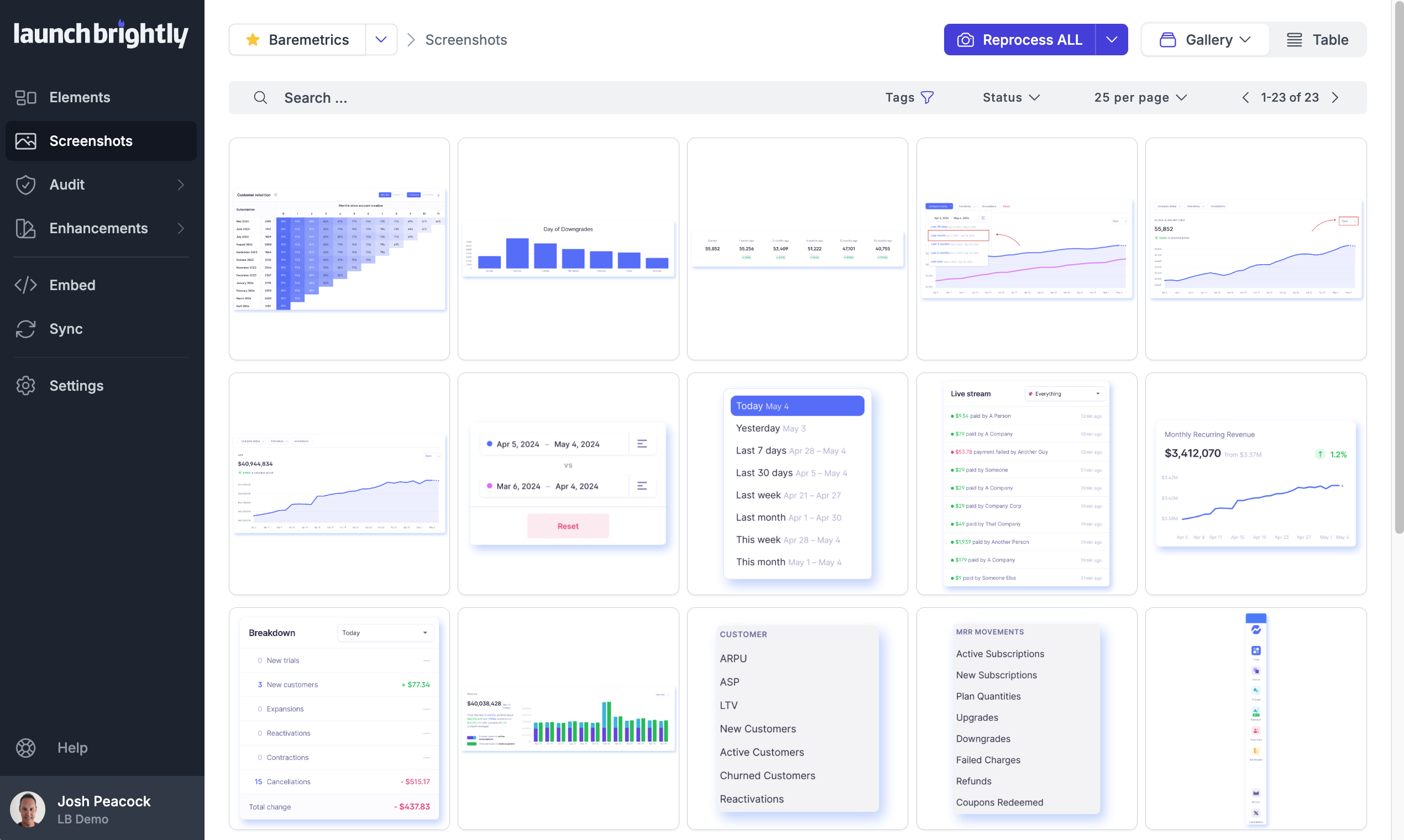
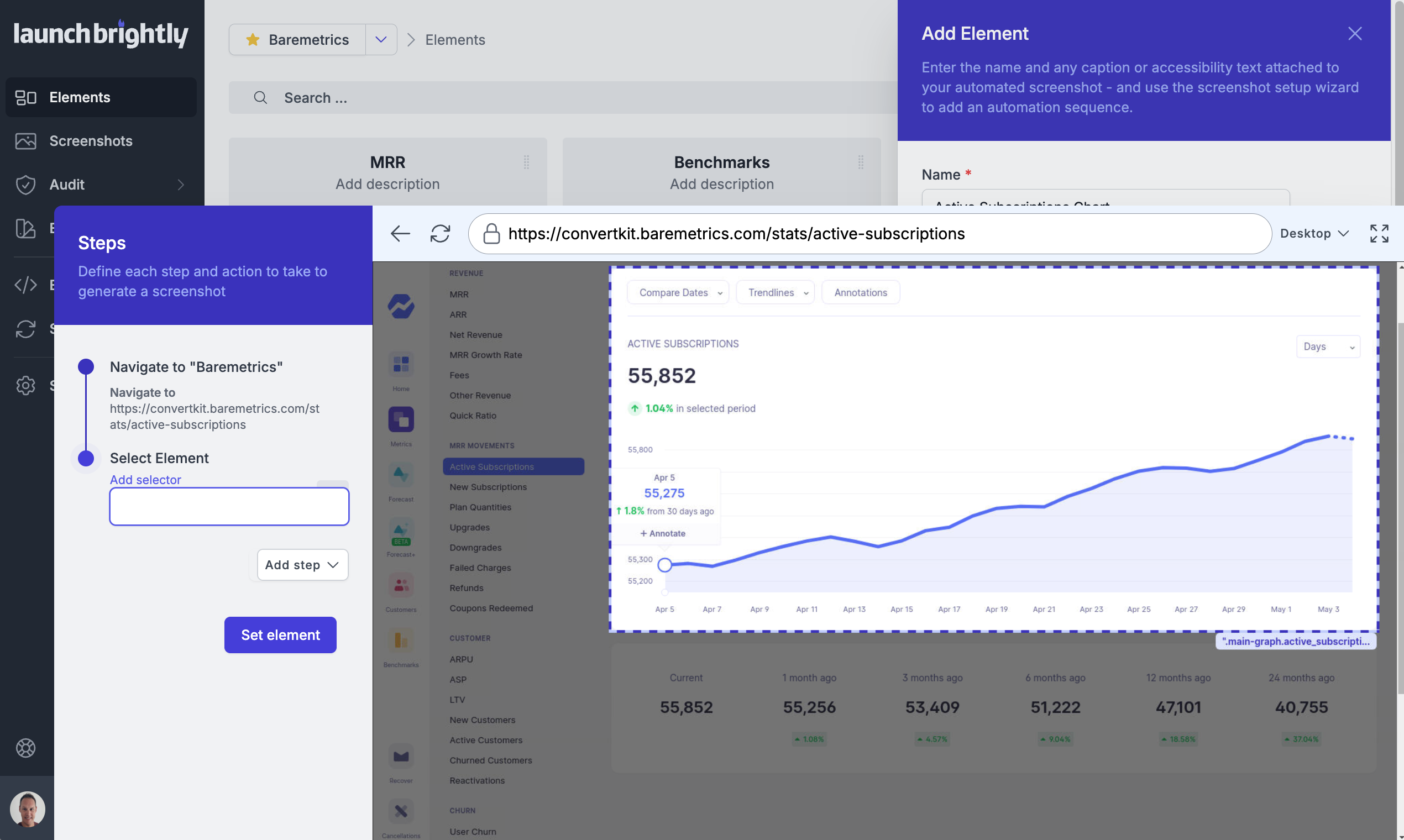
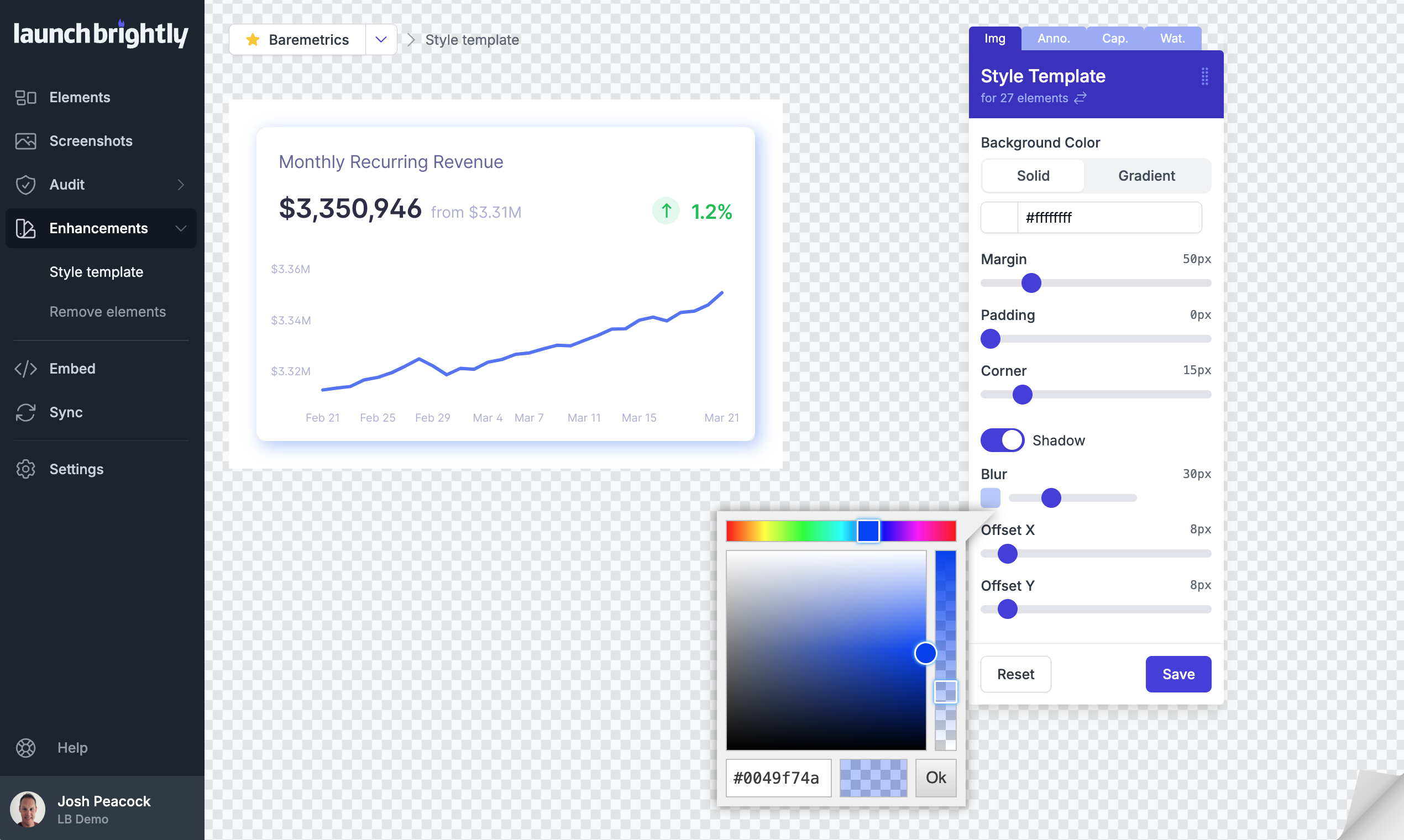
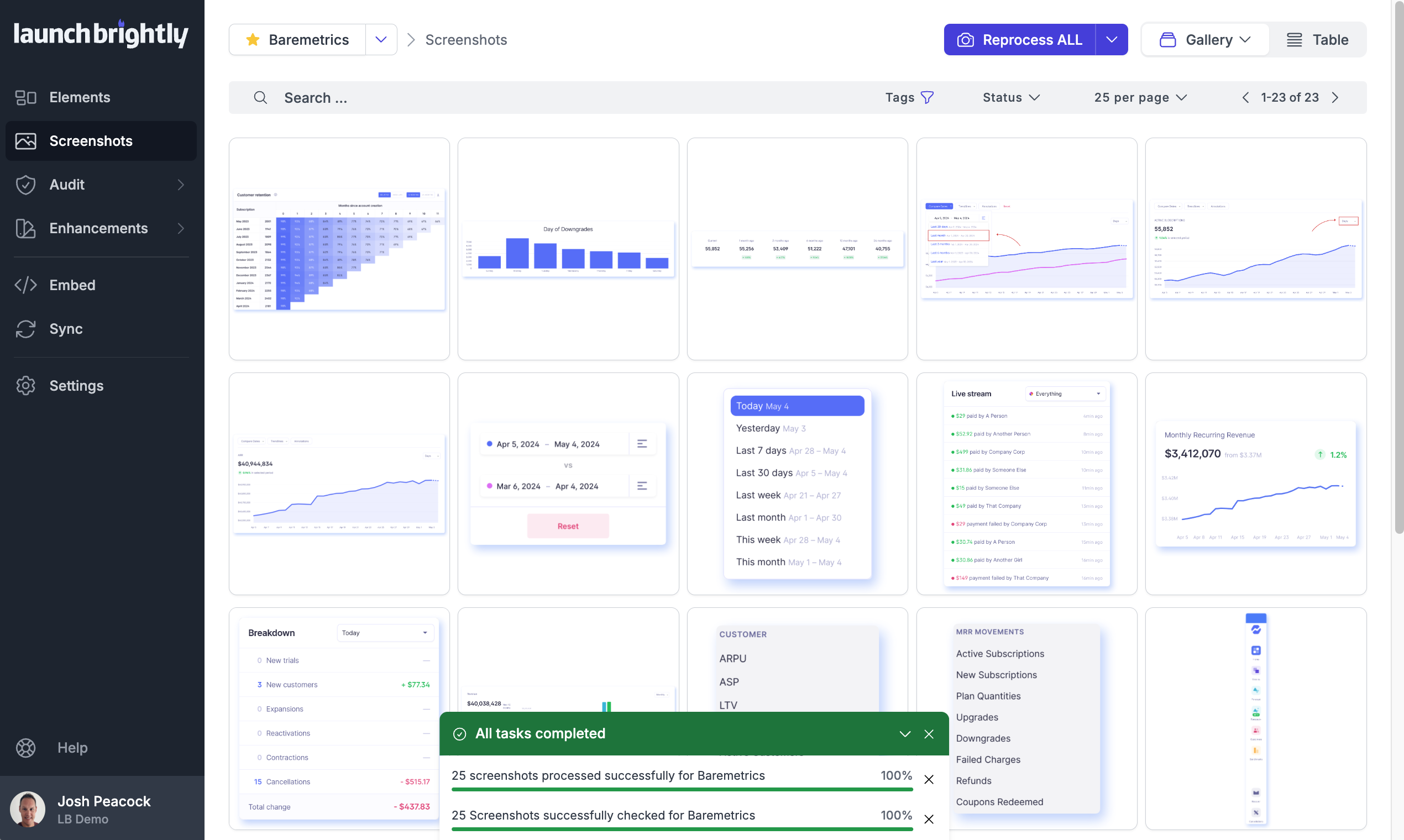
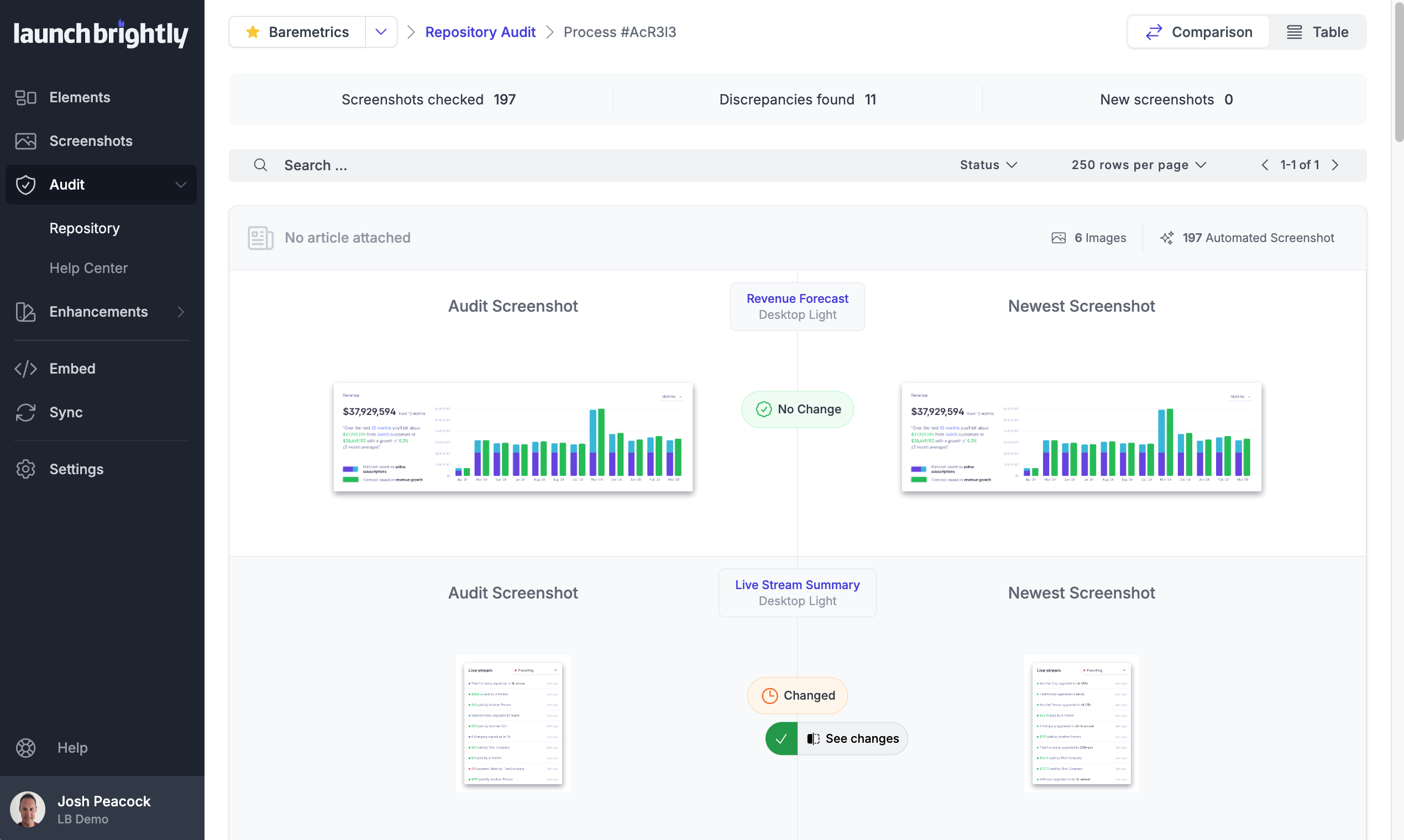
Screenshot of A gallery view of all automated screenshotsScreenshot of the Screenshot Recipe Builder is used to meticulously record the steps to capture an ideal screenshotScreenshot of the interface to style screenshots, annotations, and captions to match the product's brand identity, with reprocessing of changesScreenshot of the auto-reprocessing feature, used to automatically generate new screenshots reflecting the latest version of a  product, and ensure it always has the freshest screeshotsScreenshot of the Screenshot Audit, which is used to compare an up-to-the minute screenshot against previously generated screenshots to quickly identify what, if any, changes have occurred, with the option to accept or reject those changes.Screenshot of where each generated screenshot is preserved to history, providing a chronological screenshot archive tracking how the product changes over time