Droplr vs. Gemoo Recorder

Overview
ProductRatingMost Used ByProduct SummaryStarting Price
Droplr
Score 8.3 out of 10
N/A
Droplr is a tool for capturing and sharing screen images.N/A
Gemoo Recorder
Score 0.0 out of 10
N/A
Gemoo Recorder is a screen recorder to record screen, webcam, and microphone. It allows users to store and organize videos in Gemoo to make complex messages clear, and share videos in one click to spread ideas and get feedback instantly.N/A
Pricing
DroplrGemoo Recorder
Editions & Modules
No answers on this topic
Offerings
Pricing Offerings
DroplrGemoo Recorder
Free Trial
NoNo
Free/Freemium Version
NoYes
Premium Consulting/Integration Services
NoNo
Entry-level Setup FeeNo setup feeNo setup fee
Additional Details
More Pricing Information
Community Pulse
DroplrGemoo Recorder
User Ratings
DroplrGemoo Recorder
Likelihood to Recommend
8.0
(0 ratings)
-
(0 ratings)
Likelihood to Renew
9.0
(0 ratings)
-
(0 ratings)
Usability
10.0
(0 ratings)
-
(0 ratings)
Support Rating
2.1
(0 ratings)
-
(0 ratings)
User Testimonials
DroplrGemoo Recorder
Likelihood to Recommend
Droplr is most appropriate when taking quick screenshots and sharing them internally. It's outrageously easy to take a Droplr link, paste it in Slack, and have the screenshot unfurl.
Droplr is least suited to sharing assets between you and a client. If you're sharing a screenshot, you have to paste the link, then copy the image that's featured within the link to share the asset. You can't guarantee that a client would actually click on a deliverable link, so it takes up time and storage space.
Read full review
No answers on this topic
Pros
  • Making screenshots and recordings couldn't be simpler. I use these features constantly and it helps me to improve the user experience prior to user testing and delivery. The users can actually see how these functions will work and can replay/review them easily.
  • The process of sharing files is simple and the desktop app, as well as browser extensions, make it a real pleasure to use.
  • The tagging and categorization of boards, as well as the ability to share these collections with others, is invaluable. This allows me to easily share, for example, a large number of concepts at once so I do not have to send multiple links to customers and collaborators.
Read full review
No answers on this topic
Cons
  • The windows app is not very reliable, it has some bugs still that are being worked out.
  • The screen selection for video would be better if you didn't have to share the entire screen or window. It would be nice if you could record only a selected area like with a screenshot.
  • When taking a screenshot with the chrome extension it would be nice if it were more clear what area your mouse was in right after clicking. For instance, highlight the cross-hair and dim the rest of the screen. The screen would lighten only in the area you select.
Read full review
No answers on this topic
Likelihood to Renew
It solves a lot of everyday problems in our creative department and enhanced our workflow.
Read full review
No answers on this topic
Usability
Because I find it especially easy to work with, compared to alternatives.
Read full review
No answers on this topic
Support Rating
I've only had to reach out to Droplr support a couple of times and they've been quick to getting back to me.
Read full review
No answers on this topic
Alternatives Considered
There are pros and cons to each and every one of them. To be honest, I use them all for different scenarios. Snagit is a desktop app and is a bit more heavy-duty. I don't necessarily need that all the time. CloudApp is the most comparable - it is also good in its own way
Read full review
No answers on this topic
Return on Investment
  • I use Droplr every day and it's been a huge boost for productivity since I never need to think about how a screenshot will be shared. It's just built in and so easy.
  • I really wish Droplr had an Android app.
Read full review
No answers on this topic
ScreenShots

Gemoo Recorder Screenshots

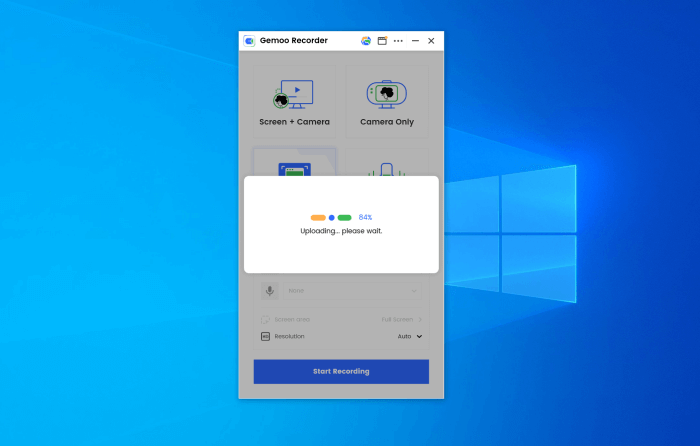
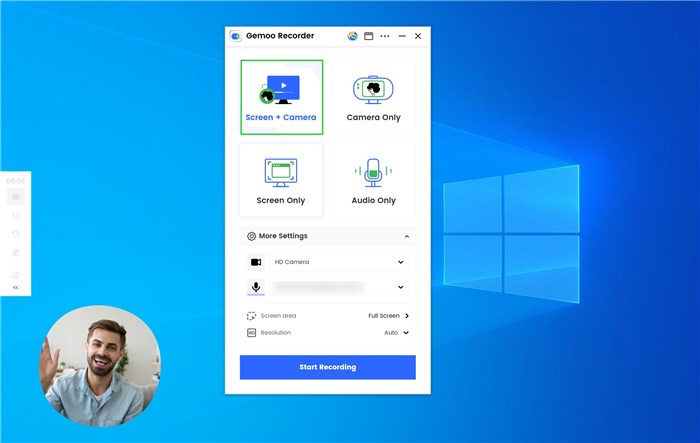
Screenshot of Upload videos to the cloudScreenshot of Record screen and camera