DotSignage vs. Lifesize Share

Overview
ProductRatingMost Used ByProduct SummaryStarting Price
DotSignage
Score 0.0 out of 10
Mid-Size Companies (51-1,000 employees)
DotSignage is a cloud-based digital signage software used to display multimedia content on remotely placed screens. The system can help manage already created content or new content built through its design template, and features 30+ integrated apps to drive more engagement. The product is available across industries, with common use cases in restaurants, retails, corporate, and healthcare.
$12
per month Per screen
Lifesize Share
Score 8.0 out of 10
N/A
Lifesize Share is a meeting room and digital signage solution, presenting wireless screen sharing and room automation for the modern meeting space.N/A
Pricing
DotSignageLifesize Share
Editions & Modules
Standard
$12
per month Per screen
Enterprise
Custom Pricing
No answers on this topic
Offerings
Pricing Offerings
DotSignageLifesize Share
Free Trial
YesNo
Free/Freemium Version
NoNo
Premium Consulting/Integration Services
NoNo
Entry-level Setup FeeNo setup feeNo setup fee
Additional Details
More Pricing Information
Best Alternatives
DotSignageLifesize Share
Small Businesses

No answers on this topic

No answers on this topic

Medium-sized Companies
Zoom Rooms
Zoom Rooms
Score 8.7 out of 10
Zoom Rooms
Zoom Rooms
Score 8.7 out of 10
Enterprises

No answers on this topic

No answers on this topic

All AlternativesView all alternativesView all alternatives
User Ratings
DotSignageLifesize Share
Likelihood to Recommend
-
(0 ratings)
8.0
(0 ratings)
Likelihood to Renew
-
(0 ratings)
5.0
(0 ratings)
Usability
-
(0 ratings)
9.0
(0 ratings)
Support Rating
-
(0 ratings)
8.0
(0 ratings)
User Testimonials
DotSignageLifesize Share
Likelihood to Recommend
No answers on this topic
Is a easy to use, ease to setup and cheaper option with good performance. i 've havea good experience overall we can integrate standart tv, no specific end point needed The customer service is excelente and rapid
Read full review
Pros
No answers on this topic
  • 4K Videoconferencing
  • Whiteboard
  • Content sharing
  • Collaborative meetings
  • Digital Signage
Read full review
Cons
No answers on this topic
  • Sometimes I have compatibility issues with mac.
  • Loads and updates automatically without permissions.
  • No recording included.
Read full review
Likelihood to Renew
No answers on this topic
We may or may not return to the office as the Pandemic finally gets behind us.
Read full review
Usability
No answers on this topic
We found that employees could use Lifesize Share without any prior training as long as we created "cheat sheets" to leave in each conference room where the equipment is installed.
Read full review
Support Rating
No answers on this topic
Both the initial installation and any ongoing support went very well. The support personnel was very knowledgeable, thorough, and professional. We were very pleased with how quickly any questions were answered and that very few incidents reoccurred.
Read full review
Alternatives Considered
No answers on this topic
Lifesize desktop app is suitable for guest invitees. It's well-designed, intuitive, and hassle-free software available on all platforms plus web-based interfaces that don't need any pre-installation. It is fully integrated with Lifesize Share. This can be used jointly with Microsoft Teams which is the main collaborative tool used in the company. The user experience is smooth and no difference is noticed between a user connecting from Teams or a user connecting to Lifesize App.
Read full review
Return on Investment
No answers on this topic
  • Accepted by users.
  • Expensive
  • Good solution.
Read full review
ScreenShots

DotSignage Screenshots

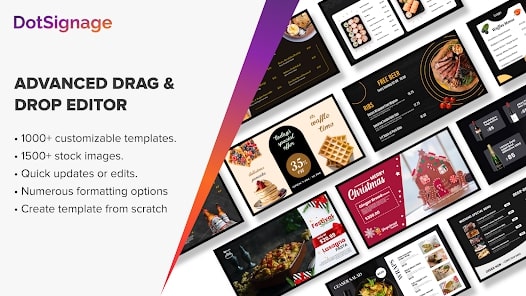
Screenshot of the drag and drop editor.