DocuSign supports transactions with document sharing and electronic signature, as well as automated and guided data collection and entry, record updating across disparate systems and payment collection upon agreement, as well as analytics and reporting.
$15
per month
Kira
Score 7.6 out of 10
Enterprise companies (1,001+ employees)
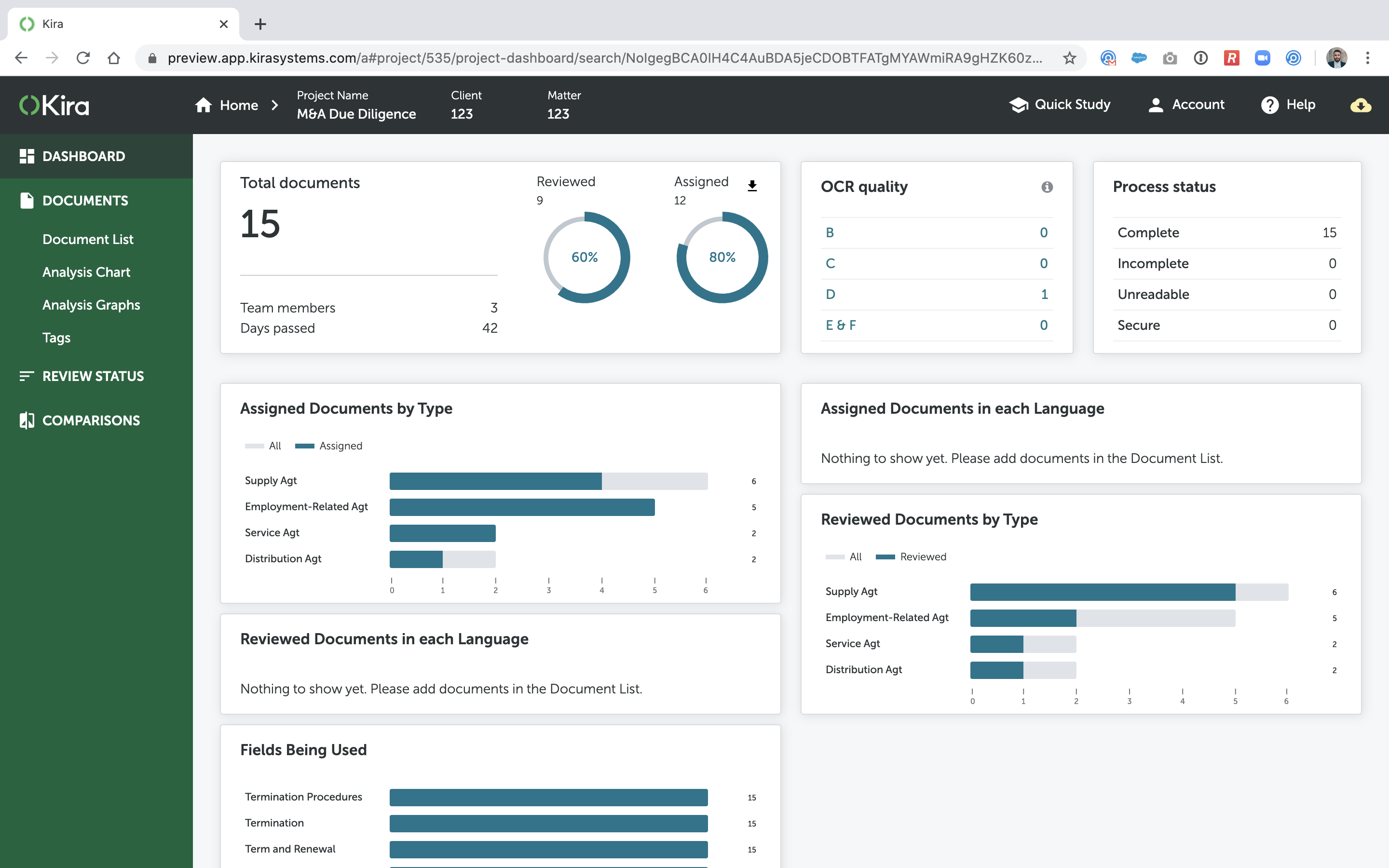
Kira, now from Litera (acquired August, 2021) is software that searches and analyzes contract text. Kira offers pre-built, machine learning models covering due diligence, general commercial, corporate organization, real estate and compliance. Using Kira Quick Study, anyone can train additional models that can identify any desired clause. Kira can be deployed on virtual data rooms and other large repositories of contracts, creating summary analyses.
I am going to speak of a personal experience- on multiple occasions: I need my husband to sign documents during the day and I don't need him here- physically. He sometimes works in different parts of the state as well at his own company. There is no problem at all, as long as he has access to his cell phone, email, and cell phone service- he can sign the documents I need him to. It is AMAZING- I can't speak highly enough of Docusign.
Kira is a great due diligence tool and can be well utilised on both large and small transactions. It also has good application if you are looking to compare multiple documents against a model form document or market standard templates. Kira is less useful if you are looking to review emails (e.g. as part of a disclosure exercise); or if your review involves non-Latin based script languages.
You have to purchase a subscription and unless you really need to originate a lot of documents, it's not cost-effective to maintain the subscription. It would be better to have a subscription that allows you to purchase a bundle of say, ten documents and then use them as needed for the occasional user.
You'll be hard-pressed to find anything negative from users other than the price.
The product is a great tool for a remote workforce. As the company gets bigger, adding users to the account can be rather expensive. We considering providing read/sign only access for certain individuals and providing full access to other users as necessary to reduce costs.
As an Administrator of the system, its ease of configuration and the guidance around doing it is second to none. The screens are broken down into manageable segments and easy to navigate to the area that needs to be looked at. Our Process Delivery teams, after initial training are using the system without any problems and find it easy to operation. We get minimal if any, requests for support.
If our firm had more contracts in English, the usability of Kira would be rated higher. However, since we have to train clauses in Portuguese in order to use Kira, it makes its usability lower. We still are not able to fully use Kira for reading contracts in Portuguese. It takes a long time and many associate hours to make Kira usable in other languages.
I'd give them a 10, but there has been 1 or 2 small cases that seemed to fall to the wayside, but I was able to call them up and get them resolved. We were having a bad implementation night (after midnight) and we needed assistance from Docusign. They were able to get an engineer to help us in the early morning hours
There was an email sent out with technical questions that was not attended to. However, Kira support has been good in general in that emails are well attended to overall, the Kira support portal is great and regular meetings are held.
Docusign is super easy to use, and apart from a few administration details, there was really nothing to train on. Post implementation, there were issues with configuration of auto-filled documents with the integrating 3rd party. That training required some time, because the DocuSign expert took the time to walk me through the 3rd party's configuration (how often does that happen?) so I could see how DocuSign should be best used to overcome weaknesses in the 3rd party platform. 10/10 expert care.
Until you get the hang of it, I recommend doing several internal tests before sending a document to a client. As I mentioned earlier, you have to go through a bit of trial and error at first to verify that the workflow works as expected.
Adobe Acrobat Sign is less user-friendly and more suited to small scopes, or one-off documents. It lacks the use of templates that DocuSign has, which is what ultimately streamlines and delivers the consistency and efficiencies for the business.
We initially chose Kira because of the Quick Study feature and because we trust Noah. We've since evaluated Diligen--its features have grown substantially over the past year. We've also tried ContraxSuite, LawGeex, Evisort, Luminance, eBrevia, Heretik, Blackboiler, and many others. It all comes down to the cost + feature set. We will always go with the lowest cost provider with the widest needed feature set (assuming there are no accuracy or performance issues during the pilot).
When trained to read bespoke types of documents, the accuracy can be very good and the consequential time savings very high. In this scenario we have reduced the average time of review of one type of client documents from over an hour to 15 minutes.