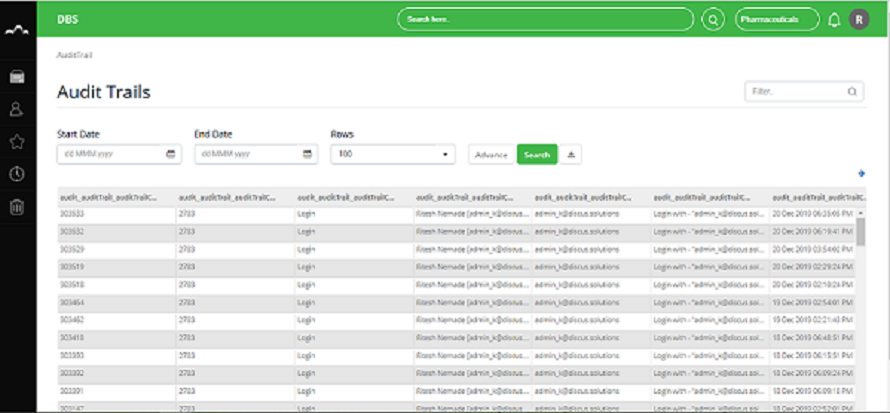
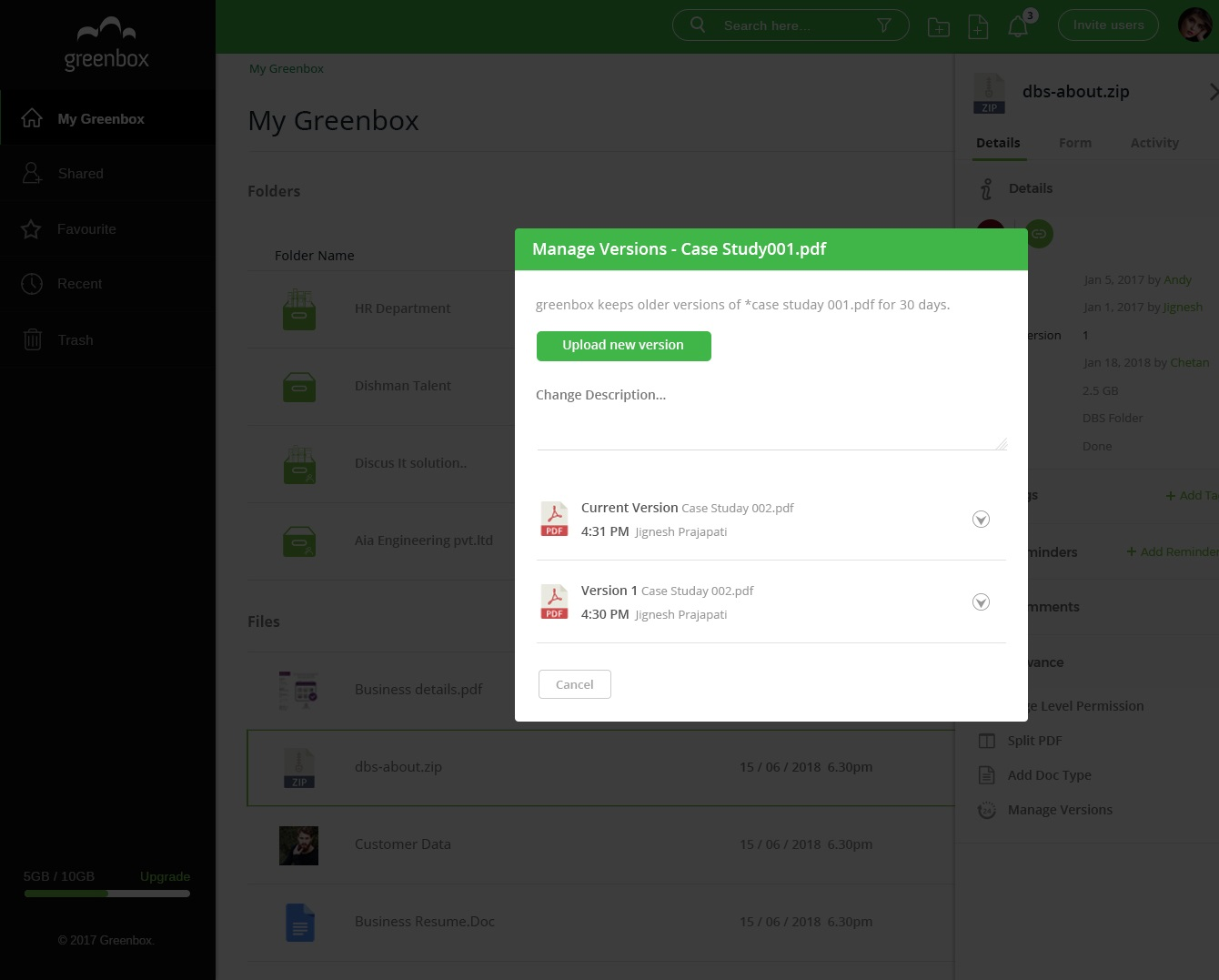
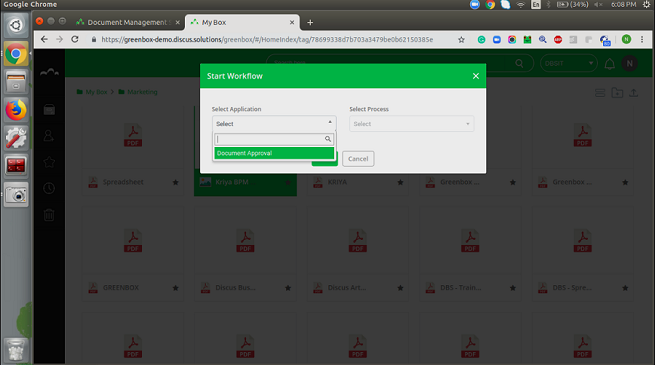
Greenbox, from Discus Business Solutions headquartered in Ahmedabad, is a web-based document collaboration solution designed to convert organizations into a green & paperless workplace. It helps to Store, Track, Share, and Manage the documents.
$5
one-time fee per user
Tungsten Capture
Score8 out of 10
N/A
Tungsten Capture (formerly Kofax Capture) is a suite of multichannel document capture applications.
Kofax [Capture] meets our needs and for the most part is easy to use and setup. Configuration could be a little bit easier. The scripting language is a double edge sword if you will. It gives you nearly unlimited possibilities to script what you need, but the downside is you have to script it. Does a good job at batching and scanning documents. The tool integrates well into our workflow which makes our business partners happy and in turn provides for happy customers.
A de minimis incentive was given to thank the reviewer for their time. The incentive was not used to bias or drive a particular response, nor was the incentive contingent on a positive endorsement. More Info
The VRS application included with Kofax Capture is the best image pre-processing platform available on the market today. It can handle a wide array of common document problems such as skew, flipping, wrinkles, lines, and dots.
The platform is incredibly scriptable and can be customized to handle all sorts of unusual document contents to allow information to be extracted that many other platforms just struggle on. Table extraction, line item matching, and smart extraction are all strong points with this platform.
Through the use of SBL and .NET the platform can be expanded and scaled quite easily to allow for the software to be integrated into existing business processes and platforms with ease.
A de minimis incentive was given to thank the reviewer for their time. The incentive was not used to bias or drive a particular response, nor was the incentive contingent on a positive endorsement. More Info
We struggled with configuring Kofax with AP Automation. We used to receive vouchers in different formats by different companies, by different departments. The people from different departments used to scan those vouchers through regular scanners to a central location, which ended up as image pdfs. We fed these image pdfs through Kofax Capture for character recognition, which was painful as the accuracy of recognition was 50 to 60%.
Having a connectors with a workflow tool would be helpful where people can validate and approve the output.
More samples and documentation related to use of API in .NET applications would be a good improvement, that would help users to adapt the product easily into their organization.
A de minimis incentive was given to thank the reviewer for their time. The incentive was not used to bias or drive a particular response, nor was the incentive contingent on a positive endorsement. More Info
A de minimis incentive was given to thank the reviewer for their time. The incentive was not used to bias or drive a particular response, nor was the incentive contingent on a positive endorsement. More Info
A de minimis incentive was given to thank the reviewer for their time. The incentive was not used to bias or drive a particular response, nor was the incentive contingent on a positive endorsement. More Info
A de minimis incentive was given to thank the reviewer for their time. The incentive was not used to bias or drive a particular response, nor was the incentive contingent on a positive endorsement. More Info
A de minimis incentive was given to thank the reviewer for their time. The incentive was not used to bias or drive a particular response, nor was the incentive contingent on a positive endorsement. More Info
We were able to decrease personnel expenditures as there was not a need for individuals to index documents prior to incorporating them into the record.
A de minimis incentive was given to thank the reviewer for their time. The incentive was not used to bias or drive a particular response, nor was the incentive contingent on a positive endorsement. More Info