TrustRadius: an HG Insights company

Save this comparison

Save this comparison

Add Product

Recommended Comparisons

    Overview
    ProductRatingMost Used ByProduct SummaryStarting Price

    Greenbox

    N/AN/AGreenbox, from Discus Business Solutions headquartered in Ahmedabad, is a web-based document collaboration solution designed to convert organizations into a green & paperless workplace. It helps to Store, Track, Share, and Manage the documents.

    $5

    one-time fee per user

    Smallpdf

    Score10 out of 10
    N/AMade in Switzerland, Smallpdf is a company that offers a suite of document management tools for everyone-for work, for home, for life. Founded in Switzerland in 2013, Smallpdf provides what they describe as a simple, secure, and reliable answer to the world's PDF challenges. Smallpdf boasts serving over a billion users in 24 different languages since 2013, and in every country in the world.

    $0

    Pricing
    GreenboxSmallpdf
    Editions & Modules
    Micro
    $5
    one-time fee 25 users
    Mega
    $7
    one-time fee 100 users
    Smallpdf Basic
    $0.00
    Smallpdf Pro
    $12.00
    per month
    Smallpdf Pro
    $108.00
    per year
    Offerings
    Pricing Offerings
    GreenboxSmallpdf
    Free Trial
    YesYes
    Free/Freemium Version
    YesYes
    Premium Consulting/Integration Services
    YesNo
    Entry-level Setup FeeNo setup feeNo setup fee
    Additional DetailsDiscounts are available for bulk purchases
    More Pricing Information
    Community Pulse
    GreenboxSmallpdf
    Considered Both Products
    Discus Business Solutions
    No answer on this topic
    Smallpdf
    No answer on this topic
    Key User Insights
    Would buy again
    No answers on this topic
    93%
    Would buy again
    14 Answers
    Delivers good value for the price
    No answers on this topic
    100%
    Delivers good value for the price
    13 Answers
    Happy with the feature set
    No answers on this topic
    100%
    Happy with the feature set
    15 Answers
    Lived up to sales and marketing promises
    No answers on this topic
    82%
    Lived up to sales and marketing promises
    9 Answers
    Implementation went as expected
    No answers on this topic
    91%
    Implementation went as expected
    10 Answers
    User Ratings
    GreenboxSmallpdf
    Likelihood to Recommend
    -
    (0 ratings)
    8.7
    (26 ratings)
    Usability
    -
    (0 ratings)
    9.5
    (6 ratings)
    Performance
    -
    (0 ratings)
    9.4
    (6 ratings)
    Support Rating
    -
    (0 ratings)
    9.9
    (2 ratings)
    Ease of integration
    -
    (0 ratings)
    6.8
    (6 ratings)
    User Testimonials
    GreenboxSmallpdf
    Likelihood to Recommend
    Discus Business Solutions
    No answers on this topic
    Smallpdf
    As per my knowledge and experience, Small PDF is well suited when we want to convert the large and bulk processing on the images to convert them into a single file and share. I found it well suited for college students because daily they scan multiple images and merge them to send as a single assignment file. Smallpdf has the future in the education field. Sometimes it is less appropriate for the people who want to share official documents by converting them into pdf without a watermark. I personally really like the Small PDF, it really helped reduce the difficulty of sending files, and photos to others.
    Incentivized
    Read full review
    Pros
    Discus Business Solutions
    No answers on this topic
    Smallpdf
    • It's PDF editing tool suite is extremely comprehensive.
    • Drag & Drop functionality and intuitive user interface means non-technical users can easily use most of its features.
    • It's online-first design avoids typical problems of depending on one specific computer for specific tasks.
    Incentivized
    Read full review
    Cons
    Discus Business Solutions
    No answers on this topic
    Smallpdf
    • It has everything I'm not sure what I will say. E-sign, Share, convert. You can give an option in upload priorities features which I can see later.
    • Background remover thing also you can add in it. So I can remove the unnecessary thing from an image.
    • You can add a chatbot for help.
    Incentivized
    Read full review
    Usability
    Discus Business Solutions
    No answers on this topic
    Smallpdf
    I give this rating to Smallpdf because it comes with a large array of tools and gadgets. It allows not only pdf reading but also mixing, splitting, conversion to and from pdf, pdf compression or protecting. It is really complete and it works excellent compared to other much more expensive alternatives in the market.
    Incentivized
    Read full review
    Performance
    Discus Business Solutions
    No answers on this topic
    Smallpdf
    1.- Because it is easy to use and each function is duly indicated so you can not go wrong. 2.- Its service is fast, it takes only a few seconds to transform the files and in less than a minute it is downloaded and you can occupy it without problem. 4.-This IS online so you do not install anything, which is very useful because you can also use it from a tablet or your mobile
    Read full review
    Support Rating
    Discus Business Solutions
    No answers on this topic
    Smallpdf
    Everything is so simple and works so well, you shouldn't need support, but on the one occasion in several years that I needed it, support was quick and courteous.
    Read full review
    Alternatives Considered
    Discus Business Solutions
    No answers on this topic
    Smallpdf
    I think that Smallpdf stacks up against its competitors in terms of easiness of use. The tool is very user-friendly, every feature is communicated in an efficient way and very simple to user so the user doesn't have to be particularly good at using software. Its features are superficial when compared to Acrobat but easiest to use for sure.
    Incentivized
    Read full review
    Return on Investment
    Discus Business Solutions
    No answers on this topic
    Smallpdf
    • It has definitely increased efficiency. Lower paid employees can complete a simple task with Smallpdf rather than having a higher paid employee use their time to do it differently.
    • Smallpdf decreases the customer-response time. Being able to send over the proper sized file quickly makes us look great!
    Incentivized
    Read full review
    ScreenShots

    Greenbox Screenshots

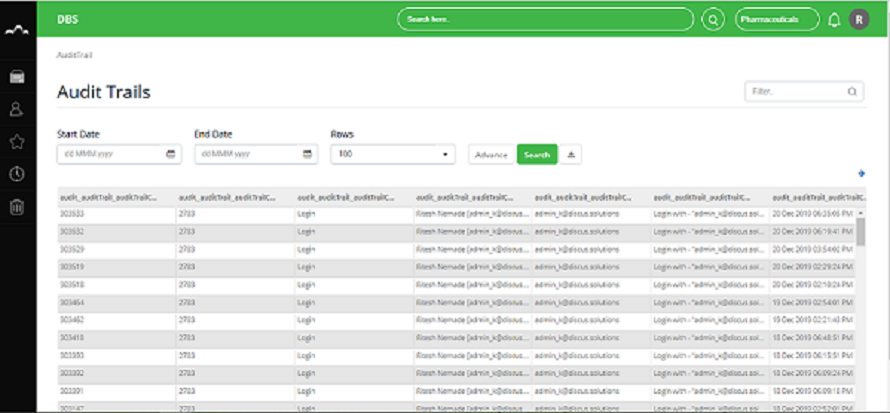
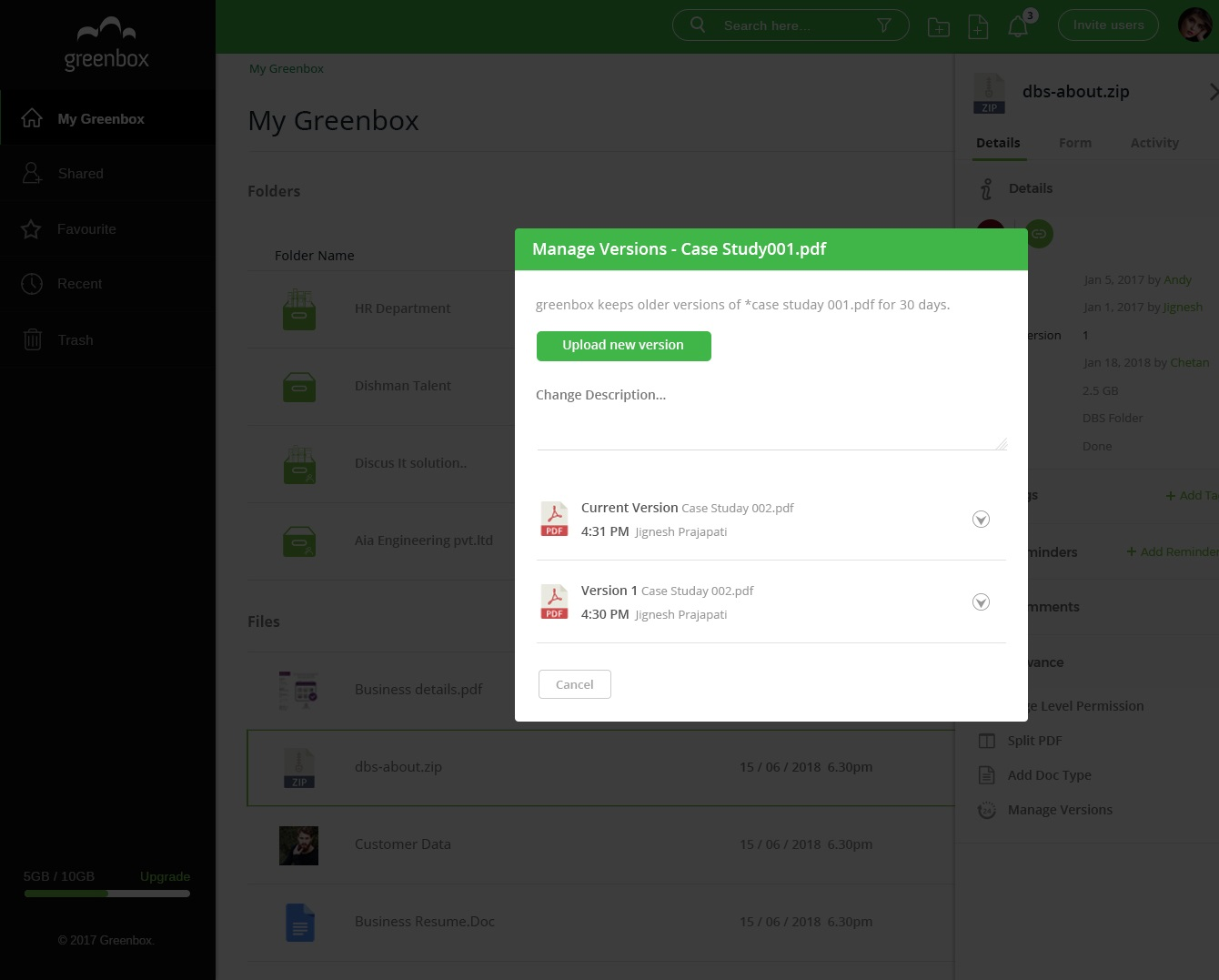
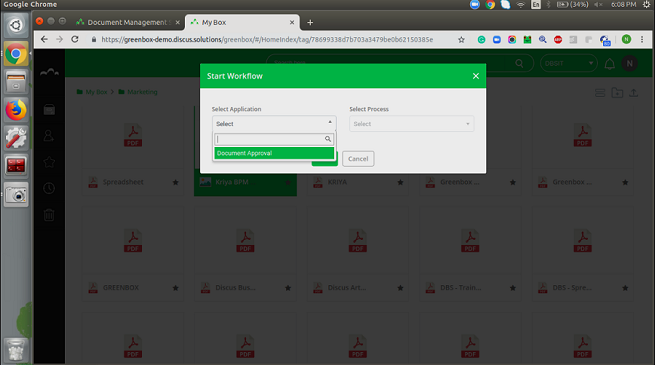
    Screenshot of Web-based platform with a user-friendly interface allows the user access to a variety of features like unlimited folders and subfolders, universal content search, Solr OCR/text search inside an image, document versioning and restoration, granular access control and advanced document control feature.Screenshot of Adopt a fast and powerful way to locate content and metadata. The document search engine provides an OCR search and an advanced document search on all attributes, making the process considerably effective and time-efficient.Screenshot of Users can capture, view, retrieve, share and edit the document. Sharing with individuals and user groups. You can do a page-level sharing, split a document or merge two different documents in one, add comments and other additional information.Screenshot of Get audit and activity log of every action. A file and folder level audit trail is available. With this tracking who does what can be retrieved and exported for compliance and system monitoring.Screenshot of Versioning of documents lets you maintain multiple copies of a document and keep track of every version made and notifies every user in the loop of the most up-to-date version.Screenshot of Documents can be tracked through a workflow. You can initiate a document first or a form first workflow. Workflow routing can be linear or parallel. After the final approval, a document can automatically be saved in the defined folder.

    Smallpdf Screenshots

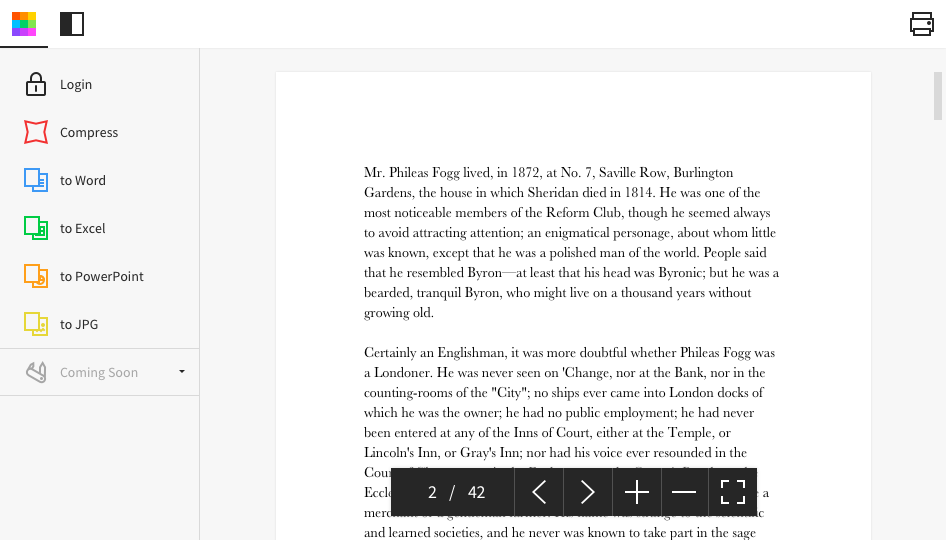
    Screenshot of Desktop AppScreenshot of Homepage