DIBELS Next vs. PowerSchool Unified Classroom

Overview
ProductRatingMost Used ByProduct SummaryStarting Price
DIBELS Next
Score 7.0 out of 10
N/A
DIBELS Next are short (one minute) fluency measures that can be used for universal screening, benchmark assessment, and progress monitoring in Kindergarten - 6th grade, and are developed and maintained by the University of Oregon's Center on Teaching & Learning.N/A
PowerSchool Unified Classroom
Score 6.2 out of 10
N/A
PowerSchool Unified Classroom is a learning management and classroom collaboration solution suite. It aims to empower teachers with real-time student interaction inside and outside the classroom, bringing in more social and collaborative learning. Teachers can quickly create and deliver rich engaging lessons, electronically collect, annotate, and grade work, and easily collaborate and share with other educators. Unified Classroom includes PowerSchool solutions Assessment, Gradebook, Learning,…N/A
Pricing
DIBELS NextPowerSchool Unified Classroom
Editions & Modules
No answers on this topic
Offerings
Pricing Offerings
DIBELS NextPowerSchool Unified Classroom
Free Trial
NoNo
Free/Freemium Version
NoNo
Premium Consulting/Integration Services
NoNo
Entry-level Setup FeeNo setup feeNo setup fee
Additional Details
More Pricing Information
Community Pulse
DIBELS NextPowerSchool Unified Classroom
Features
DIBELS NextPowerSchool Unified Classroom
Learning Management
Comparison of Learning Management features of Product A and Product B
DIBELS Next
-
Ratings
PowerSchool Unified Classroom
8.1
Ratings
1% below category average
Course authoring00 Ratings9.00 Ratings
Course catalog or library00 Ratings6.70 Ratings
Player/Portal00 Ratings9.00 Ratings
Learning content00 Ratings8.30 Ratings
Mobile friendly00 Ratings5.00 Ratings
Progress tracking & certifications00 Ratings7.90 Ratings
Assignments00 Ratings10.00 Ratings
Learning administration00 Ratings8.30 Ratings
Learning reporting & analytics00 Ratings8.90 Ratings
Social learning00 Ratings8.00 Ratings
Best Alternatives
DIBELS NextPowerSchool Unified Classroom
Small Businesses
Renaissance Accelerated Reader
Score 9.9 out of 10
iSpring Learn
iSpring Learn
Score 9.6 out of 10
Medium-sized Companies
Renaissance Accelerated Reader
Score 9.9 out of 10
Schoology Learning
Schoology Learning
Score 9.7 out of 10
Enterprises
Renaissance Accelerated Reader
Score 9.9 out of 10
Schoology Learning
Schoology Learning
Score 9.7 out of 10
All AlternativesView all alternativesView all alternatives
User Ratings
DIBELS NextPowerSchool Unified Classroom
Likelihood to Recommend
7.0
(0 ratings)
8.9
(0 ratings)
Support Rating
-
(0 ratings)
8.9
(0 ratings)
User Testimonials
DIBELS NextPowerSchool Unified Classroom
Likelihood to Recommend
More intense face-to-face training would be beneficial. The students can utilize their accounts easily. I like the assessment three times per year & my access to see if a student has gained, and if not, then reasoning is given. Some of the reports are hard for families to follow and understand. Honestly, I preferred the computer interface from the past years as opposed to the current system.
Read full review
We use PowerSchool Unified Classroom with our Teacher/Student work. Teachers can hand out assignments and have them edited and returned to the teacher in an organized folder, in which the teacher can review, grade, and send back to the student. Papers are never lost this way. Another way that PowerSchool Unified Classroom is used is to deliver assessments for district tests.
Read full review
Pros
  • On-going Reading/Phonics/Dyslexia Screening
  • Monthly Progress Monitoring
  • Easy for the students to use on their end
Read full review
  • It easily makes calculations for you to come up with a mark easily.
  • It allows me to put my comments on assignments into the grade so that students get feedback quickly and easily.
  • It is easy to use.
Read full review
Cons
  • Presentation of the “how to”- I miss the older days of meeting for a week and learning the product inside & out.
  • More user-friendly format for those giving assessments-difficult to use the home page & areas within.
  • Parents/guardians have a difficult time with some of the written items, their lack of understanding.
Read full review
  • I teach 15 different sections of classes and it is hard to view sections all at once to enter grades in
  • Navigating through all of the tabs to know how to view grades is hard- whether it is Assignments view, or by students, etc.
Read full review
Support Rating
No answers on this topic
They are very responsive to the issues that we have and follow through with their assistance. Having a live assist that is available when our teachers need it is essential too. They also seem to listen to suggestions on making improvements and have been transparent with us when renovations are done.
Read full review
Alternatives Considered
Both provide BOY, MOY, & EOY Assessments. We Progress Monitor with both, but Renaissance is much easier for the students to use themselves. My students never complain about DIBELS Next testing (they like to see if they “move up.”) However, Renaissance is a product I have used successfully for many more years, and the ease of use is ideal when in a busy classroom.
Read full review
PowerSchool is similar to Schoology but actually has one less component: assignment uploads. Schoology is very helpful because it also students to upload their assignments on dropbox, which syncs automatically to the grade book, which allows me to view who has submitted things on time and who hasn't. I'm able to create Rubrics in Schoology itself which also helps the grading process because it ties in directly to their overall grade after I submit their rubric scores. Powerschool is helpful because it allows for attendance and access across the board with all parties.
Read full review
Return on Investment
  • I’m not with the monetary element, but I would think our school has benefitted from this investment.
Read full review
  • PowerSchool has successfully helped us create a database on our students and allow staff to quickly access student information.
  • We have been able to coordinate the arrival of new students to multiple teams for student support.
Read full review
ScreenShots

PowerSchool Unified Classroom Screenshots
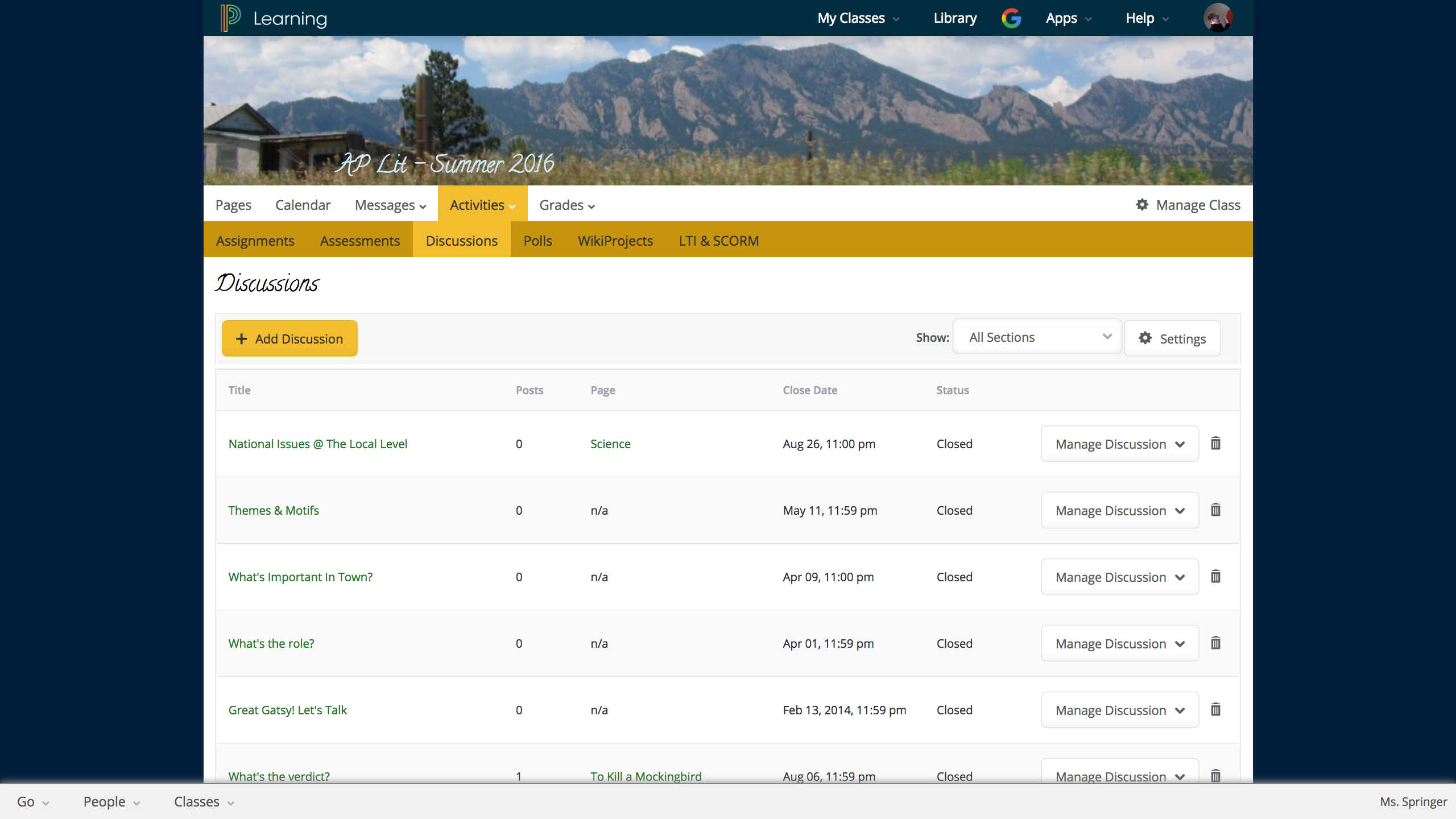
Screenshot of Discussion in LMSScreenshot of LMS student portalScreenshot of LMS student portfolio
