Dialpad Connect is a cloud communications UCaaS platform that provides users with integrated voice, video, and messaging capabilities from one unified interface.
$27
per month
Unify Office by RingCentral, from Atos
Score8 out of 10
N/A
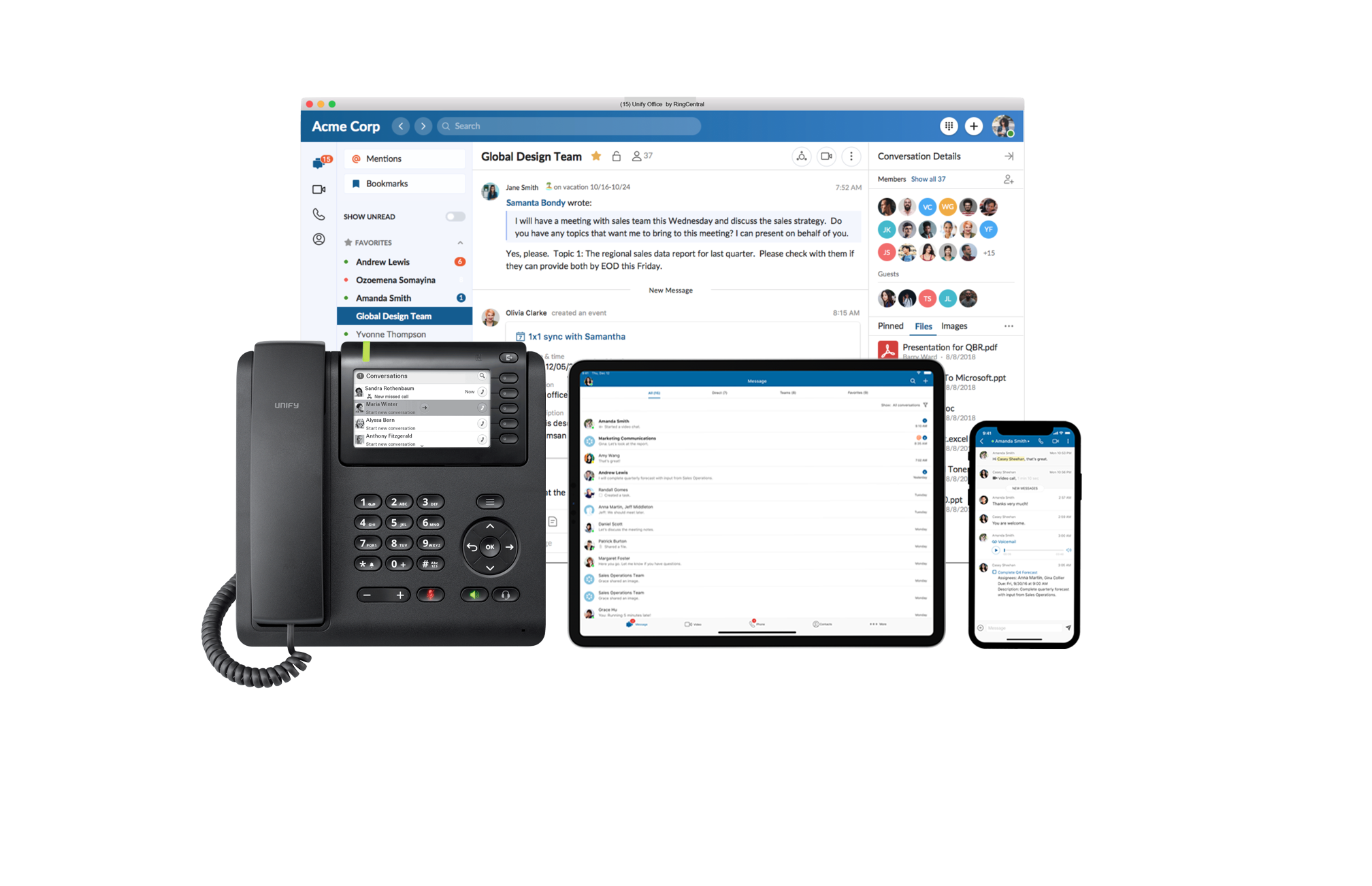
Unify Office is a cloud team collaboration and communications service delivered by Atos Unify in partnership with RingCentral, a market leader in UCaaS.
It is well-suited for basic calling functionality, but has been a poor experience for us when used for texting, as it lacks some of the features of other platforms, such as Haymarket. It is also challenging to capture good analytics, as this is neither easy nor clear for users to find.
A de minimis incentive was given to thank the reviewer for their time. The incentive was not used to bias or drive a particular response, nor was the incentive contingent on a positive endorsement. TR verified that a representative sample of customers was invited. More Info
If you are looking for a tool for Teams to use where they can keep everything together, then this will work really well. A complete package than tools such as WhatsApp or Skype for Business when it comes to documenting handling and more polished than the likes of Slack or HipChat for the team working and communication element.
A de minimis incentive was given to thank the reviewer for their time. The incentive was not used to bias or drive a particular response, nor was the incentive contingent on a positive endorsement. More Info
The mobile use of the platform is very powerful. To be able to answer a video call on your phone and them simply swipe when you get to your desktop to have a seamless transfer is impressive.
The simple interface makes it easy for new users. There is nothing to make them feel overwhelmed.
Keeping all the information in the threads of conversations makes it easy to find. There is also a search tool, so as long as you know what you need, you can look accross all your conversation to find the information you are looking for.
A de minimis incentive was given to thank the reviewer for their time. The incentive was not used to bias or drive a particular response, nor was the incentive contingent on a positive endorsement. More Info
The only example I can list for improvement is that occasionally the message has some mistranslation(s). But I can usually figure out the missing words. The 'southern USA' dialect may be partly to blame....
The functionality is really great. It is the best app I have used for messages in all of my customer service jobs.
A de minimis incentive was given to thank the reviewer for their time. The incentive was not used to bias or drive a particular response, nor was the incentive contingent on a positive endorsement. More Info
We would like to see the ability to break out to Group video conferencing systems. We understand that this is on its way in a software update in the near future.
A de minimis incentive was given to thank the reviewer for their time. The incentive was not used to bias or drive a particular response, nor was the incentive contingent on a positive endorsement. More Info
Dialpad Talk is easy to use and no one has had a problem using it. Even when we have had questions/problems we have been able to fix it ourselves without having to go to Dialpad to ask for help, which saves everyone time. We don't have any reason to cancel our use of this product and we are very happy with how it performs for our team.
A de minimis incentive was given to thank the reviewer for their time. The incentive was not used to bias or drive a particular response, nor was the incentive contingent on a positive endorsement. More Info
Dialpad Connect is good and recommended for any organization. It is a good value. It can accomplish everything that your organization is looking for, and no one will say it is outside the budget for any 50+ person organization. The AI feature is very useful. The dashboard could be a bit easier to manage, and the integration with Salesforce could be a bit smoother.
A de minimis incentive was given to thank the reviewer for their time. The incentive was not used to bias or drive a particular response, nor was the incentive contingent on a positive endorsement. TR verified that a representative sample of customers was invited. More Info
There have not been any outages that I am aware of and we have had consistently good coverage since the start. There can be a slight lag from the office to the mobile app, but it is not terribly noticeable and it has not resulted in any calls being prematurely hung up
The emails of voice transcription come very quickly after a call has been completed and except for a few fairly difficult names are pretty accurate. The ability to quickly listen to the voicemail from email without having to open the app is also a bonus. I have not noticed or heard of any slowdowns
The original date for roll-out, was unable to happen because there was an issue finding our existing phone lines to port them... The only reason I gave a 9 is [that] the original person we have been working with, Rolled out phones. Pro without telling anyone and then went on vacation, I only say this to explain that there is a gentleman that took over to help us named Brett and he was FANTASTIC! He allowed a ton of calls and answered all of them, walked us [through] settings, profile set up, and even emailed screen shares so we could help other members of our team! Thanks so much, Brett you ROCK~
A de minimis incentive was given to thank the reviewer for their time. The incentive was not used to bias or drive a particular response, nor was the incentive contingent on a positive endorsement. More Info
Simple and easy to follow, we had our branches around the country to be trained and the feedback was great. Only take if there was a desk phone training that would be great. The team provided us with video for the desk phone training
A de minimis incentive was given to thank the reviewer for their time. The incentive was not used to bias or drive a particular response, nor was the incentive contingent on a positive endorsement. More Info
Panterra is dependable and has good support. Dialpad Connect has more features and an easier interface. AT&T has a lot of features, but Dialpad Connect's interface is easier. AT&T does not do call transcription that I know of. Comcast BVE and 8x8 services are lower quality and service is not great.
A de minimis incentive was given to thank the reviewer for their time. The incentive was not used to bias or drive a particular response, nor was the incentive contingent on a positive endorsement. More Info
Each of the tools above does something well. We have found that the Unify solution simply does a better job of combining all the features of the other services. \easy to start using, while remaining a powerful tool is a tricky task to pull off, but Unify have done this and they have done it well.
A de minimis incentive was given to thank the reviewer for their time. The incentive was not used to bias or drive a particular response, nor was the incentive contingent on a positive endorsement. More Info
Overall program is of average cost. SInce I use it simply for its phone/text capabilities. I would hazard that company that needed more options, might see it differently
A de minimis incentive was given to thank the reviewer for their time. The incentive was not used to bias or drive a particular response, nor was the incentive contingent on a positive endorsement. More Info
So far, Dialpad has been a great improvement for our organization. It allows everyone to be on the same service and the integration with the mobile app means everyone is still using the "office" numbers even when on the go which makes it easier not having to balance multiple phone numbers from people
A de minimis incentive was given to thank the reviewer for their time. The incentive was not used to bias or drive a particular response, nor was the incentive contingent on a positive endorsement. More Info
A shortening of timescales as information is not stuck on an internal server somewhere - we can include it as part of the thread. This also applies to updates and revisions. You automatically know which the latest revision is, as it is the most recent in the timeline.
The relative cost of implementation is low and there is a wide range of solutions for phones and clients, from software based solutions running on desktop and smartphone or quality hardware to make your desk phone a powerful tool in itself.
A de minimis incentive was given to thank the reviewer for their time. The incentive was not used to bias or drive a particular response, nor was the incentive contingent on a positive endorsement. More Info