Devolutions Server vs. LastPass for Business

Overview
ProductRatingMost Used ByProduct SummaryStarting Price
Devolutions Server
Score 9.0 out of 10
N/A
Devolutions Server (DVLS) is a self-hosted, centralized platform designed to manage shared accounts, credentials, and privileged access for businesses of all sizes. DVLS offers high-level security with advanced encryption, role-based access controls (RBAC), session auditing, and privileged session management. Its key differentiators include integration with Remote Desktop Manager and Devolutions Hub, as well as support for custom security policies and extensive compliance reporting. By enforcing…
$499.99
per year Up to 15 Named Users, 1 Instance, 1 Domain
LastPass for Business
Score 8.4 out of 10
N/A
LastPass is a password management application to simplify access to enterprise applications for users but also increase centrality and ease of management of access for administrators with task automation, convenient and secure password sharing, and other features.
$0
Pricing
Devolutions ServerLastPass for Business
Editions & Modules
Team Edition
$499.99
per year Up to 15 Named Users, 1 Instance, 1 Domain
Enterprise Edition
1,999.99
per year Up to 50 Named Users, 1-3 Instances, 1 Domain
Platinum Edition
Contact Sales
per year No User Limitations, 4+ Instances, 2+ Domains
Free
$0.00
Premium
$3.00
per month (billed annually)
Teams
$4.00
Per User Per Month (billed annually)
Enterprise
$6.00
Per User Per Month (billed annually)
Identity
$8.00
Per User Per Month (billed annually)
Offerings
Pricing Offerings
Devolutions ServerLastPass for Business
Free Trial
YesYes
Free/Freemium Version
YesYes
Premium Consulting/Integration Services
NoNo
Entry-level Setup FeeNo setup feeOptional
Additional DetailsDevolutions Server is offered on a subscription-based model, ensuring that users receive ongoing updates and support. Pricing is based on the number of users and the specific features required, with optional add-ons for enhanced security, privileged access management, and integration capabilities.
More Pricing Information
Community Pulse
Devolutions ServerLastPass for Business
Best Alternatives
Devolutions ServerLastPass for Business
Small Businesses

No answers on this topic

RoboForm
RoboForm
Score 9.9 out of 10
Medium-sized Companies
ManageEngine ADManager Plus
Score 9.2 out of 10
Dashlane Password Manager
Score 8.9 out of 10
Enterprises
BeyondTrust Endpoint Privilege Management
Score 9.8 out of 10
KeePass
KeePass
Score 8.7 out of 10
All AlternativesView all alternativesView all alternatives
User Ratings
Devolutions ServerLastPass for Business
Likelihood to Recommend
9.8
(0 ratings)
8.7
(0 ratings)
Likelihood to Renew
10.0
(0 ratings)
10.0
(0 ratings)
Usability
-
(0 ratings)
9.9
(0 ratings)
Support Rating
-
(0 ratings)
8.5
(0 ratings)
Implementation Rating
-
(0 ratings)
10.0
(0 ratings)
Product Scalability
-
(0 ratings)
8.0
(0 ratings)
User Testimonials
Devolutions ServerLastPass for Business
Likelihood to Recommend
We love using Devolutions Server as our Privileged Access Management solution! We were able to use it initially for our Information Technology team and after that, we expanded the use to other teams outside of IT, like our Database Admins, etc. Integrating Devolutions Server with Remote Desktop Manager allows our Systems Admins & Engineers to support our environment without having to keep passwords in an Excel file or on Post-It notes! :)
Read full review
I consider the tool very effective for generating and managing strong. Very useful tool where secure sharing of credentials is necessary. You can create passowrd on your own (automatically from the tool or self created). Not so user friendly usage of the password management when using the apple app but this is just personal feedback.
Read full review
Pros
  • Multiple way to access your data
  • Easy server management
  • Of course easy and secure access/storage of your data
Read full review
  • Autofill - it auto-fills your account details (and payment cards) with just one click. Incredible timesaver.
  • Password Generator - it creates unique and secure passwords automagically, one less thing to worry about.
  • Secure Notes - it has a place to store secure notes, like insurance policies, bank accounts, driver's license numbers/images, wi-fi passwords, database/servers, software licenses, etc.
  • Payment Cards - great for adding credit cards, personal and business, that you can use to fill in for online/mobile shopping. It's easily one of the best features!
  • Two-Factor Authentication
Read full review
Cons
  • We would like to see some additional reporting options.
Read full review
  • It does not work for all platforms. some secure platforms are still managing to avoid the usage of platforms like these.
  • Sometimes we add passwords and we have to do it a few times for them to show in the selected folder.
  • I have nothing else.
Read full review
Likelihood to Renew
I think that we will stick with this service for as long as possible.
Read full review
LastPass has been a game changer for me. I keep more than 100 passwords for financial sites for my company and many of those sites will automatically log you out if you've been idle for 10 or 15 minutes. Typing and re-typing credentials is not only extremely inefficient, but it also adds the risk that you could type them incorrectly and have your account locked. LastPass fills in all my credentials automatically and helps me to generate secure passwords for new sites. I will always want this software on my machine because it makes my life so much easier.
Read full review
Usability
No answers on this topic
I login to LastPass when I turn on my computer in the morning and I use it throughout the day. I cannot express how much easier, quicker, smoother (running out of adjectives) this is than our old Excel spreadsheet. I don't bookmark pages anymore, I put them in last pass as all I have to do is search for the site name, press launch and because I have auto signin for most of the sites, I'm in and doing my business in seconds. Truly a blessing!
Read full review
Support Rating
No answers on this topic
Haven't had to directly contact support all that much (at least not me personally, I don't know that anyone else on the team has needed to) but the Help Desk options/resources and documentation available are enough to answer any questions, although for what it's worth, the contact support options are not hard to find, and aren't hidden like some sites have it. Additionally, free new user training is offered for those who want it.
Read full review
Implementation Rating
No answers on this topic
Educating users on password management and the basics of the solution is key to then have them successfully start using it themselves. Many have taken it further and now use it for personal passwords as well.
Read full review
Alternatives Considered
They don't have the same "Server" option as Devolutions, so you can only access data from the computer program.
Read full review
Since there is not a master password option for the Google Chrome passwords being saved, I do not feel as though it is as save to use. With LastPass, I can always log out of my browser login, but still continue to work in my browser without having to lot out of my Google account.
Read full review
Scalability
No answers on this topic
Access levels and the organization features in LastPass are so flexible that you can set up your structure to work for virtually any scenario. You can also prevent employees from being able to see the actual credentials, which is huge for security, especially in large companies.
Read full review
Return on Investment
  • ROI was higher when I used the password server
  • The time to set up took a while since the importing from out password vault would not work properly
  • The server worked quickly reducing our response time
Read full review
  • LastPass has been a great help with productivity and peace of mind in that we can use it to access the computers of people who are away without worrying about password security and we can do the work required without waiting for people to return.
Read full review
ScreenShots

Devolutions Server Screenshots

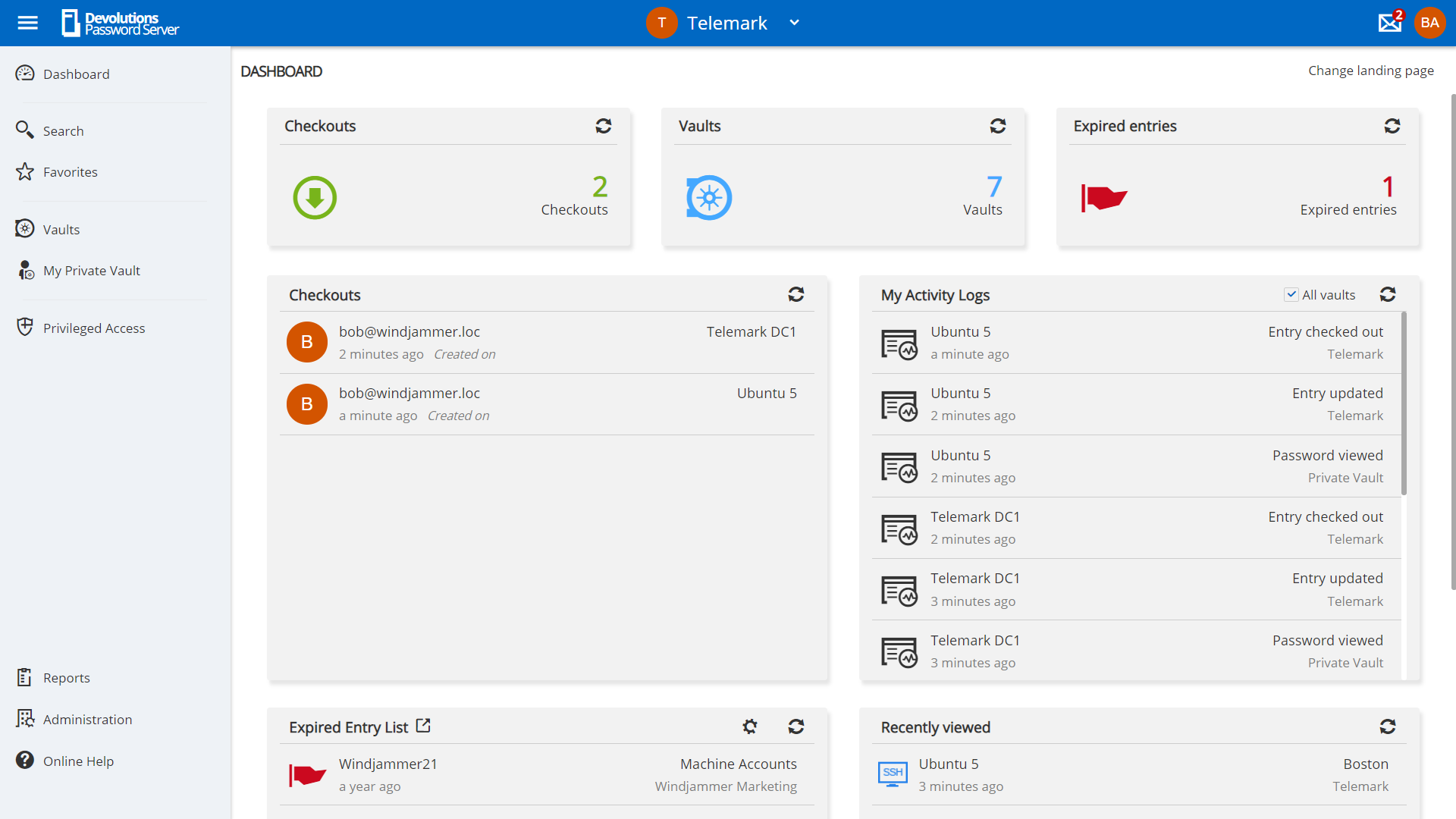
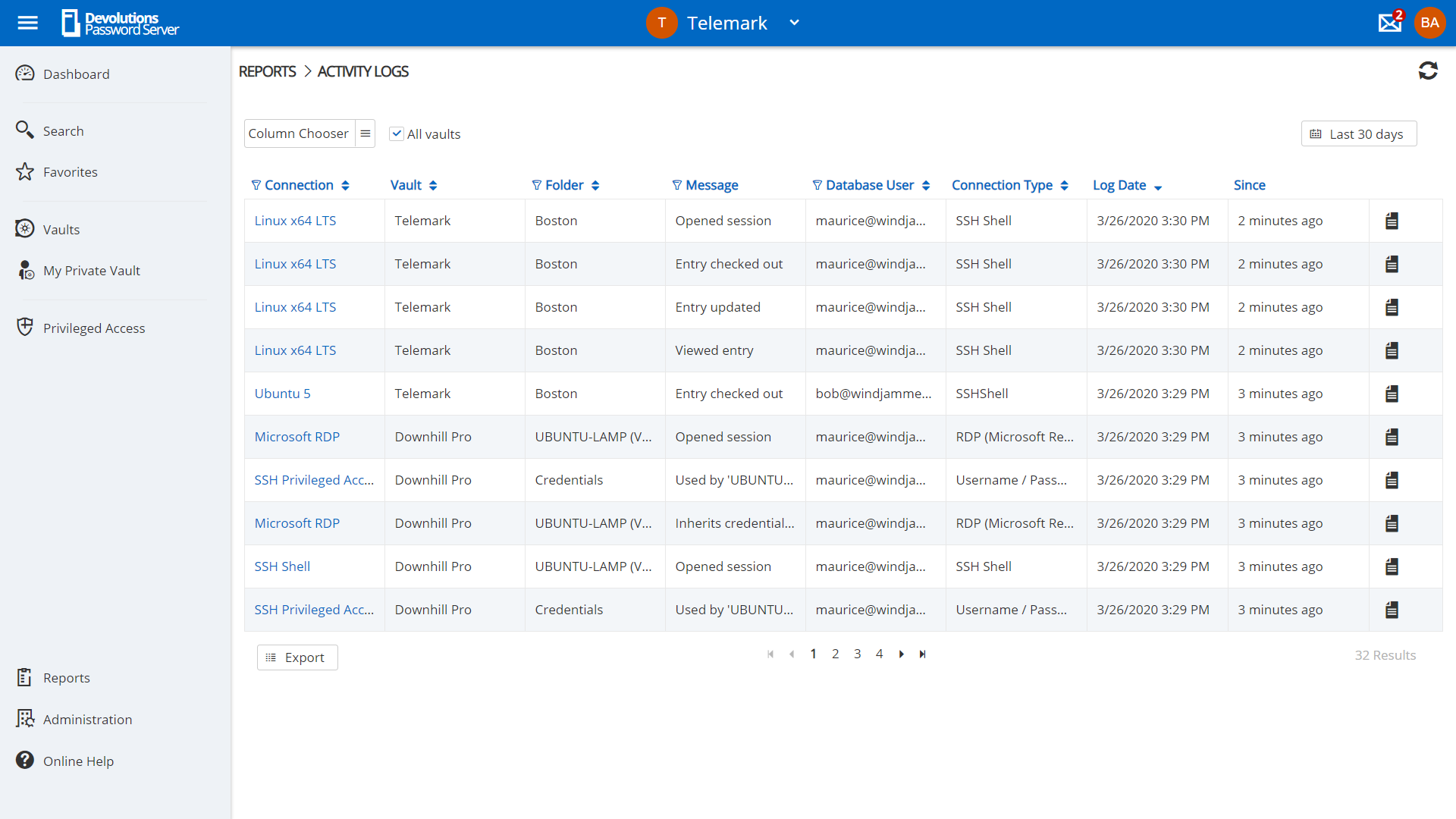
Screenshot of privilege account management in Devolutions Server.Screenshot of request management in Devolutions Server.Screenshot of Role-Based Access Control used to control access to critical assets.Screenshot of a view of account activities in the dashboard.Screenshot of an example of reporting and logging, to meet compliance needs.

LastPass for Business Screenshots

Screenshot of Admin ConsoleScreenshot of Save and AutofillScreenshot of Password GeneratorScreenshot of Password Vault