Devolutions Server vs. Keeper

Overview
ProductRatingMost Used ByProduct SummaryStarting Price
Devolutions Server
Score 9.0 out of 10
N/A
Devolutions Server (DVLS) is a self-hosted, centralized platform designed to manage shared accounts, credentials, and privileged access for businesses of all sizes. DVLS offers high-level security with advanced encryption, role-based access controls (RBAC), session auditing, and privileged session management. Its key differentiators include integration with Remote Desktop Manager and Devolutions Hub, as well as support for custom security policies and extensive compliance reporting. By enforcing…
$499.99
per year Up to 15 Named Users, 1 Instance, 1 Domain
Keeper
Score 8.8 out of 10
N/A
Keeper's password security and management platform boasts millions of people and thousands of businesses as users, who manage, secure and enforce strong passwords across all employee logins, applications and sites. Employees can access Keeper natively on all mobile operating systems, desktops and browsers. Keeper enables businesses to auto-generate high-strength passwords, protect sensitive files in an encrypted digital vault, securely share records with teams and integrate with SSO, LDAP and…
$2
per month per user
Pricing
Devolutions ServerKeeper
Editions & Modules
Team Edition
$499.99
per year Up to 15 Named Users, 1 Instance, 1 Domain
Enterprise Edition
1,999.99
per year Up to 50 Named Users, 1-3 Instances, 1 Domain
Platinum Edition
Contact Sales
per year No User Limitations, 4+ Instances, 2+ Domains
Keeper Business Starter
$2.00
per month per user
Keeper Enterprise
Contact Keeper for pricing
Offerings
Pricing Offerings
Devolutions ServerKeeper
Free Trial
YesYes
Free/Freemium Version
YesNo
Premium Consulting/Integration Services
NoNo
Entry-level Setup FeeNo setup feeNo setup fee
Additional DetailsDevolutions Server is offered on a subscription-based model, ensuring that users receive ongoing updates and support. Pricing is based on the number of users and the specific features required, with optional add-ons for enhanced security, privileged access management, and integration capabilities.
More Pricing Information
Community Pulse
Devolutions ServerKeeper
Best Alternatives
Devolutions ServerKeeper
Small Businesses

No answers on this topic

Bitwarden
Bitwarden
Score 9.4 out of 10
Medium-sized Companies
ManageEngine ADManager Plus
Score 9.2 out of 10
Bitwarden
Bitwarden
Score 9.4 out of 10
Enterprises
BeyondTrust Endpoint Privilege Management
Score 9.8 out of 10

No answers on this topic

All AlternativesView all alternativesView all alternatives
User Ratings
Devolutions ServerKeeper
Likelihood to Recommend
9.8
(0 ratings)
9.0
(0 ratings)
Likelihood to Renew
10.0
(0 ratings)
-
(0 ratings)
Usability
-
(0 ratings)
9.0
(0 ratings)
Support Rating
-
(0 ratings)
10.0
(0 ratings)
User Testimonials
Devolutions ServerKeeper
Likelihood to Recommend
We love using Devolutions Server as our Privileged Access Management solution! We were able to use it initially for our Information Technology team and after that, we expanded the use to other teams outside of IT, like our Database Admins, etc. Integrating Devolutions Server with Remote Desktop Manager allows our Systems Admins & Engineers to support our environment without having to keep passwords in an Excel file or on Post-It notes! :)
Read full review
It is great for the management of passwords across organizational departments or specific cross-functional teams. The sharing feature is well suited to this. It may get harder to administer effectively (i.e., feel like you are in control) when there are many, many groups. Also, if there are groups or departments with high staff turnover, the administration efforts may get more difficult, and the chances that someone may have access to something they shouldn't increases.
Read full review
Pros
  • Multiple way to access your data
  • Easy server management
  • Of course easy and secure access/storage of your data
Read full review
  • Easy to use - you can easily access it anywhere and anytime you want (it has mobile apps, web and desktop versions)
  • High level of security - 2-step authentication with your phone number
  • Simple to save and get passwords and login information. Keeper fills it in for you. It may create complex passwords for you
  • Syncs across all devices
Read full review
Cons
  • We would like to see some additional reporting options.
Read full review
  • It took me a while to discover I could change the settings in the Keeper app so it stays open for some minutes while I am working on my phone or tablet. Once I found the settings, it became far more efficient to use.
Read full review
Likelihood to Renew
I think that we will stick with this service for as long as possible.
Read full review
No answers on this topic
Usability
No answers on this topic
It's just easy to use, plain and simple. It has the complexity and user-interface that gives you confidence in its build but the ease-of-use that keep things from getting too complicated. A huge plus when you have to onboard new members of the team or summer interns when you need them to step in and make orders on your behalf.
Read full review
Support Rating
No answers on this topic
Because it is so good. It always works, has not crashed even in 3 years; I have a lot of data in it (never any problems).
Read full review
Alternatives Considered
They don't have the same "Server" option as Devolutions, so you can only access data from the computer program.
Read full review
I do not recall the other products I tested. I believe Keeper provided a free trial that allowed me to verify that it met my needs before I was required to purchase. I also found their support team to be responsive when I experienced some problems. The cliche, "If it ain't broke don't fix it" fits well in this case. I am able to create and use online profiles safe in the knowledge that my passwords cannot be easily hacked and my data is safe.
Read full review
Return on Investment
  • ROI was higher when I used the password server
  • The time to set up took a while since the importing from out password vault would not work properly
  • The server worked quickly reducing our response time
Read full review
  • Keeper is a great product to have, positively impacting end-users to be safer with their password while providing ease of management.
  • It will cost you $29,99 per year for unlimited devices, password storage, cloud backups, sharing and 24/7 support, which we found is quite a good bargain!
  • The Zero Knowledge feature is quite great for every enterprise since the fact that only you have your master password means that nothing can force the company to turn over your passwords, and a distraught employee can't weasel into your stored data.
Read full review
ScreenShots

Devolutions Server Screenshots

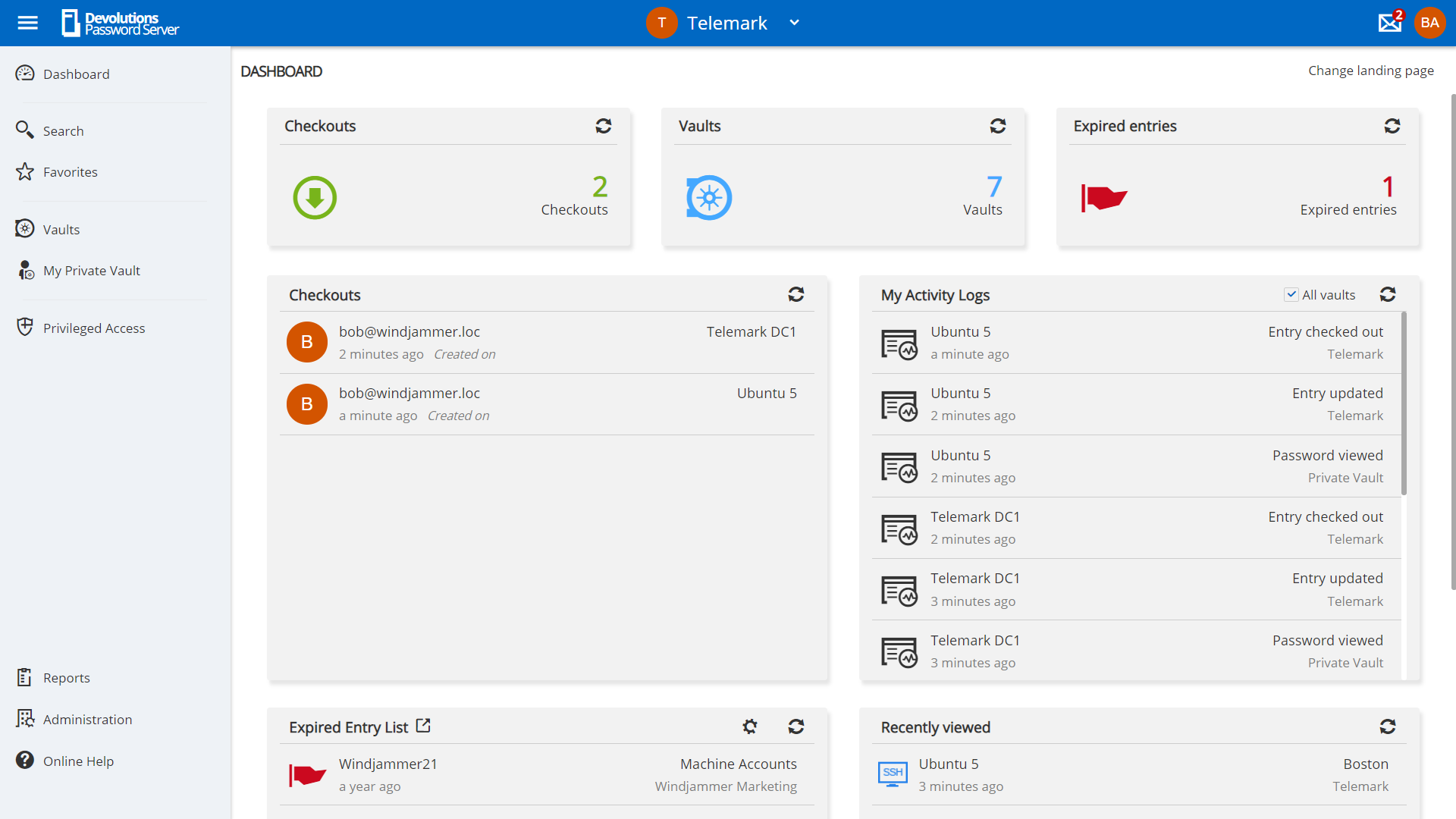
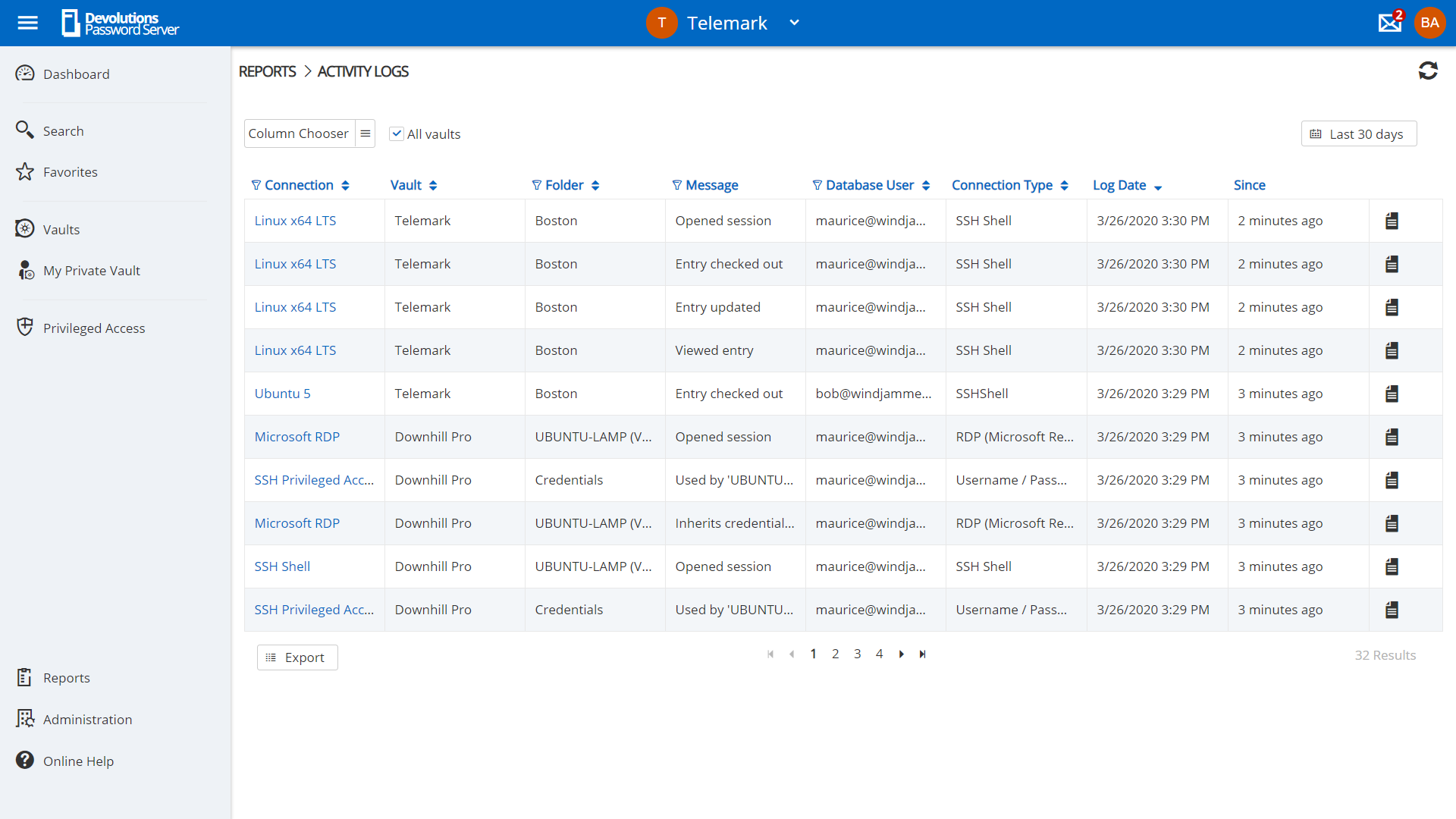
Screenshot of privilege account management in Devolutions Server.Screenshot of request management in Devolutions Server.Screenshot of Role-Based Access Control used to control access to critical assets.Screenshot of a view of account activities in the dashboard.Screenshot of an example of reporting and logging, to meet compliance needs.

Keeper Screenshots

Screenshot of Autofill Passwords in Websites & AppsScreenshot of Business & Enterprise ProtectionScreenshot of Dark Web Monitoring & AlertsScreenshot of Enhanced Two-Factor AuthenticationScreenshot of Increase Organization with SubfoldersScreenshot of Secure File & Password Sharing