Device42 vs. Lansweeper

Overview
ProductRatingMost Used ByProduct SummaryStarting Price
Device42
Score 6.5 out of 10
N/A
Device42 is a comprehensive, agentless discovery system for Hybrid IT. Device42 can continuously discover, map, and optimize infrastructure and applications across data centers and cloud, in order to provide an accurate views of the IT ecosystem. Device42 intelligently groups discovered workloads by application affinities, so as to reduce the effort required to create move groups, capturing all communications. The vendor boasts customers in more than 60 countries including Global 2000…
$1,449
1-1K IPs
Lansweeper
Score 8.5 out of 10
N/A
Lansweeper is an IT asset management solution that provides network discovery of all connected users, devices, and software within the IT estate. Lansweeper's device recognition capabilities provide complete visibility across the entire IT estate, in one centralized IT inventory. Lansweeper automatically and continuously discovers IT assets across infrastructure — servers, laptops, desktops, virtual & cloud machines, networks devices and IoT assets— in order to…
$2,868
per year Includes 2,000 assets
Pricing
Device42Lansweeper
Editions & Modules
Core 1-100 Devices
$1,449
1-1K IPs
Core 101-500 Devices
$2,999
1K-5K IPs
Core 501-1000 Devices
$4,999
5K-10K IPs
Core 1001-2500 Devices
$9,999
10K-25K IPs
Core 2500+ Devices
Request Quote
25K+ IPs
Starter
$2868
per year Includes 2,000 assets
Pro
$5268
per year Includes 2,000 assets
Enterprise
Contact Sales
Starts at 10,000 Assets
Offerings
Pricing Offerings
Device42Lansweeper
Free Trial
YesYes
Free/Freemium Version
NoYes
Premium Consulting/Integration Services
NoNo
Entry-level Setup FeeNo setup feeNo setup fee
Additional DetailsPricing for each customer requesting a SaaS installation/deployment is negotiated on a case by case basis, and depends on many factors
More Pricing Information
Community Pulse
Device42Lansweeper
Features
Device42Lansweeper
IT Asset Management
Comparison of IT Asset Management features of Product A and Product B
Device42
-
Ratings
Lansweeper
8.0
Ratings
2% above category average
Software and hardware inventory tracking00 Ratings8.00 Ratings
License management00 Ratings8.00 Ratings
Asset lifecycle monitoring00 Ratings8.00 Ratings
Asset relationship management00 Ratings8.00 Ratings
Best Alternatives
Device42Lansweeper
Small Businesses

No answers on this topic

Atera
Atera
Score 8.7 out of 10
Medium-sized Companies
Microsoft System Center
Score 9.0 out of 10
KACE Systems Management Appliance
Score 10.0 out of 10
Enterprises
Microsoft System Center
Score 9.0 out of 10
KACE Systems Management Appliance
Score 10.0 out of 10
All AlternativesView all alternativesView all alternatives
User Ratings
Device42Lansweeper
Likelihood to Recommend
9.7
(0 ratings)
8.0
(0 ratings)
Likelihood to Renew
-
(0 ratings)
10.0
(0 ratings)
Support Rating
-
(0 ratings)
9.9
(0 ratings)
User Testimonials
Device42Lansweeper
Likelihood to Recommend
Device42 is very easy to use, configure and install on multiple devices without experiencing any technical or difficulty errors. Simple and effective User Interface that is very attractive and easy to navigate in search of any asset management data. like it offers variety of licensing models from which we can choose what we want.
Read full review
Because of its slowdown as we have acquired more equipment, I think LANSweeper may be better suited for smaller environments. We have 3000+ users and over 1500 devices on our WAN. It has shown considerable performance issues as we have grown. Maybe moving it to a full blown SQL instance will make things a bit better. But as it stands, it has gotten tiresome waiting for it to update and refresh.
Read full review
Pros
  • Device42 can discover physical and virtual servers as well as your network devices
  • Device42 can give resource utilization details like CPU, Memory and Storage
  • Device42 can give dependency mapping
  • Device42 can give inbound and outbound communication details
  • Device42 can create Affinity Groups (Move Groups)
  • Device42 can recommend the Cloud platform to which you can migrate your infrastructure.
Read full review
  • Lansweeper is grabbing lots of data from the machines without slowing the network and the client machines. We can easily get all the installed software data, hardware and linked hardware and all the user you can grab from the AD (computer and user).
  • Lansweeper can now scan Windows, Mac and Linux with an agent installed (or not if you want that the server is the one pulling the data).
  • The web interface is really friendly user and offers lots of possibilities to personalize your dashboard as you see fit.
  • Reports engine is really powerful and easy to monitor your machines and also your security issues.
Read full review
Cons
  • UI/UX is not up to the standards.
  • Can't mass update everything.
  • No export option for the sub components that have changed linked to the device they are assigned to
  • Plugins options are limited
  • Sometimes randomly times out my login forcing me to log in again.
Read full review
  • Ease of use - pushing software can be a complicated process.
  • Detecting assets sometimes means going to each machine on opening ports on the firewall.
  • Reporting can be hard to figure out but you can ask on their forum. I find that a lot of my questions already have been asked.
Read full review
Likelihood to Renew
No answers on this topic
The price to function scale is so far towards function it would be stupid to get rid of it
Read full review
Support Rating
No answers on this topic
Lansweeper offers a variety of customer support options (including KBs for self-serve and get in touch with them via email), and most importantly, it's a matter of dialing within their allotted supporting time frames. However, I always make sure to provide the following information:
- Screenshots of the issue (if available).
- Program Files (x86)/Lansweeper/Service/Errorlog.txt, as present on your Lansweeper server.
- If it exists, the error log present in Program Files (x86)/Lansweeper/Website/App_Data.
Read full review
Alternatives Considered
When we compare both Nlyte & Device42. The below are the advantages of Device42 which helped us to choose it. 1. Support is very much good in Device42. 2. It has lots of advanced features CMDB, DCIM, ITAM, IPAM etc. 3. It helps in documenting unlike manual & tedious process. 4. It helps us to remove the spreadsheet method for tracking with advanced reporting
Read full review
Lansweeper is DRAMATICALLY cheaper than KACE and provides the same level of reporting and inventory of asset data. Where KACE outshines Lansweeper, is Lansweeper has a very minimal software deployment system that requires clients to have direct access to a common file share. KACE allows you to upload files directly into it's environment, and assets can download over HTTPS those files for installation anywhere. Spiceworks was a great inventory and helpdesk system for free - but the product I feel has gone stale and not nearly as powerful as it use to be - for that reason Lansweeper appears to have taken up the charge and utilized a lot of Spiceworks was going for
Read full review
Return on Investment
  • We use it for the mass updates. Because of which we save lots of time
  • It helps in making everything documented
  • With this system you can get any information about the location of the device, connected cables, additional information and statuses.
  • Inventory Management
Read full review
  • I would consider that ROI has been achieved - it wasn't expensive. However, Spiceworks could have done the same for free.
  • Too much manual intervention. Not strong beyond basic Microsoft products so we had to keep an eye on everything.
  • Great sniffer of hardware on the network including switches, routers, printers.
  • Lack of features that are essential for enterprise ITAM.
Read full review
ScreenShots

Device42 Screenshots

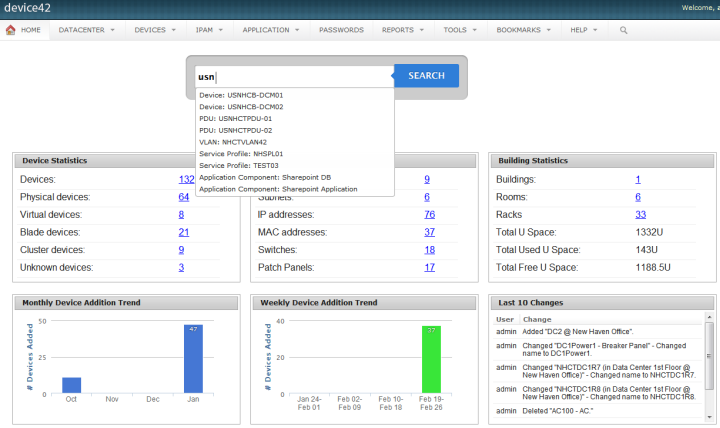
Screenshot of Drag and drop room layoutsScreenshot of Super easy search

Lansweeper Screenshots

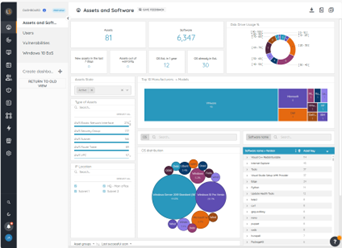
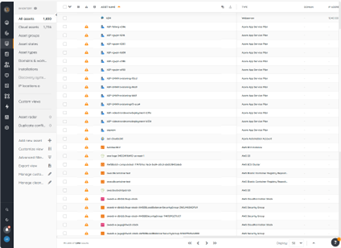
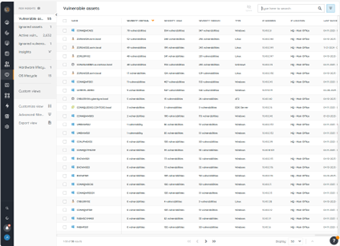
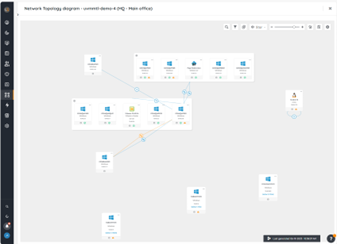
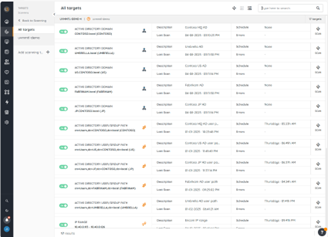
Screenshot of the Lansweeper BI Dashboard, where users can refine data using advanced filters, and stay informed with email alerts for key metrics, and dive deep into analytics with included exploration tools. Data can also be exported.Screenshot of the Inventory, which is the centralized hub for all discovered assets in an environment. Here, users can navigate through assets, perform actions like rescanning, editing, or deleting assets, and manage relationships between them. Default groups, sorting options, and tailored views can be used to locate and organize specific assets of interest.Screenshot of Lansweeper’s Risk insights for vulnerability data tied to assets. This helps to create visibility into assets with known vulnerabilities to assess severity levels and enhance triage and incident response efforts.Screenshot of Lansweeper’s diagrams, used to explore interconnected views of a network and virtual topologies, powered by inventory data within Lansweeper Site. The visual representations can be exported and shared to enhance cross-team understanding and collaboration.Screenshot of Lansweeper’s Scanning, which provides comprehensive infrastructure discovery. This can be used to discover every IT, OT, IoT, cloud, and mobile asset in an environment along with details that include hardware, software, users, and configuration.