Devart Excel Add-ins vs. IBM InfoSphere Information Server

Overview
ProductRatingMost Used ByProduct SummaryStarting Price
Devart Excel Add-ins
Score 9.0 out of 10
N/A
Devart Excel Add-ins allow you to use Excel capabilities to import, process, and analyze data from cloud applications and relational databases. The Excel Add-ins also allow users to make data changes and then save those changes back to the data source they were originally imported from.
$399.95
one-time fee
IBM InfoSphere Information Server
Score 8.0 out of 10
N/A
IBM InfoSphere Information Server is a data integration platform used to understand, cleanse, monitor and transform data. The offerings provide massively parallel processing (MPP) capabilities.N/A
Pricing
Devart Excel Add-insIBM InfoSphere Information Server
Editions & Modules
Excel Add-in Database Pack
$399.95
one-time fee
Excel Add-in Cloud Pack
$499.95
one-time fee
Excel Add-in Universal Pack
$599.95
one-time fee
No answers on this topic
Offerings
Pricing Offerings
Devart Excel Add-insIBM InfoSphere Information Server
Free Trial
YesNo
Free/Freemium Version
NoNo
Premium Consulting/Integration Services
NoNo
Entry-level Setup FeeNo setup feeNo setup fee
Additional DetailsPurchases include a perpetual license and 1 year of subscription which includes the product updates and premium support.
More Pricing Information
Community Pulse
Devart Excel Add-insIBM InfoSphere Information Server
Features
Devart Excel Add-insIBM InfoSphere Information Server
Data Source Connection
Comparison of Data Source Connection features of Product A and Product B
Devart Excel Add-ins
-
Ratings
IBM InfoSphere Information Server
10.0
Ratings
18% above category average
Connect to traditional data sources00 Ratings10.00 Ratings
Connecto to Big Data and NoSQL00 Ratings10.00 Ratings
Data Transformations
Comparison of Data Transformations features of Product A and Product B
Devart Excel Add-ins
-
Ratings
IBM InfoSphere Information Server
10.0
Ratings
20% above category average
Simple transformations00 Ratings10.00 Ratings
Complex transformations00 Ratings10.00 Ratings
Data Modeling
Comparison of Data Modeling features of Product A and Product B
Devart Excel Add-ins
-
Ratings
IBM InfoSphere Information Server
9.7
Ratings
20% above category average
Data model creation00 Ratings10.00 Ratings
Metadata management00 Ratings10.00 Ratings
Business rules and workflow00 Ratings10.00 Ratings
Collaboration00 Ratings10.00 Ratings
Testing and debugging00 Ratings9.00 Ratings
Data Governance
Comparison of Data Governance features of Product A and Product B
Devart Excel Add-ins
-
Ratings
IBM InfoSphere Information Server
9.5
Ratings
16% above category average
Integration with data quality tools00 Ratings10.00 Ratings
Integration with MDM tools00 Ratings9.00 Ratings
Best Alternatives
Devart Excel Add-insIBM InfoSphere Information Server
Small Businesses
Skyvia
Skyvia
Score 9.9 out of 10
Skyvia
Skyvia
Score 9.9 out of 10
Medium-sized Companies
IBM InfoSphere Information Server
Score 8.0 out of 10
dbt
dbt
Score 9.0 out of 10
Enterprises
IBM InfoSphere Information Server
Score 8.0 out of 10
InterSystems IRIS
InterSystems IRIS
Score 7.7 out of 10
All AlternativesView all alternativesView all alternatives
User Ratings
Devart Excel Add-insIBM InfoSphere Information Server
Likelihood to Recommend
8.0
(0 ratings)
10.0
(0 ratings)
Likelihood to Renew
-
(0 ratings)
8.0
(0 ratings)
User Testimonials
Devart Excel Add-insIBM InfoSphere Information Server
Likelihood to Recommend
One of the biggest benefits of Excel is its primary function: The ability to organize large amounts of data into orderly, logical spreadsheets and charts. With the data organized, it's a lot easier to analyze and digest, especially when used to create graphs and other visual data representations. Excel crunches numbers almost instantly, making batch calculations much easier than working things out yourself with a calculator. Depending on your understanding and skill with Excel, the formulas and equations are used to quickly compute both simple and complex equations using large amounts of data.
Read full review
You can use infosphere: -If you have multiple targets and source systems and they are different than each other. -If your infostructure is so big and unplaned well so you can't find what you want to see. -If your databases not so strong to process your data
Read full review
Pros
  • Devart Excel Add-in supports connectivity with various databases - which really helps to customize and massage data.
  • Since data is available in cloud, it is easily accessible everywhere.
  • It can also be integrated with SSIS components making it possible to resolve complex problems.
Read full review
  • It is very strong to make transformations/data derivations
  • It is very easy to connect to various external data sources. It has an interface (stages) for each connection that simplifies the task
  • It is a stable platform. And that parallelism helps make it fast for loading, if the process is well designed
Read full review
Cons
  • The data pump feature breaks sometimes
  • The profile usage monitoring is slow
  • The event profiler is delayed
Read full review
  • Lack of a strong web development environment.
  • Metadata propagation in Jobs is somewhat complex.
  • The possibility to develop jobs in Parallel and/or Server Engines is confusing.
Read full review
Likelihood to Renew
No answers on this topic
  • Scale of implementation
  • IBM techsupport
Read full review
Alternatives Considered
Microsoft Excel is the most used tool in the software universe. As such, asking Microsoft Excel to be the tool used post data acquisition makes a ton of sense. Almost everyone we hire has some idea on how to use this tool, which decreases the time spend training new employees.
Read full review
I particularly believe that Information Server, especially DataStage, is superior in many aspects to the Oracle Data Integrator tool. Several market analysts such as Gartner and / or Forrester better position DataStage on the Oracle solution.
Read full review
Return on Investment
  • The data compare option saves our dev team a lot of time
  • The documenter feature is nice to use for explaining table definitions
  • The event profiler is great for usage metrics
Read full review
  • Information Server can positively impact the costs of companies by increasing the productivity of development and therefore reduce their time and costs. It is estimated that DataStage can increase a developer's productivity by 40% on average.
  • Better data governance
  • Improve data quality and reduce bad data impacts
Read full review
ScreenShots

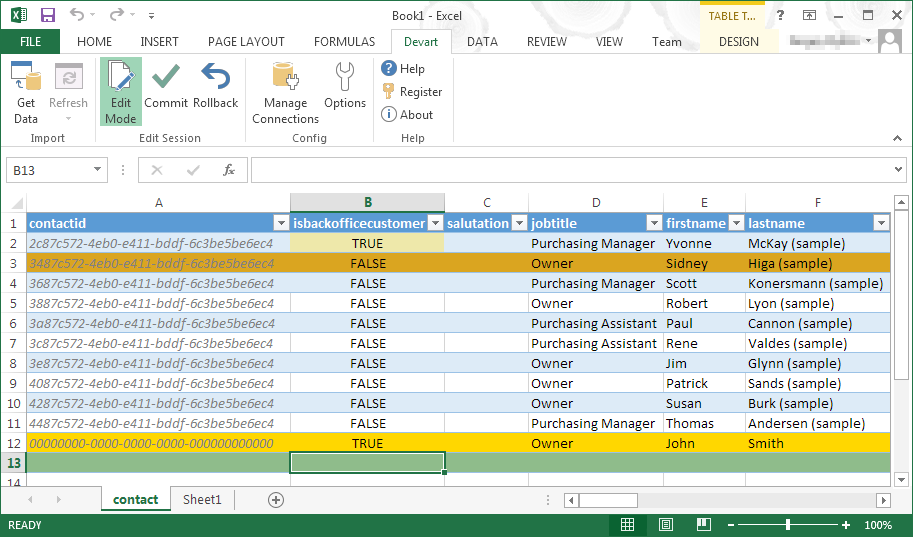
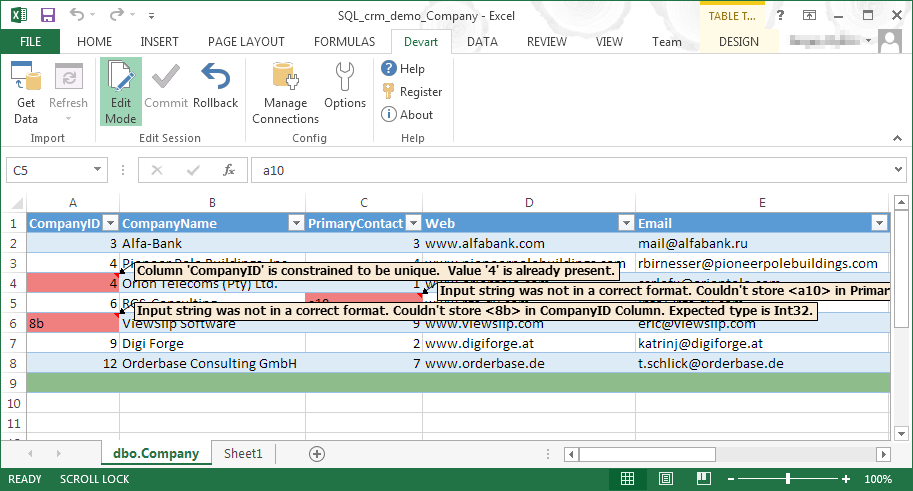
Devart Excel Add-ins Screenshots

Screenshot of Screenshot of Screenshot of Screenshot of