Demodesk vs. Pipeliner CRM

Overview
ProductRatingMost Used ByProduct SummaryStarting Price
Demodesk
Score 10.0 out of 10
N/A
Demodesk is designed to provide in-call assistance, meeting insights, and automated scheduling to help sales development representatives manage prospects and close deals.N/A
Pipeliner CRM
Score 8.7 out of 10
Mid-Size Companies (51-1,000 employees)
Pipeliner CRM is a sales enablement tool focusing on pipeline management, sales processes, and analytics designed to empower sales professionals. Pipeliner CRM provides a visual sales process, profiles, and charts, all of which aim to help users take the right actions with their buyers and even helps identify key contacts within an organization. Pipeliner CRM Cloud is the latest addition to a product line that already includes Pipeliner CRM Hybrid, an…
$65
Pricing
DemodeskPipeliner CRM
Editions & Modules
No answers on this topic
STARTER - Basic sales management, tracking and collaboration
$65.00 per user per month
STARTER - Basic sales management, tracking and collaboration
$65 per user per month
BUSINESS - Full CRM functionality, customization and unique productivity features.
$85 per user per month
BUSINESS - Full CRM functionality, customization and unique productivity features.
$85 per user per month
ENTERPRISE - Full CRM functionality with advanced reporting, customization and services.
$115 per user per month
ENTERPRISE - Full CRM functionality with advanced reporting, customization and services.
$115 per user per month
UNLIMITED - Full CRM functionality with advanced reporting, customization and services.
$150 per user per month
UNLIMITED - Advanced CRM functionality including advanced features
$150 per user per month
Offerings
Pricing Offerings
DemodeskPipeliner CRM
Free Trial
NoYes
Free/Freemium Version
NoYes
Premium Consulting/Integration Services
NoNo
Entry-level Setup FeeNo setup feeNo setup fee
Additional Details
More Pricing Information
Community Pulse
DemodeskPipeliner CRM
Features
DemodeskPipeliner CRM
Sales Force Automation
Comparison of Sales Force Automation features of Product A and Product B
Demodesk
-
Ratings
Pipeliner CRM
9.0
Ratings
15% above category average
Customer data management / contact management00 Ratings8.10 Ratings
Workflow management00 Ratings8.90 Ratings
Territory management00 Ratings8.90 Ratings
Opportunity management00 Ratings9.00 Ratings
Integration with email client (e.g., Outlook or Gmail)00 Ratings9.70 Ratings
Contract management00 Ratings8.80 Ratings
Quote & order management00 Ratings9.60 Ratings
Interaction tracking00 Ratings8.90 Ratings
Channel / partner relationship management00 Ratings9.00 Ratings
Customer Service & Support
Comparison of Customer Service & Support features of Product A and Product B
Demodesk
-
Ratings
Pipeliner CRM
9.3
Ratings
21% above category average
Case management00 Ratings9.10 Ratings
Call center management00 Ratings9.10 Ratings
Help desk management00 Ratings9.60 Ratings
Marketing Automation
Comparison of Marketing Automation features of Product A and Product B
Demodesk
-
Ratings
Pipeliner CRM
8.6
Ratings
13% above category average
Lead management00 Ratings8.90 Ratings
Email marketing00 Ratings8.20 Ratings
CRM Project Management
Comparison of CRM Project Management features of Product A and Product B
Demodesk
-
Ratings
Pipeliner CRM
8.8
Ratings
15% above category average
Task management00 Ratings8.30 Ratings
Billing and invoicing management00 Ratings9.10 Ratings
Reporting00 Ratings9.00 Ratings
CRM Reporting & Analytics
Comparison of CRM Reporting & Analytics features of Product A and Product B
Demodesk
-
Ratings
Pipeliner CRM
8.3
Ratings
9% above category average
Forecasting00 Ratings9.00 Ratings
Pipeline visualization00 Ratings8.30 Ratings
Customizable reports00 Ratings7.50 Ratings
Customization
Comparison of Customization features of Product A and Product B
Demodesk
-
Ratings
Pipeliner CRM
8.3
Ratings
10% above category average
Custom fields00 Ratings8.20 Ratings
Custom objects00 Ratings8.00 Ratings
Scripting environment00 Ratings9.10 Ratings
API for custom integration00 Ratings8.10 Ratings
Security
Comparison of Security features of Product A and Product B
Demodesk
-
Ratings
Pipeliner CRM
8.2
Ratings
1% below category average
Single sign-on capability00 Ratings8.30 Ratings
Role-based user permissions00 Ratings8.20 Ratings
Social CRM
Comparison of Social CRM features of Product A and Product B
Demodesk
-
Ratings
Pipeliner CRM
8.4
Ratings
13% above category average
Social data00 Ratings8.00 Ratings
Social engagement00 Ratings8.70 Ratings
Integrations with 3rd-party Software
Comparison of Integrations with 3rd-party Software features of Product A and Product B
Demodesk
-
Ratings
Pipeliner CRM
8.5
Ratings
15% above category average
Marketing automation00 Ratings7.90 Ratings
Compensation management00 Ratings9.10 Ratings
Platform
Comparison of Platform features of Product A and Product B
Demodesk
-
Ratings
Pipeliner CRM
8.2
Ratings
11% above category average
Mobile access00 Ratings8.20 Ratings
Best Alternatives
DemodeskPipeliner CRM
Small Businesses
Lead411
Lead411
Score 9.1 out of 10
Salesmate
Salesmate
Score 10.0 out of 10
Medium-sized Companies
Paperflite
Paperflite
Score 9.3 out of 10
Creatio
Creatio
Score 9.7 out of 10
Enterprises
Paperflite
Paperflite
Score 9.3 out of 10
Creatio
Creatio
Score 9.7 out of 10
All AlternativesView all alternativesView all alternatives
User Ratings
DemodeskPipeliner CRM
Likelihood to Recommend
8.0
(0 ratings)
9.0
(0 ratings)
Likelihood to Renew
-
(0 ratings)
9.1
(0 ratings)
Usability
-
(0 ratings)
9.7
(0 ratings)
Support Rating
-
(0 ratings)
8.9
(0 ratings)
User Testimonials
DemodeskPipeliner CRM
Likelihood to Recommend
Demodesk has the ability to have all meeting attendees work on the same screen without downloading anything. For us, it really increased potential customer's engagement/sense of participation, because now they can play with the software themselves instead of us showing them how it works, and they can try with a real use case instead of mock data we made.
Read full review
Pipeliner CRM is amazingly flexible to your business model. For example, in addition to tracking movement of leads through your sales pipeline, Pipeliner CRM can be used to track internal processes, like RFQ and RFPs through your organization. It's highly adaptable across your organization.
Read full review
Pros
  • Allows attendees to work on the same screen without downloading anything.
  • No downloads or lags in the software.
  • Clean interface.
  • Ability to record sessions.
  • Interactive screen-sharing.
Read full review
  • Clear and easy visualisation of Sales Process
  • Great capability in reporting both in-app with 'filter' and reporting module built-in is easy to use
  • Reporting into pivot table is also easy and very useful
  • Mobile app has always been very good and easy to use since 2015
Read full review
Cons
  • Interface
  • Aesthetics
  • Pricing Model
Read full review
  • Pipeliner CRM needs to create a video chat room where you can see exactly where your employee is working in the field.
  • Pipeliner CRM needs to integrate a command where a user can use his voice to command what he wants.
Read full review
Likelihood to Renew
No answers on this topic
Currently the company is using the Pipeliner CRM because we believe it is a tool that puts the customer as the main focus of business processes in order to understand and anticipate their needs, and then serve them in the best way.
Read full review
Usability
No answers on this topic
I gave that rating level because it reflects both my satisfaction and expectations about PipelinerCRM.Plus, the adoption rate of this software. I mean the usability rate is very low. It just takes, for learning, a couple of hours less than three days roughly. Return on time investment is low also.
Read full review
Support Rating
No answers on this topic
The support from Pipeliner CRM is superb; they have instant customer support and they are on time. They also give enough knowledge of sales and other material for the knowledge. They also have AI in the support by talking with customer support directly from the web or app and so on.
Read full review
Alternatives Considered
Before we had just used our standard video conferencing platforms and used screen share, Demodesk is a much smoother process, as there seem to be fewer issues in setting up the meeting and sharing content and information with prospects, and it is much more visually appealing. It is quite the step up from standard video conferencing.
Read full review
I will always select Pipeliner CRM because it is very flexible, easy to work with, data capturing is at its best, its integration to other major software’s and it aids in the monitoring of the core work process. One distinctive feature is it is very easy to learn without extensive training.
Read full review
Return on Investment
  • Increased potential customer's engagement/sense of participation.
  • Assist in streamlining processes.
  • Webbased screen sharing without any download efforts on the lead/customer side which makes it a simple and pleasant interaction.
Read full review
  • As a VisualCRM tool, our clients sales teams seem to accelerate their deal closes.
  • The visual tools allow those "no good deals" to be spotted and resource usage limited.
  • A great tool to manage those "pipelines" within the company. A pipe is really a series of actions that constitute a planned result.
Read full review
ScreenShots

Pipeliner CRM Screenshots

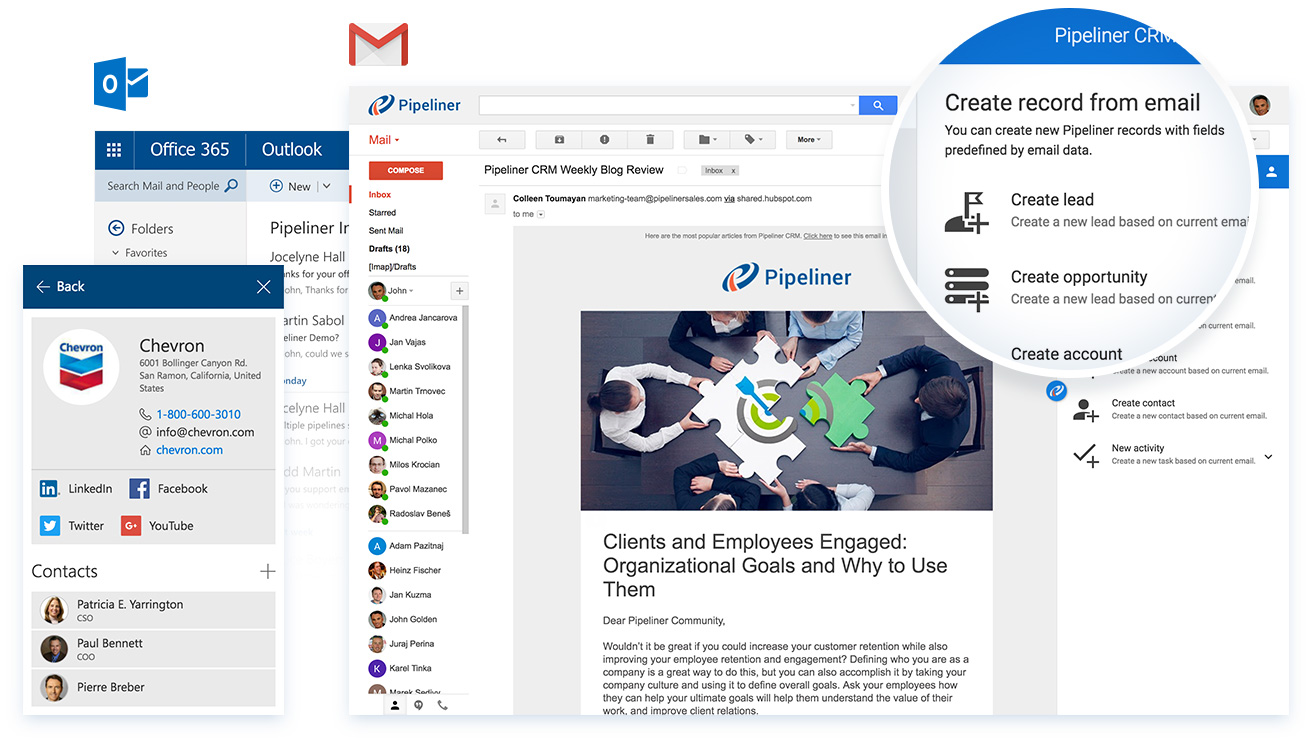
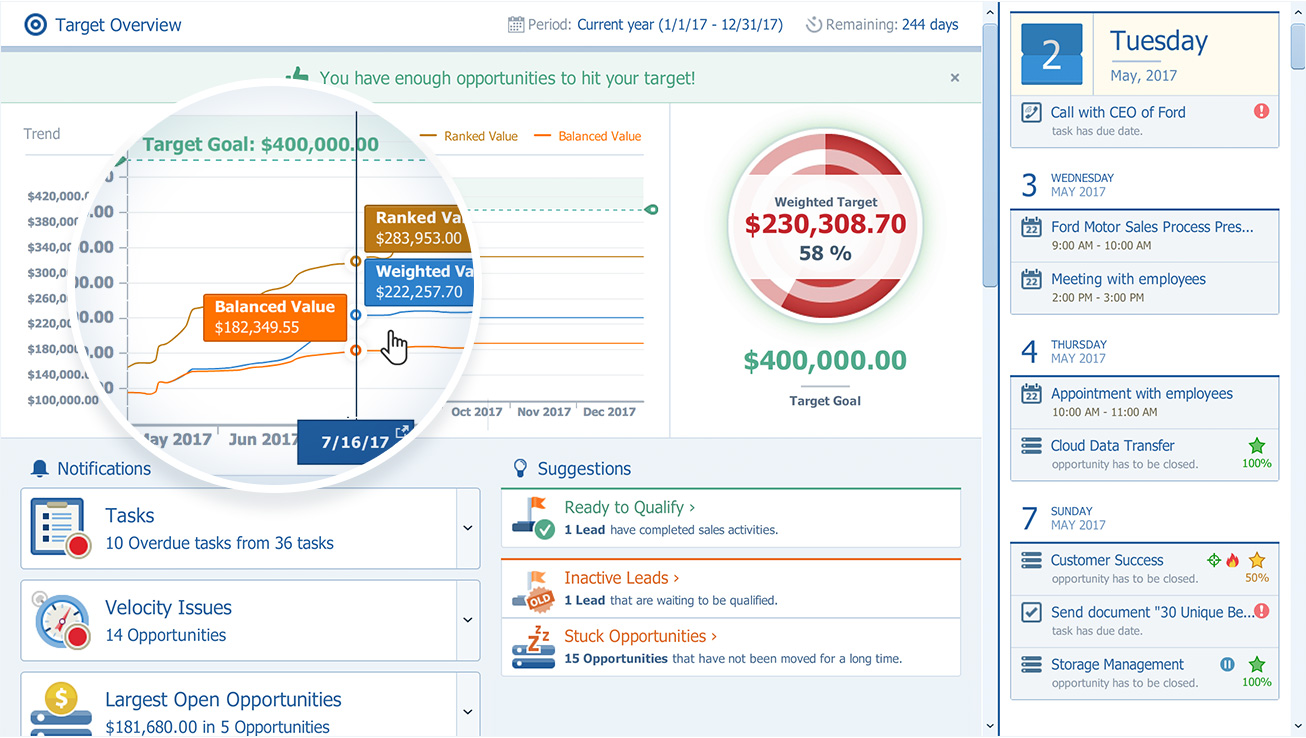
Screenshot of Pipeliner CRM — A sales enablement tool focused  on pipeline management, sales process & analytics.Screenshot of Can be used with email such as MS Outlook, gmailScreenshot of The pipeline view, to review and forecast sales, manage revenue risk, collaborate with a sales teamScreenshot of Pipeliner CRM opportunity viewScreenshot of Analytics: analyse win/loss rates, review sales person/team/territory performance, set key sales metrics & goals, leading & lagging indicatorsScreenshot of Visual Sales Tool: designed to cut through the noise, focuses on high value activities, everything in one place (no need for multiple tools)