Dell Avamar vs. Mirror Backup

Overview
ProductRatingMost Used ByProduct SummaryStarting Price
Dell Avamar
Score 7.0 out of 10
N/A
Dell Avamar is a hardware and software data backup and deduplication product. It provides protection and recovery through a complete software and hardware solution when paired with Dell Data Domain for virtual environments, remote offices, enterprise apps, NAS servers, and desktops/laptops.N/A
Mirror Backup
Score 6.0 out of 10
N/A
Mirror Backup protects users from data loss by continuously monitoring files and folders, and backing them up to the cloud, a network share, or local drive when they change. It does this in a background service that does not require a user to be logged in - presented as ideal for company servers. It can also keep incremental backups, for when users want a history of each file's changes. The vendor states this design is more desirable than whole-disk backups for some situations. And if the…N/A
Pricing
Dell AvamarMirror Backup
Editions & Modules
No answers on this topic
Offerings
Pricing Offerings
Dell AvamarMirror Backup
Free Trial
NoYes
Free/Freemium Version
NoNo
Premium Consulting/Integration Services
NoNo
Entry-level Setup FeeOptionalOptional
Additional Details24/7 file protection is available for as little as $0.80 per month. This rate is for a yearly subscription of 30+ seats. The most expensive option, 1 seat/monthly, is $3 per month. Mirror Backup will work with any existing cloud, or local storage can be used.
More Pricing Information
Community Pulse
Dell AvamarMirror Backup
Features
Dell AvamarMirror Backup
Data Center Backup
Comparison of Data Center Backup features of Product A and Product B
Dell Avamar
7.8
Ratings
9% below category average
Mirror Backup
-
Ratings
Universal recovery8.50 Ratings00 Ratings
Instant recovery8.60 Ratings00 Ratings
Recovery verification9.40 Ratings00 Ratings
Business application protection8.60 Ratings00 Ratings
Multiple backup destinations6.00 Ratings00 Ratings
Incremental backup identification9.40 Ratings00 Ratings
Backup to the cloud3.60 Ratings00 Ratings
Deduplication and file compression8.60 Ratings00 Ratings
Snapshots8.60 Ratings00 Ratings
Flexible deployment7.70 Ratings00 Ratings
Management dashboard8.40 Ratings00 Ratings
Platform support4.70 Ratings00 Ratings
Retention options8.60 Ratings00 Ratings
Encryption8.60 Ratings00 Ratings
Best Alternatives
Dell AvamarMirror Backup
Small Businesses
Cove Data Protection
Score 9.9 out of 10
Cove Data Protection
Score 9.9 out of 10
Medium-sized Companies
Bacula Enterprise
Bacula Enterprise
Score 9.2 out of 10
Bacula Enterprise
Bacula Enterprise
Score 9.2 out of 10
Enterprises
Bacula Enterprise
Bacula Enterprise
Score 9.2 out of 10
Bacula Enterprise
Bacula Enterprise
Score 9.2 out of 10
All AlternativesView all alternativesView all alternatives
User Ratings
Dell AvamarMirror Backup
Likelihood to Recommend
8.4
(0 ratings)
-
(0 ratings)
Likelihood to Renew
9.5
(0 ratings)
-
(0 ratings)
Usability
8.0
(0 ratings)
-
(0 ratings)
Support Rating
8.8
(0 ratings)
-
(0 ratings)
User Testimonials
Dell AvamarMirror Backup
Likelihood to Recommend
It's well suited when you are looking for something to keep your on-premise environment safe and you don't want to spend a lot of time doing the setup. It's easy to scale and a very reliable solution. I think it is not a really nice solution in terms of pricing, so the challenge here is to check if the value [is] worth it.
Read full review
No answers on this topic
Pros
  • New and improved interface no longer requires separate program to run on a management server.
  • The avamar interacts with the data domain device to allow for cloud storage.
  • The Avamar AVE footprint is much easier to install and use, given the new GUI.
Read full review
No answers on this topic
Cons
  • The technology is stagnant. It's had the same basic interface and feature set over all of the years we used it.
  • A clunky java based management GUI.
  • It only supports RedHat for the management console under Linux.
  • Meta-data continues to grow even when backup sets do not cause nodes to fill, requiring professional services to clean it up.
  • Fork-lift upgrades.
  • It requires a lot of care and feeding with a lot of time on the phone with support.
Read full review
No answers on this topic
Likelihood to Renew
I have been using the product for over five years. This has performed so well that with the current system reaching its End-of-Life with EMC next year, I have proposed replacing it with the latest version of the product. Now that it integrates with Data Domain, the cost has been greatly reduced. Instead of the need to purchase many nodes, one Data Domain can replace them creating a significant cost savings.
Read full review
No answers on this topic
Usability
The system overall is easy to monitor and see your backup/restore status. The user interface could use updating as it relies on Java and any updates to Java cause the interface to stop working need to be reinstalled
Read full review
No answers on this topic
Support Rating
Support is very convincing, always eager to solve issues from the root rather than workaround, don't hesitate to take webex, describe the issues to the core and recommend configuration to avoid further issues. We can ask few questions other than the main issue. They don't hesitate to answer.
Read full review
No answers on this topic
Alternatives Considered
Unfortunately, Avamar has stayed behind solutions like Solarwinds Backup and Datto in many different things, like the management of the applications being only desktop, the old fashion interfaces and configurations and specially the fact that it doesn't work as a business continuity tool, which makes it mostly and out-dated application when you compare it with how the market is evolving.
Read full review
No answers on this topic
Return on Investment
  • Absolute Zero ROI
  • This appliance does not work in its current state and to update we need to wait 2-3 months
  • Can't wait to get rid of it and replace it with something else. (not even sure if we will be able to get it running before that)
  • [I think] this is one of the worst mistakes we made
Read full review
No answers on this topic
ScreenShots

Mirror Backup Screenshots

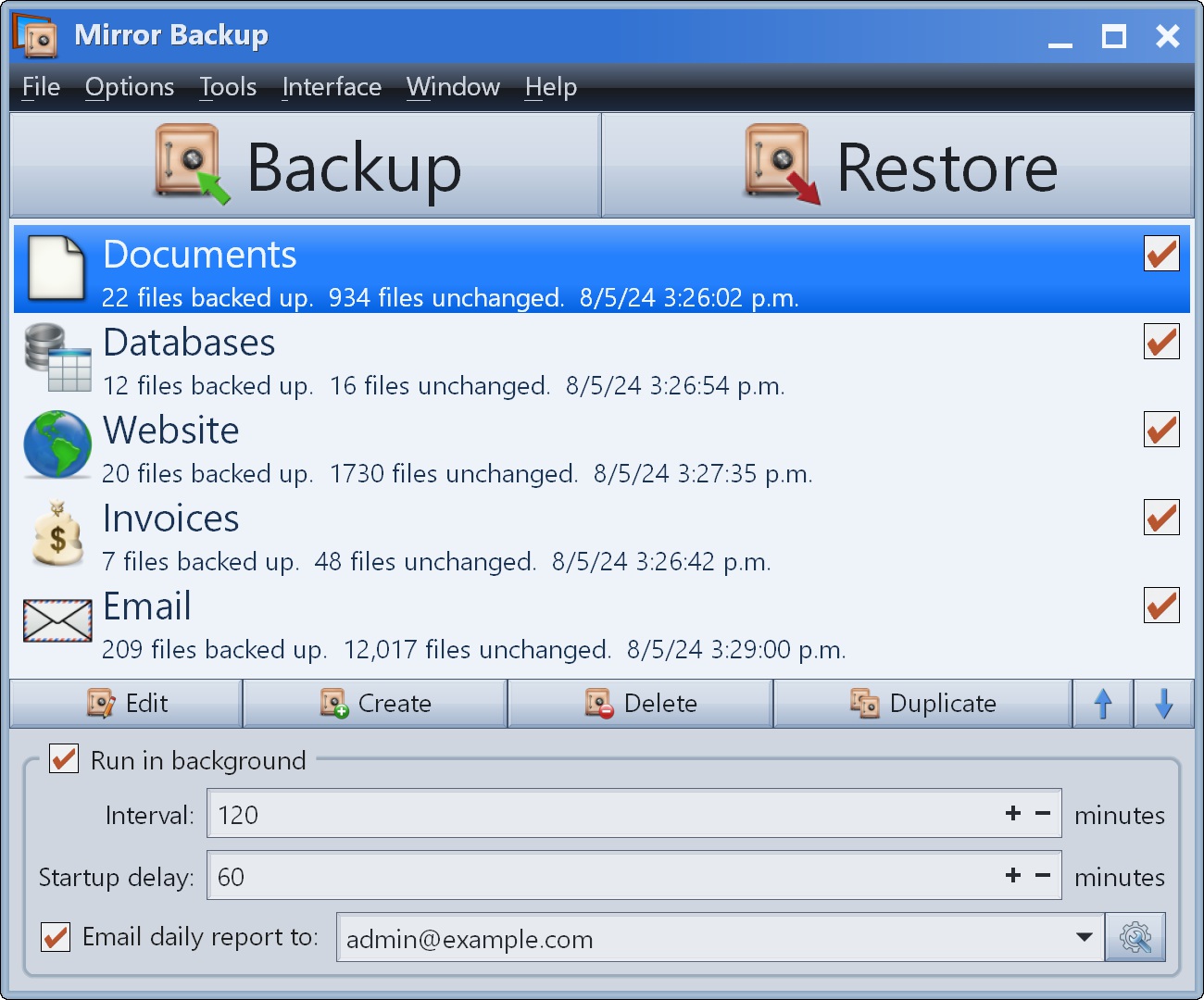
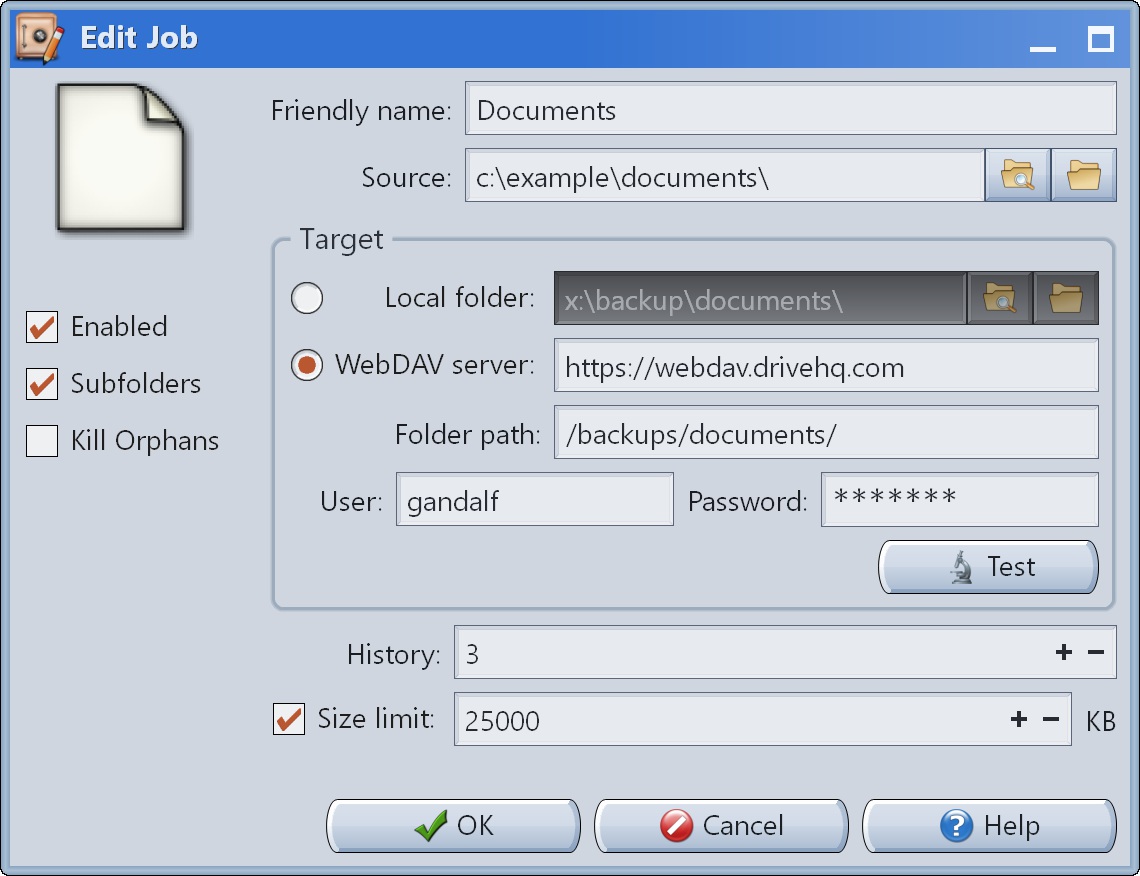
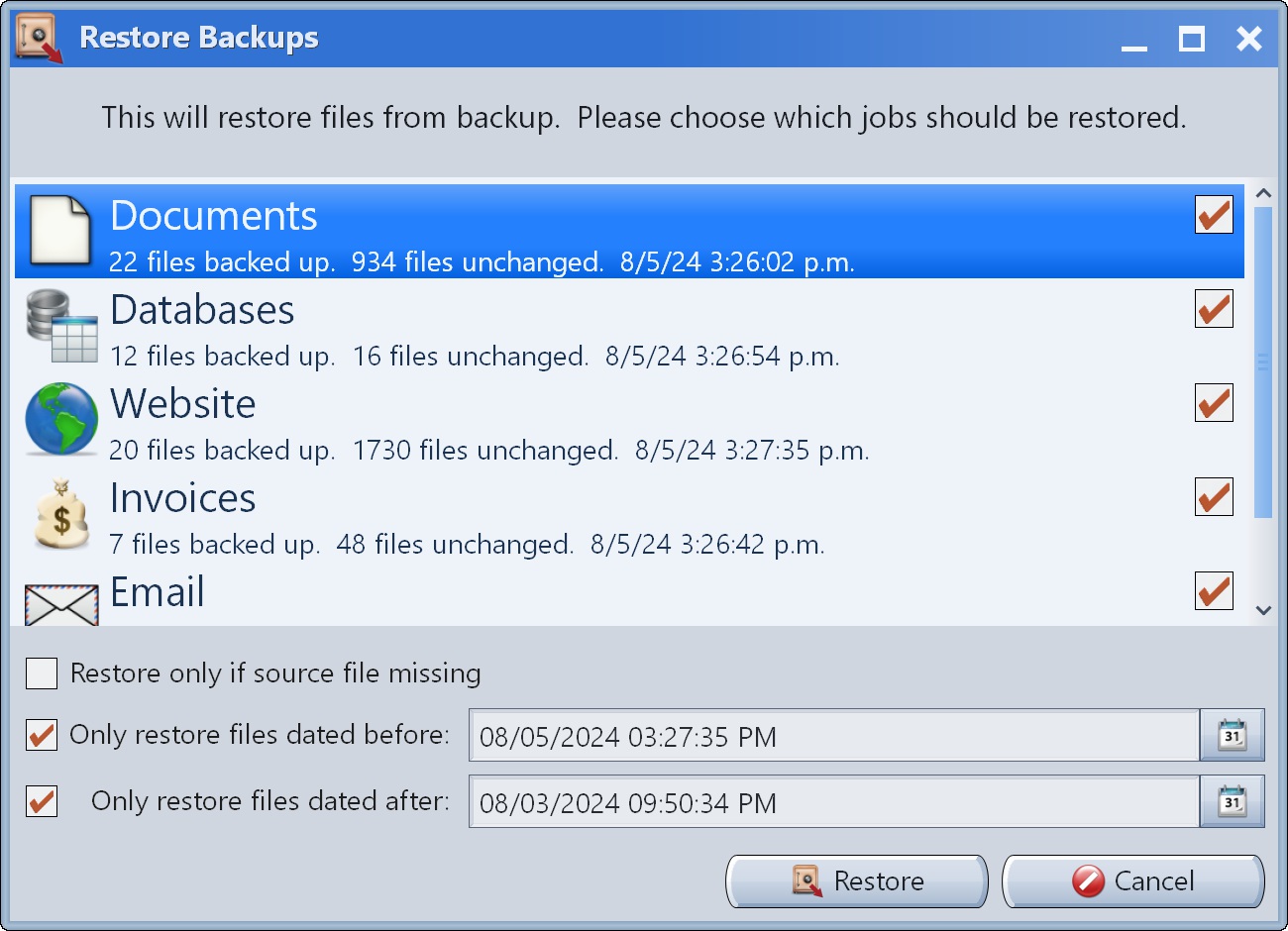
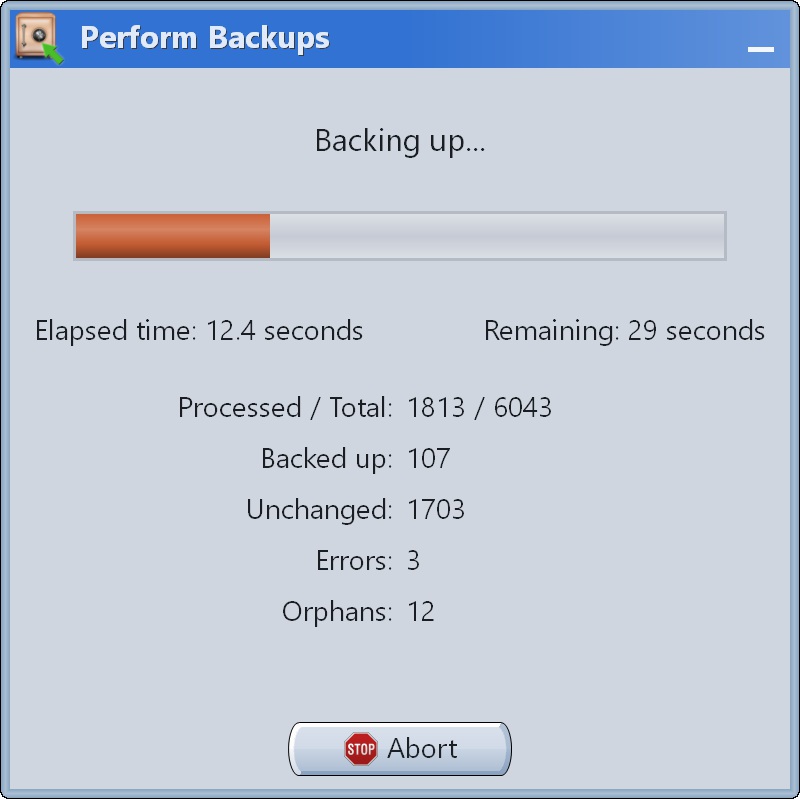
Screenshot of the main window that shows all backup jobs and contains settings for the background service.Screenshot of the window where the settings for a backup job can be edited.Screenshot of the event files, which when missing or damaged, Mirror Backup lets users choose which sets of files need to be restored, and what date and time to roll back to.Screenshot of the progress window for manually triggered backups.