Deacom ERP vs. Sage 300

Overview
ProductRatingMost Used ByProduct SummaryStarting Price
Deacom ERP
Score 7.3 out of 10
N/A
Deacom, an ECI Software Solution, is an ERP platform with a wide range of capabilities designed for growing batch and process manufacturers. It helps to reduce the burden caused by multi-system complexities and avoid the manual workarounds that plague traditional ERP implementations by having all of required functionality in a single platform.N/A
Sage 300
Score 7.6 out of 10
N/A
Sage 300 (formerly Sage 300 ERP) is a business management solution that includes strong accounting and financials, as well as multi-currency and multi-language capabilities. Built on accounting best practices, users will be able to track, control, and plan the financial health of their business.
$1,655
Lifetime License per Seat
Pricing
Deacom ERPSage 300
Editions & Modules
No answers on this topic
Sage 300 ERP Standard
$1,655
Lifetime License per Seat
Sage 300 ERP Advanced
$1,665
Lifetime License per Seat
Sage 300 ERP Premium
$1,665
Lifetime License (unlimited seats)
Offerings
Pricing Offerings
Deacom ERPSage 300
Free Trial
NoNo
Free/Freemium Version
NoNo
Premium Consulting/Integration Services
NoNo
Entry-level Setup FeeNo setup feeNo setup fee
Additional DetailsOur pricing is by module and by license and can range depending on what the customers requirements are. Most of our financial and operational modules are $1655.00 each, plus user license, plus an annual business care of 24%.
More Pricing Information
Community Pulse
Deacom ERPSage 300
Features
Deacom ERPSage 300
Customization
Comparison of Customization features of Product A and Product B
Deacom ERP
6.8
Ratings
11% below category average
Sage 300
6.0
Ratings
24% below category average
API for custom integration6.80 Ratings9.10 Ratings
Plug-ins00 Ratings3.00 Ratings
Security
Comparison of Security features of Product A and Product B
Deacom ERP
7.7
Ratings
6% below category average
Sage 300
9.3
Ratings
11% above category average
Single sign-on capability8.20 Ratings9.30 Ratings
Role-based user permissions7.30 Ratings9.40 Ratings
Reporting & Analytics
Comparison of Reporting & Analytics features of Product A and Product B
Deacom ERP
6.4
Ratings
12% below category average
Sage 300
9.1
Ratings
14% above category average
Dashboards5.50 Ratings9.10 Ratings
Standard reports6.90 Ratings9.10 Ratings
Custom reports6.80 Ratings9.10 Ratings
General Ledger and Configurable Accounting
Comparison of General Ledger and Configurable Accounting features of Product A and Product B
Deacom ERP
7.2
Ratings
7% below category average
Sage 300
6.9
Ratings
12% below category average
Accounts payable7.30 Ratings9.40 Ratings
Accounts receivable6.90 Ratings9.40 Ratings
Global Financial Support8.20 Ratings9.10 Ratings
Primary and Secondary Ledgers7.00 Ratings9.10 Ratings
Journals and Reconciliations7.00 Ratings9.40 Ratings
Configurable Accounting7.10 Ratings9.10 Ratings
Standardized Processes6.90 Ratings9.10 Ratings
Cash management00 Ratings9.10 Ratings
Bank reconciliation00 Ratings6.50 Ratings
Expense management00 Ratings9.10 Ratings
Time tracking00 Ratings1.00 Ratings
Fixed asset management00 Ratings3.00 Ratings
Multi-currency support00 Ratings1.00 Ratings
Multi-division support00 Ratings9.30 Ratings
Regulations compliance00 Ratings9.10 Ratings
Electronic tax filing00 Ratings4.00 Ratings
Self-service portal00 Ratings1.00 Ratings
Intercompany Accounting00 Ratings9.20 Ratings
Localizations00 Ratings1.00 Ratings
Enterprise Accounting00 Ratings9.10 Ratings
Centralized Rules Framework00 Ratings9.10 Ratings
Inventory Management
Comparison of Inventory Management features of Product A and Product B
Deacom ERP
7.4
Ratings
7% below category average
Sage 300
5.0
Ratings
38% below category average
Inventory tracking7.30 Ratings1.00 Ratings
Automatic reordering7.00 Ratings9.10 Ratings
Location management7.80 Ratings9.10 Ratings
Manufacturing module00 Ratings1.00 Ratings
Order Management
Comparison of Order Management features of Product A and Product B
Deacom ERP
6.6
Ratings
18% below category average
Sage 300
1.0
Ratings
154% below category average
Pricing6.60 Ratings1.00 Ratings
Order entry7.20 Ratings1.00 Ratings
Credit card processing6.00 Ratings1.00 Ratings
Cost of goods sold6.70 Ratings1.00 Ratings
Order Orchestration00 Ratings1.00 Ratings
End-to-end order visibility00 Ratings1.00 Ratings
Order exception Resolution00 Ratings1.00 Ratings
Subledger and Financial Process
Comparison of Subledger and Financial Process features of Product A and Product B
Deacom ERP
6.9
Ratings
8% below category average
Sage 300
-
Ratings
Billing Management7.30 Ratings00 Ratings
Cash and Asset Management7.20 Ratings00 Ratings
Travel & Expense Management6.20 Ratings00 Ratings
Budgetary Control & Encumbrance Accounting6.20 Ratings00 Ratings
Period Close7.50 Ratings00 Ratings
Procurement
Comparison of Procurement features of Product A and Product B
Deacom ERP
6.6
Ratings
5% below category average
Sage 300
-
Ratings
Contract Repository7.70 Ratings00 Ratings
Requisitions-to-Purchase Orders Integrated6.00 Ratings00 Ratings
Supplier Management6.20 Ratings00 Ratings
Manufacturing
Comparison of Manufacturing features of Product A and Product B
Deacom ERP
6.4
Ratings
15% below category average
Sage 300
-
Ratings
Production Process Design6.20 Ratings00 Ratings
Production Management6.20 Ratings00 Ratings
Configuration Management6.20 Ratings00 Ratings
Work Execution6.60 Ratings00 Ratings
Manufacturing Costs6.80 Ratings00 Ratings
Supply Chain
Comparison of Supply Chain features of Product A and Product B
Deacom ERP
6.0
Ratings
17% below category average
Sage 300
-
Ratings
Forecasting5.80 Ratings00 Ratings
Inventory Planning6.00 Ratings00 Ratings
Performance Monitoring6.20 Ratings00 Ratings
Product Lifecycle Management
Comparison of Product Lifecycle Management features of Product A and Product B
Deacom ERP
7.8
Ratings
9% above category average
Sage 300
-
Ratings
Product Master Data Management7.80 Ratings00 Ratings
Payroll Management
Comparison of Payroll Management features of Product A and Product B
Deacom ERP
-
Ratings
Sage 300
9.1
Ratings
16% above category average
Pay calculation00 Ratings9.20 Ratings
Benefit plan administration00 Ratings9.20 Ratings
Direct deposit files00 Ratings9.10 Ratings
Salary revision and increment management00 Ratings9.10 Ratings
Reimbursement management00 Ratings9.10 Ratings
Best Alternatives
Deacom ERPSage 300
Small Businesses
Zoho One
Zoho One
Score 8.9 out of 10
QuickBooks Self-Employed (discontinued)
Score 8.9 out of 10
Medium-sized Companies
Infor VISUAL
Infor VISUAL
Score 8.0 out of 10
Zoho Books
Zoho Books
Score 9.0 out of 10
Enterprises
24SevenOffice
24SevenOffice
Score 9.0 out of 10
SAP S/4HANA Cloud
SAP S/4HANA Cloud
Score 8.6 out of 10
All AlternativesView all alternativesView all alternatives
User Ratings
Deacom ERPSage 300
Likelihood to Recommend
7.3
(0 ratings)
7.6
(0 ratings)
Likelihood to Renew
-
(0 ratings)
8.4
(0 ratings)
Usability
7.3
(0 ratings)
8.0
(0 ratings)
Support Rating
-
(0 ratings)
8.6
(0 ratings)
User Testimonials
Deacom ERPSage 300
Likelihood to Recommend
Good for the price and basic functionality but sometimes calculations inside the application are not handled smoothly. For us, we have no problems for our Lb customers but our Gallon/Kg customers usually have issues have unit conversion issues.
Read full review
I believe that Sage 300 ERP is appropriate for a wide variety of companies looking for a system to maintain information in a concise manner. The level of complexity with which it is used is determined by the user group. Therefore, this product is great for companies that are just starting to grow right through to more mature companies looking for detailed data and analytics from their systems.
Read full review
Pros
  • The lot tracking capability
  • Being able to have the Accounting software to look up the GL information
  • Creation and customization of the ERP system that we need for our business
Read full review
  • The installation directions are clear and easy to follow.
  • The ability to import and export data is also easy allowing you to perform mundane tasks easily and efficiently.
  • The security features allow you to fine tune the permissions for the end users so that they cannot see data that you do not want them privy to.
Read full review
Cons
  • MRP - it is rather difficult to understand
  • Quality Control - it is not possible to effectively note/track hold reasons and drive action
Read full review
  • Although I do like the Bank Reconciliation module, I wish it was a bit more advanced and less clunky. Some transactions cannot be reversed and the module seems slower than others.
  • When using copy and paste on all modules, sometimes I receive an error message and the program closes.
Read full review
Likelihood to Renew
No answers on this topic
It is a solid stable product with a large user community and large ISV community. Support and Training are easy to access and obtain and there is larger reseller channel to ensure the firm you work with is honest. It is scalable and there are multiple deployment and payment options.
Read full review
Usability
With proper training it is very easy to use as long as you don't try to customize it to fit your old processes
Read full review
Sage 300cloud is intuitive and user friendly after some training. It does require implementation and training but once that's done, this software is easy to use and navigate. Support for Sage 300cloud is spot on and offers assistance over the simplest to [the] most complex of tasks. Finding information or learning new tasks within Sage 300cloud is relatively easy and educational.
Read full review
Support Rating
No answers on this topic
Support for Sage 300cloud is similar to Sage support. Depending on which channel you get to and which Specialist you get, the Support can be spot on and rapid. However, there can be wait times and [occasionally], new functionality isn't always well supported. Support documentation is great and [easily] accessible. Additionally, Support Consultants are great resources when it comes to learning and troubleshooting Sage 300cloud.
Read full review
Alternatives Considered
Deacom ERP is much faster to respond to bulk sales order processing, large numbers of EDI transactions and query response time. Deacom ERP support is vastly better, and the team is very helpful.
Read full review
Sage 300cloud is a great cloud/web based option when stacked against Sage 300 and Sage 100 Contractor. These other two systems are on premise and require licenses to access. Sage 300cloud can be accessed from any web page and is a pay as you go model. Oracle JD Edwards EnterpriseOne and Oracle JD Edwards World are better for larger organizations that are heavy into Service and Work Order Management.
Read full review
Return on Investment
  • Provide a central resource for viewing and manage all orders, jobs and running reports.
  • Slow down system performance by big report users.
Read full review
  • Hard to say - Accpac (in one form or another) is all we have ever used, thus there is no real comparison to make to show impact vs another application.
  • Sage 300 ERP is the backbone of our organization - efficiently dealing with payroll and budgets in excess of 30 million dollars per year.
Read full review
ScreenShots

Deacom ERP Screenshots

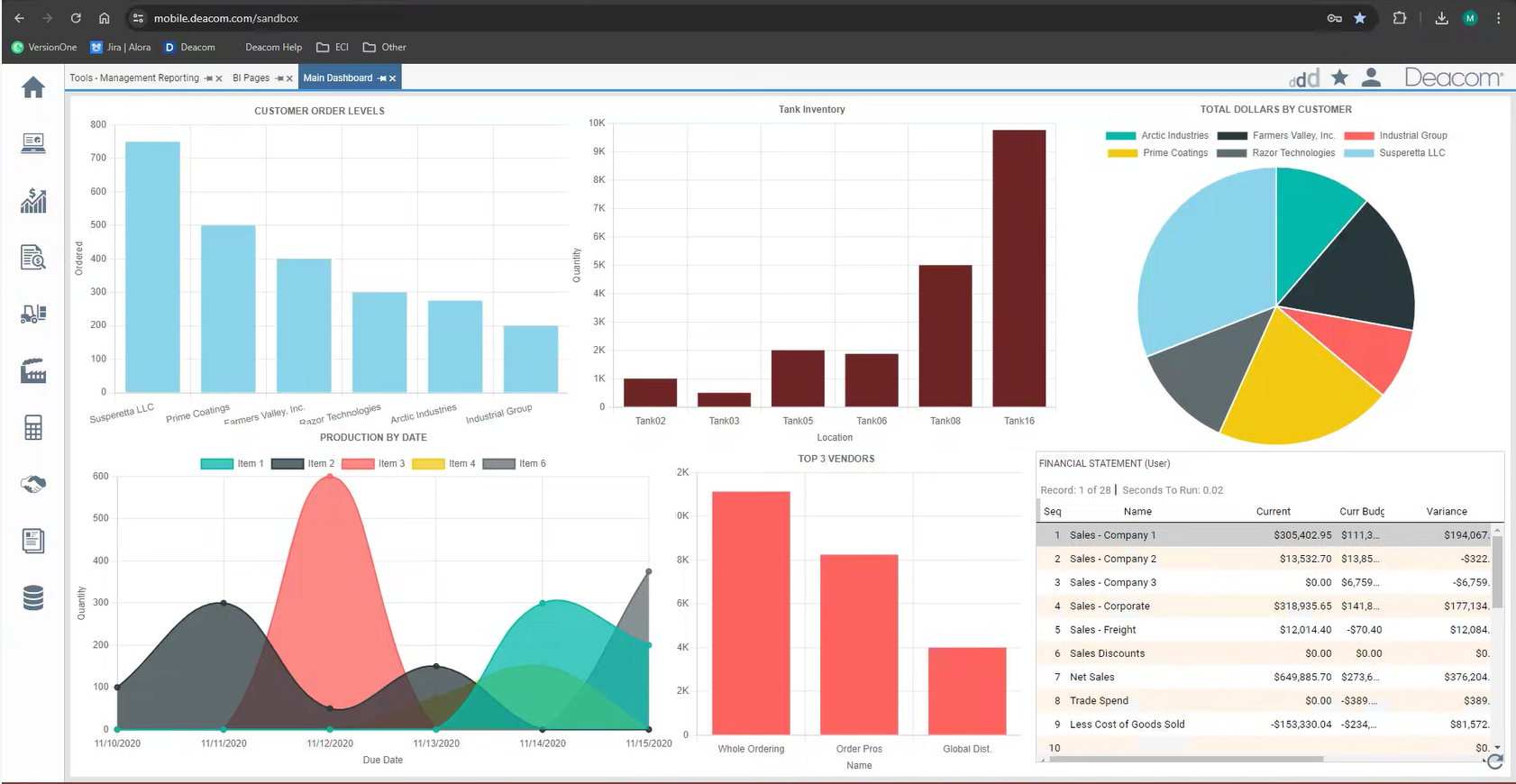
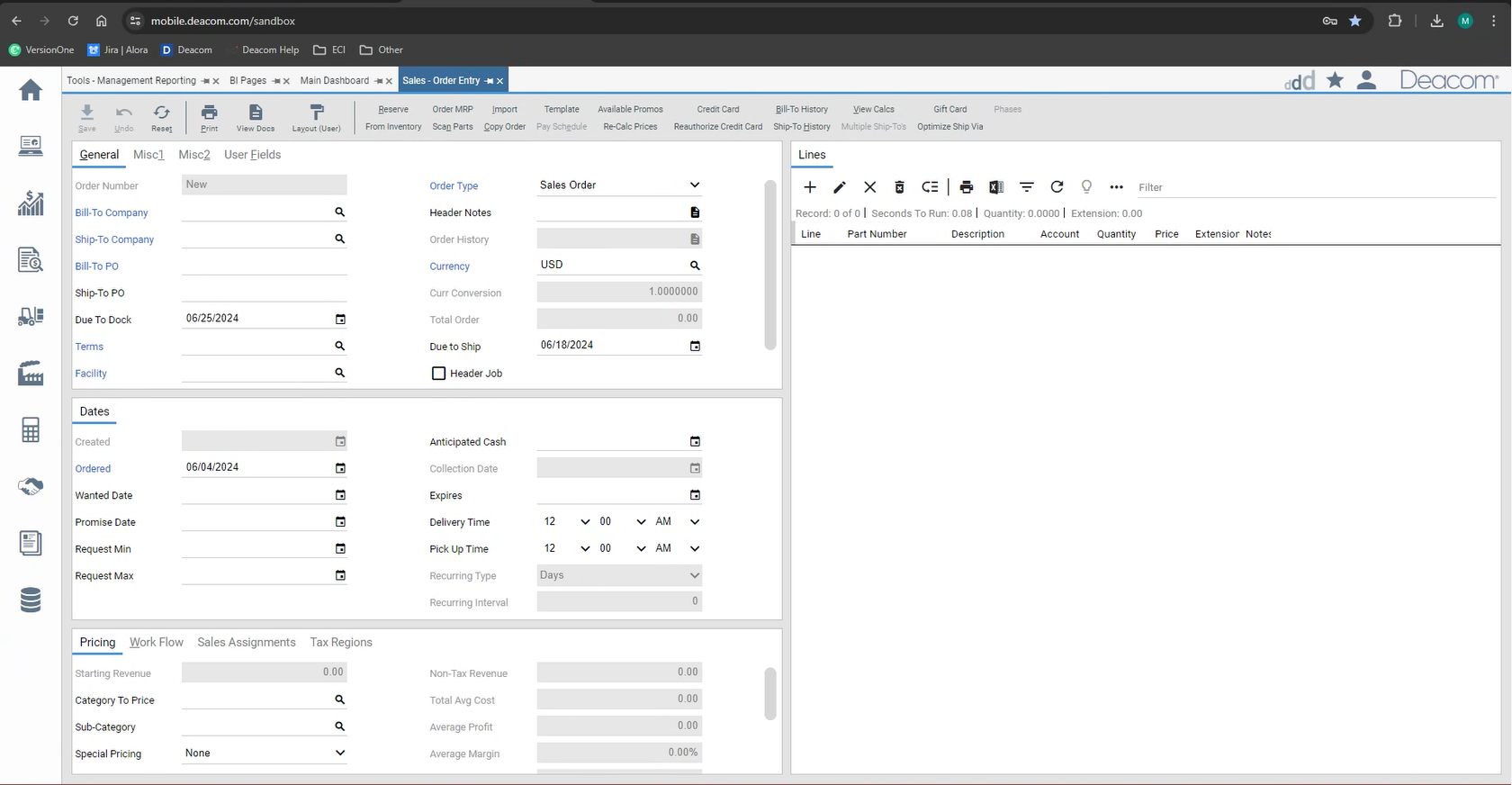
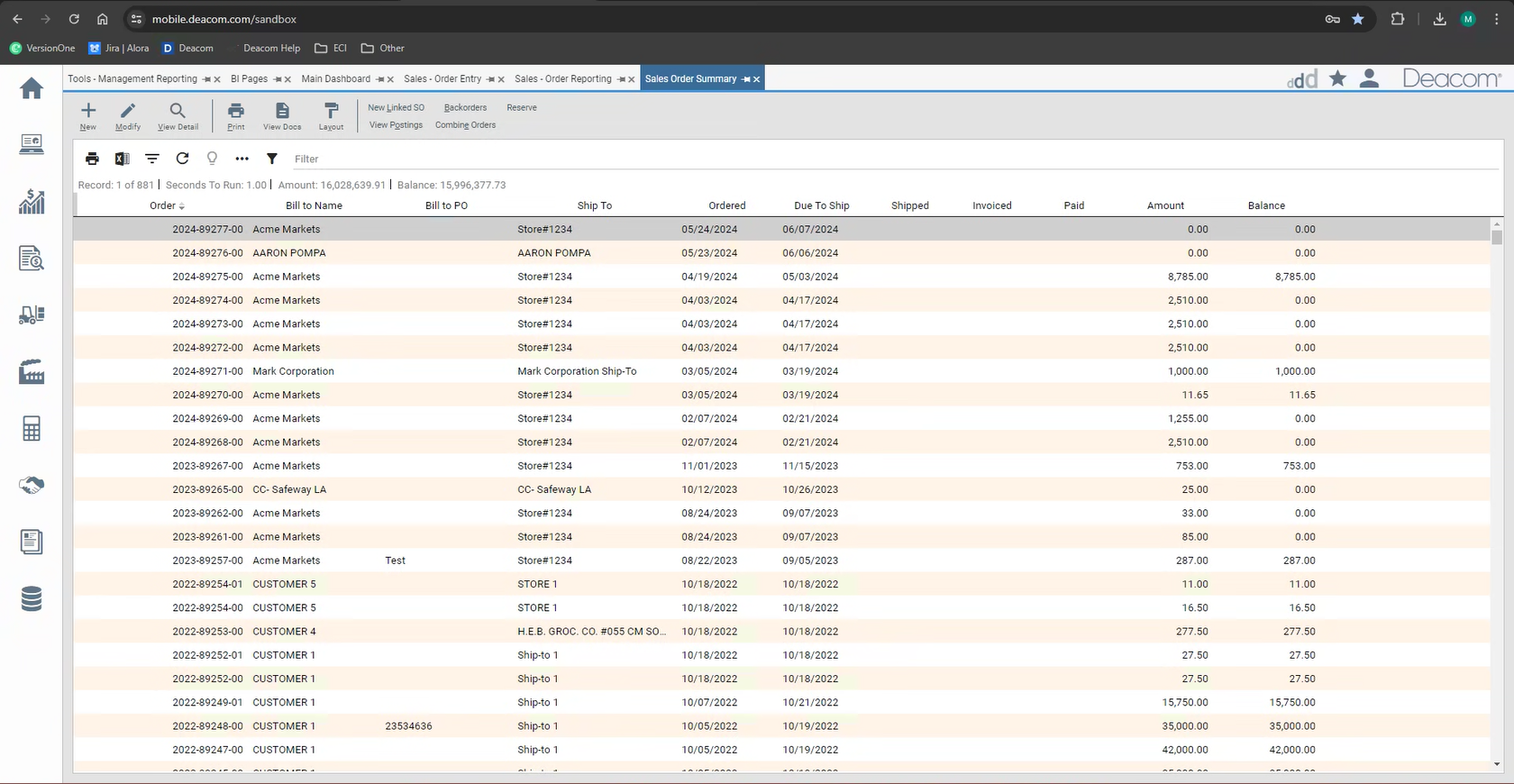
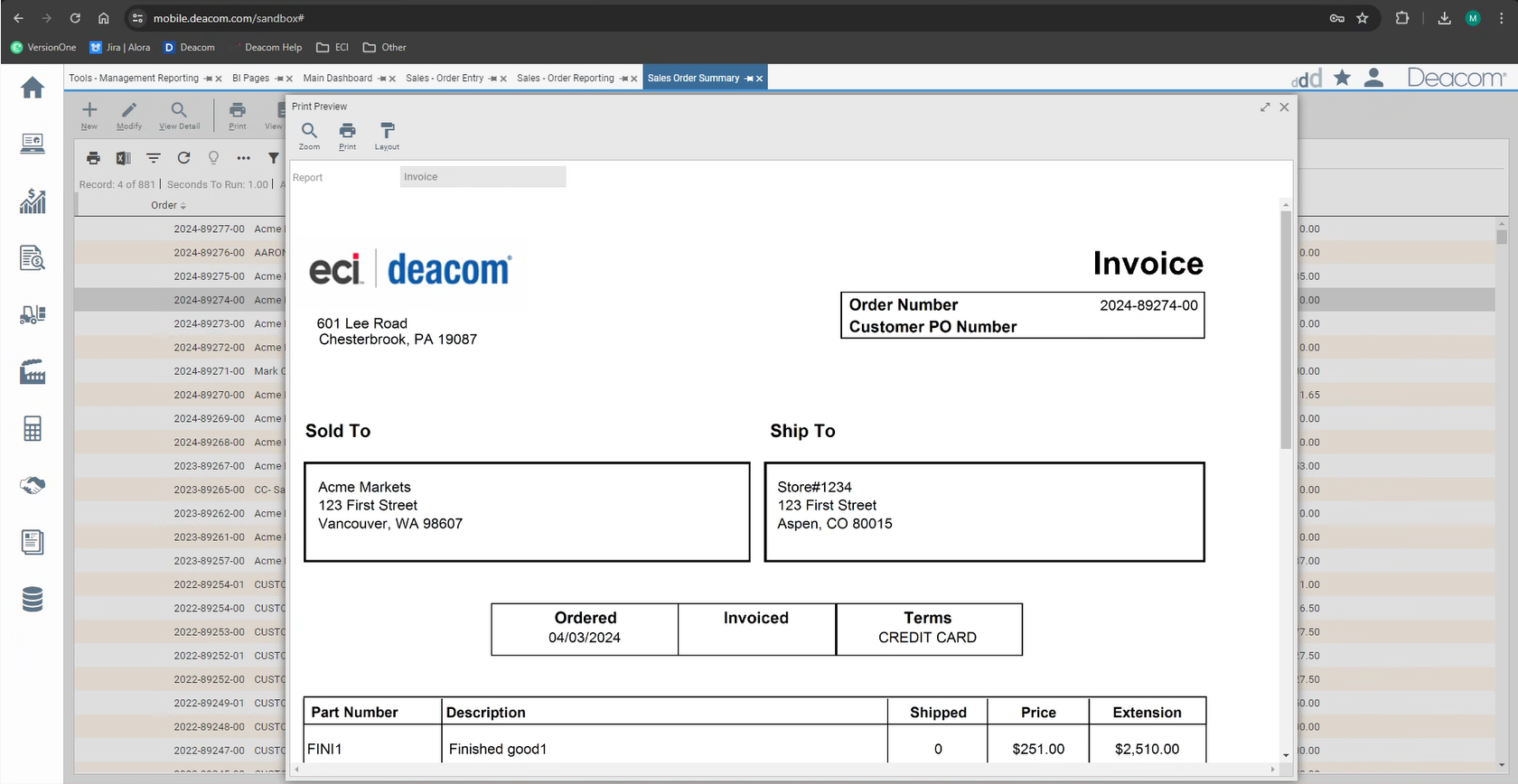
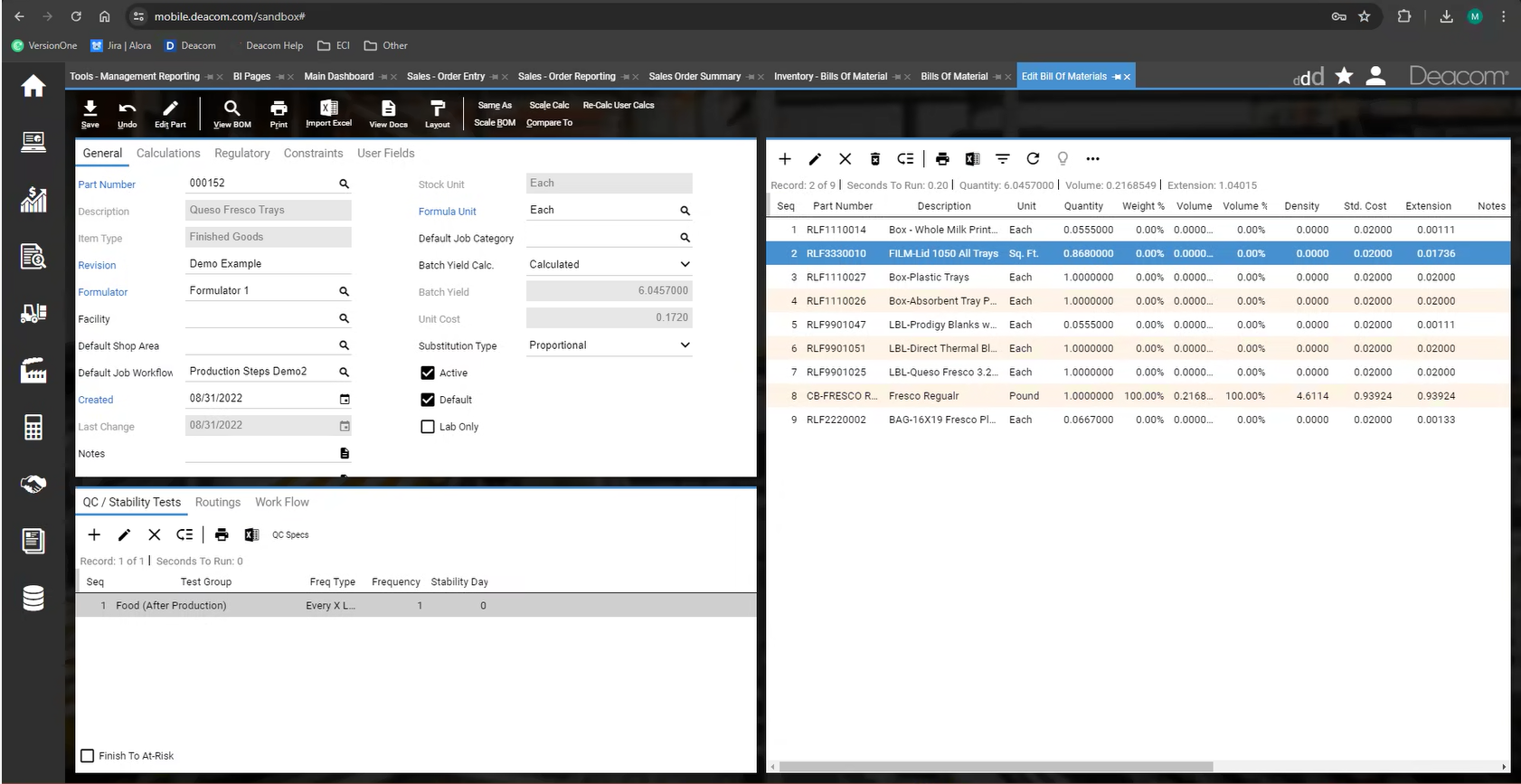
Screenshot of Deacom's customizable dashboards. These interactive dashboards visually represent key metrics and performance indicators. Users can monitor production efficiency, inventory levels, sales trends, and other aspects of process manufacturing operations.  The ability to customize these dashboards ensures important information is readily available.Screenshot of Deacom's Sales Order's interface for adding and managing order items with product details, applying pricing, discounts, and shipping specifics. Real-time inventory visibility ensures order fulfillment, while credit check integration streamlines customer verification. Order tracking and communication tools promote customer interaction, empowering process manufacturers to streamline order processing, optimize inventory allocation, and enhance customer satisfaction.Screenshot of Deacom's Management Reporting feature, used to generate in-depth reports and drill down into critical data points encompassing financial performance and production output to inventory levels and sales trends.  Management Reporting facilitates a deeper understanding of process manufacturing operations, enabling users to identify areas for improvement, optimize resource allocation, and make data-driven decisions for long-term success.Screenshot of Deacom's interface for creating essential business documents. Users can generate purchase orders, sales orders, and other critical documents.Screenshot of Deacom's interface for navigating complex functionalities, used for generating reports, creating purchase orders, or monitoring real-time data on customizable dashboards.  Deacom offers a choice of light and dark themes, and the interface can be tailored to optimize viewing comfort.