Deacom ERP vs. Infor VISUAL

Overview
ProductRatingMost Used ByProduct SummaryStarting Price
Deacom ERP
Score 7.3 out of 10
N/A
Deacom, an ECI Software Solution, is an ERP platform with a wide range of capabilities designed for growing batch and process manufacturers. It helps to reduce the burden caused by multi-system complexities and avoid the manual workarounds that plague traditional ERP implementations by having all of required functionality in a single platform.N/A
Infor VISUAL
Score 8.0 out of 10
N/A
Infor VISUAL is an ERP software focused on manufacturing companies with business intelligence, planning and scheduling, and pricing, quoting, and estimating capabilities, among others.N/A
Pricing
Deacom ERPInfor VISUAL
Editions & Modules
No answers on this topic
Offerings
Pricing Offerings
Deacom ERPInfor VISUAL
Free Trial
NoNo
Free/Freemium Version
NoNo
Premium Consulting/Integration Services
NoNo
Entry-level Setup FeeNo setup feeNo setup fee
Additional Details
More Pricing Information
Community Pulse
Deacom ERPInfor VISUAL
Features
Deacom ERPInfor VISUAL
Customization
Comparison of Customization features of Product A and Product B
Deacom ERP
6.8
Ratings
11% below category average
Infor VISUAL
1.0
Ratings
153% below category average
API for custom integration6.80 Ratings1.00 Ratings
Security
Comparison of Security features of Product A and Product B
Deacom ERP
7.7
Ratings
6% below category average
Infor VISUAL
9.0
Ratings
10% above category average
Single sign-on capability8.20 Ratings9.00 Ratings
Role-based user permissions7.30 Ratings9.00 Ratings
Reporting & Analytics
Comparison of Reporting & Analytics features of Product A and Product B
Deacom ERP
6.4
Ratings
12% below category average
Infor VISUAL
4.0
Ratings
57% below category average
Dashboards5.50 Ratings8.00 Ratings
Standard reports6.90 Ratings2.00 Ratings
Custom reports6.80 Ratings2.00 Ratings
General Ledger and Configurable Accounting
Comparison of General Ledger and Configurable Accounting features of Product A and Product B
Deacom ERP
7.2
Ratings
7% below category average
Infor VISUAL
7.4
Ratings
4% below category average
Accounts payable7.30 Ratings9.00 Ratings
Accounts receivable6.90 Ratings9.00 Ratings
Global Financial Support8.20 Ratings10.00 Ratings
Primary and Secondary Ledgers7.00 Ratings8.00 Ratings
Journals and Reconciliations7.00 Ratings10.00 Ratings
Configurable Accounting7.10 Ratings7.00 Ratings
Standardized Processes6.90 Ratings9.00 Ratings
Inventory Management
Comparison of Inventory Management features of Product A and Product B
Deacom ERP
7.4
Ratings
7% below category average
Infor VISUAL
8.0
Ratings
1% above category average
Inventory tracking7.30 Ratings6.00 Ratings
Automatic reordering7.00 Ratings7.00 Ratings
Location management7.80 Ratings10.00 Ratings
Order Management
Comparison of Order Management features of Product A and Product B
Deacom ERP
6.6
Ratings
18% below category average
Infor VISUAL
9.7
Ratings
21% above category average
Pricing6.60 Ratings10.00 Ratings
Order entry7.20 Ratings10.00 Ratings
Credit card processing6.00 Ratings00 Ratings
Cost of goods sold6.70 Ratings10.00 Ratings
Order Orchestration00 Ratings10.00 Ratings
Subledger and Financial Process
Comparison of Subledger and Financial Process features of Product A and Product B
Deacom ERP
6.9
Ratings
8% below category average
Infor VISUAL
8.6
Ratings
14% above category average
Billing Management7.30 Ratings8.00 Ratings
Cash and Asset Management7.20 Ratings10.00 Ratings
Travel & Expense Management6.20 Ratings10.00 Ratings
Budgetary Control & Encumbrance Accounting6.20 Ratings10.00 Ratings
Period Close7.50 Ratings9.00 Ratings
Procurement
Comparison of Procurement features of Product A and Product B
Deacom ERP
6.6
Ratings
5% below category average
Infor VISUAL
-
Ratings
Contract Repository7.70 Ratings00 Ratings
Requisitions-to-Purchase Orders Integrated6.00 Ratings00 Ratings
Supplier Management6.20 Ratings00 Ratings
Manufacturing
Comparison of Manufacturing features of Product A and Product B
Deacom ERP
6.4
Ratings
15% below category average
Infor VISUAL
3.2
Ratings
79% below category average
Production Process Design6.20 Ratings2.00 Ratings
Production Management6.20 Ratings5.00 Ratings
Configuration Management6.20 Ratings5.00 Ratings
Work Execution6.60 Ratings2.00 Ratings
Manufacturing Costs6.80 Ratings2.00 Ratings
Supply Chain
Comparison of Supply Chain features of Product A and Product B
Deacom ERP
6.0
Ratings
17% below category average
Infor VISUAL
2.0
Ratings
112% below category average
Forecasting5.80 Ratings00 Ratings
Inventory Planning6.00 Ratings2.00 Ratings
Performance Monitoring6.20 Ratings00 Ratings
Product Lifecycle Management
Comparison of Product Lifecycle Management features of Product A and Product B
Deacom ERP
7.8
Ratings
9% above category average
Infor VISUAL
2.0
Ratings
112% below category average
Product Master Data Management7.80 Ratings2.00 Ratings
Project Financial Management
Comparison of Project Financial Management features of Product A and Product B
Deacom ERP
-
Ratings
Infor VISUAL
7.2
Ratings
6% below category average
Project Costing00 Ratings5.00 Ratings
Cost Capture00 Ratings8.00 Ratings
Best Alternatives
Deacom ERPInfor VISUAL
Small Businesses
Zoho One
Zoho One
Score 8.9 out of 10
Zoho One
Zoho One
Score 8.9 out of 10
Medium-sized Companies
Infor VISUAL
Infor VISUAL
Score 8.0 out of 10
Zoho One
Zoho One
Score 8.9 out of 10
Enterprises
24SevenOffice
24SevenOffice
Score 9.0 out of 10
24SevenOffice
24SevenOffice
Score 9.0 out of 10
All AlternativesView all alternativesView all alternatives
User Ratings
Deacom ERPInfor VISUAL
Likelihood to Recommend
7.3
(0 ratings)
10.0
(0 ratings)
Likelihood to Renew
-
(0 ratings)
8.0
(0 ratings)
Usability
7.3
(0 ratings)
10.0
(0 ratings)
Support Rating
-
(0 ratings)
9.0
(0 ratings)
Implementation Rating
-
(0 ratings)
2.0
(0 ratings)
User Testimonials
Deacom ERPInfor VISUAL
Likelihood to Recommend
Good for the price and basic functionality but sometimes calculations inside the application are not handled smoothly. For us, we have no problems for our Lb customers but our Gallon/Kg customers usually have issues have unit conversion issues.
Read full review
The original version of Visual Manufacturing (Lilly Software) was intended for mechanical manufacturing. It was adapted at our facility (we were not the first) to accomodate electronic manufacturing. For electronic manufacturing process control it is not ideal when referencing in-line or custom processes used to build product. For material control it is excellent unless a modification to a standard product is required (and we did this on 60% of product going out the door). The co-product feature that removes material from an assembly requires the creator of the work order to calculate the percentage of cost the removed items are from the completed product. On the business operations side regional tax reports were difficult to extract and an external module to go into the data base and extract that had to be created. The system itself was stable for the most part. Occasional "data collisions" corrupted transactions at times. The accounting procedures in place found them by the end of the month .where they were corrected. For a small business with less formal processes Infor Visual can be used with little training for the operators. If the processes need a higher level of accountability and control the processes can be formalized with workflow scripts to ensure that higher level of control.
Read full review
Pros
  • The lot tracking capability
  • Being able to have the Accounting software to look up the GL information
  • Creation and customization of the ERP system that we need for our business
Read full review
  • Part/BOM libraries
  • Traceability from customer order to work order
  • Job status representation
Read full review
Cons
  • MRP - it is rather difficult to understand
  • Quality Control - it is not possible to effectively note/track hold reasons and drive action
Read full review
  • At times a "shadow part" is necessary in the manufacturing process. This shadow part does not require an inventory transaction but is made a as a separate process - sometimes out of sequence to the general process flow. Infor Visual ver 6.3.5 does not have that capability.
  • When generating forms for business and manufacturing operations Infor Visual ver 6.3.5 has a limited number of options. To change or add forms requires an unsupported editor. When the stock and custom options are depleted an outside programming module is required as well as programmers to develop the forms.
  • While free software upgrades to the main operations modules have been part of the maintenance agreement. One upgrade required database and hardware support not justifiable for the current business model. The system was frozen at the current version at that time.
  • There is no easy way to differentiate between engineering documentation and production documentation.
Read full review
Likelihood to Renew
No answers on this topic
Good Technical and Customer Support during and after implementation tasks. Good Project Plan and Management support for implementation and post implementation. Financial functionality could be more comprehensive particularly with Budgeting and Cash Management. Inventory Management capability was adequate but could be more comprehensive as well. "Out of the Box" functionality was adequate but requested add-ons and enhancements seemed to be a bit pricey.
Read full review
Usability
With proper training it is very easy to use as long as you don't try to customize it to fit your old processes
Read full review
Because of use cases and easy implementation and the vertical and horizontal scaling.
Read full review
Support Rating
No answers on this topic
As we have seen the live environment and the use cases where we implement.
Read full review
Implementation Rating
No answers on this topic
Could have used more hands-on approach. There are multiple webinars and information sessions but until you actually use the system, these are not very helpful.
Read full review
Alternatives Considered
Deacom ERP is much faster to respond to bulk sales order processing, large numbers of EDI transactions and query response time. Deacom ERP support is vastly better, and the team is very helpful.
Read full review
We unfortunately did not evaluate any other ERP software. VISUAL was a legacy system and we determined that changing systems would be too difficult, and not cost effective. We reached out to our local VISUAL rep who knew how the software functioned, but not how to apply it more appropriately to our business model, so we continued on with what we had rather than looking elsewhere.
Read full review
Return on Investment
  • Provide a central resource for viewing and manage all orders, jobs and running reports.
  • Slow down system performance by big report users.
Read full review
  • Good Billing provided
  • Easy to implement and use
  • scales vertical and horizontal
Read full review
ScreenShots

Deacom ERP Screenshots

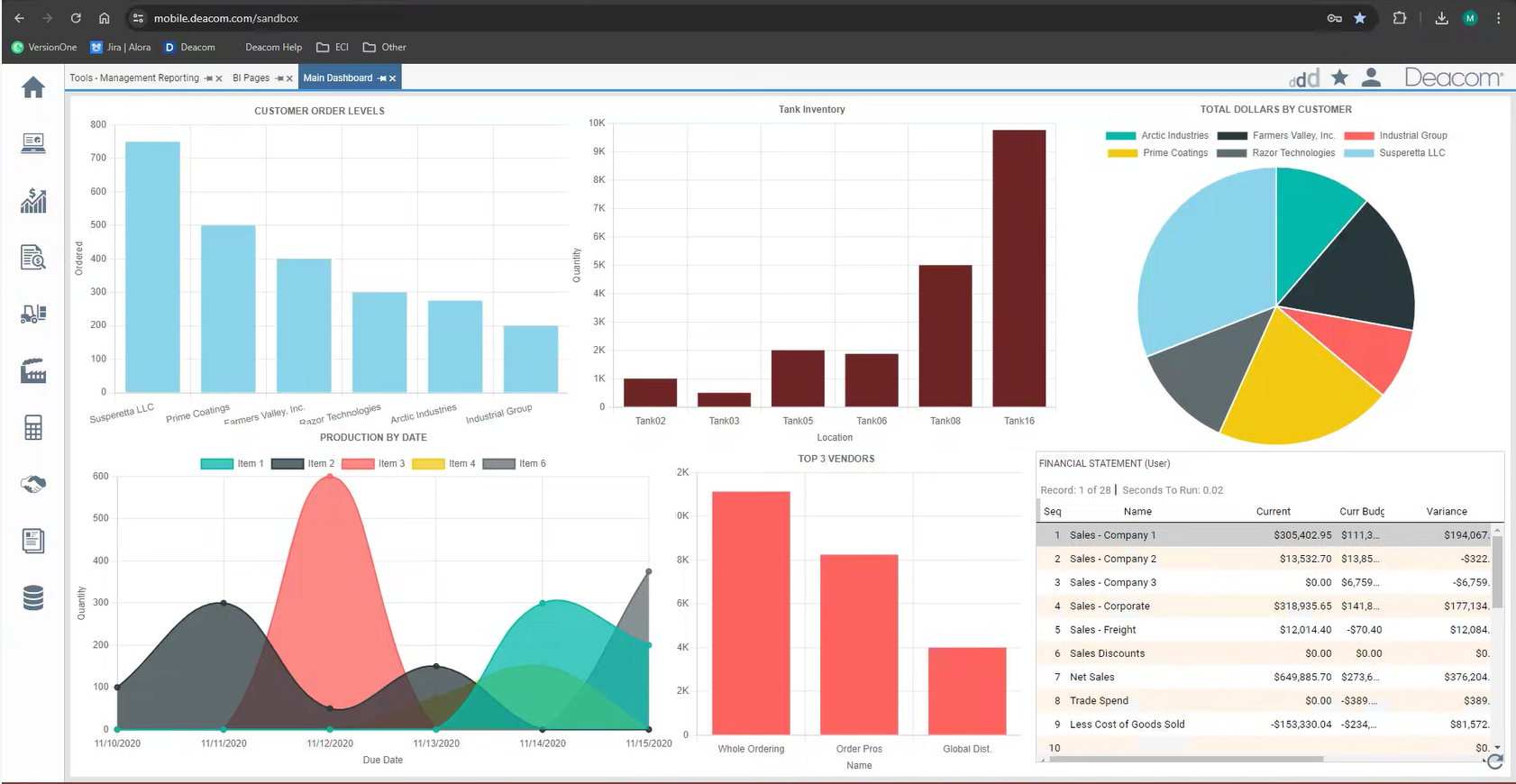
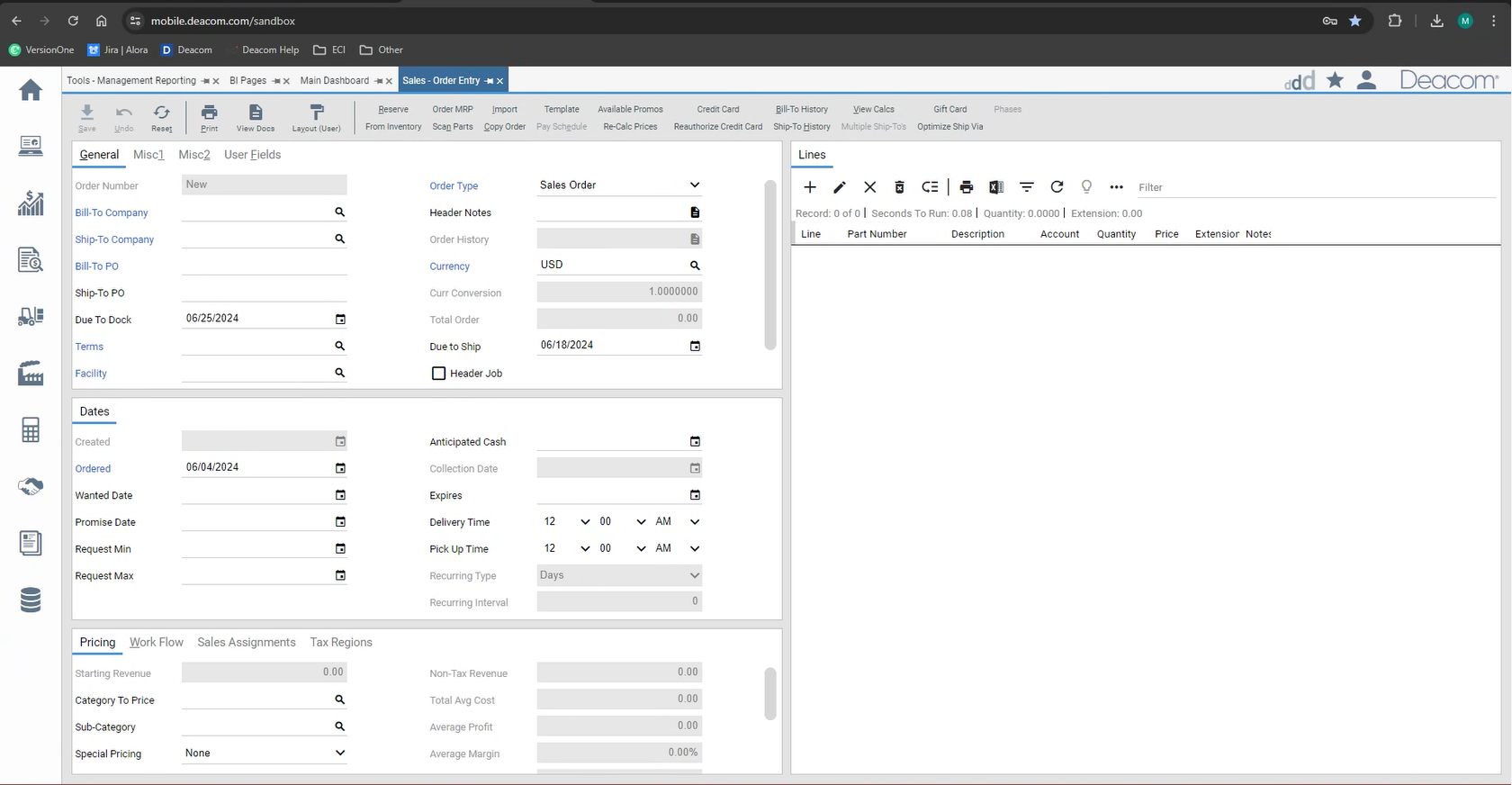
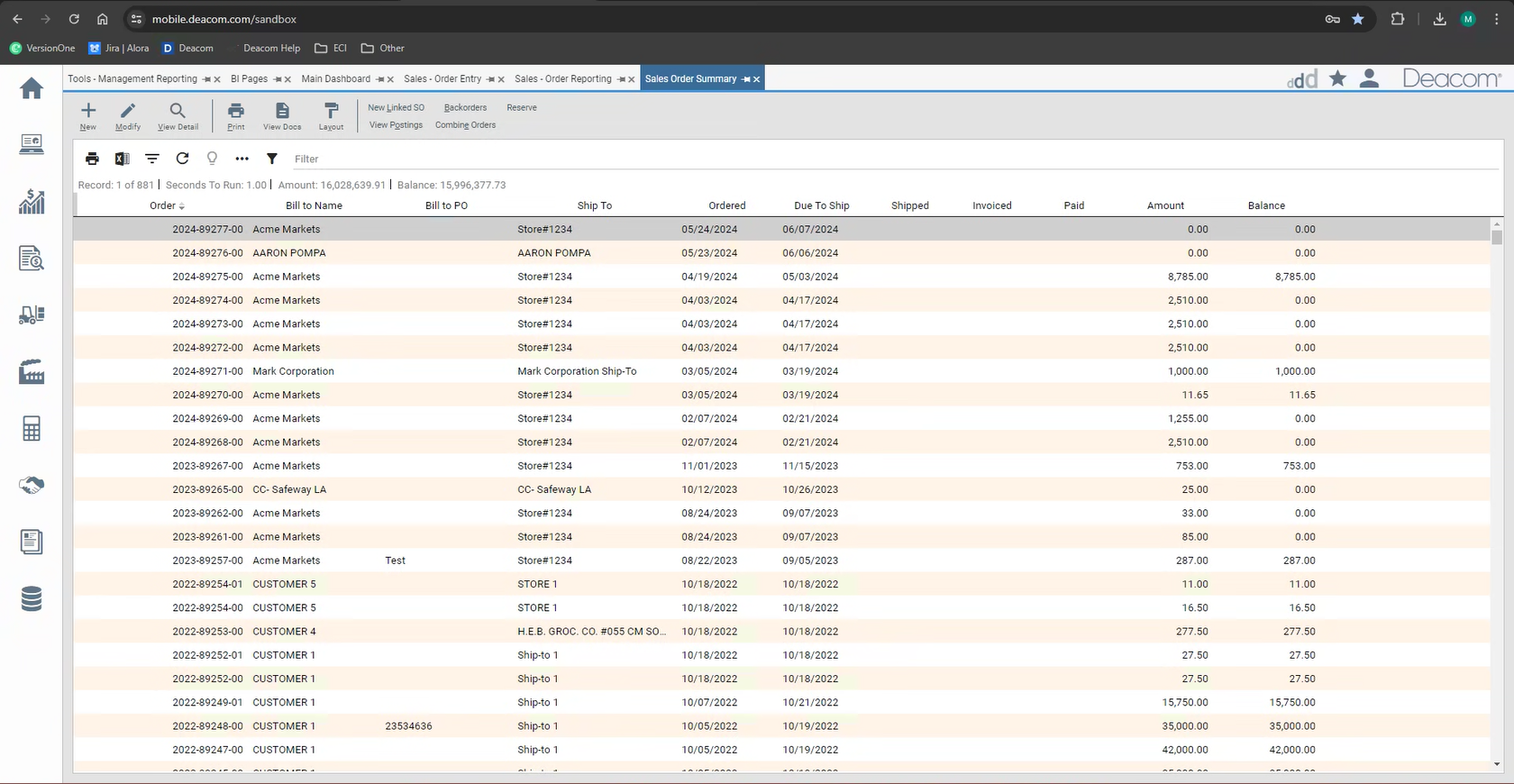
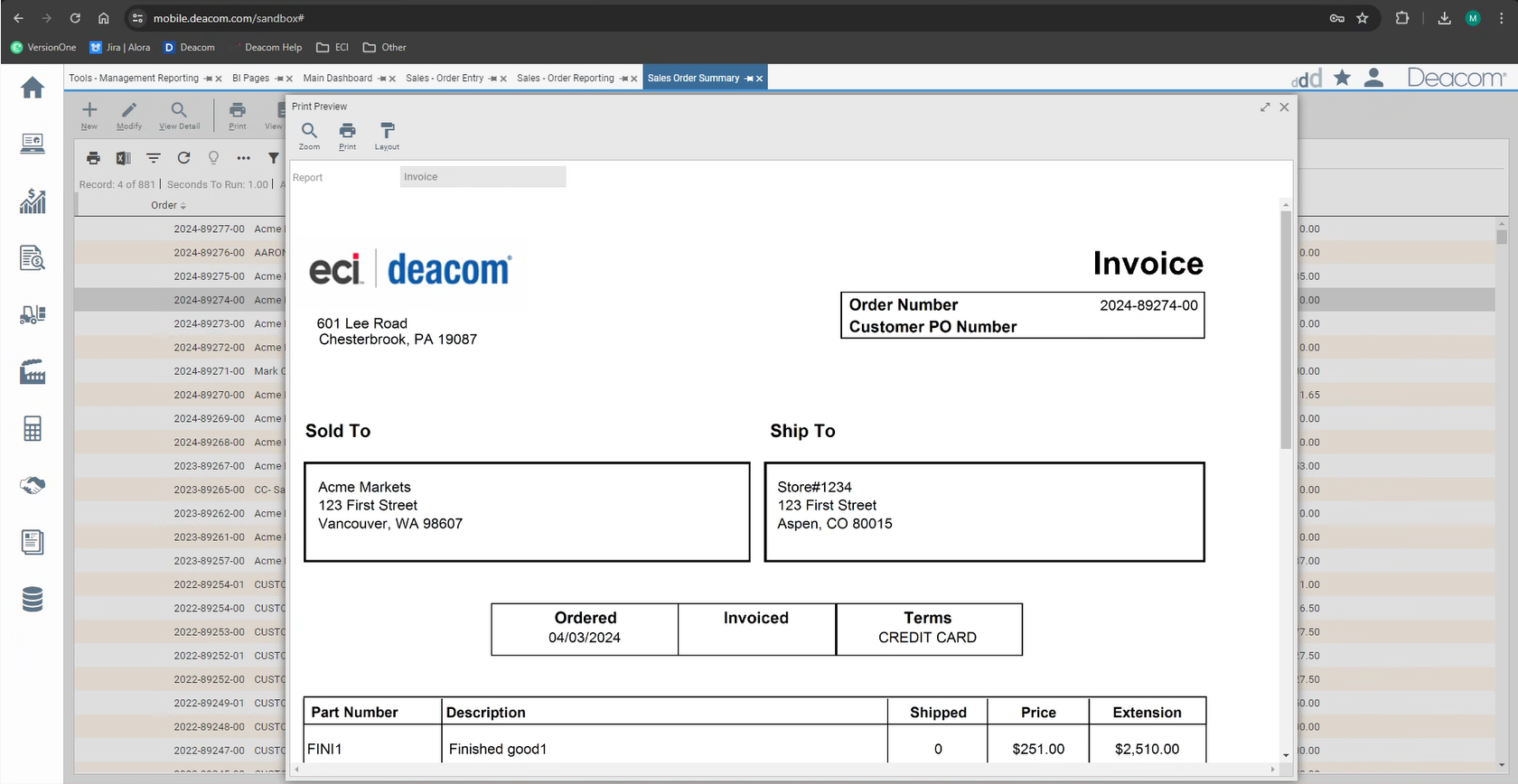
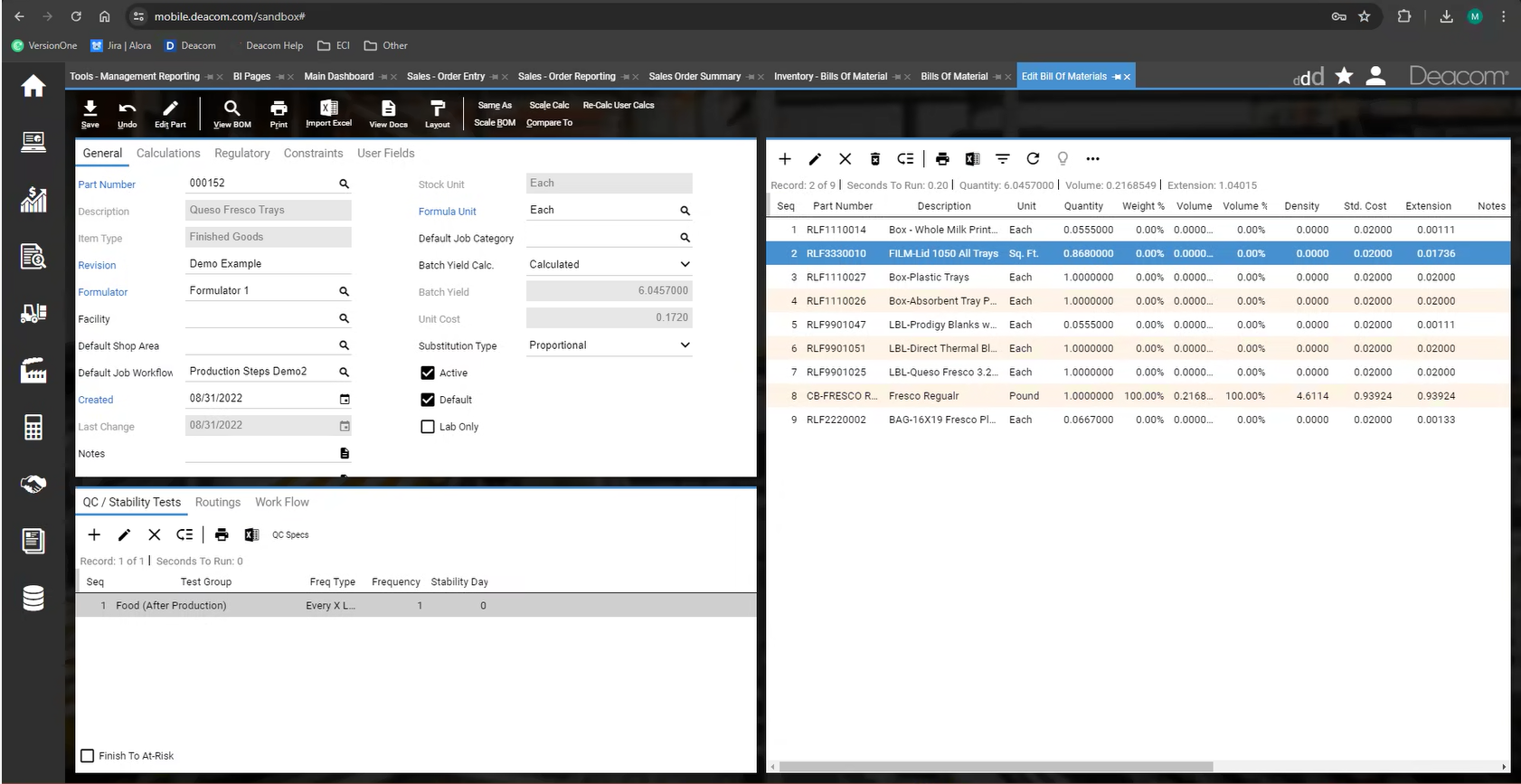
Screenshot of Deacom's customizable dashboards. These interactive dashboards visually represent key metrics and performance indicators. Users can monitor production efficiency, inventory levels, sales trends, and other aspects of process manufacturing operations.  The ability to customize these dashboards ensures important information is readily available.Screenshot of Deacom's Sales Order's interface for adding and managing order items with product details, applying pricing, discounts, and shipping specifics. Real-time inventory visibility ensures order fulfillment, while credit check integration streamlines customer verification. Order tracking and communication tools promote customer interaction, empowering process manufacturers to streamline order processing, optimize inventory allocation, and enhance customer satisfaction.Screenshot of Deacom's Management Reporting feature, used to generate in-depth reports and drill down into critical data points encompassing financial performance and production output to inventory levels and sales trends.  Management Reporting facilitates a deeper understanding of process manufacturing operations, enabling users to identify areas for improvement, optimize resource allocation, and make data-driven decisions for long-term success.Screenshot of Deacom's interface for creating essential business documents. Users can generate purchase orders, sales orders, and other critical documents.Screenshot of Deacom's interface for navigating complex functionalities, used for generating reports, creating purchase orders, or monitoring real-time data on customizable dashboards.  Deacom offers a choice of light and dark themes, and the interface can be tailored to optimize viewing comfort.