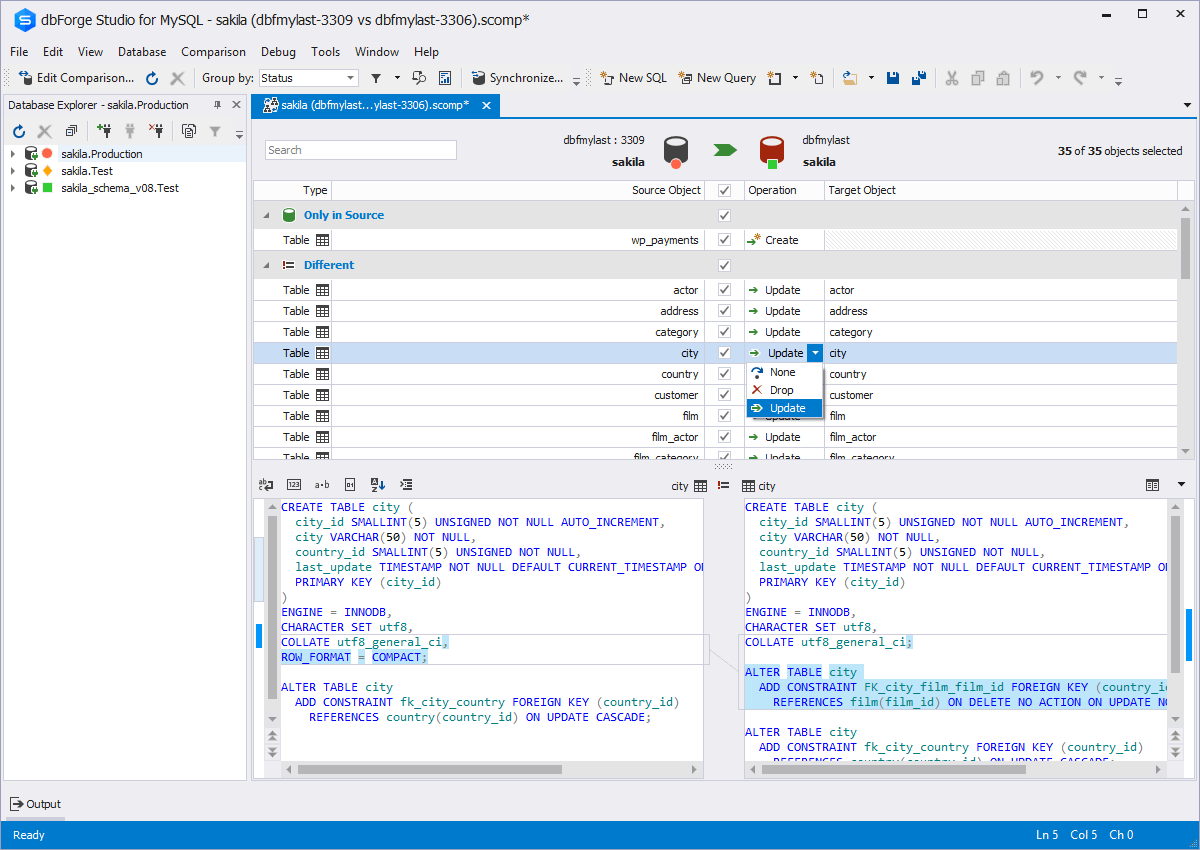
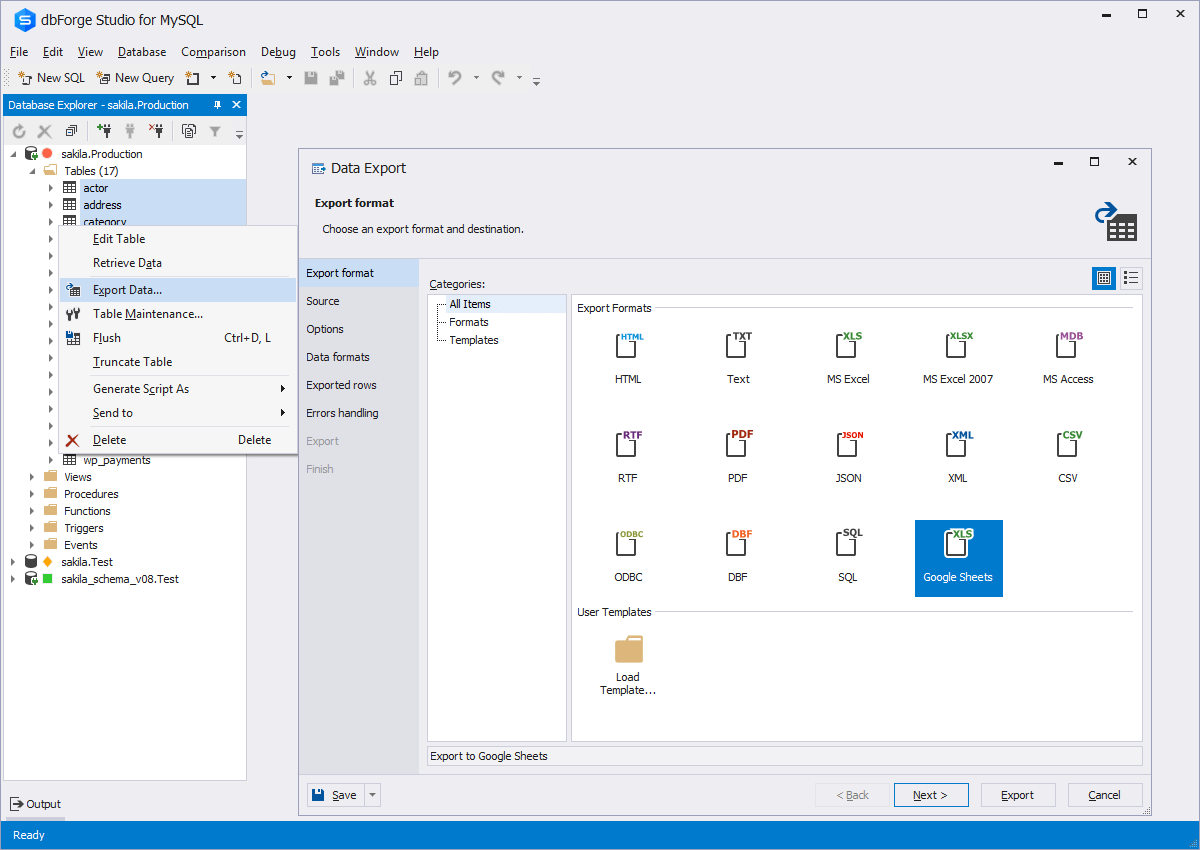
dbForge Studio is provided by
Devart and is a universal front-end client for database
management, administration and development. Devart's GUI tool provides
utilities to compare, synchronize, and back up databases (e.g. MySQL, Oracle, SQL Server, PostgreSQL, etc.) with scheduling,
and includes the possibility to analyze and report MySQL tables data. For example, dbForge
Studio for MySQL works with any MariaDB database servers, and supports all
MariaDB objects types. This solution enables users…
$9.95
per month
Sequel Pro
Score9 out of 10
N/A
Sequel Pro is a relational database software solution offered free and open source. It allows users to access any MySQL database through a Mac.
This tool is useful for small and large IT departments and associated data analysts that perform direct database functions such as DBA tasks or extracting/importing data. Non-technical staff members would not benefit from this tool as much as the functions are detailed and technical. However, automation engineers will find this tool very open for automation, and can generate the scripting code for any of its functions.
A de minimis incentive was given to thank the reviewer for their time. The incentive was not used to bias or drive a particular response, nor was the incentive contingent on a positive endorsement. More Info
It's a great tool when building the software, the ability to add SQL and No-SQL databases. Very convenient to write the queries and generate the filtered data we require. Gives the ability to export, import databases of various formats and generate reports from them. It might not be suitable if you want the data to be seen in a visualized manner
A de minimis incentive was given to thank the reviewer for their time. The incentive was not used to bias or drive a particular response, nor was the incentive contingent on a positive endorsement. More Info
A de minimis incentive was given to thank the reviewer for their time. The incentive was not used to bias or drive a particular response, nor was the incentive contingent on a positive endorsement. More Info
A de minimis incentive was given to thank the reviewer for their time. The incentive was not used to bias or drive a particular response, nor was the incentive contingent on a positive endorsement. More Info
The ability to parameterize searches more would be advantageous. For example, being able to specify to only look for certain columns, certain data type changes, etc.
The output reports from dbForge are very plain and could contain more detail, and perhaps be structured more like a pivot table form Excel
A de minimis incentive was given to thank the reviewer for their time. The incentive was not used to bias or drive a particular response, nor was the incentive contingent on a positive endorsement. More Info
It crashes CONSTANTLY. If you have more than one connection tab open and close one of them, it crashes. If you just have it open in the background, it randomly crashes. If you're using it, it randomly crashes. When you try to send a crash report, the CRASH REPORTER CRASHES.
Can be a bit slow.
No way that I'm aware of to query multiple databases in the same query.
A de minimis incentive was given to thank the reviewer for their time. The incentive was not used to bias or drive a particular response, nor was the incentive contingent on a positive endorsement. More Info
Although experience here is limited, as only one question has been asked and answered promptly, the registration and licensing process was very smooth and professional. There are forums online that discuss dbForge issues, as well as a Facts and Questions section on dbForge's website, so product support does seem to exist if needed.
A de minimis incentive was given to thank the reviewer for their time. The incentive was not used to bias or drive a particular response, nor was the incentive contingent on a positive endorsement. More Info
It's open-source and very convenient to work with. I can easily import any database I want using a data dump and runt the queries on them to derive the data insights on the data. I might want to use Excel to visualize that, that might be one of the disadvantages.
A de minimis incentive was given to thank the reviewer for their time. The incentive was not used to bias or drive a particular response, nor was the incentive contingent on a positive endorsement. More Info
Before choosing dbForge Studio I evaluated at least a dozen tools, especially on the Visual Query Builder function. For now, I have identified only one product that has a better Visual Query Builder than dbForge Studio. This other product also manages UNIONs, while dbStudio still doesn't do it visually. However, the better alternative product is enormously slower in operations and less feature-rich than DbForge Studio
MySQL Workbench is a wonderful tool, but the routine editing of existing data is note nearly as straightforward as it is in Sequel Pro. The ability to sort a data view with a single click makes Sequel Pro my definite choice. phpMyAdmin is pretty ubiquitous, but the routine editing of existing data is much more cumbersome than it is in Sequel Pro.
A de minimis incentive was given to thank the reviewer for their time. The incentive was not used to bias or drive a particular response, nor was the incentive contingent on a positive endorsement. More Info
A de minimis incentive was given to thank the reviewer for their time. The incentive was not used to bias or drive a particular response, nor was the incentive contingent on a positive endorsement. More Info
A de minimis incentive was given to thank the reviewer for their time. The incentive was not used to bias or drive a particular response, nor was the incentive contingent on a positive endorsement. More Info