dbForge Studio is provided by
Devart and is a universal front-end client for database
management, administration and development. Devart's GUI tool provides
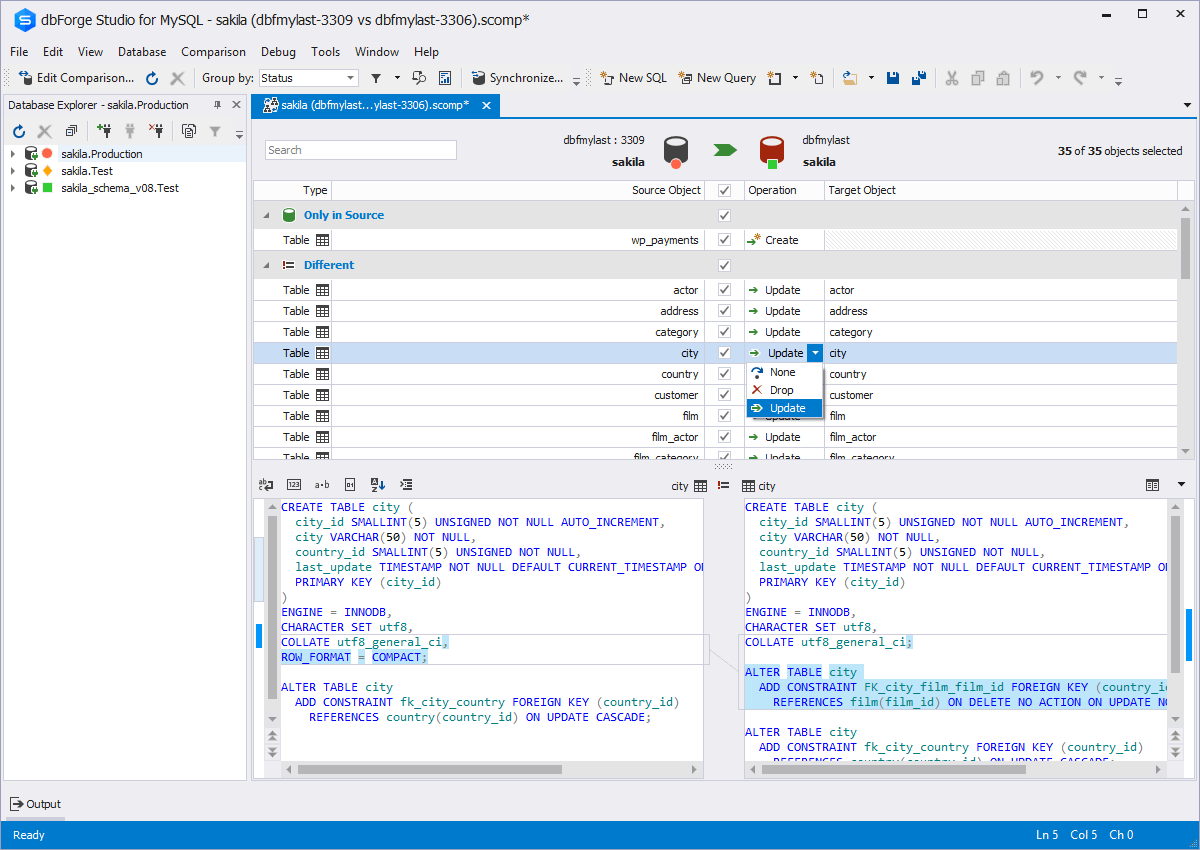
utilities to compare, synchronize, and back up databases (e.g. MySQL, Oracle, SQL Server, PostgreSQL, etc.) with scheduling,
and includes the possibility to analyze and report MySQL tables data. For example, dbForge
Studio for MySQL works with any MariaDB database servers, and supports all
MariaDB objects types. This solution enables users…
$9.95
per month
Navicat
Score7.1 out of 10
N/A
Navicat Premium is a multi-connection database development and administration tool which can simultaneously connect 7 databases (MySQL, MariaDB, MongoDB, SQL Server, Oracle, PostgreSQL, and SQLite) from a single application. Compatible with cloud databases like Amazon RDS, Amazon Aurora, Amazon Redshift, Microsoft Azure, Oracle Cloud, Google Cloud, Alibaba Cloud, Tencent Cloud, MongoDB Atlas and Huawei Cloud, developerws can quickly and easily build, manage and maintain databases.
IT Manager in Information Technology at CM Group Holdings, Inc. (Retail, 11-50 employees)
Chose dbForge Studio (Edge)
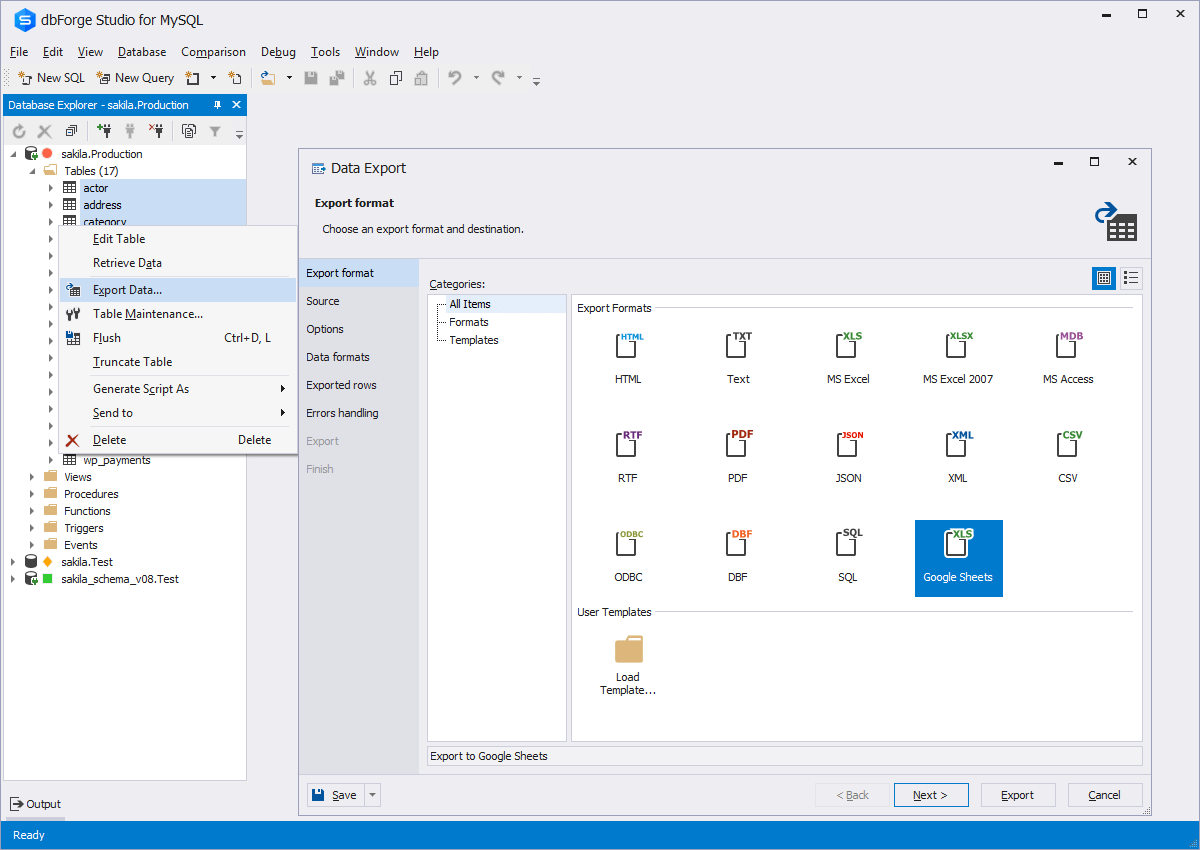
I would say that dbForge equals or beats most of the abilities of the other tools I evaluated at the time. dbForge had better support (Devart), and regular feature updates. dbForge has better tools for data comparison and import/export. The price tag is slightly higher, but …
A de minimis incentive was given to thank the reviewer for their time. The incentive was not used to bias or drive a particular response, nor was the incentive contingent on a positive endorsement. More Info
This tool is useful for small and large IT departments and associated data analysts that perform direct database functions such as DBA tasks or extracting/importing data. Non-technical staff members would not benefit from this tool as much as the functions are detailed and technical. However, automation engineers will find this tool very open for automation, and can generate the scripting code for any of its functions.
A de minimis incentive was given to thank the reviewer for their time. The incentive was not used to bias or drive a particular response, nor was the incentive contingent on a positive endorsement. More Info
Navicat Premium is a very well-rounded tool with a reasonable licensing fee given its feature set. It is primarily suited for technical resources who must work with a variety of different database systems, but who may not be database or command line tool wizards. However, its query building and job batch scheduling feature support end-users as they build competency, and it continues to hold its value even as users outgrow their training wheels. Navicat is probably not so appropriate for DBAs and others for whom database development and management is already a career path; these folks have their preferred toolsets, both vendor-supplied and homegrown, and they might consider the additional licensing cost to outweigh the value they'd personally get out of Navicat.
A de minimis incentive was given to thank the reviewer for their time. The incentive was not used to bias or drive a particular response, nor was the incentive contingent on a positive endorsement. More Info
A de minimis incentive was given to thank the reviewer for their time. The incentive was not used to bias or drive a particular response, nor was the incentive contingent on a positive endorsement. More Info
The ability to parameterize searches more would be advantageous. For example, being able to specify to only look for certain columns, certain data type changes, etc.
The output reports from dbForge are very plain and could contain more detail, and perhaps be structured more like a pivot table form Excel
A de minimis incentive was given to thank the reviewer for their time. The incentive was not used to bias or drive a particular response, nor was the incentive contingent on a positive endorsement. More Info
A de minimis incentive was given to thank the reviewer for their time. The incentive was not used to bias or drive a particular response, nor was the incentive contingent on a positive endorsement. More Info
There is quite a lot to learn because Navicat Premium is a very comprehensive database management and development tool, but it's User Interface is intuitive enough to pick up fairly quickly. I have also referred to the documentation on occasion, and can attest that it is quite good. I feel that it works best on a large monitor, but that's fairly common for this sort of software.
Although experience here is limited, as only one question has been asked and answered promptly, the registration and licensing process was very smooth and professional. There are forums online that discuss dbForge issues, as well as a Facts and Questions section on dbForge's website, so product support does seem to exist if needed.
A de minimis incentive was given to thank the reviewer for their time. The incentive was not used to bias or drive a particular response, nor was the incentive contingent on a positive endorsement. More Info
Very robust online community and well as excellent support staff. Easy to follow video tutorials. Detailed sample configurations are provided with guided walk-throughs via remote classroom instruction. Very fast response from support staff. No internal hires were necessary for support as vendor support staff fully met all technical expertise. 24/7 incident reporting and tracking is great.
A de minimis incentive was given to thank the reviewer for their time. The incentive was not used to bias or drive a particular response, nor was the incentive contingent on a positive endorsement. More Info
Before choosing dbForge Studio I evaluated at least a dozen tools, especially on the Visual Query Builder function. For now, I have identified only one product that has a better Visual Query Builder than dbForge Studio. This other product also manages UNIONs, while dbStudio still doesn't do it visually. However, the better alternative product is enormously slower in operations and less feature-rich than DbForge Studio
A de minimis incentive was given to thank the reviewer for their time. The incentive was not used to bias or drive a particular response, nor was the incentive contingent on a positive endorsement. More Info
A de minimis incentive was given to thank the reviewer for their time. The incentive was not used to bias or drive a particular response, nor was the incentive contingent on a positive endorsement. More Info