dbForge Studio (Edge) vs. MySQL Workbench

Overview
ProductRatingMost Used ByProduct SummaryStarting Price
dbForge Studio (Edge)
Score 8.0 out of 10
N/A
dbForge Studio is provided by Devart and is a universal front-end client for database management, administration and development. Devart's GUI tool provides utilities to compare, synchronize, and back up databases (e.g. MySQL, Oracle, SQL Server, PostgreSQL, etc.) with scheduling, and includes the possibility to analyze and report MySQL tables data. For example, dbForge Studio for MySQL works with any MariaDB database servers, and supports all MariaDB objects types. This solution enables users…
$9.95
per month
MySQL Workbench
Score 6.5 out of 10
N/A
MySQL Workbench is a unified visual tool for database architects, developers, and DBAs. MySQL Workbench provides data modeling, SQL development, and comprehensive administration tools for server configuration, user administration, and backup. MySQL Workbench is available on Windows, Linux and Mac OS X. It is available free through its Community edition, and an Enterprise edition is available for a commercial license as well, supported by Oracle.
$0
Pricing
dbForge Studio (Edge)MySQL Workbench
Editions & Modules
Standard (subcription)
$9.95
per month
Professional (subscription)
$19.95
per month
Enterprise (subscription)
$29.95
per month
Standard (subcription)
$99.95
per year
Professional (subscription)
$179.95
per year
Standard
$199.95
Enterprise (subscription)
$229.95
per year
Professional
$349.95
Enterprise
$449.95
Community Edition
$0
Enterprise Edition
licensed through Oracle
Offerings
Pricing Offerings
dbForge Studio (Edge)MySQL Workbench
Free Trial
YesYes
Free/Freemium Version
YesYes
Premium Consulting/Integration Services
NoNo
Entry-level Setup FeeNo setup feeNo setup fee
Additional Details
More Pricing Information
Community Pulse
dbForge Studio (Edge)MySQL Workbench
Features
dbForge Studio (Edge)MySQL Workbench
Database Development
Comparison of Database Development features of Product A and Product B
dbForge Studio (Edge)
8.0
Ratings
6% below category average
MySQL Workbench
-
Ratings
Database change management8.00 Ratings00 Ratings
Best Alternatives
dbForge Studio (Edge)MySQL Workbench
Small Businesses
DBeaver
DBeaver
Score 9.2 out of 10
DBeaver
DBeaver
Score 9.2 out of 10
Medium-sized Companies
DBeaver
DBeaver
Score 9.2 out of 10
DBeaver
DBeaver
Score 9.2 out of 10
Enterprises
DBeaver
DBeaver
Score 9.2 out of 10
DBeaver
DBeaver
Score 9.2 out of 10
All AlternativesView all alternativesView all alternatives
User Ratings
dbForge Studio (Edge)MySQL Workbench
Likelihood to Recommend
9.8
(0 ratings)
7.0
(0 ratings)
Usability
-
(0 ratings)
5.0
(0 ratings)
Support Rating
8.0
(0 ratings)
-
(0 ratings)
User Testimonials
dbForge Studio (Edge)MySQL Workbench
Likelihood to Recommend
Whenever a user or DBA wants to compare schematics between two environments, dbForge is extremely helpful. This is useful during version or framework upgrades, a database upgrade, patch implementations, service package implementations, or any time to environments would be different. The time it would take to write and execute queries, and then compare is exponentially longer than it takes with dbForge, where this is done and you have an application that allows you to quickly identify incongruities.
Read full review
It works best when you need to create basic queries or manage an simple MySQL schema. For more complicated data modeling, I'll use another tool. You can't beat the price though.
Read full review
Pros
  • Compare entire or subset of MySQL tables between databases
  • Configure comparison rules
  • Sync data between compared databases depending on differences
  • Save comparison rules for reuse and sharing
  • Break down differences between missing/new records, or different records
  • See differences highlighted per field
  • Execute sync immediately, or save as an SQL script file
  • Command-line tool that can be used to add comparisons to deploy scripts
Read full review
  • Send queries to DB
  • Export results in csv
Read full review
Cons
  • [The] installation error I've already reported (ABARTN).xml [could use some improvement]. This has to do with Windows Defender (the default Windows anti-virus) not allowing the installation on the default installation directory of dbForge Studio [for SQL Server], thus the error. [With] the workaround, [I] was to disable the anti-virus for the duration of the installation, then turn it back on when the installation [was] been completed.
  • [I would like to see] better defined licensing models for larger teams (seated vs. name licenses).
Read full review
  • On the Mac version, quitting always throws an exception. More of an annoyance but still. This should have been fixed a long time ago.
Read full review
Usability
No answers on this topic
Quite complicated. It's unrealistic to use without prior preparation (guides on youtube or colleagues' help).
Read full review
Support Rating
Although experience here is limited, as only one question has been asked and answered promptly, the registration and licensing process was very smooth and professional. There are forums online that discuss dbForge issues, as well as a Facts and Questions section on dbForge's website, so product support does seem to exist if needed.
Read full review
No answers on this topic
Alternatives Considered
I would say that dbForge equals or beats most of the abilities of the other tools I evaluated at the time. dbForge had better support (Devart), and regular feature updates. dbForge has better tools for data comparison and import/export. The price tag is slightly higher, but renewals rates are pretty good. It's a quality tool that still is well worth the cost.
Read full review
phpMyAdmin is way better only when local database is concerned but MySQL Workbench is way better then SQLyog because of the more cleaner UI and cost. SQLyog does not have any open-source featuring whereas MySQL Workbench has open source edition with lot of good free features. So MySQL Workbench is powerful than SQLyog.
Read full review
Return on Investment
  • We perform better and faster syncing analysis between databases.
  • We update running mysql databases faster and more efficiently.
  • Especially with MySQL Workbench we had immense irritations due to all the crashes during the day. With dbForge Studio we finally had a power tool which is stable and does not crash constantly.
Read full review
  • It provides good features and saves the time.
  • When we use remote server, we can connect without using ssh etc. so saves the time and easy to understand.
  • Do not have to write the queries to check the schema, so saves the time.
Read full review
ScreenShots

dbForge Studio (Edge) Screenshots

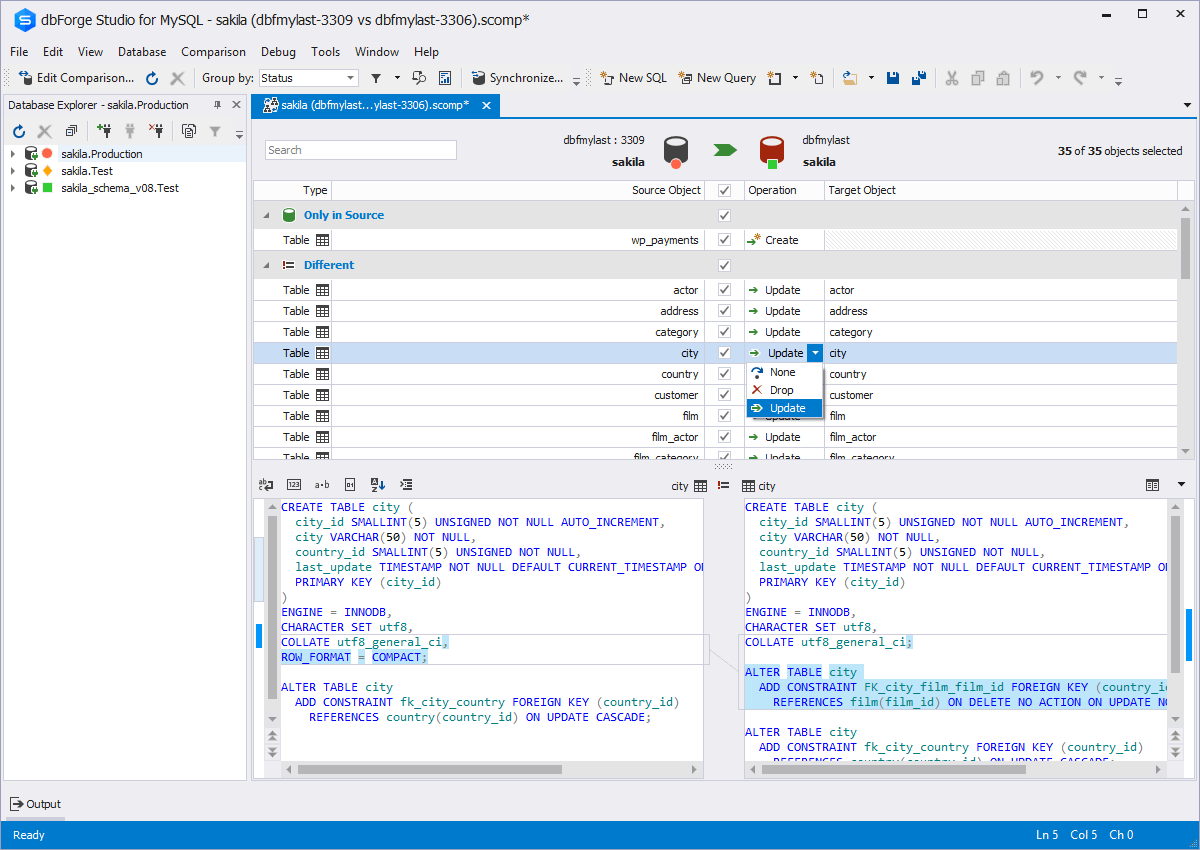
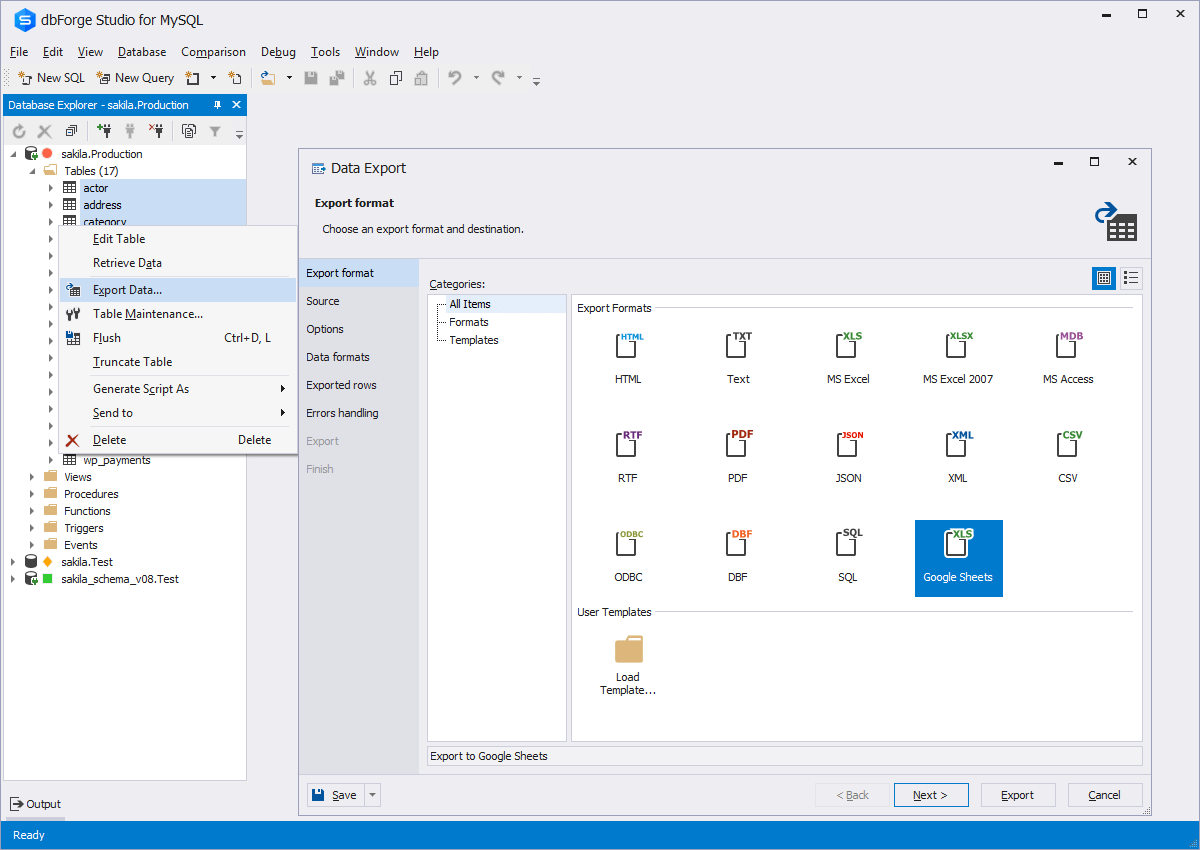
Screenshot of Code CompletionScreenshot of Schema CompareScreenshot of Database DiagramScreenshot of Data ExportScreenshot of Database design & developmentScreenshot of Visual query building